Prerequisites for exporting Group Policy settings using PowerShell

  • PowerShell must be installed on your system, and you must have access to the Group Policy module.
  • You must have the necessary administrative permissions to access and export GPOs.

How to export Group Policy settings using PowerShell?

  1. Open the Start Menu.
  2. Click Windows PowerShell ISE.
  3. Run the below PowerShell script. Import-Module ActiveDirectory Import-Module GroupPolicy $dc = Get-ADDomainController -Discover -Service PrimaryDC Get-GPOReport -All -Domain test.com -Server $dc -ReportType HTML -Path C:\Test\GPOReportsAll.html

    Note: Modify the file path and domain parameter as necessary.

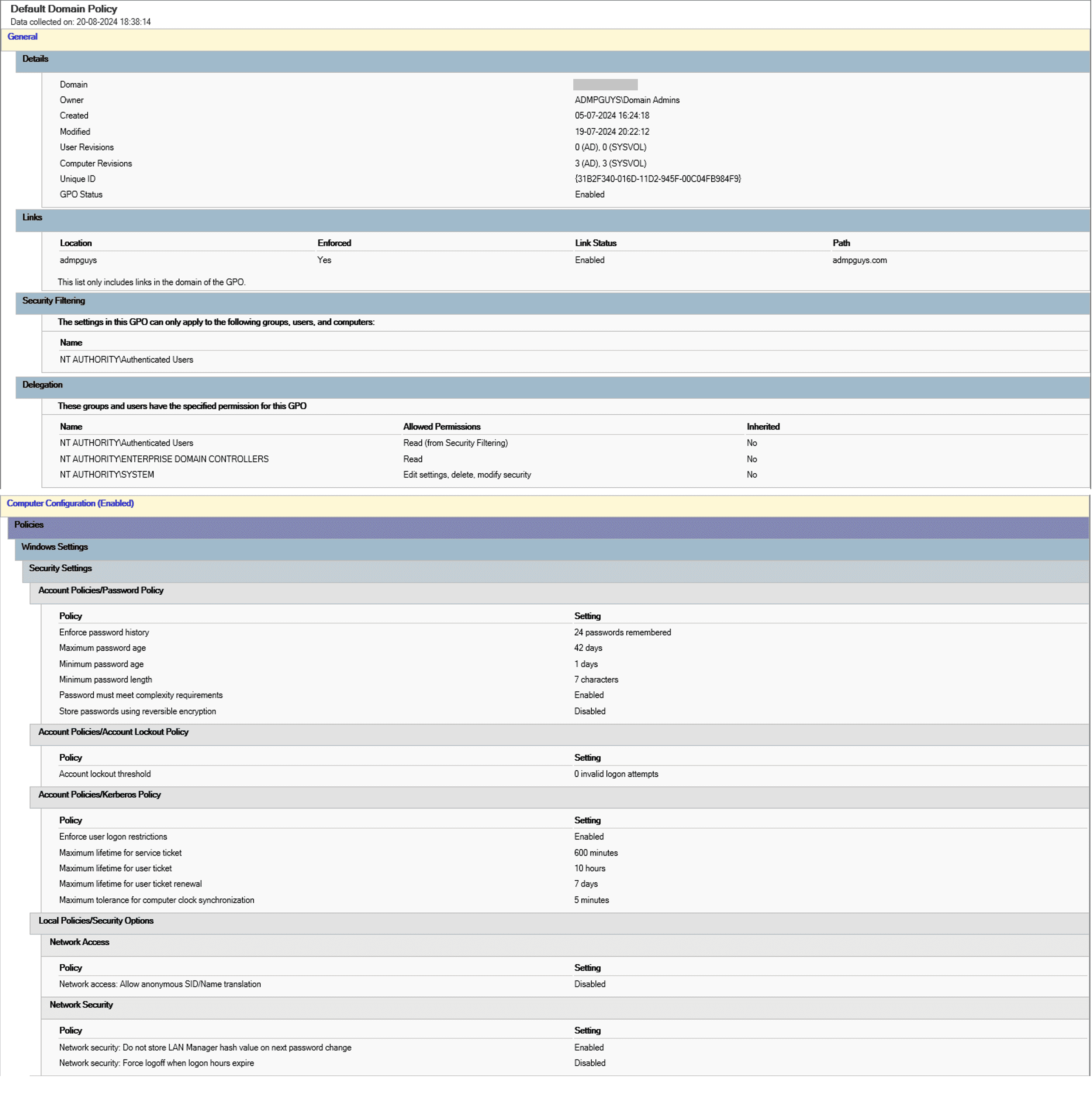
  4. Go the defined path and open the generated GPOReportsAll.html file.
The generated .html file
The generated .html file displaying GPO configuration policies.

Export Group Policy settings using ADManager Plus

While using PowerShell scripts often involves complex scripting, ADManager Plus streamlines this process, enabling you to generate detailed GPO reports effortlessly. Here’s how you can use ADManager Plus to export these reports with ease.

  1. Log in to ADManager Plus.
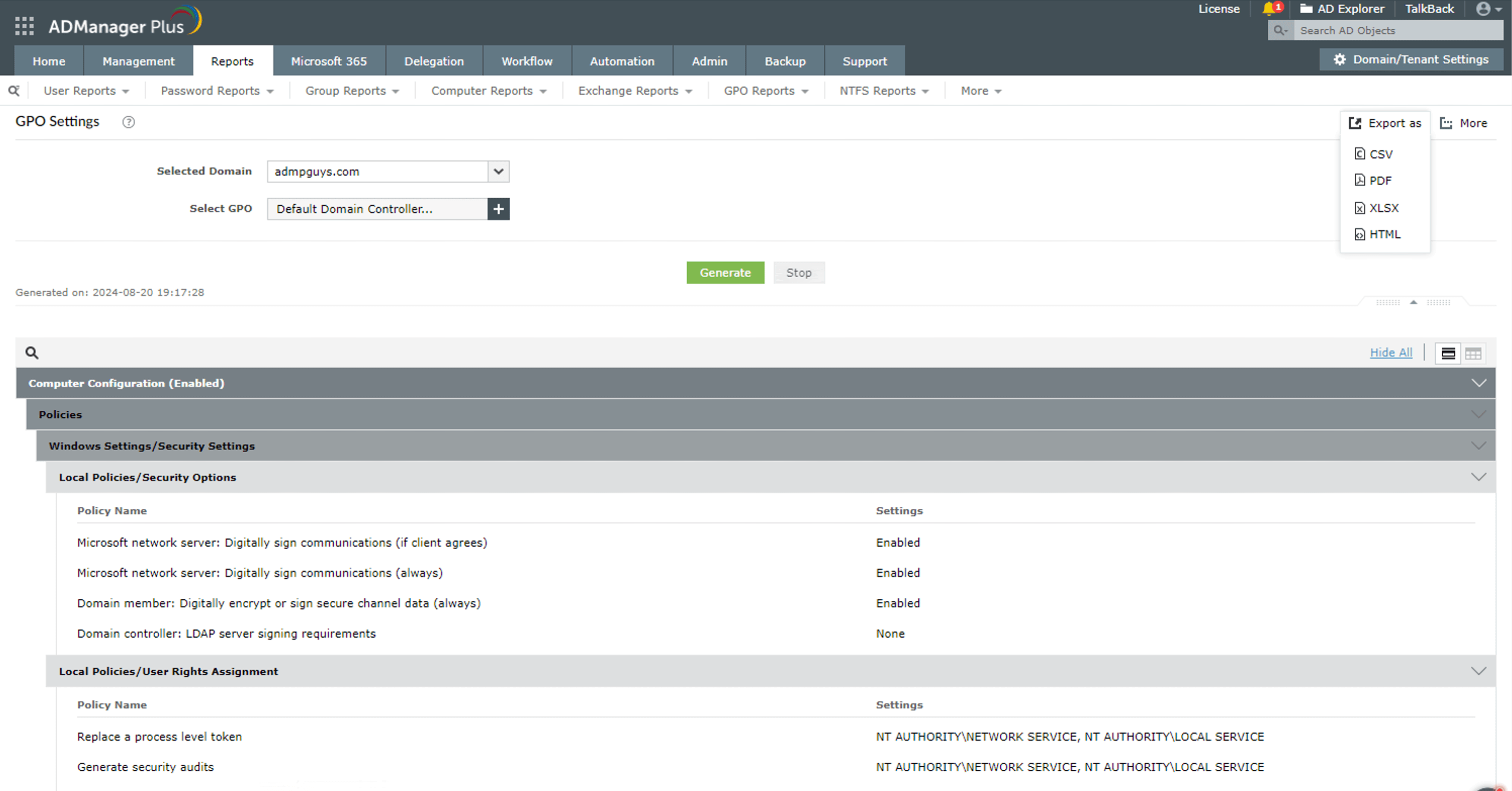
  2. Navigate to Reports > GPO Reports > GPO Settings Reports > GPO Settings.
  3. Select the required domain and the GPO whose settings you wish to view.
  4. Click Generate.
  5. Once the report is generated, you can export it in various formats, such as PDF, CSV, CSVDE, XLSX, or HTML.
The GPO Settings report in ADManager Plus
The GPO Settings report in ADManager Plus that allows users to view GPO settings.

Key use cases of exporting GPO settings

Use case 1: Backup and recovery

Regularly exporting GPO settings is a critical practice for any organization relying on AD to manage user permissions, security settings, and various policies. This process allows organizations to create backups, which can be invaluable for recovery in case of accidental deletion, corruption, or policy misconfigurations.

Use case 2: Auditing and compliance

Exporting GPO settings facilitates auditing processes by allowing administrators to review configurations for compliance with internal policies or external regulations. This is particularly useful during audits, where proof of compliance with security standards is required.

Benefits of using ADManager Plus as a reporting tool

Comprehensive reporting

Quickly generate predefined reports and choose from multiple export formats with a user-friendly, intuitive designed interface.

Scheduled automation

Use the report scheduler to automate GPO report generation, helping to save you time.

Exportable reports

Export the generated reports in various formats, such as PDF, XLSX, CSV, CSVDE, and HTML.

Delegated reporting

Delegate access to GPO reports securely to non-administrators while ensuring their AD permissions remain unaffected.

Need further
assistance?

Fill this form, and we'll contact you rightaway.

Request Callback

  •  
  • *
     
  • *
     
  • *
     
  • *
     
  • By clicking 'Submit' you agree to processing of personal data according to the Privacy Policy.

Thank you!

We’ve received your callback request and will get back to you shortly.

ADManager Plus Trusted By

The one-stop solution to Active Directory Management and Reporting