Support
 
Phone Live Chat
 
Support
 
US: +1 888 720 9500
US: +1 800 443 6694
Intl: +1 925 924 9500
Aus: +1 800 631 268
UK: 0800 028 6590
CN: +86 400 660 8680

Direct Inward Dialing: +1 408 916 9393


Knowledge Base

While configuring Microsoft 365, I get "Untrusted certificate provider" error message.

Error Message

While M365 configuration, I get an error " Untrusted certificate provider."
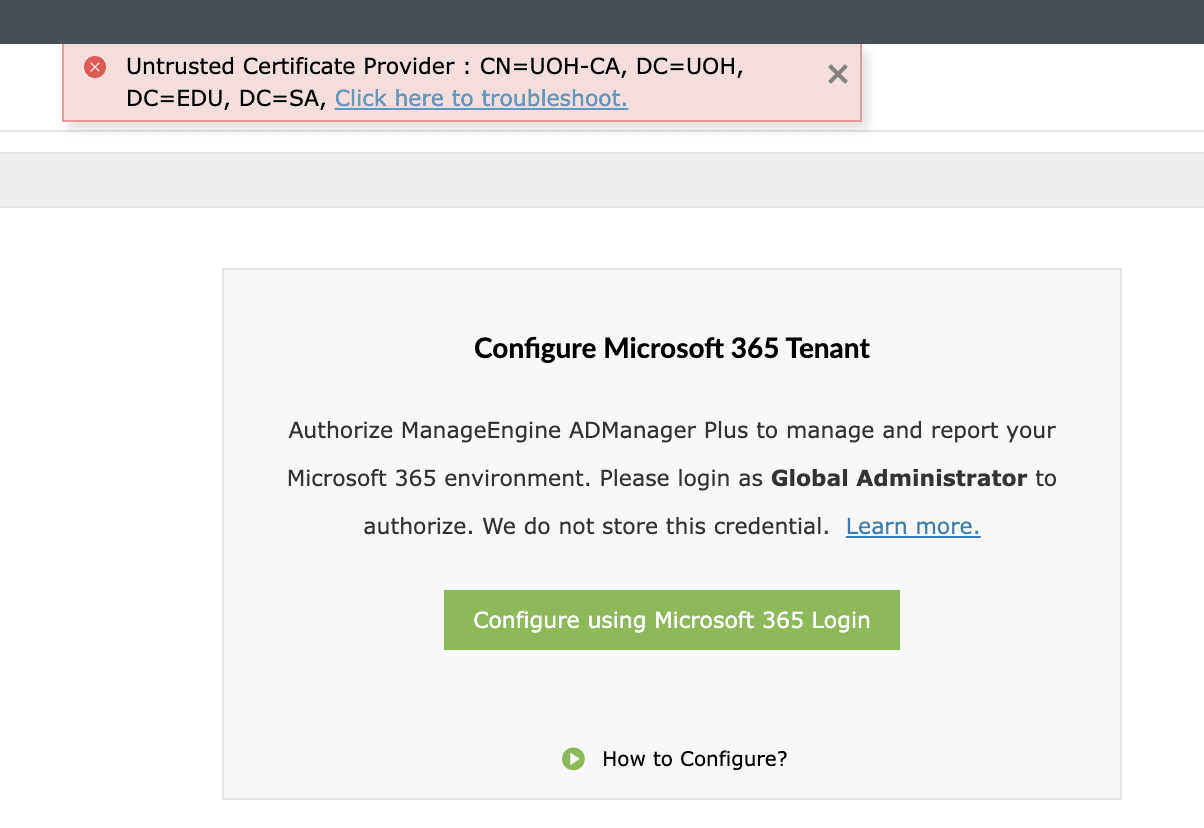
how-to-troubleshoot-the-error-untrusted-certificate-provider

Possible Root Cause

This error occurs when certificate based authentication is used in firewall, and the product's JRE does not trust the certificate. To rectify this condition, the certificates must be added to the JRE's trusted certificate store. Or another possible cause could be the expiration date of the certificate.

Possible Solutions

In order to create trust, we will need to add the certificate to the trust store.

1. To add the certificate to the trust store

Step 1: Navigate to <product_installation_directory>/jre/bin.

Step 2: Open command prompt as an administrator.

Step 3: Run the following command:

keytool.exe -import -trustcacerts -alias "certAlias" -file "certPath" -keystore ..\lib\security\cacerts

certAlias - A name of your choice.

certPath - Path of the certificate.

Step 4: You will be prompted for a password. The default password is changeit.

Step 5: Provide the password and hit Enter.

Step 6: Restart the product.

2. To make sure that the certificate passes this test, check whether the certificate actually expired or was applied before it became active. Then, take one of the following actions:

  • If the certificate actually expired or was applied before it became active, a new certificate must be generated that has the appropriate expiration dates.
  • If the certificate didn't expire or wasn't applied before it became active, verify the time on the client and server computers, and then update them as required.


Select a language to translate the contents of this web page:

Need further assistance?

Fill this form, and we'll contact you rightaway.

Request Support

  •  
  • *
     
  • *
     
  • *
     
  • By submitting you agree to processing of personal data according to the Privacy Policy.

"Thank you for submitting your request.

Our technical support team will get in touch with you at the earliest."

ADManager Plus Trusted By

The one-stop solution to Active Directory Management and Reporting
Email Download Link email-download-top












