Direct Inward Dialing: +1 408 916 9393
While enabling the backup add-on, it is recommended that you provide Domain Admin privileges to the service account used to configure the AD domains in ManageEngine ADManager Plus. However, if your organization's policy restricts the use of the Domain Admin account, you can assign the service account with the least privileges required for the working of the backup add-on.
The table below lists the permissions that should be assigned to the service account configured in ADManager Plus:
| Action | Permissions |
| Backup AD objects | Read permission, replicating directory changes,andreplicating directory changes all permission for Domain, DomainDNSZones, ForestDNSZones, configuration, schema partitions. |
| Backing up GPOs | Add the service account to the Administrators group. |
| To restore deleted GPOs | Add the service account to the Group Policy Creator Owners group. |
| To restore all AD objects | Write permission. |
Provide the service account with Read permission for Domain, DomainDNSZones, ForestDNSZones, configuration, and schema partitions in Active Directory.
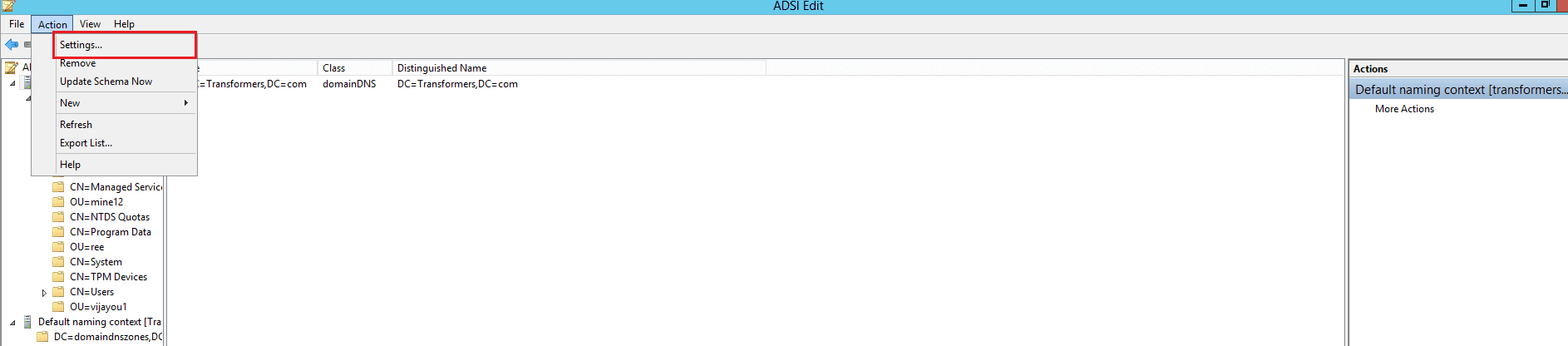
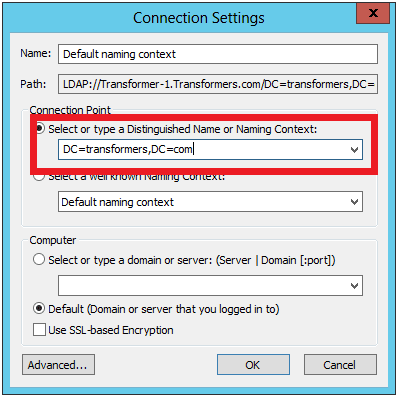
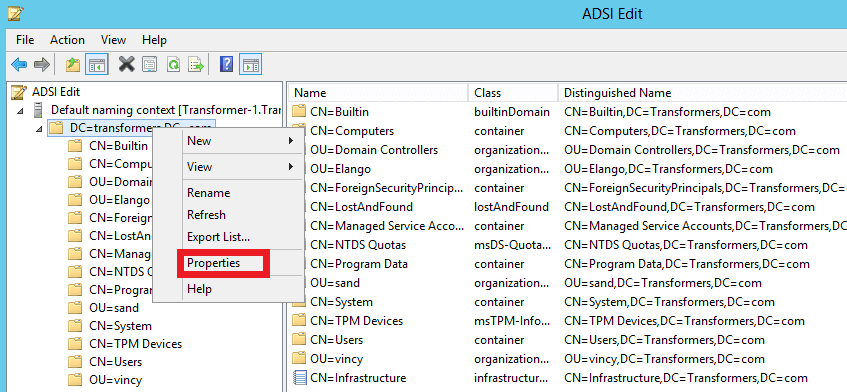
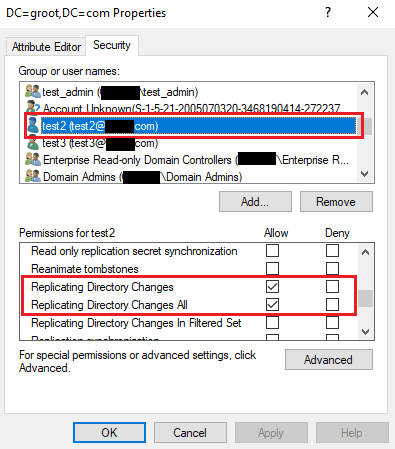
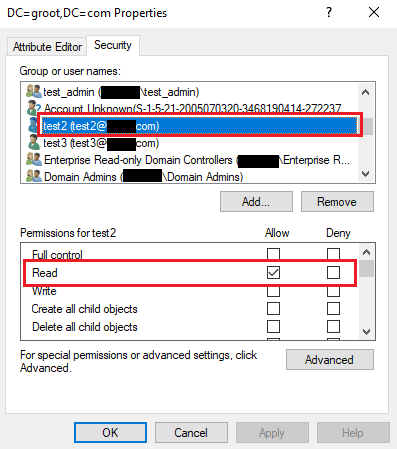
With these permissions in place, the user account can be used to configure the domain to ADManager Plus and perform backup operations.
The permissions you had given to the service account will only allow the product to take backups of your AD environment.
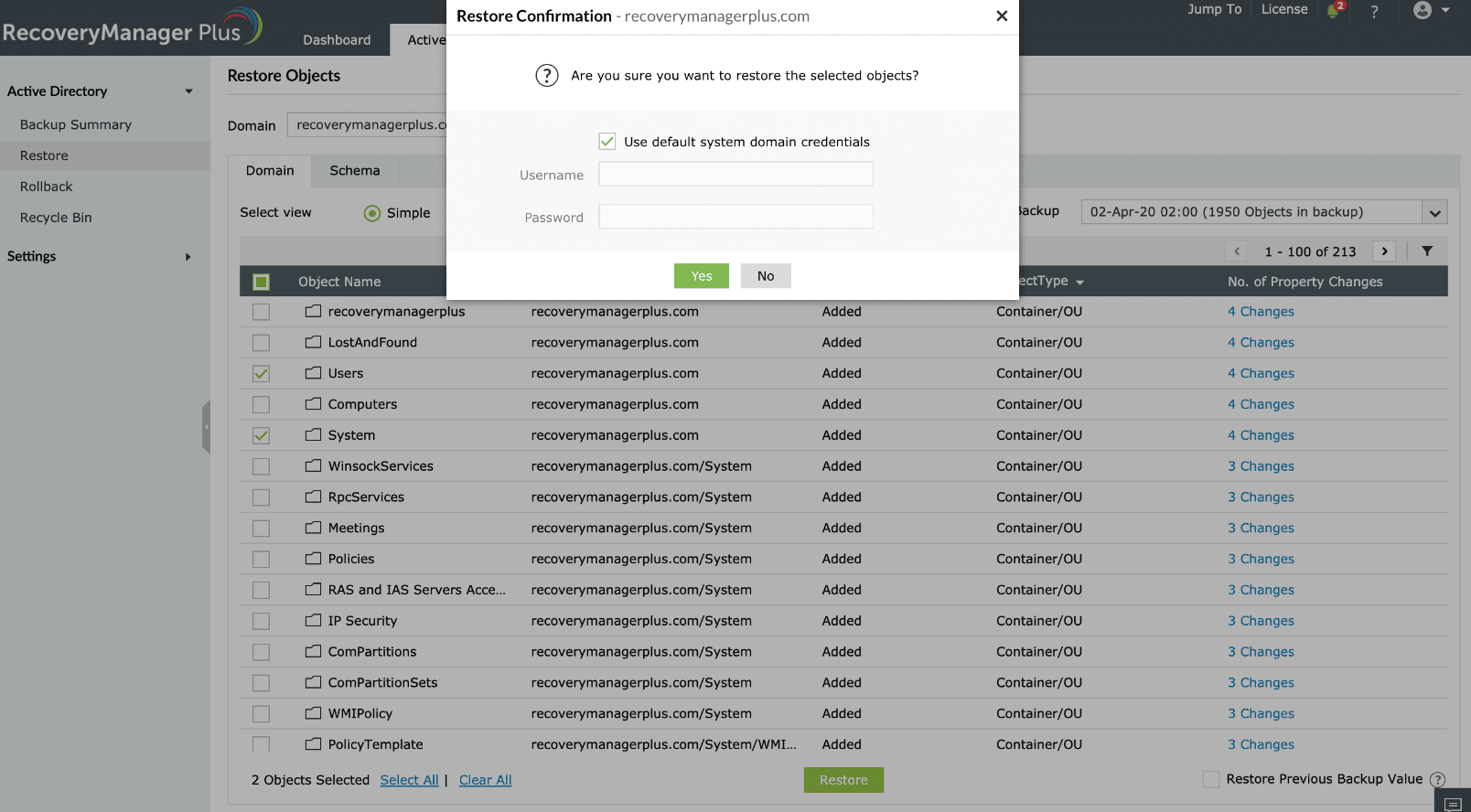
When you need to perform any restoration, the product will verify which account was used to configure the domain. If a domain administrator account was used, the restoration will be performed without further input from the admin. If a service account was used, the product will prompt the admin to enter the user name and password of a user who can write to AD. If the service account used to configure AD has the required privilege to write to AD, select the Use default system domain credentials option. If the account does not have the required privileges to write to AD, leave the box unchecked, and provide the credentials of a domain administrator or a user who can write to the AD in the Username and Password field. Once you provide the credentials, the product will use the credentials to perform the restoration. After the restoration is complete, the product will not store the credentials.
To back up GPOs, the product has to run PowerShell commands to access the admin share folder and the service account has to be added to the Administrators group.
If you want the account to be able to restore deleted GPOs as well, the service account must also be added to Group Policy Creator Owners group.
Select a language to translate the contents of this web page:
Fill this form, and we'll contact you rightaway.
Our technical support team will get in touch with you at the earliest."














