Support
 
Phone Live Chat
 
Support
 
US: +1 888 720 9500
US: +1 800 443 6694
Intl: +1 925 924 9500
Aus: +1 800 631 268
UK: 0800 028 6590
CN: +86 400 660 8680

Direct Inward Dialing: +1 408 916 9393


Knowledge Base

Preventing duplication in user creation module

This KB will explain how to prevent an already existing user from being created again.

Steps

  1. Navigate to the Management Tab.
  2. Click User Creation Templates under User Templates in the User Management.
  3. Create a New Template or click on one of the existing templates to edit the same.
  4. Click the Enable Drag-n-Drop button. Hover over the attribute you want to prevent duplication for and click Edit.
  5. Once you are in the Edit attribute module, Enable the check-mark on the check for duplication check box under the Prevent Duplication option and Select the scope for duplication check.
  6. Click on Done.

Note: Duplicate check has to be enabled for sAMAccount name, User principle Name, Full Name, E-mail, Display Name & Mail Alias in case Exchange is used.
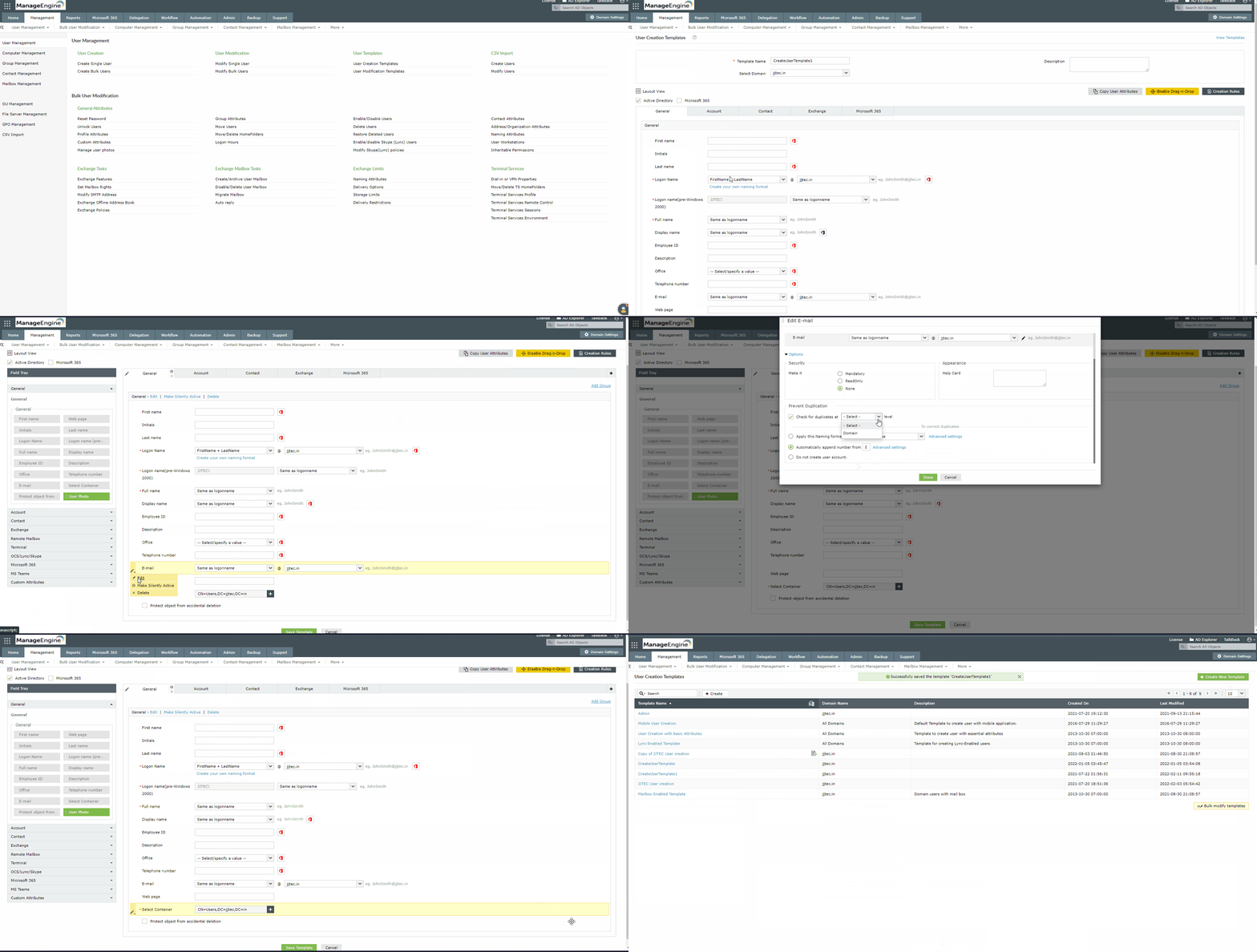
Preventing duplication in user creation module


Select a language to translate the contents of this web page:

Need further assistance?

Fill this form, and we'll contact you rightaway.

Request Support

  •  
  • *
     
  • *
     
  • *
     
  • By submitting you agree to processing of personal data according to the Privacy Policy.

"Thank you for submitting your request.

Our technical support team will get in touch with you at the earliest."

ADManager Plus Trusted By

The one-stop solution to Active Directory Management and Reporting
Email Download Link Email the ADManager Plus download link












