Support
 
Phone Live Chat
 
Support
 
US: +1 888 720 9500
US: +1 800 443 6694
Intl: +1 925 924 9500
Aus: +1 800 631 268
UK: 0800 028 6590
CN: +86 400 660 8680

Direct Inward Dialing: +1 408 916 9393


Knowledge Base

How to view delegated permissions in Active Directory

In many organizations, the native approach to viewing and managing delegated permissions in Active Directory involves navigating through the Advanced Security Settings for each object in ADUC. However, this is complex, error-prone, and difficult to audit as the number of admin tasks, delegated users, and groups grows. With ADManager Plus, administrators can effortlessly view delegated Active Directory permissions and take informed decisions.
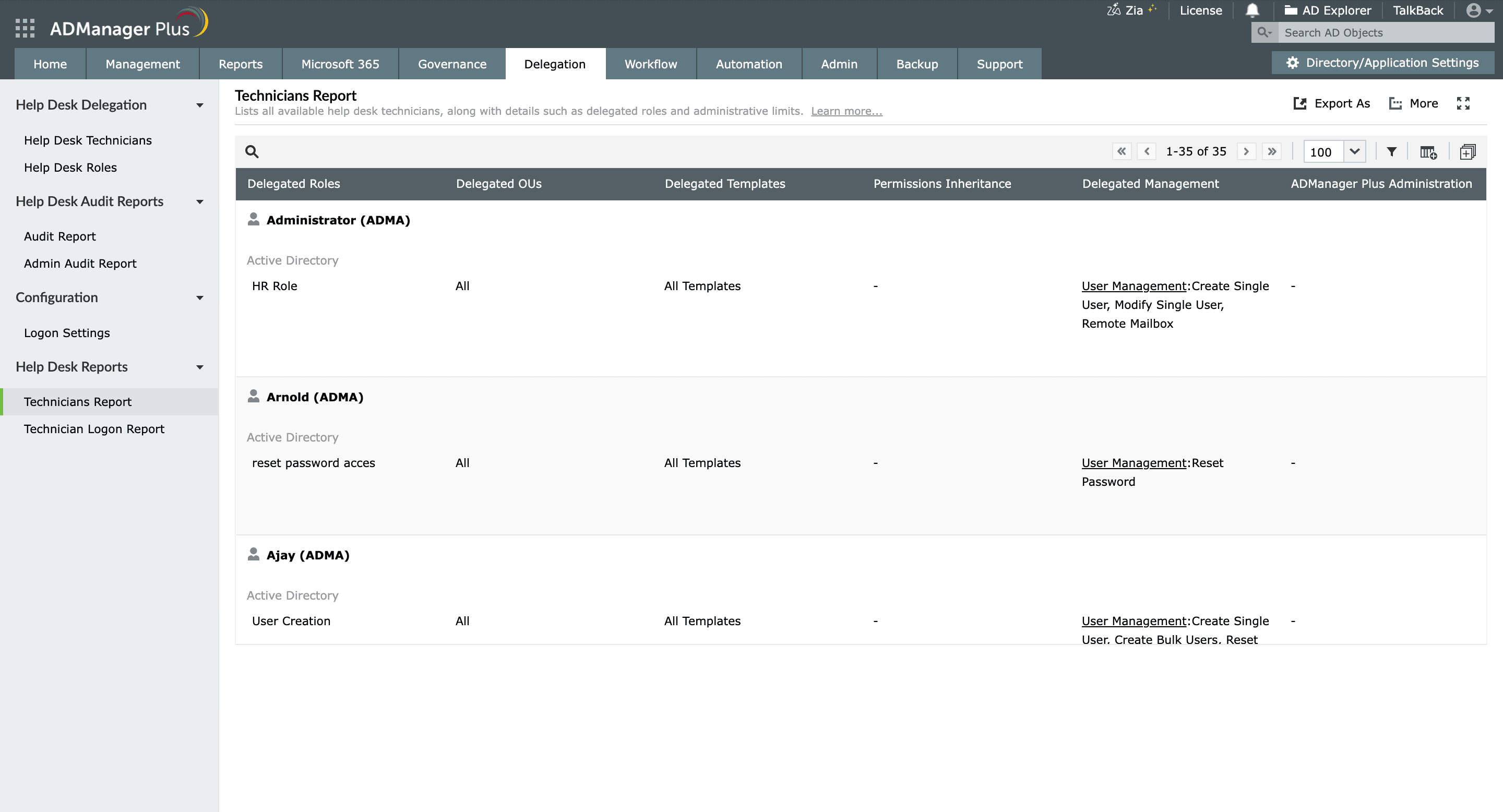
Steps to view delegated permissions in AD

  1. Log in to ADManager Plus.
  2. Click the Delegation tab.
  3. Navigate to Help Desk Reports > Technicians Report.
  4. Choose the desired technician from the list or use the Search Technician option to find them quickly.
  5. You can use the Filter option to define the criteria for generating the report.
  6. The ADManager Plus Administration column displays the roles and permissions associated to the respective technician.

    How to view delegated permissions in ADManager Plus

Key use cases of viewing delegated permissions

Use case 1: Efficient access management

By viewing delegated permissions, administrators can effectively manage technicians' access rights across the organization. This includes ensuring that the technicians have only the necessary permissions needed for their roles while preventing access to sensitive areas that could pose security risks.

Use case 2: Delegation oversight

Organizations often delegate administrative tasks to non-administrators to reduce the burden on IT staff. By viewing delegated permissions, administrators can monitor these delegations, ensuring that they remain appropriate and effective.

Benefits of using ADManager Plus

  • Comprehensive visibility: Easily identify who has access to what resources, which enhances oversight and accountability.
  • Enhanced security: Identify and address security vulnerabilities, ensuring a more secure AD environment.
  • Simplified user management: Streamline the creation, modification, and deactivation of user accounts, significantly reducing time and effort.
  • Customizable reports: Generate customizable help desk reports to meet the specific requirements of your organization.


Select a language to translate the contents of this web page:

Need further assistance?

Fill this form, and we'll contact you rightaway.

Request Support

  •  
  • *
     
  • *
     
  • *
     
  • By submitting you agree to processing of personal data according to the Privacy Policy.

"Thank you for submitting your request.

Our technical support team will get in touch with you at the earliest."

ADManager Plus Trusted By

The one-stop solution to Active Directory Management and Reporting
Email Download Link email-download-top












