APM Insight Transaction Grouping
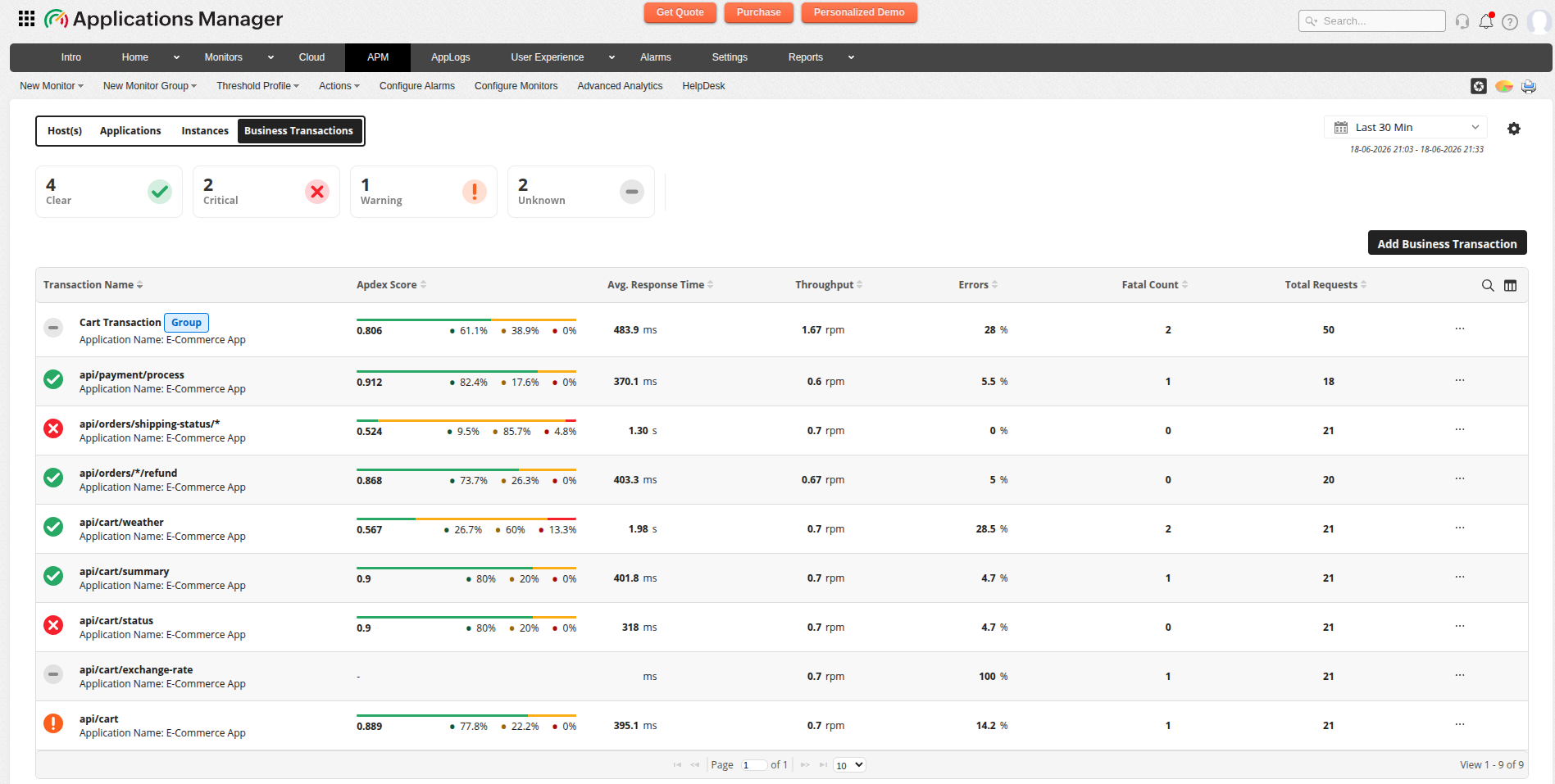
Transaction Grouping in APM Insight allows you to aggregate multiple individual transactions under a single named logical entity called a Transaction Group. This helps simplify your monitoring view and makes it easier to analyze performance metrics across related transactions.
Instead of viewing hundreds of individual URL transactions like /api/users/123, /api/users/456, /api/users/789, you can group them under a single "User API" entry. Each group is treated as a Business Transaction in Applications Manager.
Understanding transaction grouping
Most applications generate hundreds of individually tracked URL transactions. Without grouping, your transaction list becomes cluttered and difficult to analyze. Transaction Grouping solves this problem by allowing you to:
- Aggregate related transactions into logical groups
- View aggregate performance metrics for the group
- Simplify your transaction monitoring dashboard
- Create meaningful Business Transactions for reporting
How groups are defined
You can define transaction groups using either one of these methods:
| Method | Description | Use Case |
|---|---|---|
| Regex Pattern | Members are transactions whose name matches a regular expression pattern (for example, ^/api/users/\d+$) | Dynamic URLs with IDs where match is automatic and continuous |
| Manual Addition | Specific transaction IDs are explicitly added to the group | Curated sets of unrelated URLs that you want to monitor together |
What gets aggregated
When you create a Transaction Group, the following metrics are aggregated across all member transactions:
| Metric | Aggregation Method | Notes |
|---|---|---|
| Average / Min / Max Response Time | Sum then divide by count | Calculates weighted averages across all members |
| Throughput (RPM) | Sum across all members | Total requests per minute for the group |
| Apdex Score | Recomputed from aggregated data | Sum of satisfied, tolerating, and frustrated counts, then recalculated |
| Error Count / Error % | Aggregated per time window | Errors from all member transactions combined |
| Component Breakdown | Sum across all members | Time spent in each application component |
| Traces | Fetched on demand | Retrieved for member transactions when required |
Transaction types supported
Transaction Grouping is supported for the following transaction types:
- Web transaction
- Background transaction
Creating transaction groups
To create a new Transaction Group:
- Navigate to the APM Insight module in Applications Manager.
- Go to the Business Transactions view.
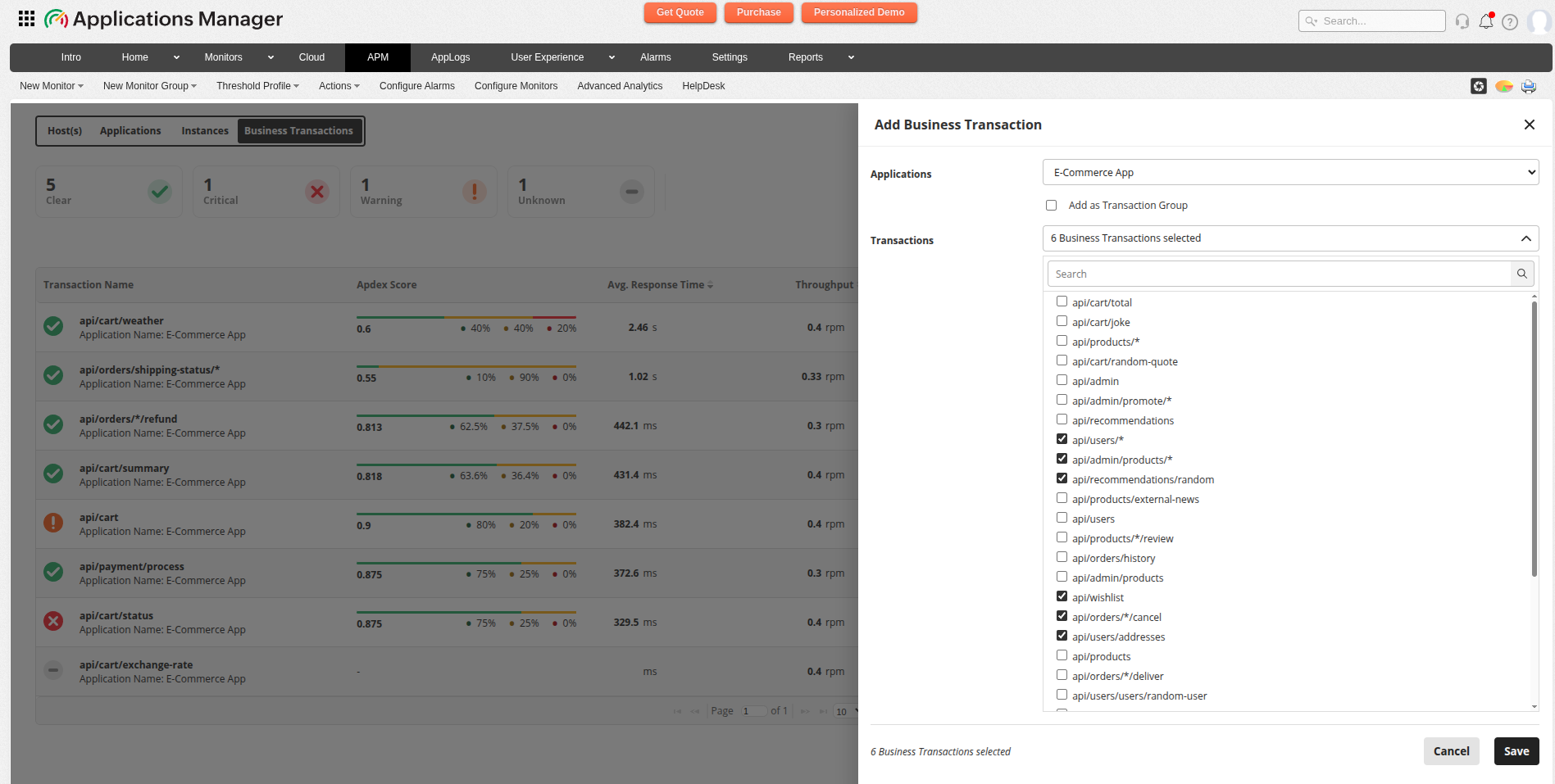
- Click the Add button to create a new Business Transaction.
- Select Add as Transaction Group.
- Enter a meaningful name for your group.
- Choose one of the following methods:
- Regex Method: Enter a regular expression pattern to automatically match transaction names.
- Manual Method: Select specific transactions to include in the group.
- Click Save to create the group.
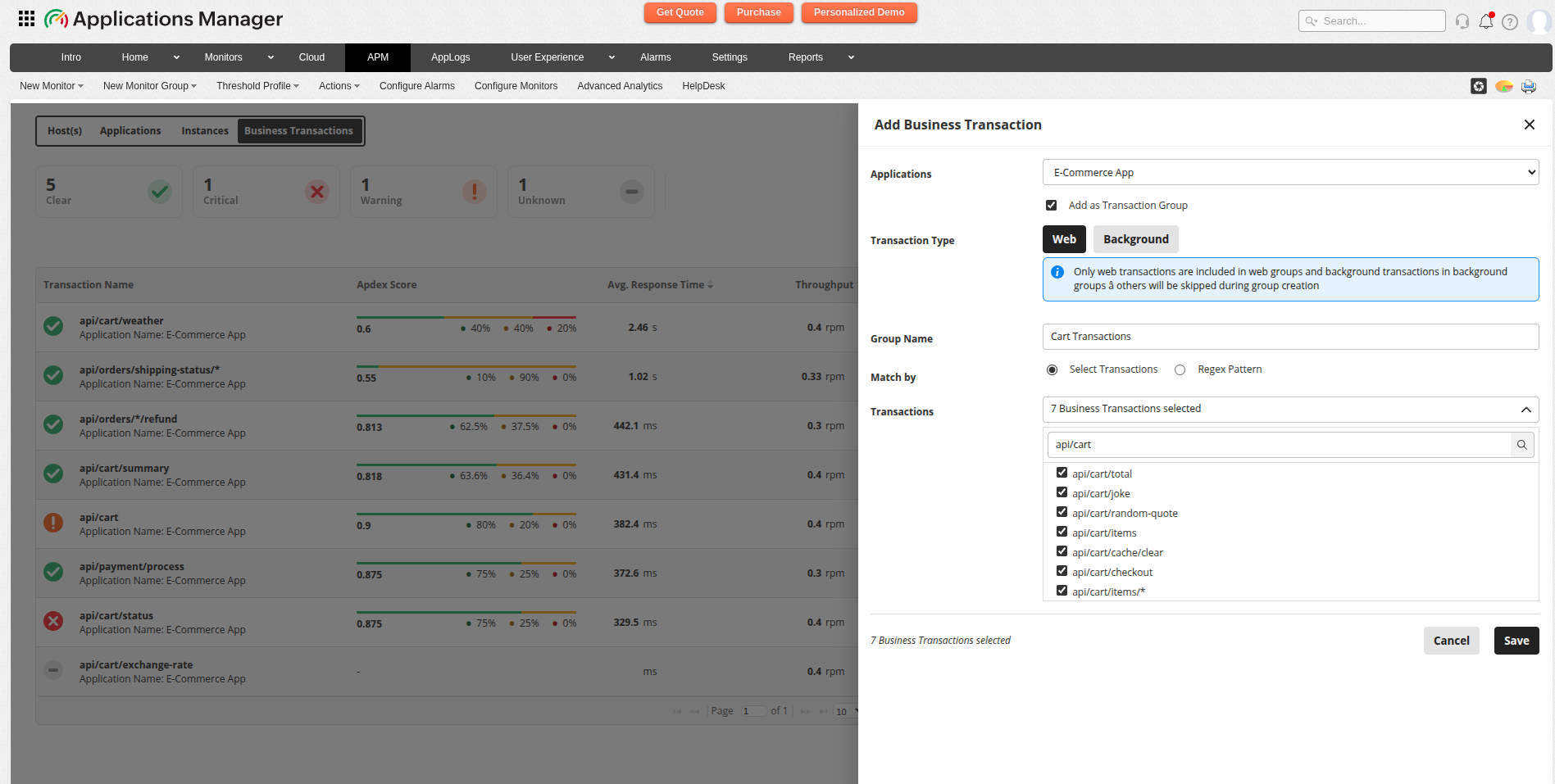
Note: When using regex patterns, ensure your pattern is valid and matches the intended transactions. Test your regex with a few transactions before applying it to the group.
Viewing and managing groups
Once you have created Transaction Groups:
- All groups appear in the Business Transactions view alongside individual transactions.
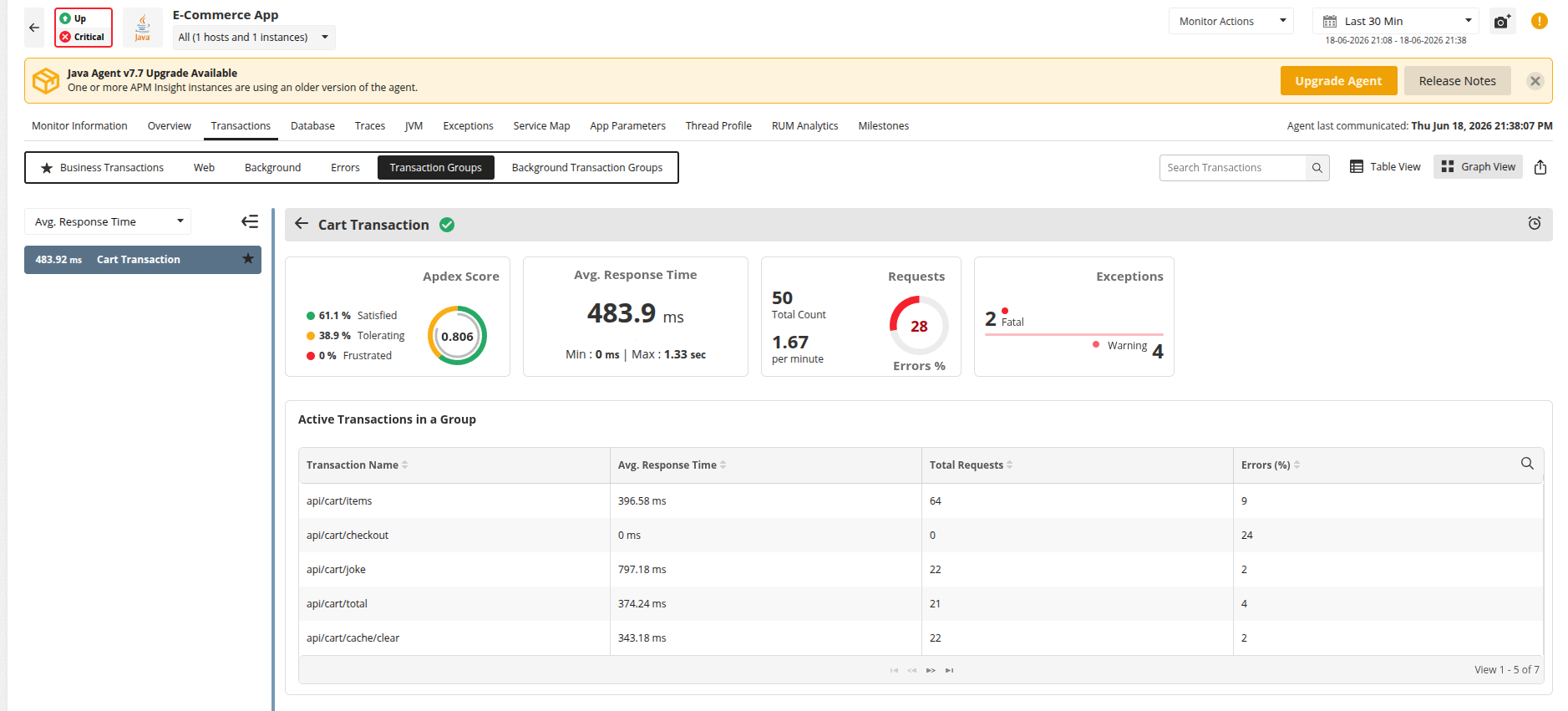
- Groups display aggregate metrics for all member transactions.
- Click on a group to view detailed metrics and member transaction breakdown.
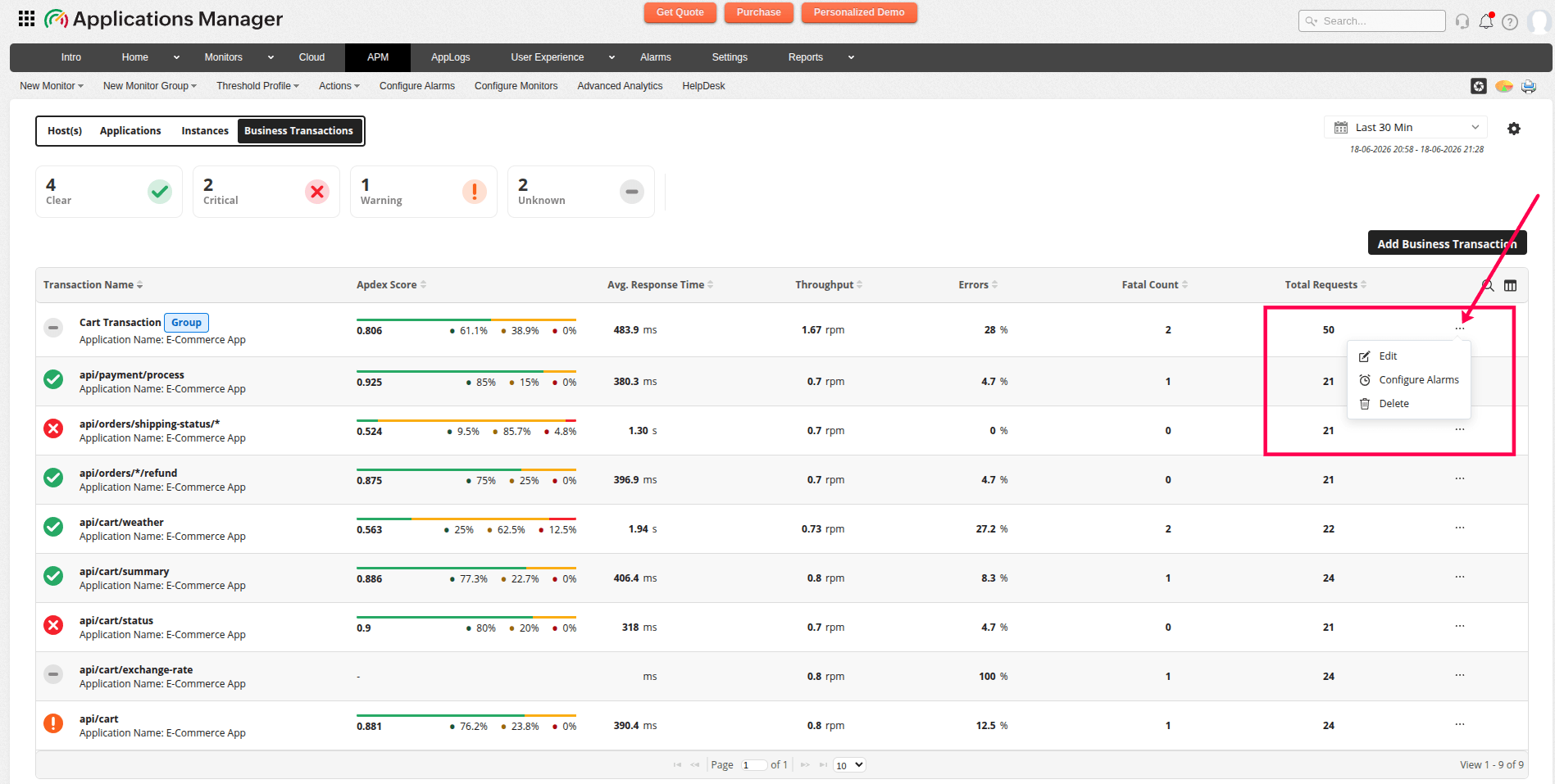
- You can edit group definitions to add or remove members or modify regex patterns.
- You can delete groups, which does not affect the underlying transactions.
Best practices
- Use descriptive names: Choose group names that clearly indicate the transactions being grouped.
- Test regex patterns: Validate regex patterns with sample transactions before using them in production.
- Keep groups focused: Group related transactions together and avoid overly broad groups.
- Monitor group performance: Review group metrics regularly to identify trends and anomalies.
- Document groups: Maintain documentation of groups and their purpose for team reference.
Known limitations
- Regex patterns must be valid; invalid patterns will be rejected.
- Traces are not pre-aggregated in groups.
- Groups cannot contain both web and background transaction types.