APM Insight - Transaction Threshold Support
Transaction Threshold Support in APM Insight enables users to identify and monitor Business Transactions independently from regular application traffic. By marking important transactions as Business Transactions, administrators can configure thresholds and alarms, view health status, perform Root Cause Analysis (RCA), and track performance metrics across dashboards and reports - ensuring that the most critical application paths receive timely attention and actionable insights.
This enhancement helps reduce alert noise by restricting threshold configuration to Business Transactions only, enabling faster issue detection, more accurate alerting, and improved SLA monitoring for high-impact application flows.
Note:
- This feature is supported only for Applications and is not applicable to individual instances.
- Alarm configuration is enabled only for transactions marked as Business Transactions.
Mark Business Transactions
Users can mark or unmark transactions as Business Transactions directly from the Transactions tab in the APM Insight monitor, allowing teams to prioritize transactions based on business criticality.
- Table View: Mark individual transactions as Business Transactions using the star icon available in the Actions column.
Configure Options (Bulk Action): Select multiple transactions and mark them as Business Transactions in a single action.
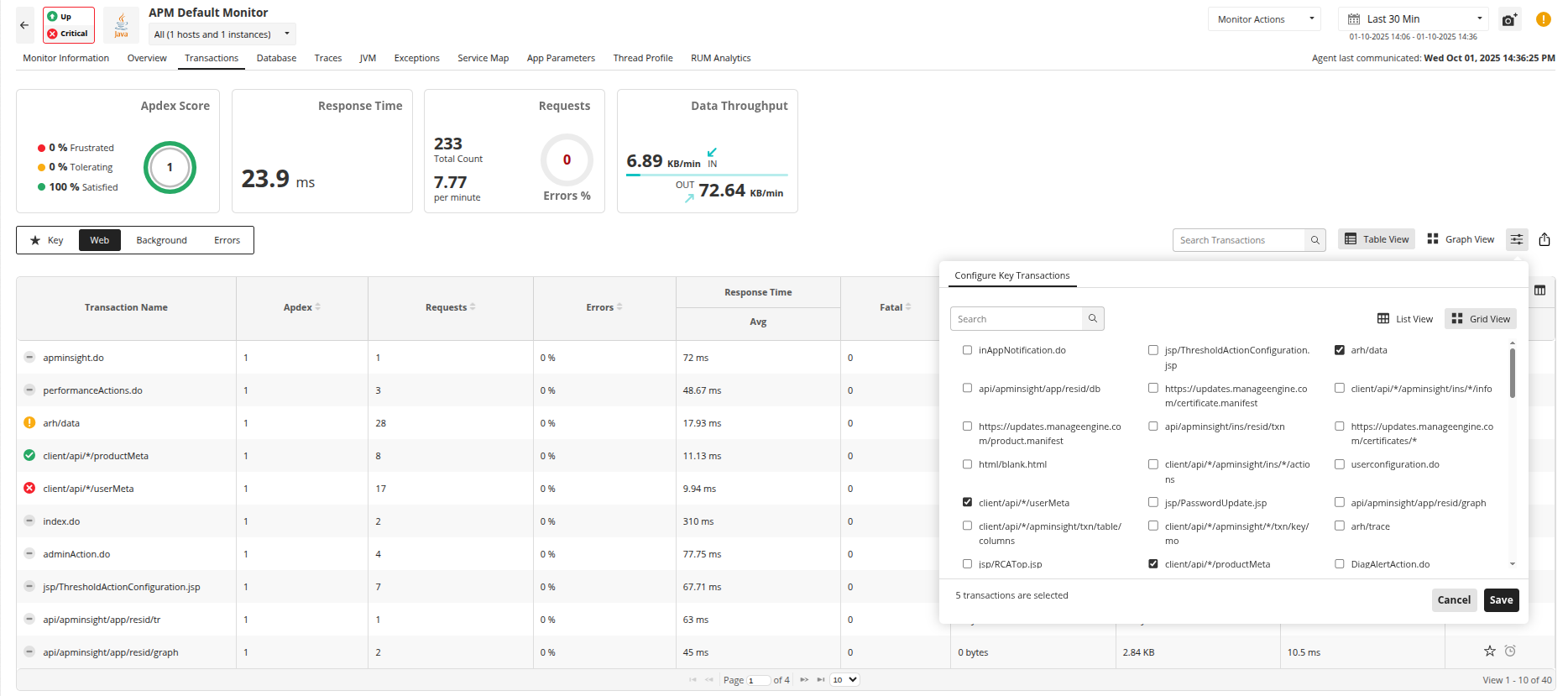
A dedicated Business Transaction View displays all marked transactions along with their health and performance metrics. This focused view helps administrators quickly monitor critical application paths without distraction from non-critical transactions.
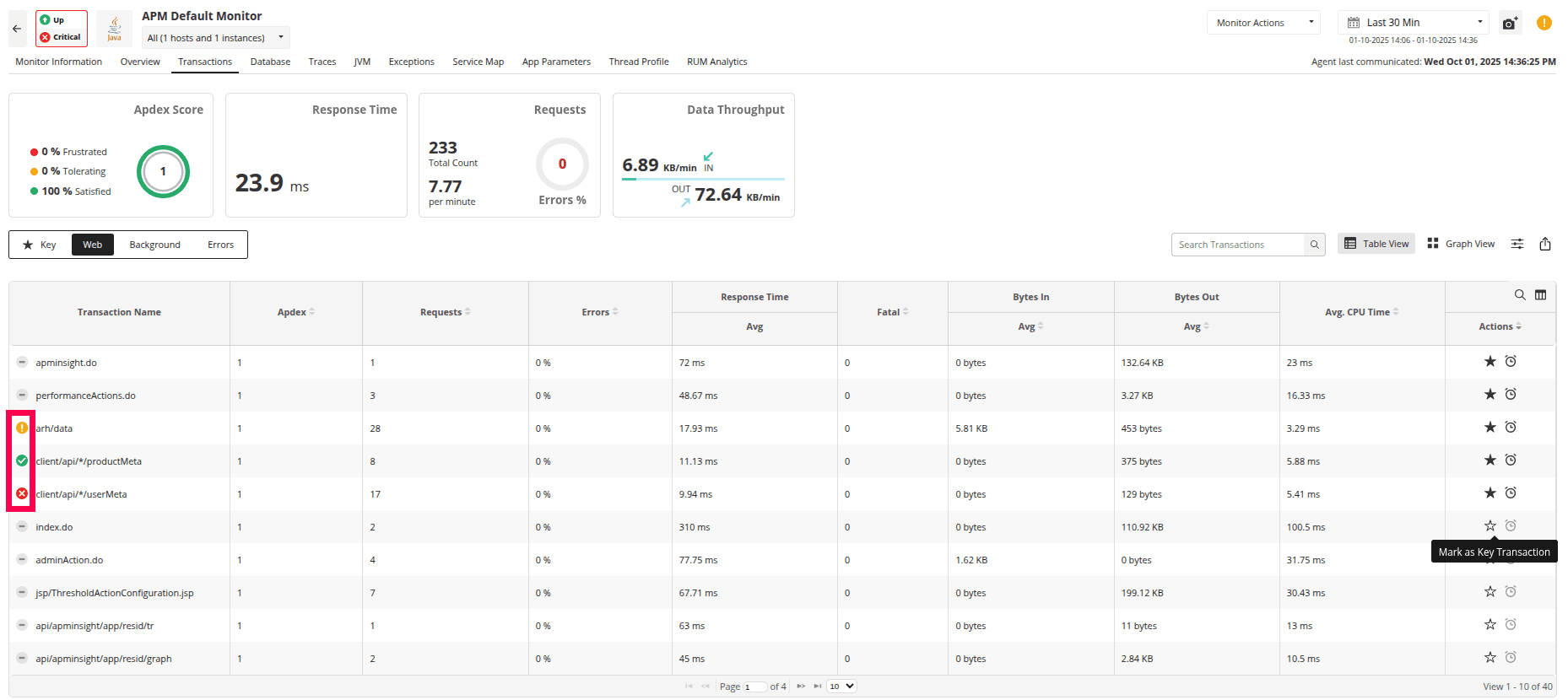
Configure Transaction Thresholds
Threshold configuration and alarm setup are supported only for Business Transactions, ensuring alerts are generated exclusively for business-critical application flows.
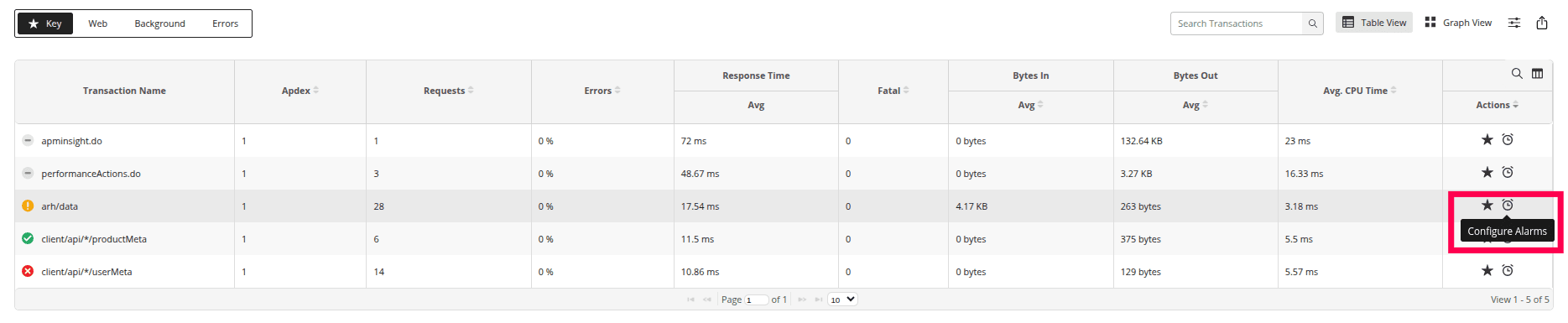
Business Transactions support threshold configuration, alerting, dashboards, and reports for the following performance and health attributes:
- Health Status
- Response Time
- Apdex Score
- Error Rate (%)
- Request Count
- Throughput (Requests per Minute)
- Failure Count
- Fatal Error Count
- CPU Time
- Data Throughput (Bytes In / Bytes Out)
All the above attributes are fully supported across alarm configuration, health evaluation, Root Cause Analysis (RCA), dashboards, and reports, enabling consistent tracking of SLA compliance, availability trends, and performance metrics.
Root Cause Analysis (RCA)
Clicking the health icon for a Business Transaction opens the Root Cause Analysis (RCA) view. RCA displays dependency relationships and highlights the exact attribute and threshold breach responsible for the issue.
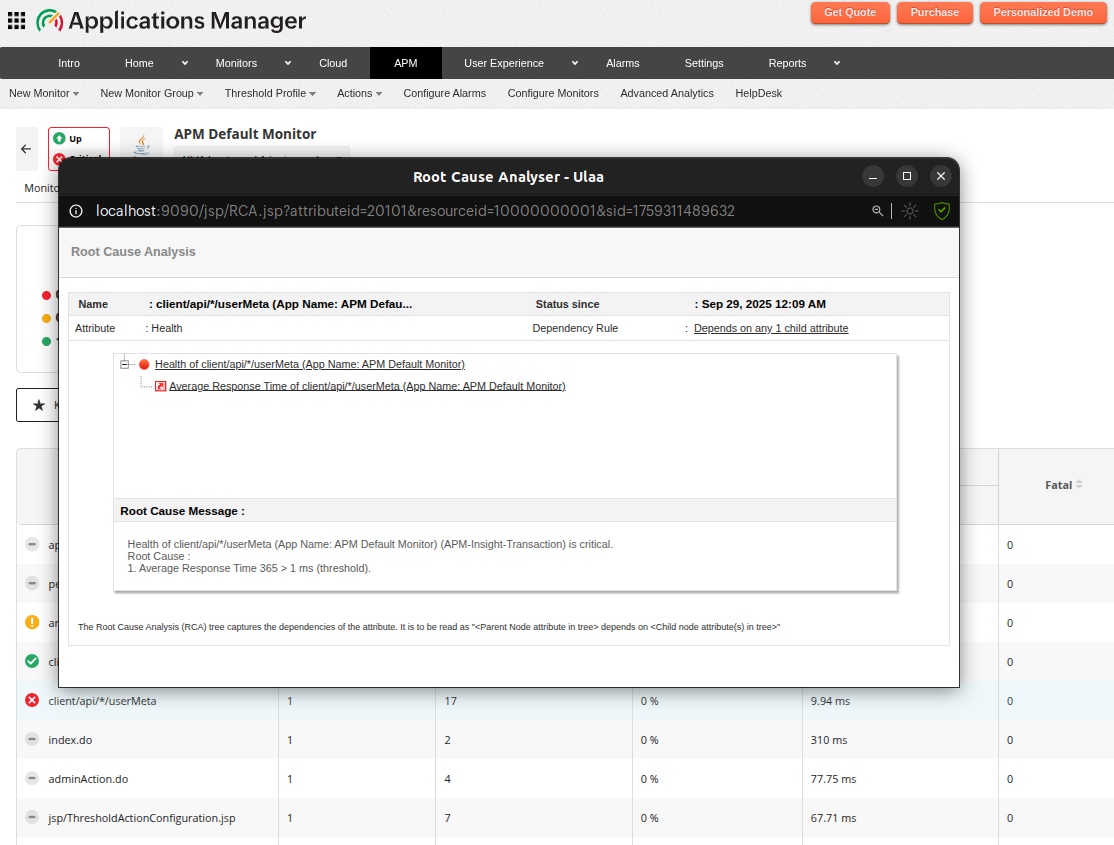
Note: The Configure Alarm and RCA options are also available in the Transactions Graph View.