PHP2Shell mitigation: Applying the PHP workaround with Endpoint Central
On October 21, 2026, PHP fixed two critical unauthenticated remote code execution flaws, CVE-2026-109618 and CVE-2026-109619. CISA added both to its Known Exploited Vulnerabilities catalog on October 26th. The real fix is upgrading PHP and restarting every worker process. But many Windows servers can’t do that yet: the vendor hasn’t certified the new version, the PHP branch is end-of-life, or nobody knows whether a PHP copy exists inside an old application. This guide shows how to reduce exposure on those servers with a temporary php.ini workaround, and how to apply it across your fleet with Endpoint Central.
Overview: CVE-2026-109618 and CVE-2026-109619
Both flaws sit in the PHP engine itself, so patching your CMS, framework, or plugins changes nothing. CVE-2026-109618 is triggered when PHP runs out of memory mid-request and leaves request data half set up, which cleanup then trusts. CVE-2026-109619 lets a state from one request survive into the next request handled by the same worker. Either request can give an unauthenticated attacker code execution as the web worker account. As mentioned, CISA added both flaws to its Known Exploited Vulnerabilities catalog on October 26, 2026, so treat them as active exploits.
PHP’s temporary workaround
Note: The below workaround is not a permanent fix. It is only a temporary workaround while planning an eventual upgrade. An update containing both complete fixes is the only complete remediation.
Fixed versions: 8.5.12, 8.4.27, 8.3.36, and 8.2.35. PHP 8.1 and earlier are receiving no routine upstream fix, so those servers need a migration to a covered version.
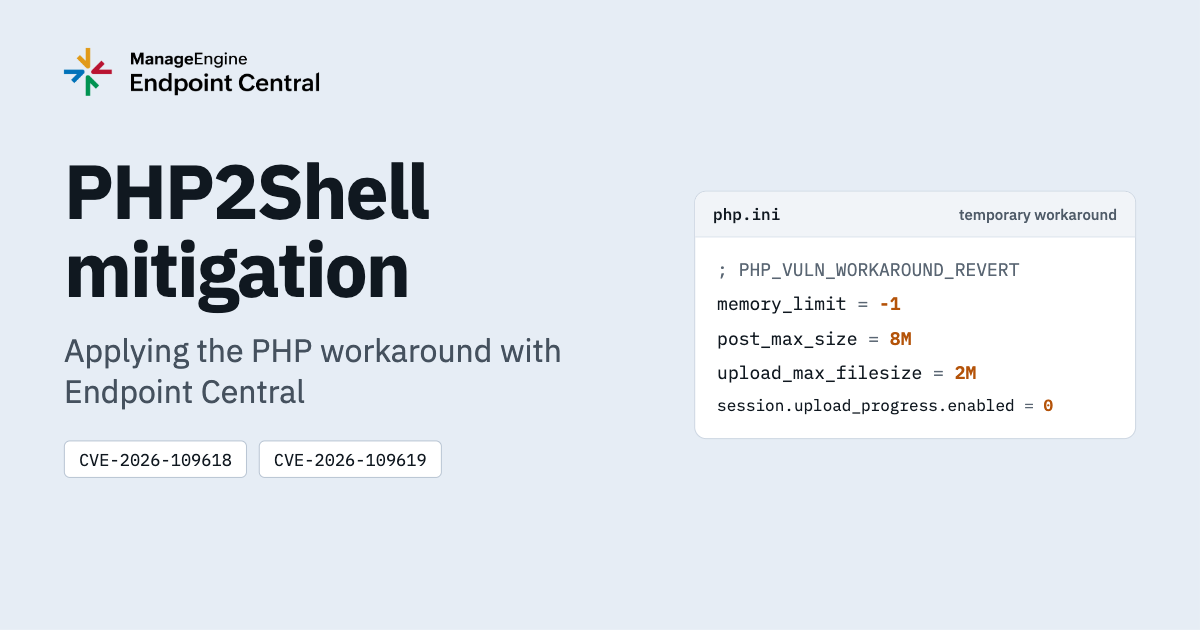
Workaround: Until you can upgrade, PHP’s interim guidance changes five php.ini settings by reducing specific attack paths. They don’t remove the vulnerabilities, and an upgrade is the only complete fix. The settings only help if the php.ini you edit is the one your web server actually loads, and nothing else overrides it (covered in Step 6).
What an interim workaround does
PHP states that its temporary measures reduce exposure to specific paths and that only an update containing both fixes is complete. Here is where each directive is.
| Setting | Value | Purpose |
|---|---|---|
memory_limit | -1 | Removes the memory cap, so attackers can’t trigger the predictable out-of-memory failure that the CVE-2026-109618 exploit relies on |
post_max_size | 8M | Caps request body size, since memory is no longer capped |
upload_max_filesize | 2M | Keeps individual uploads below post_max_size |
session.upload_progress.enabled | 0 | Blocks the session-based paths for CVE-2026-109619 |
fatal_error_backtraces | 0 | PHP 8.5 only; applied for CVE-2026-109619 |
Side effects: Applications that need uploads larger than 2 MB will break, and upload progress bars stop working. An unlimited memory_limit can also let a single request exhaust server memory. As such, it is better to test on one server first.
Which servers are most exposed?
On Windows, Apache with mod_php (XAMPP, WampServer) is the highest risk, because PHP runs request cleanup even when startup fails, so CVE-2026-109618 can be exploited before any application code runs. IIS servers running PHP through FastCGI (php-cgi.exe) are also listed as affected. CVE-2026-109619 is harder to exploit: An application operation must leave stale state behind, a fatal error must follow, and a second request must hit the same worker.
Applying the workaround across your fleet with Endpoint Central
Note: The workaround and tools in this guide are for Windows servers only. For Linux, upgrade PHP to a fixed version. See the advisory for fixed versions and details.
Step 1. Find affected installs: Deploy PhpExeDetection.exe to your servers through Endpoint Central via a custom script. It scans NTFS volumes for php.exe, checks each version against both CVEs, and reports one of: affected by CVE-2026-109618 and/or CVE-2026-109619; not affected; or version can’t be obtained. Affected paths are saved to phpExeLocations.json.
Video walkthrough: See the detection and workaround steps run in Endpoint Central in under two minutes. Watch it here
Step 2. Apply the workaround: Deploy PhpWorkaround.exe the same way. It uses phpExeLocations.json if it finds one. Otherwise it uses any php.exe or php.ini paths you pass in, or scans the machine itself. It re-checks each version and skips installs that are already fixed.
Step 3. Know what it changes: For each php.exe, the tool edits the php.ini in the same folder. It creates php_ini_backup.ini once (if none exists) and comments out every replaced value with a PHP_VULN_WORKAROUND_REVERT marker.
| CVE | Settings written |
|---|---|
| CVE-2026-109618 | memory_limit = -1, post_max_size = 8M, upload_max_filesize = 2M |
| CVE-2026-109619 | session.upload_progress.enabled = 0, plus fatal_error_backtraces = 0 on PHP 8.5 only |
Step 4. Read the result for each install.
| Result | Action |
|---|---|
| All workarounds successfully applied | Restart the server using that PHP |
| All workaround values were already in place | Restart if you have not since the change |
| No workaround applied | This PHP version is already fixed or not affected, so no further action is needed |
php.inifile was not present | Nothing was edited; deploy a php.ini and re-run |
| Could not implement the workaround | The tool couldn’t edit php.ini. Check the tool log, then apply the settings manually or ask the application vendor for guidance. |
Step 5. Restart: Schedule a maintenance window, then recycle the IIS application pool or restart Apache. The settings don’t take effect until then.
Step 6. Verify: Application code, Apache php_admin_value, .user.ini, and parent server configs can override php.ini. Check the loaded values from the web server context, not just the CLI, which can use a different php.ini. Run php.exe --ini to see which file loads, and use a temporary, access-restricted phpinfo page to check live values. Remove it right after.
Step 7. Upgrade, then revert: Upgrade to a fixed version, then remove the workaround by restoring php_ini_backup.ini or removing the PHP_VULN_WORKAROUND_REVERT changes, and restart again. The tool does not revert automatically.
Note: There is no automatic revert after upgrade.
Here's a how-to video
Next steps
The workaround narrows the attack paths while you prepare to upgrade. It doesn’t close the vulnerabilities, so use it to buy time, not as the end of the job.
- Inventory every PHP install, including ones bundled inside applications.
- Apply the workaround wherever you can’t upgrade yet (Steps 5 and 6 mentioned above).
- Upgrade within your current branch to a fixed version.
- Check exposed servers for signs of compromise, such as unexpected files in web directories.
- Keep your PHP inventory current so the next PHP CVE starts from a list, not a disk scan. Software inventory and vulnerability management in Endpoint Central can maintain it across your Windows fleet.
The sequence is DETECT > CONTAIN > FIX. A server is only safe once it runs a fixed PHP version. Until then, CISA lists both flaws as actively exploited, so set an upgrade date for every server the workaround covers.