

2022 Year-End Offer Exclusive discount on ManageEngine EventLog Analyzer Claim now

Over 180,000 organizations across 190 countries trust
ManageEngine to manage their IT.
Ratings and reviews

Recognized and loved globally
 
4.7/5

Amazing event monitoring software
The best part of ManageEngine EventLog Analyzer is that the interface is very intuitive and quick to grasp.

Administrator Information technology and services
 
4.7/5

Great for centralizing all your windows machines. You can flag certain events to trigger different actions of your choosing.

Joseph L IT manager
 
4.7/5

EventLog Analyzer is able of monitor file integrity, analyze log data, track privileged users and examine data logs. The software is secure as it uses latest encryption technologies.

Sophie S eAfrica Solutions, administrator
 
4.8/5

I am very happy with my experience of using the EventLog Analyzer as after the very installation, it alerted my team about potential threats that were near to attack the servers. Also, It has reduced manual work on my business applications, hence, saving a lot of time and effort in the safeguarding process.

Knowledge specialist Communications industry
 
4.6/5

Great log management suite.I loved how easy this software was to configure. I had all my logs pointed to it and flowing nicely in no time at all. It makes it very easy to look at your data and get a grasp of what is happening on your network.

Anonymous
 
4.7/5

Great for centralizing all your windows machines. You can flag certain events to trigger different actions of your choosing.

Joseph L IT manager

Awards and recognition

Key features

     
  • Auto discovery and collection of Windows event logs
  • In-depth log analysis with a powerful correlation engine
  • Threat detection through log forensics
  • Reporting from Windows servers and workstations
  • Instant alerting for Windows events

Auto discovery and collection of Windows event logs

Auto discovery and collection of Windows event logs

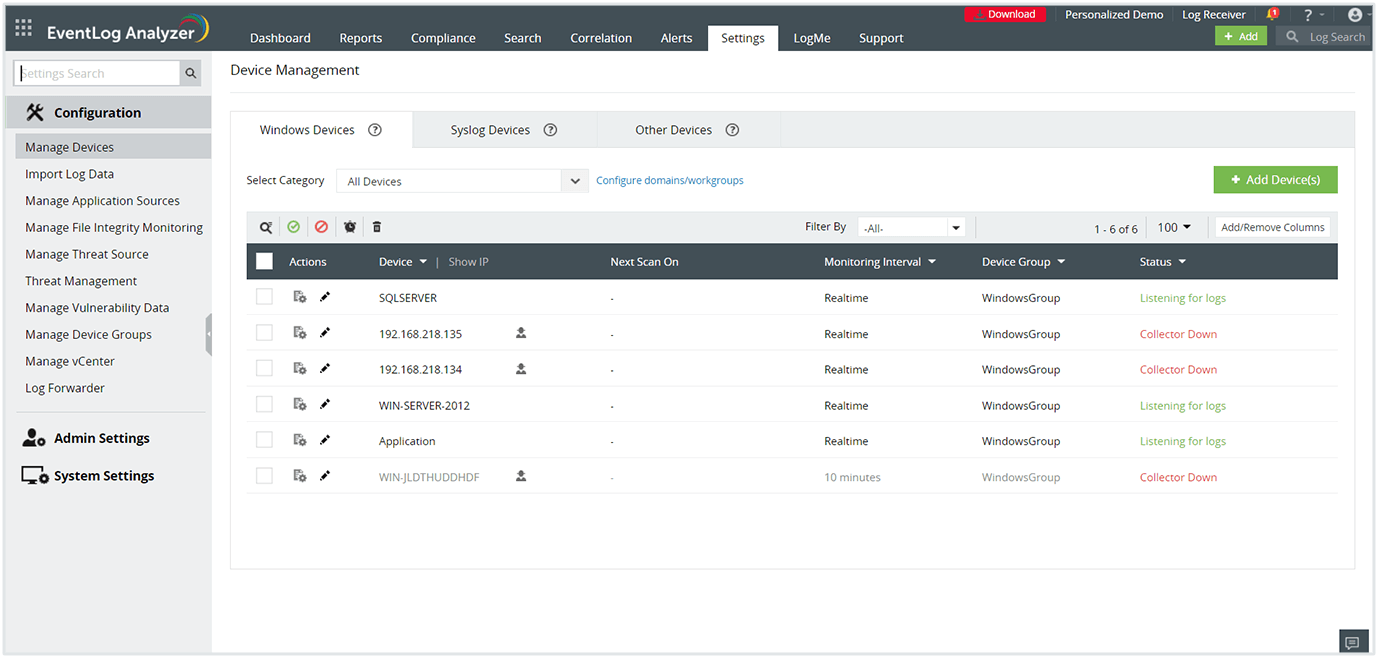
Identify all Widows log sources in your domain and start collecting Windows event logs easily with EventLog Analyzer's autodiscover option. The feature detects Windows workstations, firewalls, IIS servers, and SQL servers automatically. Simply select the critical sources and automate log file management to fortify your network.
In-depth log analysis with a powerful correlation engine

In-depth log analysis with a powerful correlation engine

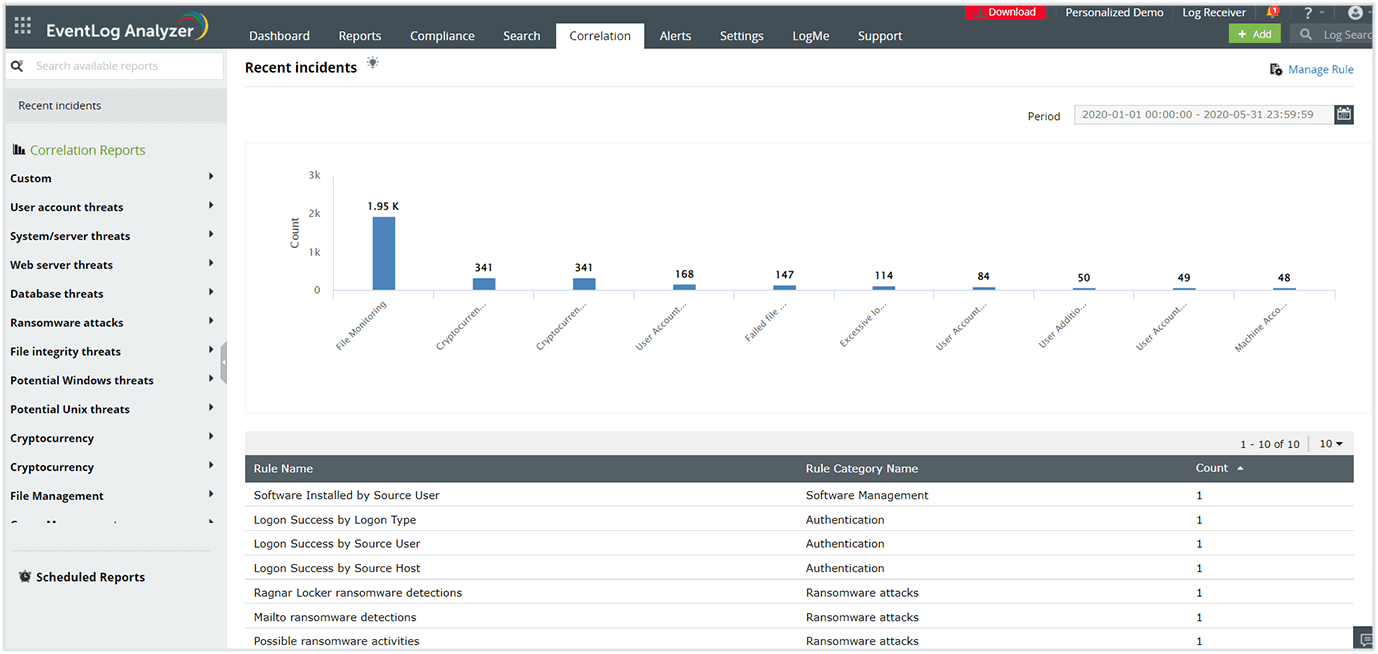
Utilize the powerful correlation engine to gain comprehensive insights by making sense of log data from all the log sources present in the network. The Windows log monitoring tool contains over 40 pre-built correlation rules to detect the most common cyberattacks like SQL injection, DoS, and brute-force. You also have the option to build custom rules to detect more complex patterns.
Threat detection through log forensics

Threat detection through log forensics

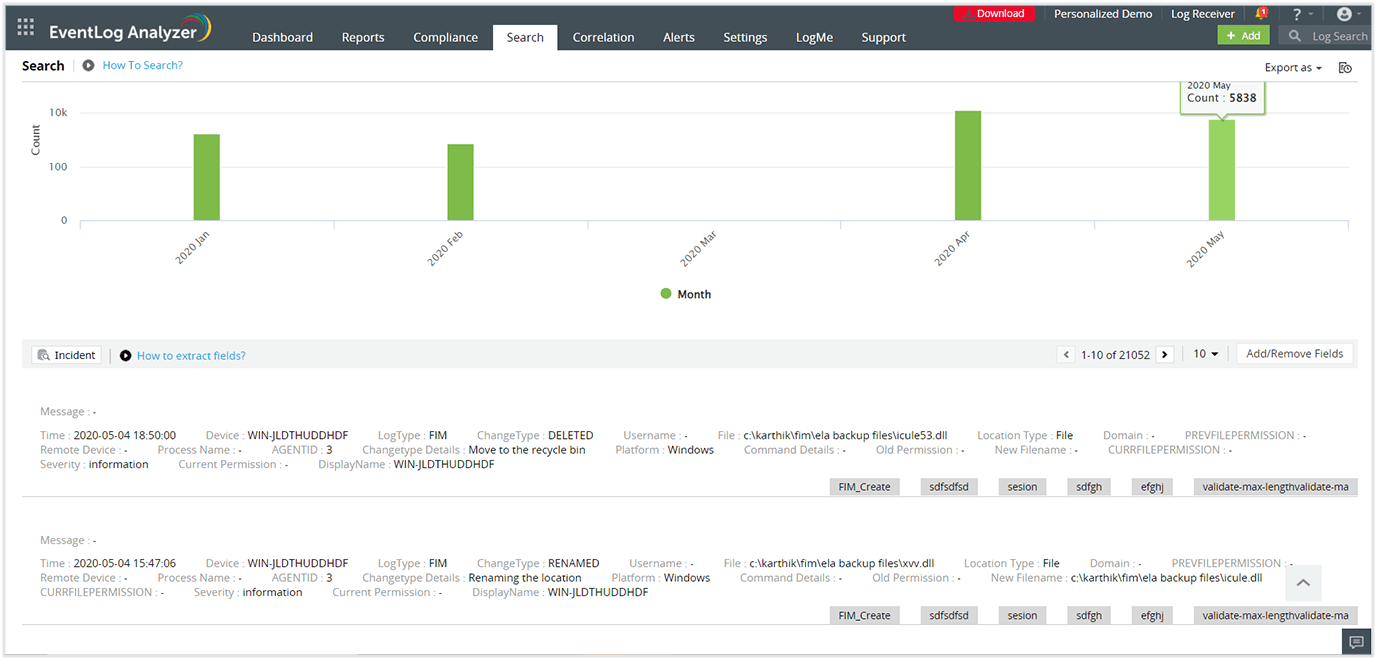
Conduct root cause analysis for any security event in your network in minutes. EventLog Analyzer monitors Windows activity in real-time, allowing you to search through raw event logs and pinpoint the exact log entry that caused a security incident. The solution makes it easy for you to find mission-critical information about the detected incident, including severity level, time, location, and the user who initiated the event. This helps you take the required countermeasures within a short timeframe to speed up incident resolution.
Reporting from Windows servers and workstations

Reporting from Windows servers and workstations

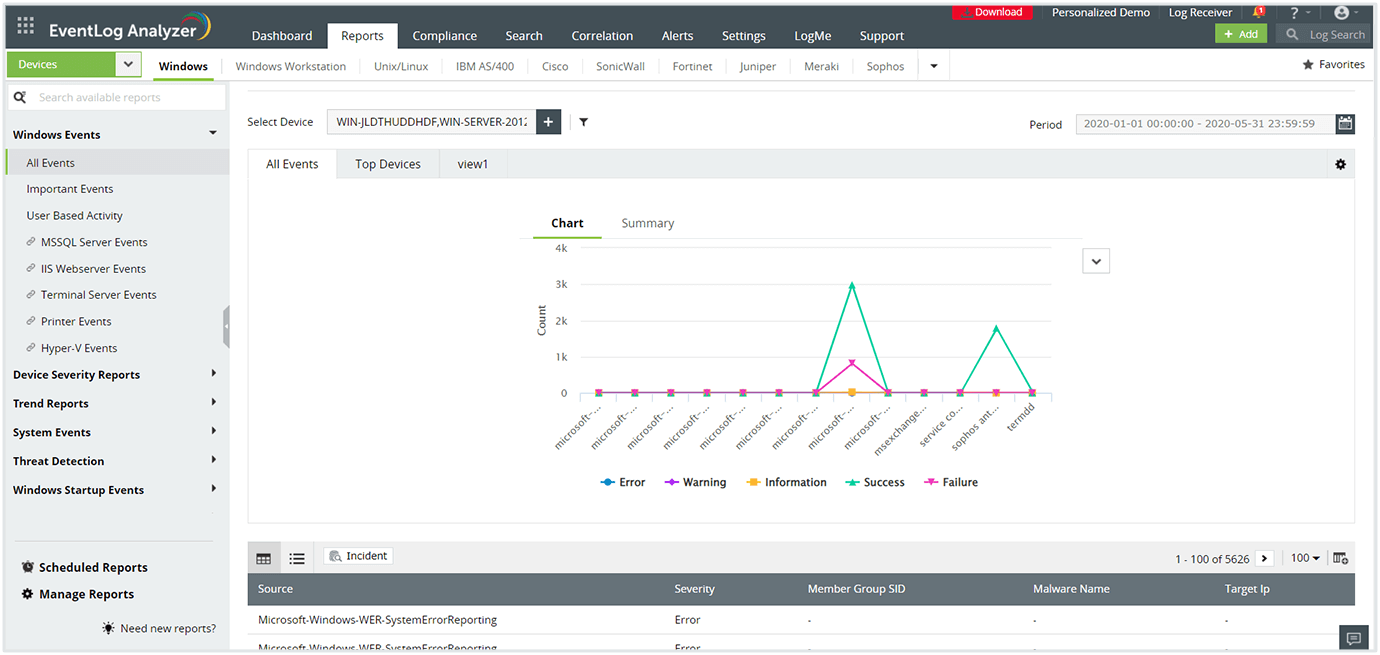
Generate detailed reports based on event logs from Windows servers and workstations. EventLog Analyzer contains numerous Windows-specific report templates for security events like failed logons, account lockouts, and security log tampering. The solution also contains compliance-ready report templates for regulatory mandates like PCI DSS, SOX, HIPAA, the GDPR, and FISMA. You can also build custom reports to meet internal audit policies.
Instant alerting for Windows events

Instant alerting for Windows events

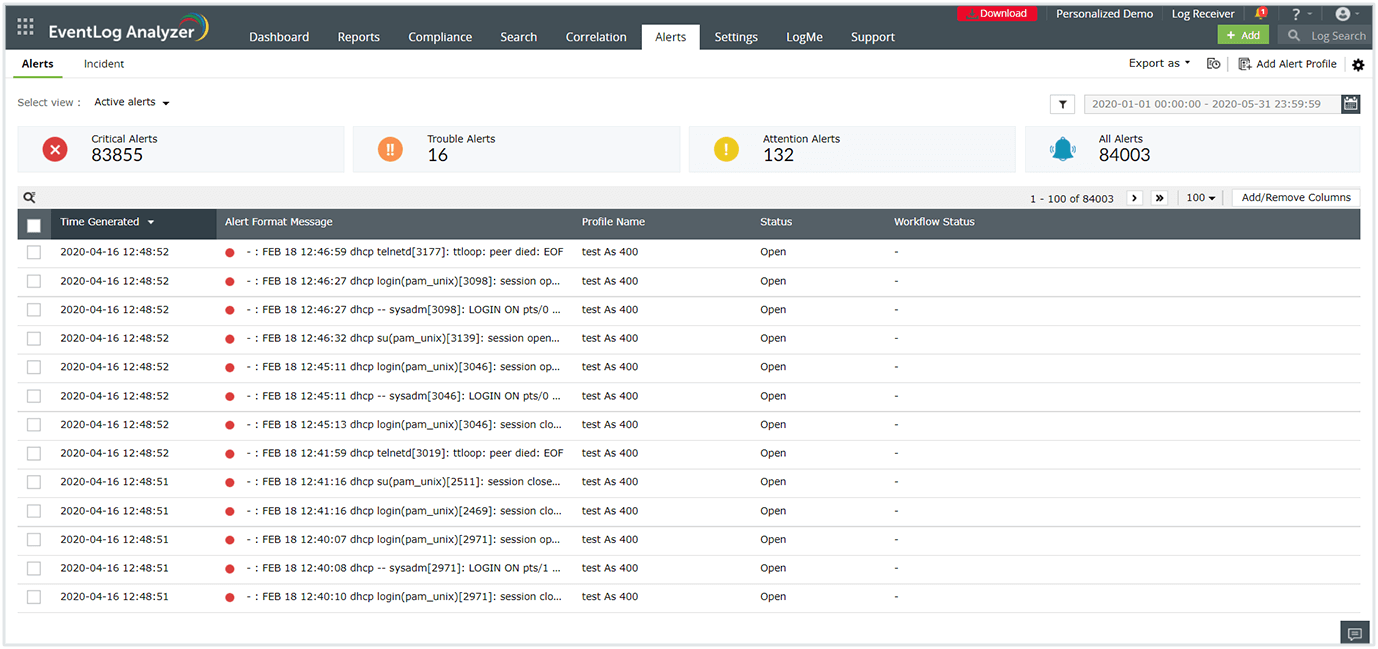
Detect security events happening in your network instantly and expedite the troubleshooting process. You can configure EventLog Analyzer to send real-time alerts to manage incidents based on logs generated with a specific log type, event ID, log message, or severity. It also supports integration with help desk software, so tickets can be raised automatically in your help desk software.

Stay compliant with ManageEngine EventLog Analyzer

5 reasons to choose EventLog Analyzer

High-speed log processing

High-speed log processing

Processes log data at 25,000 logs/second to detect attacks in real time and conduct quick forensic analysis to reduce the impact of a breach.

Comprehensive log management

Comprehensive log management

Collects, analyzes, correlates, searches, and archives log data from over 700 log sources. Includes a custom log parser to analyze any human-readable log format.

Real-time security auditing

Real-time security auditing

Audits network perimeter devices' logs, user activities, server account changes, user accesses, and a lot more to meet security auditing needs.

Instant threat detection and mitigation

Instant threat detection and mitigation

Uncover security threats with advanced threat detection mechanisms, such as event correlation and threat feed analysis, and mitigate them using automated workflows.

Compliance management

Compliance management

Meet regulatory compliance requirements with predefined compliance reports for PCI DSS, FISMA, GLBA, SOX, HIPAA, ISO 27001, and more.

EventLog Analyzer also supports

  •  
  •  
  •  
  •  
  •  
  •  
  •  
  •  
  •  
  •  
  •  
  •  
  •  

Looking for a log management solution? EventLog Analyzer is available in 3 editions

Free Edition

$0Never expires

Free Download
  • Supports up to 5 log sources only
  • Never expire
    1. Centralized log collection and archival
    2. Log search based reports
    3. Compliance reports
    4. Log forensic analysis capabilities

Professional

Starts at $795Year

Try Now
  • Pricing depends on the number of log sources (supports 10 to 1,000). Includes,
    1. Centralized log collection and archival
    2. Log search based reports
    3. Compliance reports
    4. Log forensic analysis capabilities
    5. Scalable environment
    6. Multi-geographical location monitoring
    7. Rebranding of the web client for client-specific views

Want to manage your logs in the cloud?

Click here for a detailed comparison between on-premise and cloud version.

Are you an MSSP? Checkout our EventLog Analyzer MSSP Edition

Learn more  

Frequently asked questions

What are Windows event logs?

Windows event logs are files that record all the activities taking place on a Microsoft system. In a Windows environment, events are logged for systems, security, and the applications hosted on the system. Event logs provide context with detailed information on the events, including the date, time, event IDs, source, event type, and the user who initiated it.

How does monitoring security logs help in mitigating cyberattacks?

Security event logs contain records of all the security-related events specified by the system's audit policy. This may include login and logoff attempts, modification of privileged information, and more. Windows uses event IDs to define the type of event. You should monitor the following event IDs for security-related incidents:

  1. 4740: Locked user account
  2. 4625: Failed account logons
  3. 4719: Changed system audit policy
  4. 1102: Cleared audit logs
  5. 4728, 4732, 4756: Added member to security global, local, and universal group
  6. 4777: Failed validation of account credentials by domain controller
  7. 4663: Attempt to access object

By monitoring Windows security logs at a granular level, you can spot anomalies, suspicious activities, and data breaches at the earliest stages to avoid full-blown cyberattacks.

How does EventLog Analyzer monitor Windows events?

EventLog Analyzer is a comprehensive log management tool that supports Windows event logs along with other log sources on a single console. The solution automates log collection through agent-based and agentless methods. Once the log is collected on a central server; it parses, analyzes, correlates, and archives the log data to complete the process. The insights drawn from the logs are presented in the form of intuitive dashboards and exhaustive reports.

EventLog Analyzer's wide range of features make it easy for network administrators to detect cyberattacks well in advance and play a vital role in keeping the network safe and sound.

 . Zoho Corporation Pvt. Ltd. All Rights Reserved.
