How to schedule a report in NetFlow Analyzer?
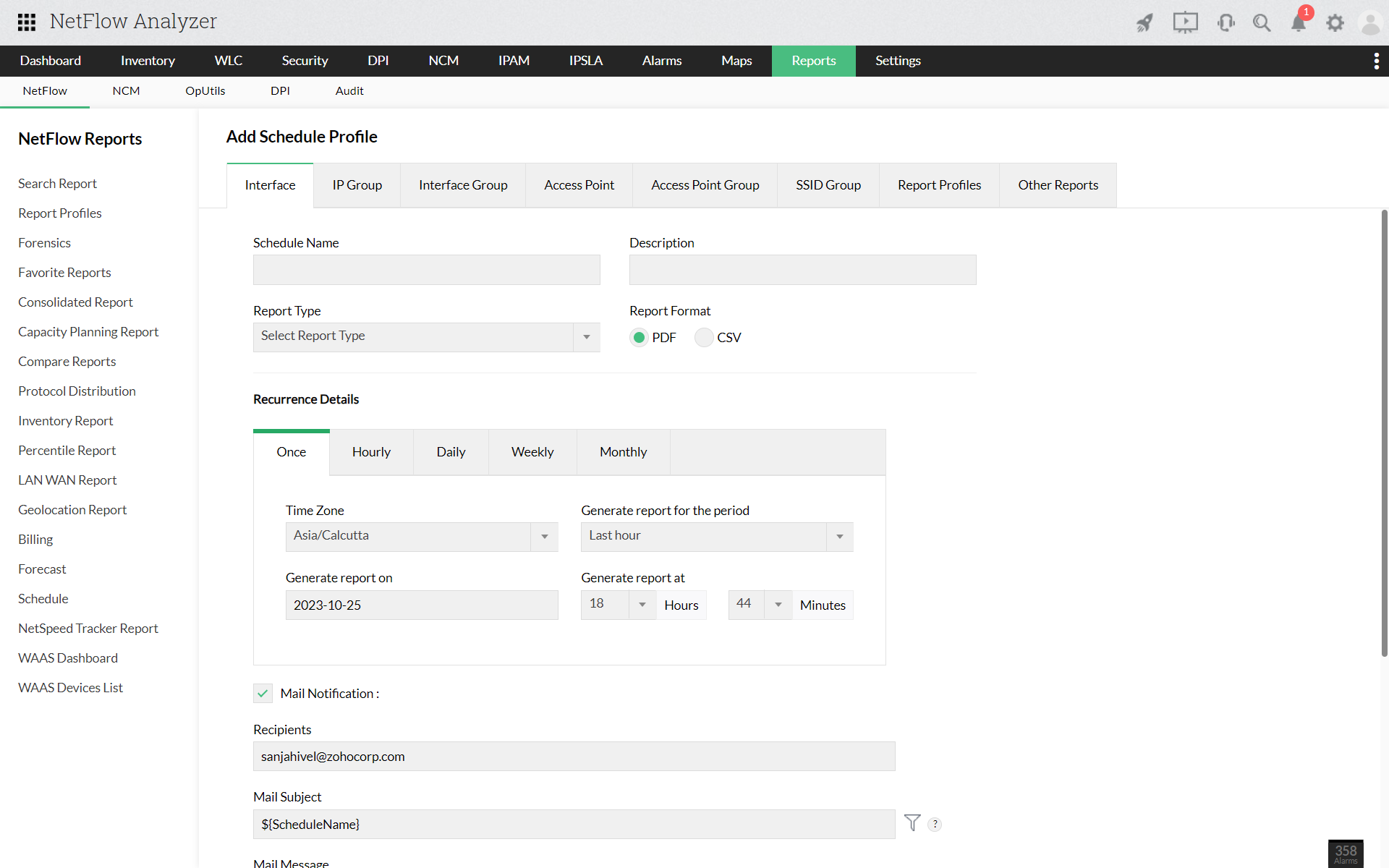
- Navigate to Reports > NetFlow > Schedule.
- Click on "Add Schedule".
- Select the source tab - Interface/IP Group/Interface Group/Access Point/Access Point Group/SSID Group.
- Enter the "Schedule name" and "Description".
- Choose the "Report Type".
- The scheduled report can be exported in either PDF or CSV format.
- Using the "Recurrence Details" tab, you can choose to export reports Once, Daily, Weekly or Monthly.
- You can also set the following parameters:
- Time Zone
- Generate report for the period
- Time/date for the report to be generated on
- Business hour filters
- Exclude weekends
- Mail notification can also be enabled. The Mail Subject and Message can be customized and the number of files per mail can be limited according to your preference.
- After setting the required parameters, click save.