NetFlow Analyzer Enterprise Edition communication error due to corrupt communication key

    In NetFlow Analyzer Enterprise Edition, the communication between the central server and probe server will be executed using a secure communication key.If the secure communication key gets corrupted, the communication between central server and probe server will be lost. This secure communication key corruption status can be identified from the status displayed in the Central server and probe server GUI.

    In case of the communication key corruption, follow the below steps to resolve the issue:
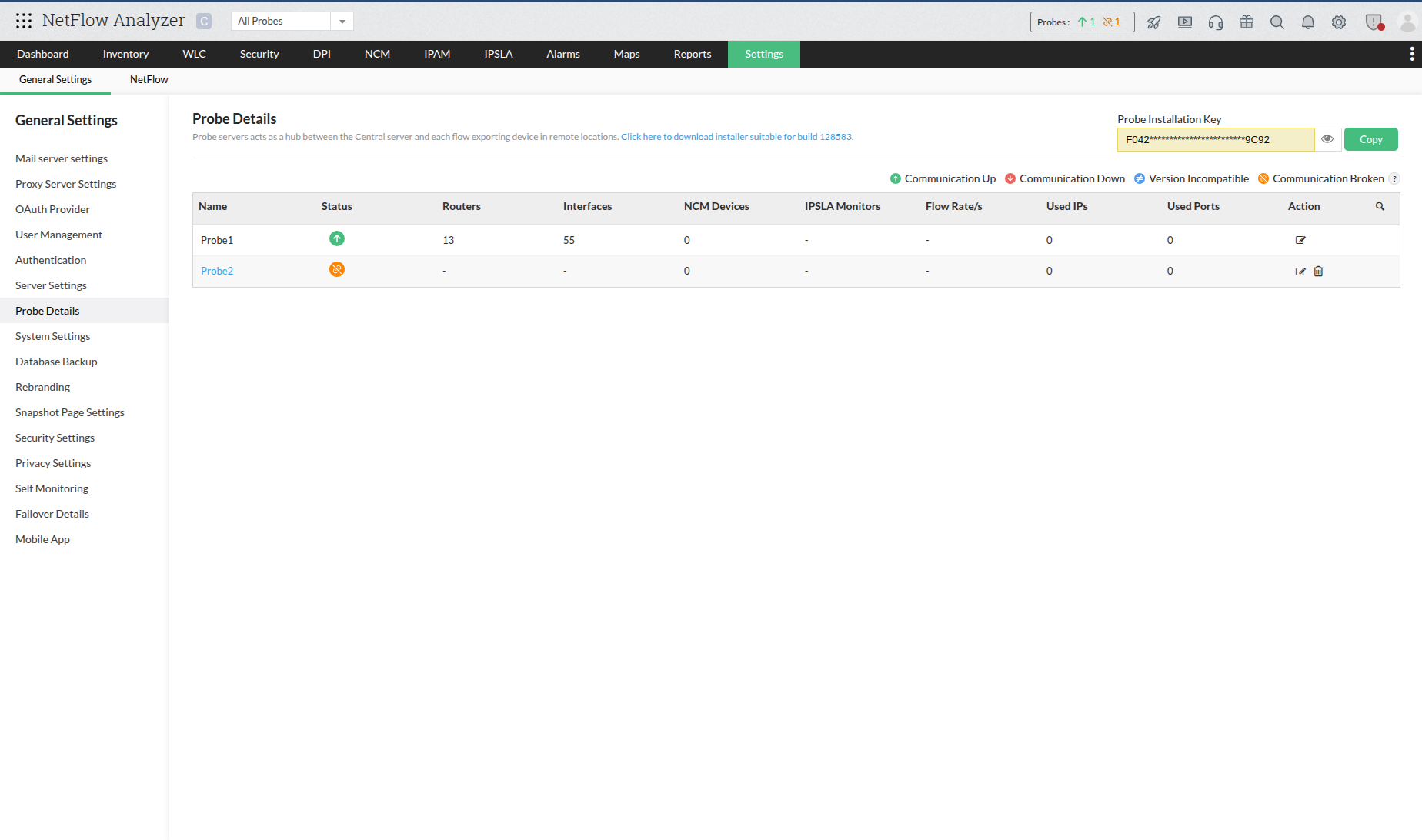
    1. In Central server GUI, navigate to Settings > Probe Details and copy Probe Installation Key.
    2. ManageEngine NetFlow Analyzer
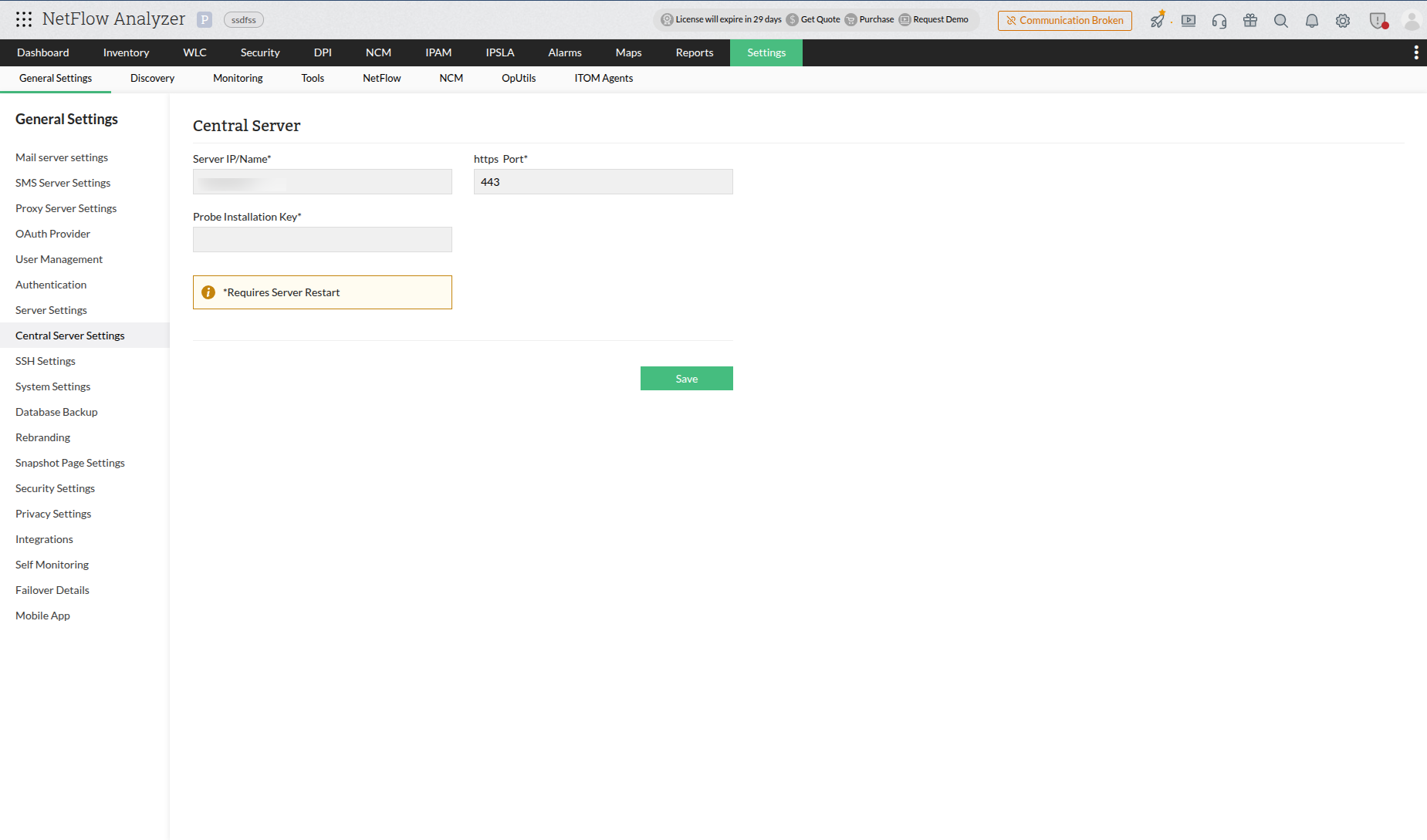
    3. In Probe server GUI, navigate to Settings > Central server details.
    4. ManageEngine NetFlow Analyzer
    5. If the communication key is corrupted, an input tab to enter the probe installation key will appear in the Central server detail page.
    6. Enter the copied Probe Installation Key and click Save.
    7. Restart the Probe server.

    Now, the communication between the central server and probe server will be established.

    Thank you for your feedback!

    Was this content helpful?

    We are sorry. Help us improve this page.

    How can we improve this page?
    Do you need assistance with this topic?
    By clicking "Submit", you agree to processing of personal data according to the Privacy Policy.