Advanced IP scanner

An advanced IP scanner goes beyond basic ping sweeps to perform fast, intelligent network discovery. It identifies active IPv4/IPv6 addresses, detects associated MAC and DNS details, and pinpoints open ports to build a complete picture of connected devices.

As enterprises transition to IPv6, visibility gaps can emerge in mixed environments. Advanced IP scanners bridge this by correlating IPv4 and IPv6 identities for the same host.

With OpUtils, IT teams can scan large or segmented networks in real time, audit device activity, and gain actionable insights for troubleshooting, security assessments, and capacity planning.

What is an advanced IP scanner?

An advanced IP scanner is a network utility that goes beyond detecting active IP addresses. It collects deeper device intelligence such as MAC addresses, DNS hostnames, OS fingerprints, open ports, and vendor details.

Unlike basic scanners, it can scan large subnets, multi-VLAN environments, and dual-stack (IPv4/IPv6) networks, making it ideal for modern, distributed IT environments.

OpUtils’ advanced IP scanner uses ICMP, ARP, and SNMP probes to ensure complete network coverage and accurate device identification. Built for speed, reliability, and large-scale discovery, it integrates seamlessly with OpUtils' IP toolset such as the network scanner, port scanner, and IP address management utilities to provide unified visibility, continuous monitoring, and streamlined troubleshooting.

Why advanced IP scanners are essential

Managing IP address space in modern enterprise networks is no longer straightforward. As environments scale and diversify, traditional tools and manual tracking quickly become inadequate.

Without an advanced IP scanner, IT teams face multiple operational challenges:

  1. Manual effort and human error: Using spreadsheets or native OS commands for discovery is slow, unscalable, and prone to mistakes. These manual processes often lead to outdated records, IP conflicts, abandoned addresses, and inefficient resource planning.
  2. Complex IP address hierarchies: Enterprise networks frequently span multiple subnets, VLANs, and even supernets. Basic scanners cannot interpret or visualize this hierarchy, making it difficult to maintain visibility and understand how addresses are segmented or utilized.
  3. Dynamic IP allocation: Endpoints constantly connect and disconnect, while DHCP servers continuously lease new addresses. Without an automated scanner that integrates with DHCP, it becomes nearly impossible to maintain real-time visibility into assignments, lease status, capacity, and reclamation.

As networks evolve, a scalable and intelligent IP scanner becomes essential, not only for fast discovery, but also for proactive IP address monitoring, conflict prevention, and informed capacity planning.

How an advanced IP scanner works

An advanced IP scanner follows a repeatable, layered workflow to discover devices reliably, enrich their records, and keep the IP inventory current. Below is a clear step-by-step breakdown of that process as implemented by OpUtils:

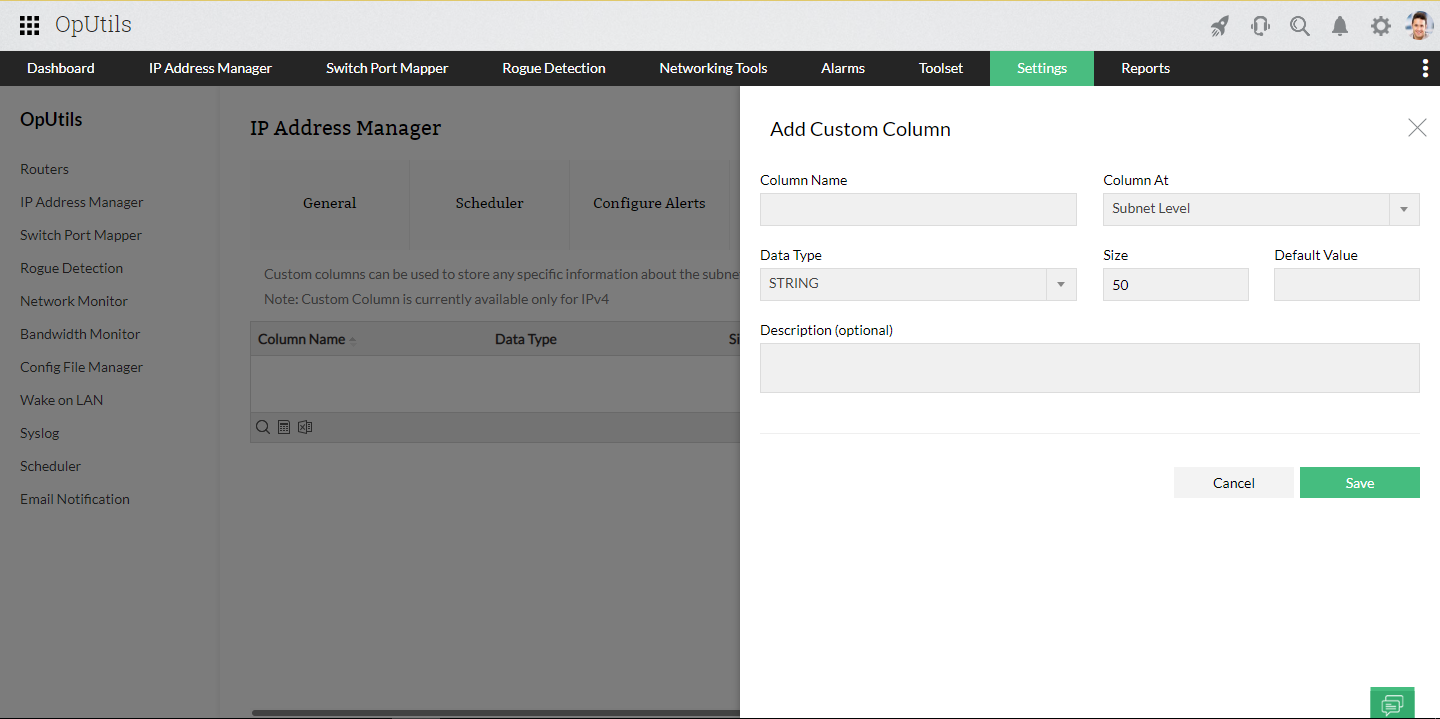
1. Scope definition: Administrators define targets by entering IP ranges, CIDR blocks, individual IPs, or importing lists (CSV/XLS). OpUtils can also auto-discover subnets from routers, DHCP servers, or controller integrations like Meraki.

2. Probe & discovery (fast, agentless checks): The scanner probes targets using multiple lightweight protocols depending on scope and topology:

  • ARP for LAN/link-local discovery (high reliability inside broadcast domains).
  • ICMP (Ping) for determining reachability across routed networks, unless ICMP is filtered or blocked.
  • TCP connect/SYN scans to determine open ports and service responsiveness.
  • ICMPv6 neighbor discovery (ND) solicitation or advertisement for IPv6 environments.
These agentless probes are rate-controlled to avoid network impact and can be tuned per subnet.


3. Enrichment & validation: When a host responds, OpUtils enriches the raw discovery with additional context via:

  • SNMP for device interfaces and vendor data.
  • DNS lookups for PTR/hostname resolution.
  • WMI for Windows-specific OS and hardware details.
  • OUI lookup to map MAC prefixes to vendors.
This step transforms a live IP into a meaningful asset record by enriching it with details such as hostname, MAC address, OS hints, vendor, and last-seen information.


4. Correlation & mapping: Discrete data points are correlated to create a single authoritative record per IP: lease status (DHCP), DNS entries, switch-port mapping (via SNMP on switches), and any previous historical entries. Correlation also surfaces mismatches (e.g., MAC-IP conflicts) and enables physical location tracing.

5. Classification & risk detection: The scanner classifies devices (server, printer, workstation, network device) using port signatures and vendor/OS hints, and flags anomalies such as unauthorized devices, duplicate IPs, or stale DNS/DHCP entries for review.

6. Storage & historical logging: All findings are persisted in the IPAM repository with timestamps and change history. This enables audits, trend analysis (utilization over time), and forensic investigations into when an IP changed hands or went offline.

7. Scheduling & continuous monitoring: OpUtils supports scheduled scans, incremental scans (only changed IPs), and on-demand scans. Scan frequency is configurable per subnet or group, so high-churn segments can be scanned more often without re-scanning stable networks unnecessarily.

8. Alerting & automation: Utilization threshold-based alerts notify teams on critical events (IP conflicts, new unknown devices, and more).

9. Reporting & export: Scan results and historical snapshots are available via dashboards and exportable reports (CSV, JSON, XML, PDF) for CMDB reconciliation, audits, and capacity planning.

Basic vs advanced IP scanner: Key differences

Aspect Basic IP scanner Advanced IP scanner
Scans large networks No Yes
Multi-VLAN visibility No Yes
Device enrichment (MAC/DNS/OS) No Yes
DHCP/DNS integration No Yes
Switch port mapping No Yes
Rogue device alerts No Yes
Automated subnet discovery No Yes
Scheduled scans Limited Yes
Integration with IPAM No Yes

Key capabilities of OpUtils advanced IP scanner

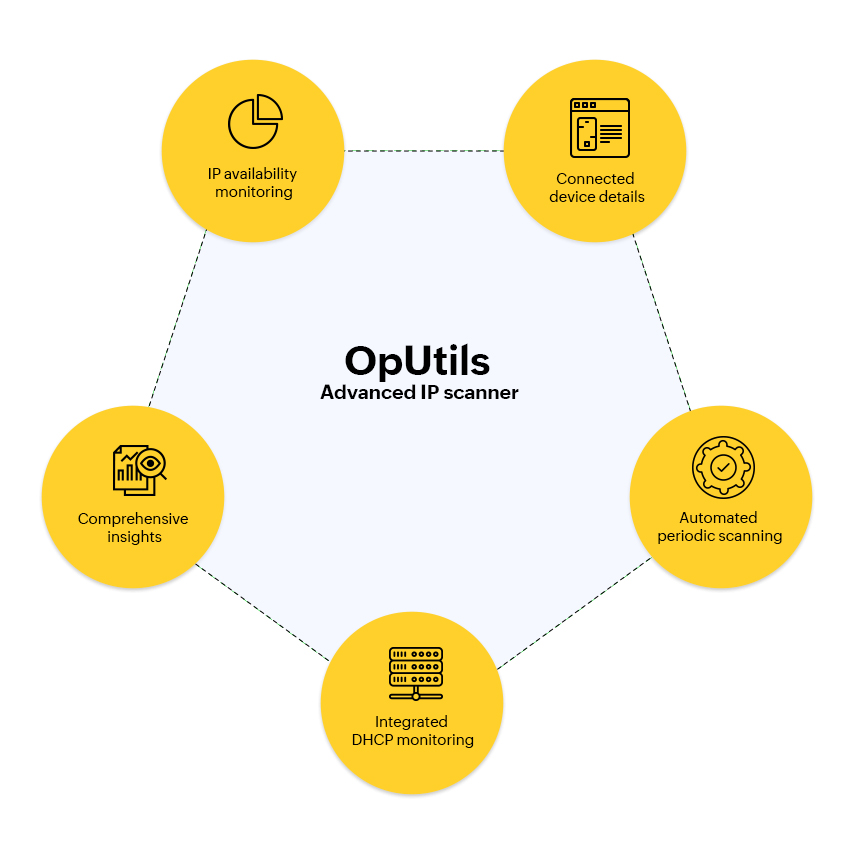
OpUtils delivers a comprehensive, enterprise-grade IP scanning engine that goes beyond basic discovery to provide continuous visibility, contextual enrichment, and automated management of your IP space. Built for dynamic IT environments, it enables IT teams to track IPv4 and IPv6 addresses efficiently, detect anomalies in real time, and maintain an accurate, audit-ready inventory.

Advanced IP scanners also aid in identifying unauthorized or rogue devices, flagging unknown MAC addresses, and correlating endpoint data to security policies or NAC systems.

With intelligent subnet detection, DHCP/DNS correlation, and switch-port mapping, OpUtils helps network teams troubleshoot issues faster and keep address assignments clean and conflict-free, all from a centralized console.

Scan IPs in seconds for real-time IP availability monitoring

IP availability is foundational to enterprise network health. Yet, teams still relying on spreadsheets or manual tracking often face outdated data, address conflicts, and capacity blind spots.

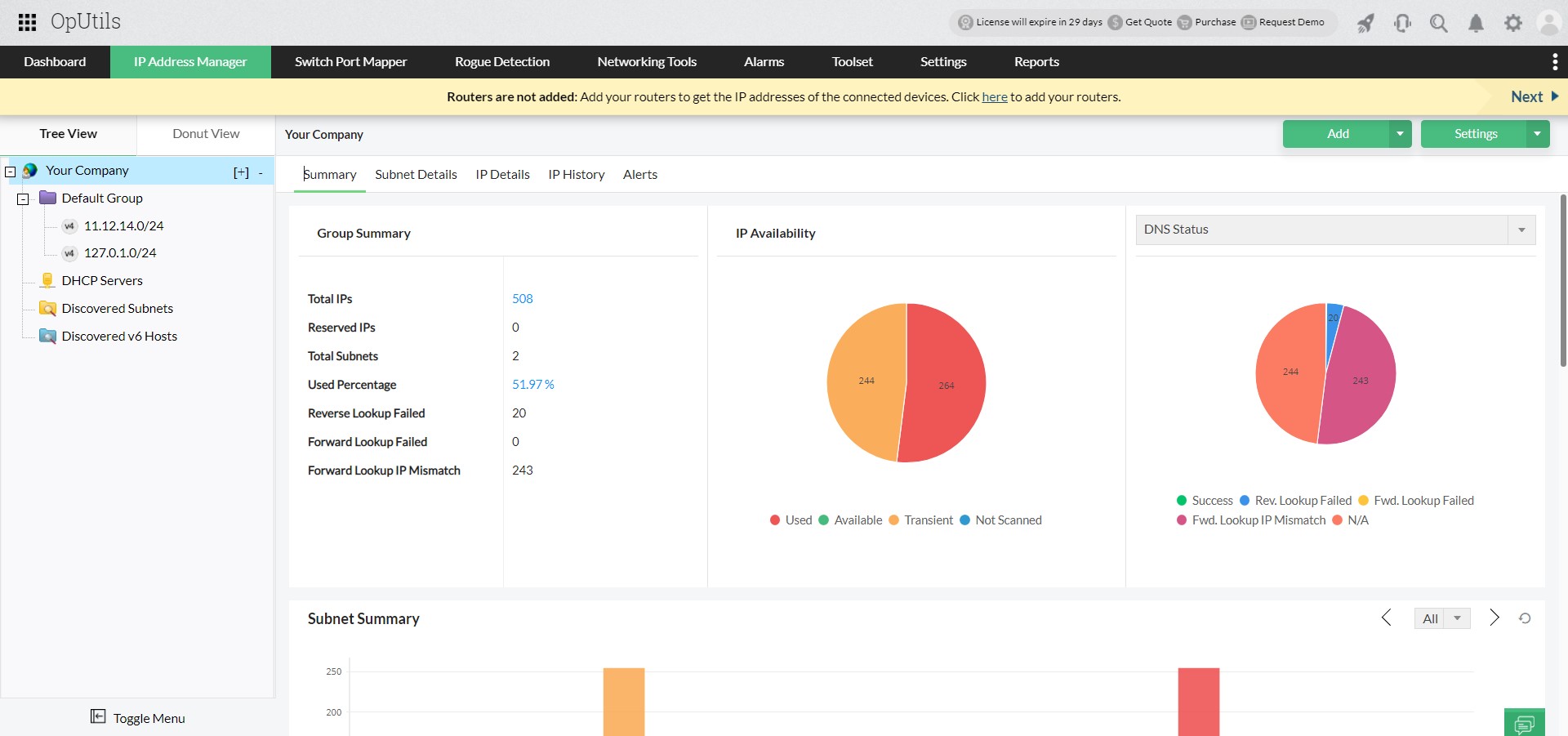
OpUtils’ advanced IP scanner automates this process by scanning your entire IPv4 and IPv6 address space in seconds. Integrated with Active Directory, it delivers real-time IP availability status, helping IT teams plan capacity, reclaim unused addresses, and prevent costly conflicts.

The scanner continuously monitors every subnet and classifies each IP into clear availability states:

  • Available: Unassigned and ready for allocation
  • Transient: Temporarily leased (e.g., roaming/mobile devices)
  • Used: Actively assigned and not available for reuse

With support for multi-subnet discovery and AD-based ownership mapping, this capability gives you complete visibility into usage trends and utilization across your network - without the manual effort.

Manage IPs more efficiently with deep device-level insights

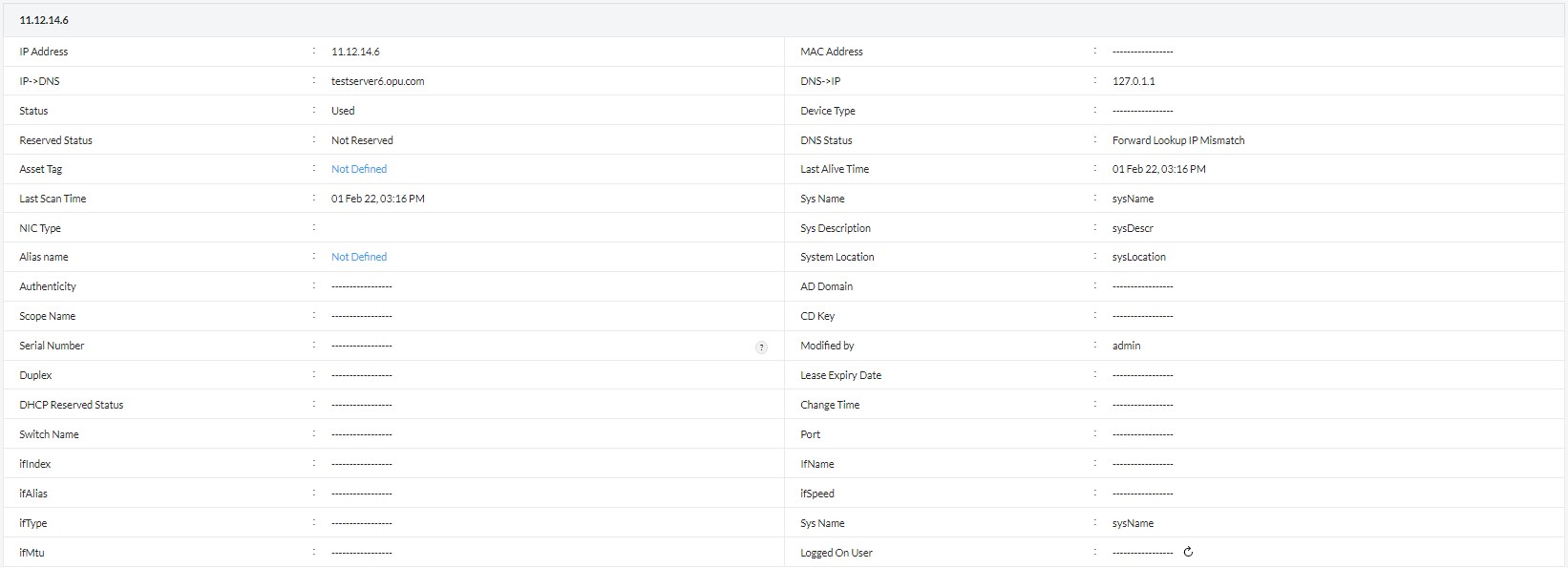
An advanced IP scanner must do more than confirm whether an address is active. OpUtils delivers end-to-end IP intelligence that helps IT teams understand who is using an IP, where, and how.

From a unified dashboard, you gain contextual information such as:

  • IP-DNS and DNS-IP mappings
  • DNS status and reservation state
  • Device type and ownership details
  • Connected switch ports and interface information
  • Last scan time and physical location

This depth of detail allows network admins to troubleshoot faster, track rogue assets, and optimize address utilization with confidence.

OpUtils also supports generating and exporting granular IP scan reports, enabling long-term visibility into utilization trends and improving IP address space planning and governance.

Automate periodic scanning with advanced scheduling

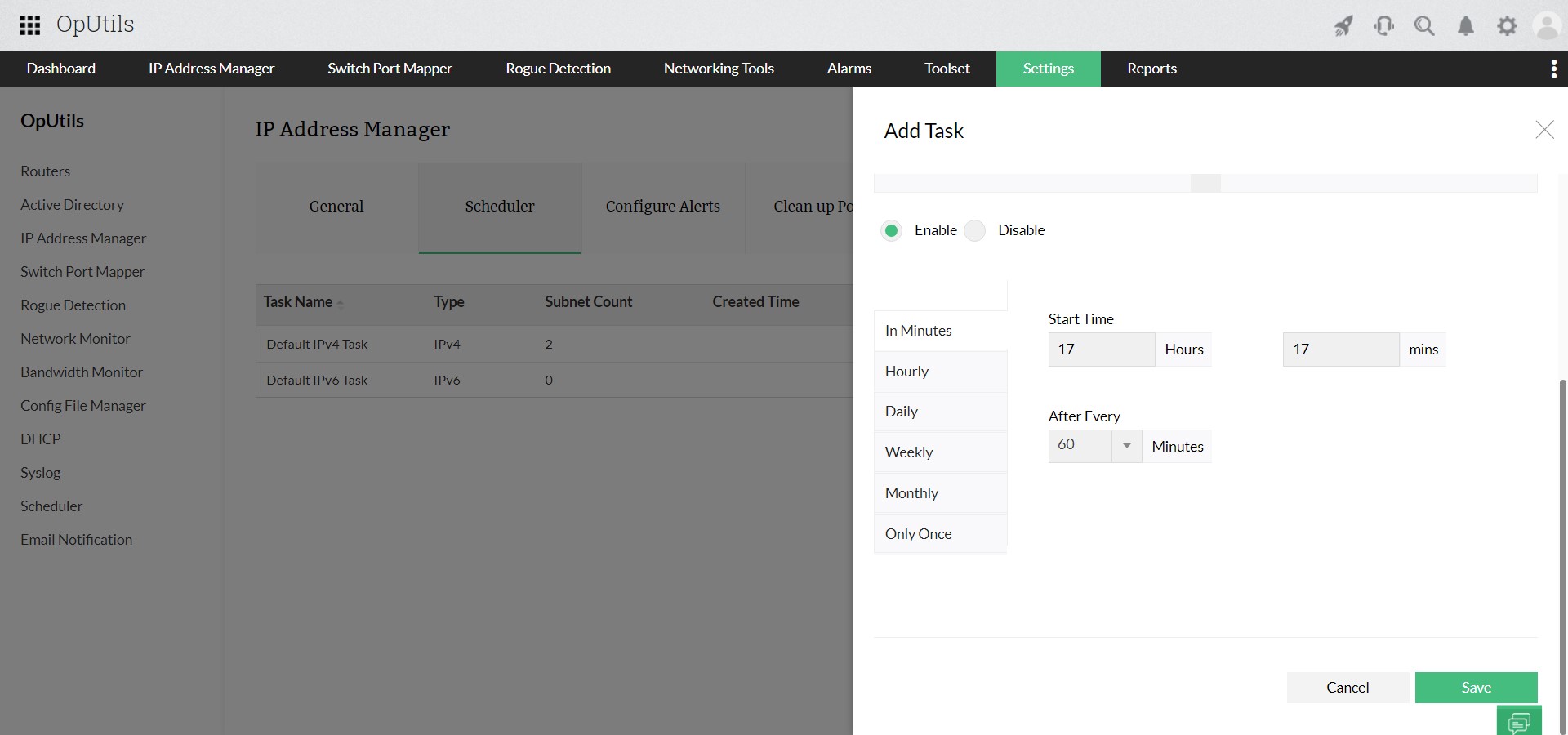
Maintaining accurate, real-time IP data requires continuous visibility, not one-time sweeps. OpUtils’ advanced IP scanner lets you automate periodic scans for selected IP ranges or subnets, eliminating the need for manual tracking.

With flexible scheduling, the scanner continuously updates IP status whether newly assigned, released, or inactive, ensuring your inventory always reflects the latest state. This automation helps IT teams:

  • Stay ahead of IP conflicts.
  • Detect unauthorized/unknown devices sooner.
  • Maintain clean IP address records for compliance and audits.

By keeping your IP address data fresh and reliable, OpUtils significantly reduces administrative overhead while improving network transparency.

Map scanned IPs to connected switch ports

OpUtils’ advanced IP scanner not only identifies device availability, it also maps each IP address to its corresponding switch port using ICMP, SNMP, and ARP-based discovery. The Connected Switch field in the scan results instantly reveals where a device is plugged in, eliminating manual cable tracing.

By correlating every scanned IP with its switch and port, OpUtils gives network teams complete, real-time visibility across subnets. This helps them:

  • Pinpoint the exact physical location of devices.
  • Trace unauthorized endpoints quickly.
  • Accelerate troubleshooting and port-level maintenance.

With consolidated IP-to-switch mapping data, OpUtils streamlines endpoint tracking and reinforces network security.

Seamlessly scan IP subnets with integrated DHCP monitoring

OpUtils’ advanced IP scanner integrates tightly with its DHCP server monitor to automatically discover and track all DHCP-managed subnets and scopes, ensuring end-to-end visibility into dynamic IP allocation across your network.

By correlating real-time scan results with DHCP metrics including leased vs. available IPs, scope utilization, reservation status, and release trends, OpUtils enables network teams to:

  • Monitor live IP usage across IPv4/IPv6 DHCP scopes.
  • Detect and prevent IP shortages or leasing conflicts.
  • Forecast capacity with accurate utilization insights.

This unified view of subnet-level scanning and DHCP intelligence supports proactive IP address management, helping enterprises maintain healthy address pools and ensure uninterrupted network performance.

Along with advanced IP scanning capabilities, OpUtils also seamlessly integrates with Microsoft DHCP and DNS servers, enabling unified DDI visibility, lease reconciliation, and name resolution without additional agents.

More about OpUtils DDI integration

OpUtils integrates with Microsoft DHCP and DNS servers to provide unified DDI visibility from a single console.

This enables IT teams to:

  • Create, modify, or delete DHCP scopes, manage reservations, and view lease status.
  • Create DNS zones, manage records, and map domain names to IPs for accurate resolution.
  • Identify stale DNS records and mismatches.
  • Troubleshoot conflicts faster with integrated DHCP and DNS capabilities.

This tight DDI integration ensures accurate IP state, reduces resolution overhead, and simplifies day-to-day address management in Microsoft-centric environments.


Download the 30-day free trial or schedule a personalized demo, and we will connect you with the right product expert.

Frequently asked questions on advanced IP scanners

What is an advanced IP scanner used for?


An advanced IP scanner is used to scan, detect, and monitor active IP addresses across enterprise networks. It provides details such as MAC address, DNS name, device type, and switch port connection.

It’s commonly used for:

  • Real-time IP availability monitoring
  • Rogue device detection
  • IP address space utilization and planning
  • Automated subnet scanning
  • DHCP scope analysis and IP-to-port mapping

How is an advanced IP scanner different from a basic one?


A basic IP scanner performs simple ping sweeps. In contrast, an advanced scanner offers:

  • Multi-protocol scanning (ICMP, SNMP, ARP)
  • IPv4 and IPv6 support
  • Deep insights (MAC, DNS, port and device details)
  • Integration with DHCP, Active Directory, and IPAM
  • Scheduling and automated monitoring

Simply put, a basic scanner shows whether a device is online; an advanced scanner reveals who it is, where it is, and what it’s doing.

Can advanced IP scanners scan both IPv4 and IPv6 networks?


Yes. OpUtils supports dual-stack scanning across IPv4 and IPv6 address spaces, ensuring complete visibility even in mixed or transitioning environments.

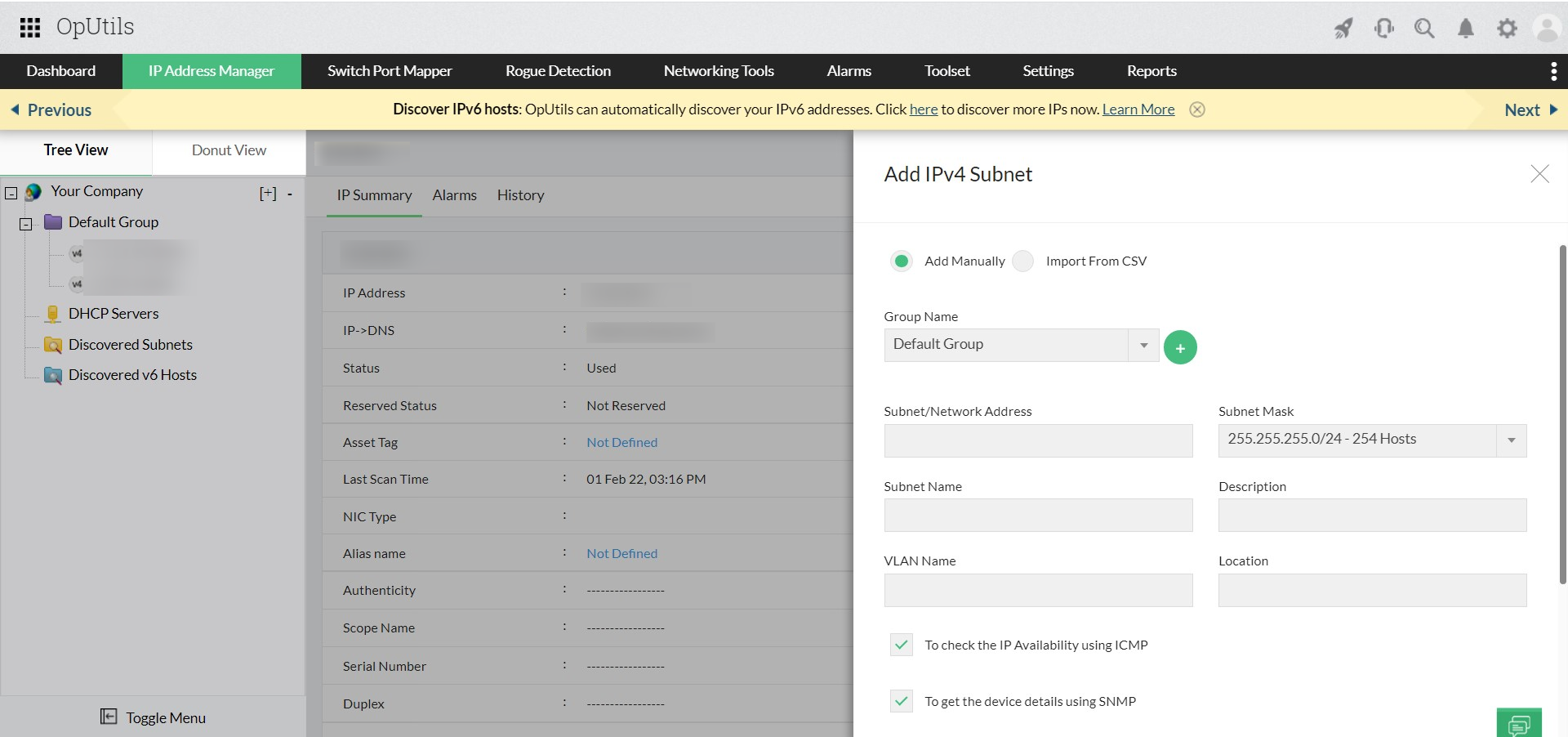
How do I scan IPs in an enterprise network?


You can scan IPs using any of the following options in OpUtils:

  1. Add subnets manually: Define network ranges and metadata.
  2. Import via CSV: Bulk onboard multiple subnets.
  3. Add DHCP servers: Auto-sync DHCP-managed scopes.
  4. Add routers: Discover distributed networks.
  5. Meraki Controller discovery: Auto-detect cloud-managed subnets.

Can OpUtils discover subnets automatically?


Yes. OpUtils supports automatic subnet discovery through DHCP sync, router discovery, and Cisco Meraki Controller integration. Manual addition and CSV import are also available.

Enhance network visibility with OpUtils' advanced IP scanning

Try OpUtils for free today
OpUtils IP Scanner

Resources