AWS Route 53 cloud DNS monitoring and management
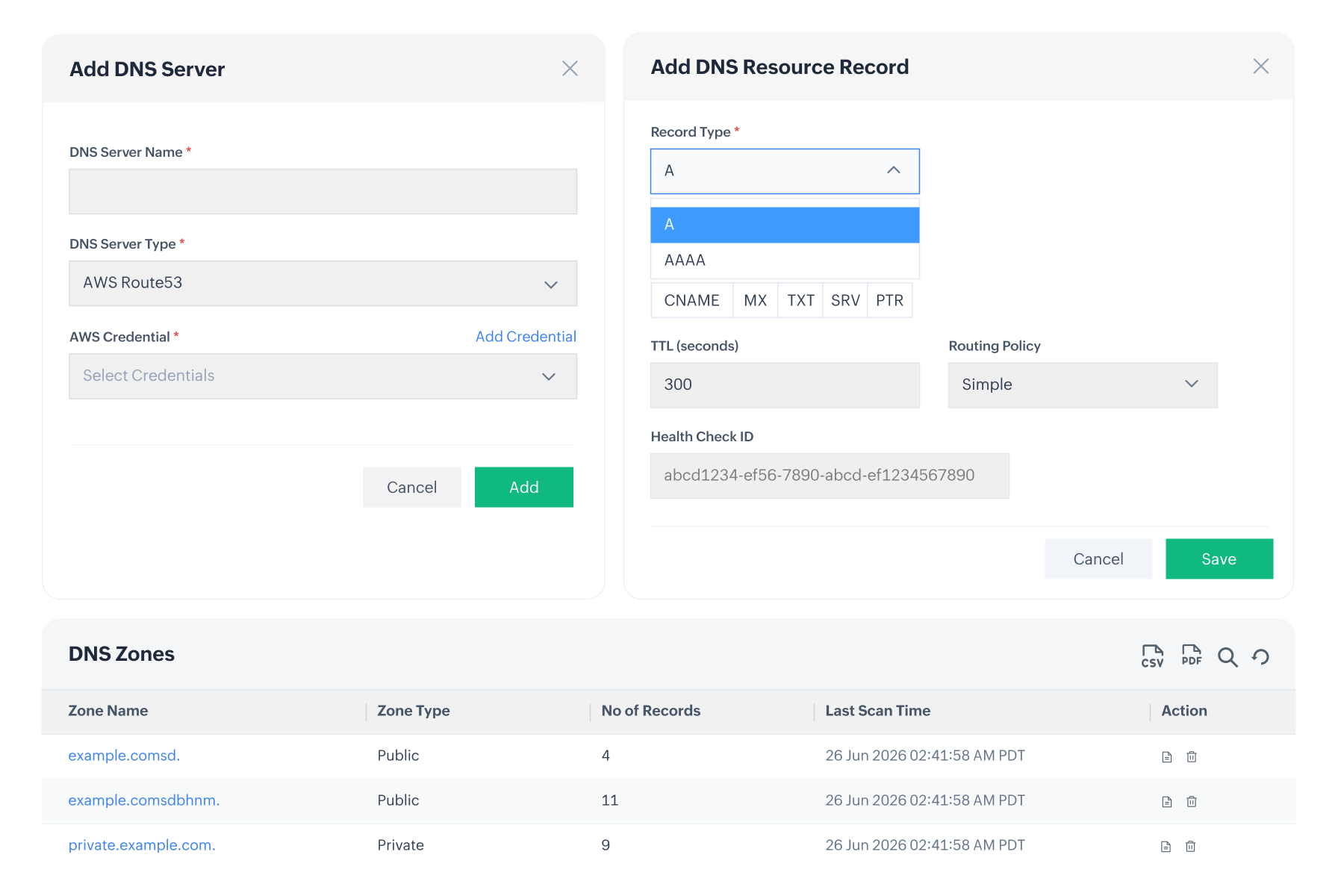
Monitor and manage AWS Route 53 hosted zones and DNS records alongside your on-prem DNS servers from a single, centralized interface within OpUtils IPAM.
AWS Route 53 DNS monitoring and management in OpUtils
Modern enterprise DNS spans both on-premises infrastructure and the cloud, requiring centralized visibility and management. OpUtils extends DNS management to AWS Route 53, enabling administrators to discover and manage public and private hosted zones, DNS records, and routing policies from a single interface. This simplifies hybrid DNS operations and eliminates the need to switch between multiple management tools.
OpUtils' AWS Route 53 DNS monitoring & management capabilities
Connect AWS and automatically discover Route 53
Connect your AWS account to OpUtils using IAM credentials to automatically discover Route 53 public and private hosted zones. With appropriate read and write permissions, administrators can centrally manage and monitor cloud and on-premises DNS environments from a single interface.
Read more on how to configure AWS credentials >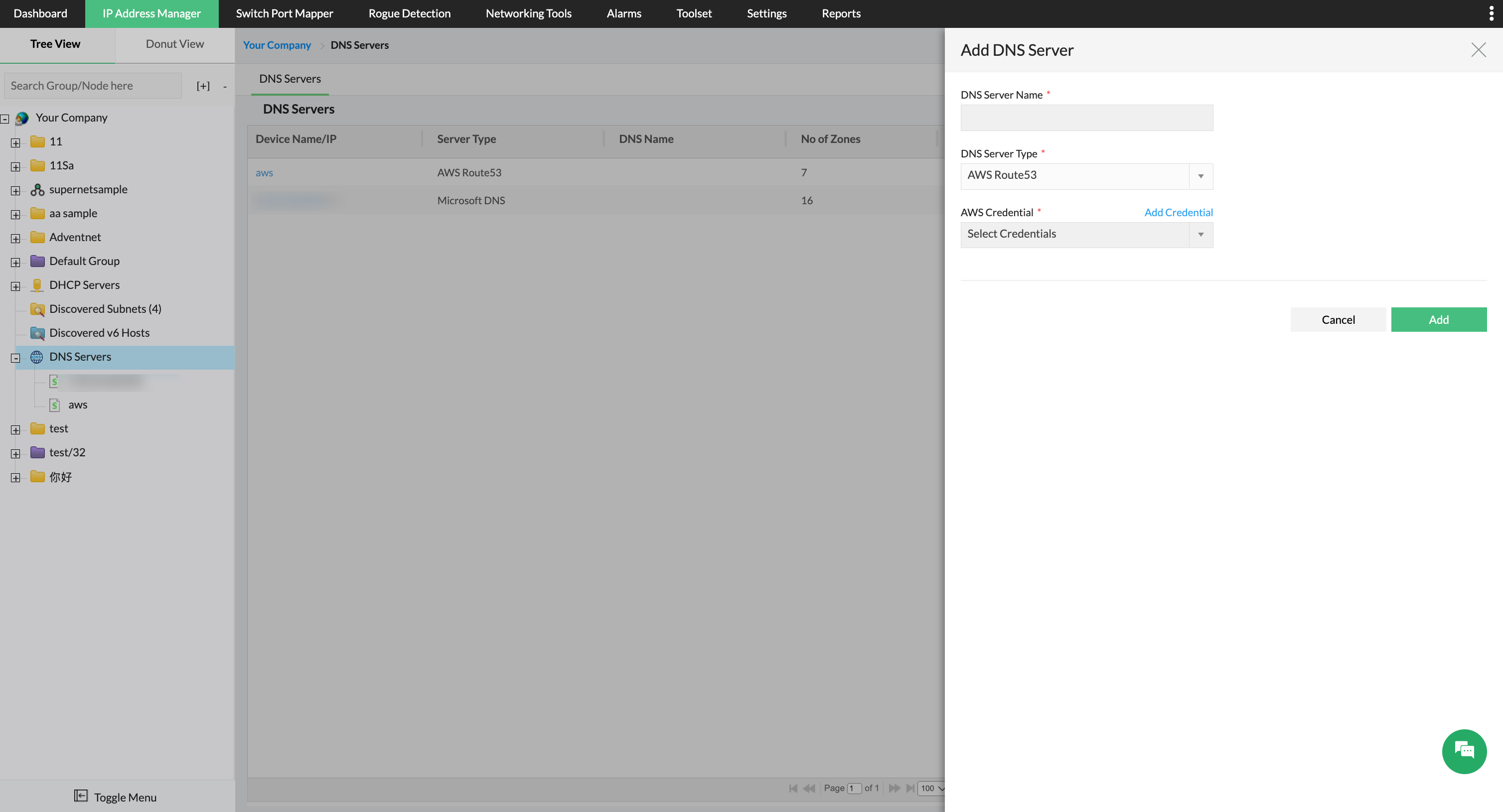
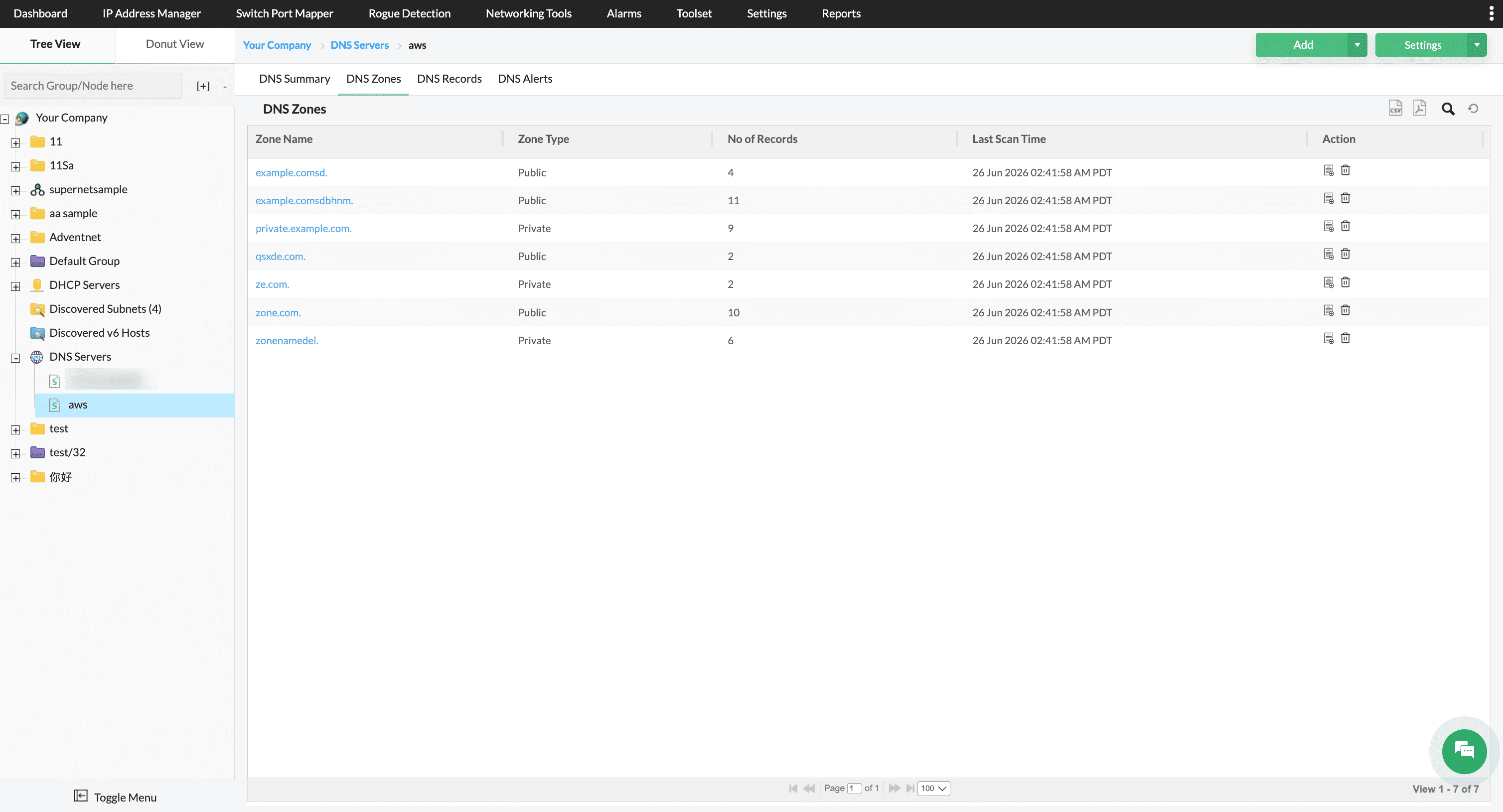
Manage public and private hosted zones
OpUtils displays Route 53 public and private hosted zones with zone name, type, record count, last sync details. Administrators can create & delete hosted zones directly from OpUtils, simplifying AWS Route 53 hosted zone management without using the AWS console.
Add, edit, and delete DNS resource records
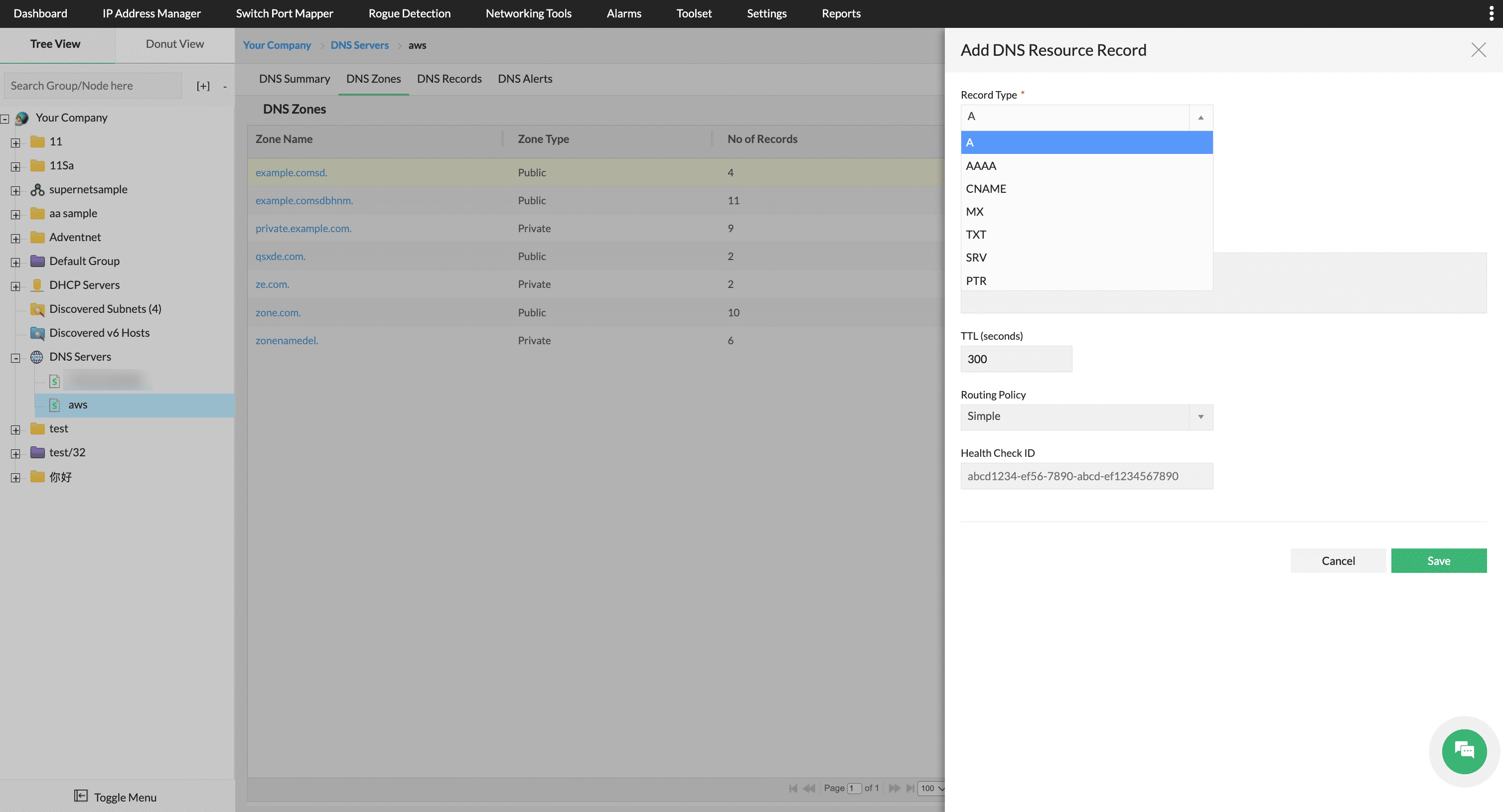
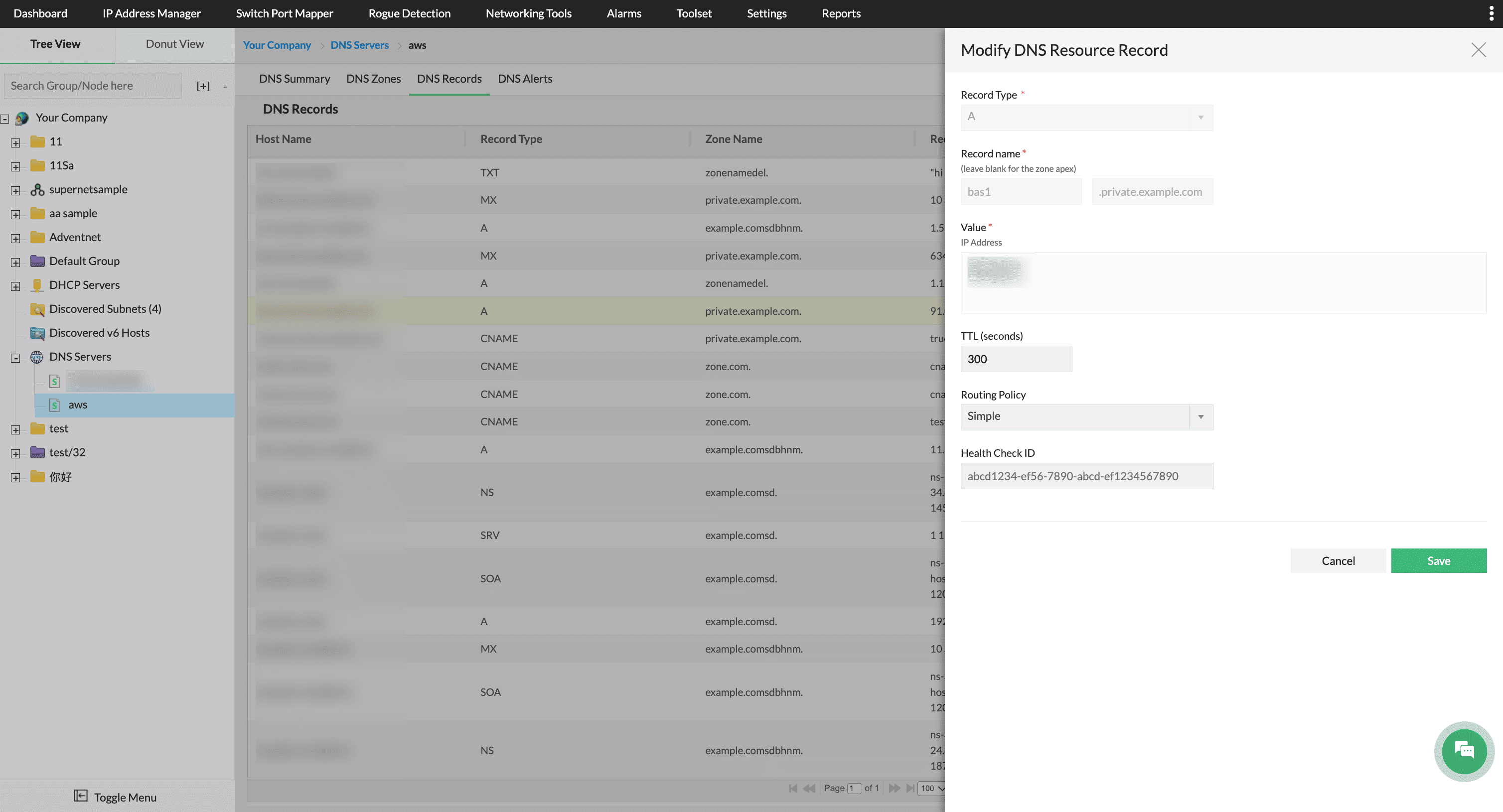
OpUtils enables full life cycle management of AWS Route 53 DNS records, including create, read, update, and delete operations for A, AAAA, CNAME, MX, TXT, SRV, and PTR records. Records can also be filtered by hosted zone and record type.
Improve availability with Route 53 routing policies and health checks
Configure Route 53 routing policies, including Simple, Weighted, Failover, Latency-based, and Geolocation, directly from OpUtils. Associate existing AWS Health Checks with DNS records to automatically redirect traffic from unhealthy endpoints, improving application availability and DNS resilience.
FAQs on AWS Route 53 DNS monitoring and management
Resources to dig deeper
Learn how IPAM is simplifying modern networking needs!
From mainframes to AI, networking has changed. Is your IPAM solution equipped to take on modern challenges?
Download (PDF) →Unlock more value with add-ons
Looking to go beyond DDI? OpUtils can be enhanced to monitor devices, analyze traffic, and deliver end-to-end observability across your IT infrastructure with compatible in-house add-ons.
Network monitoring
Correlate DDI data with real-time network performance metrics. Monitor device health, availability, and faults alongside IP, DNS, and DHCP context to resolve issues faster and maintain service reliability.
Try free trial →Bandwidth monitoring
Add traffic visibility to your DDI operations. Track how applications and devices consume bandwidth, detect abnormal flows, and link traffic patterns to IP addresses and network segments.
Try free trial →Infrastructure monitoring
Bring DDI, performance monitoring, flow analysis, firewall management, and application monitoring into a single operational view. Manage addressing, performance, security, and traffic together for complete end-to-end network observability.
Try free trial →