End-to-end switch port management in Cisco ACI with OpUtils
In Cisco ACI-powered environments, the APIC acts as the single source of truth, constantly updating the network fabric based on intent and policy. But as the network evolves dynamically, maintaining visibility into switches and connected endpoints becomes a challenge. Manual discovery methods simply cannot keep up.
That’s where OpUtils fits in. By integrating directly with Cisco APIC, OpUtils offers real-time switch discovery that is purpose-built for SDN environments. It taps into live controller data to auto-discover all leaf and spine switches, along with their endpoint connections, giving you a continuously accurate, zero-touch inventory of your ACI network.
Here's what you will read on this page:
- The challenge: Why traditional discovery fails in Cisco ACI
- The solution: Direct APIC integration with OpUtils
- How ACI switch discovery works in OpUtils
- Benefits of managing switches via Cisco ACI in OpUtils
- What OpUtils fetches from Cisco ACI
- Why discovering and managing switches through Cisco ACI matters
- Take full control of switch port management in your Cisco ACI environment
- Is Cisco ACI the only way to discover switches in OpUtils?
- Frequently asked questions about Cisco ACI Monitoring in OpUtils
The challenge: Why traditional discovery fails in Cisco ACI
Cisco ACI follows a leaf–spine architecture where the APIC (Application Policy Infrastructure Controller) acts as the single source of truth for the entire fabric. This policy-driven model is powerful, but relying on manual IP scans or configuring SNMP on hundreds of individual leaf and spine switches is inefficient, error-prone, and fails to capture the dynamic nature of the environment.
The solution: Direct APIC integration with OpUtils
OpUtils bypasses legacy methods entirely. It integrates directly with your Cisco APIC using its REST APIs to retrieve real-time network data, providing a consistently accurate picture of your ACI fabric.
How ACI switch discovery works in OpUtils
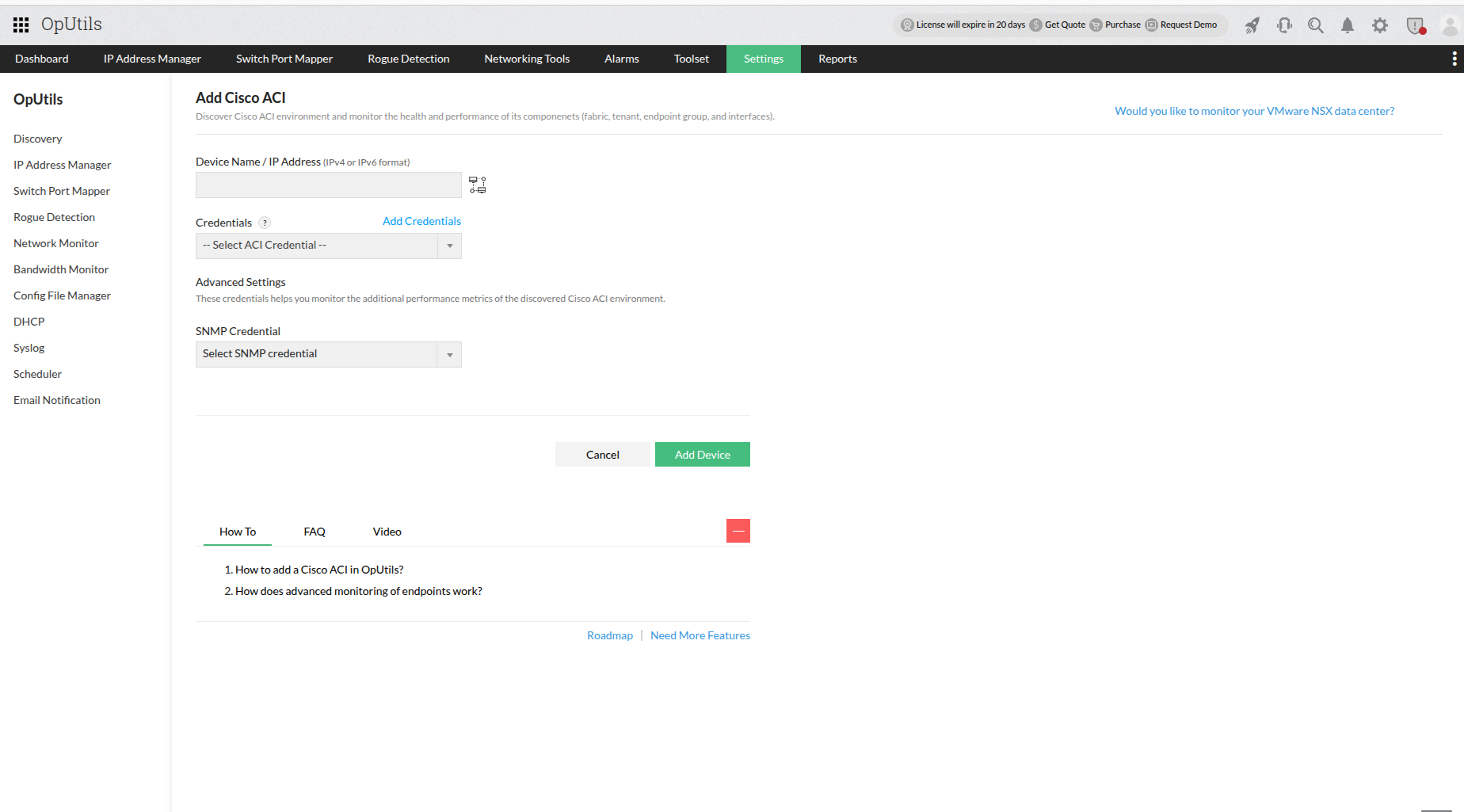
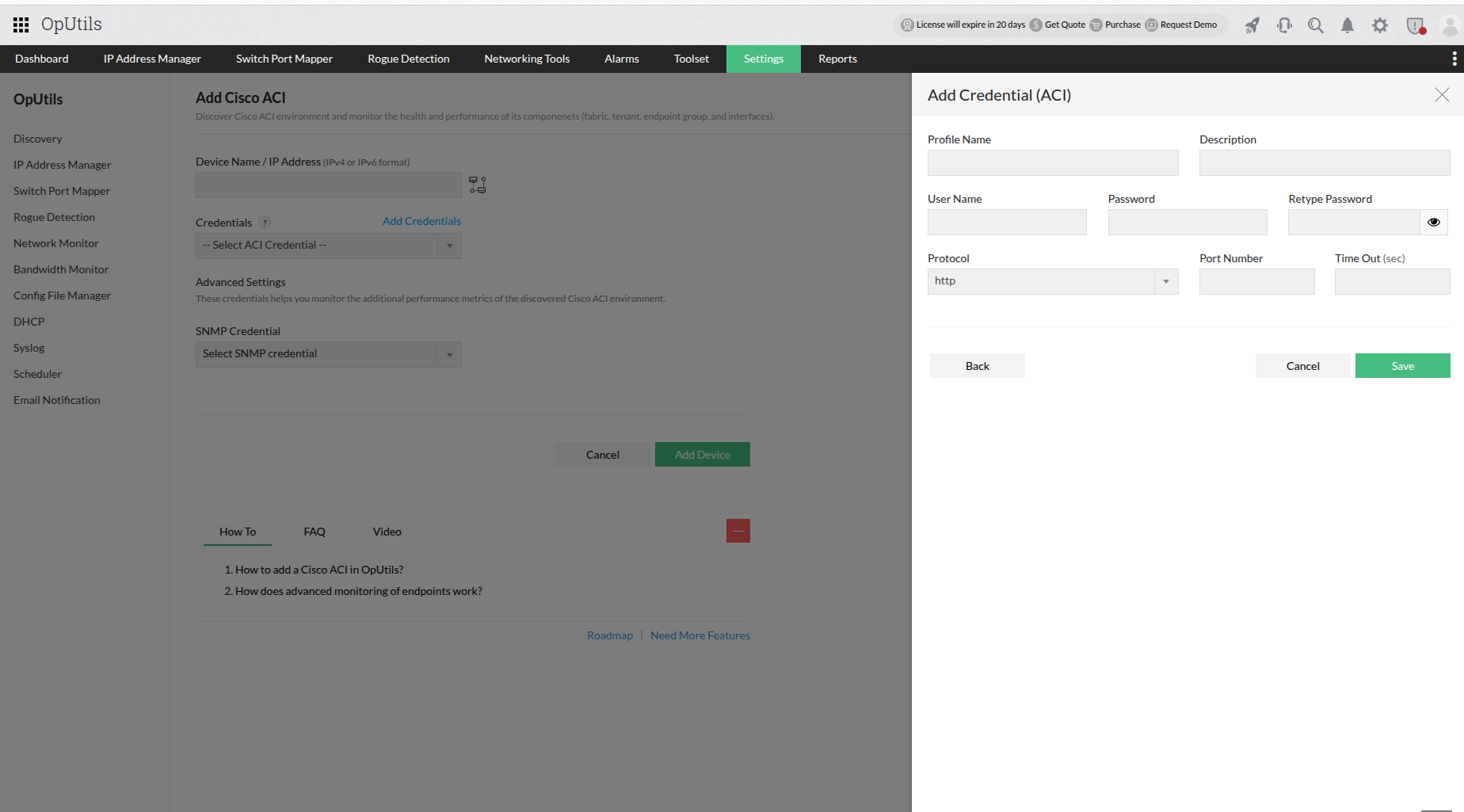
1.Add APIC credentials:
Securely add your Cisco APIC controller credentials to OpUtils through the intuitive user interface.
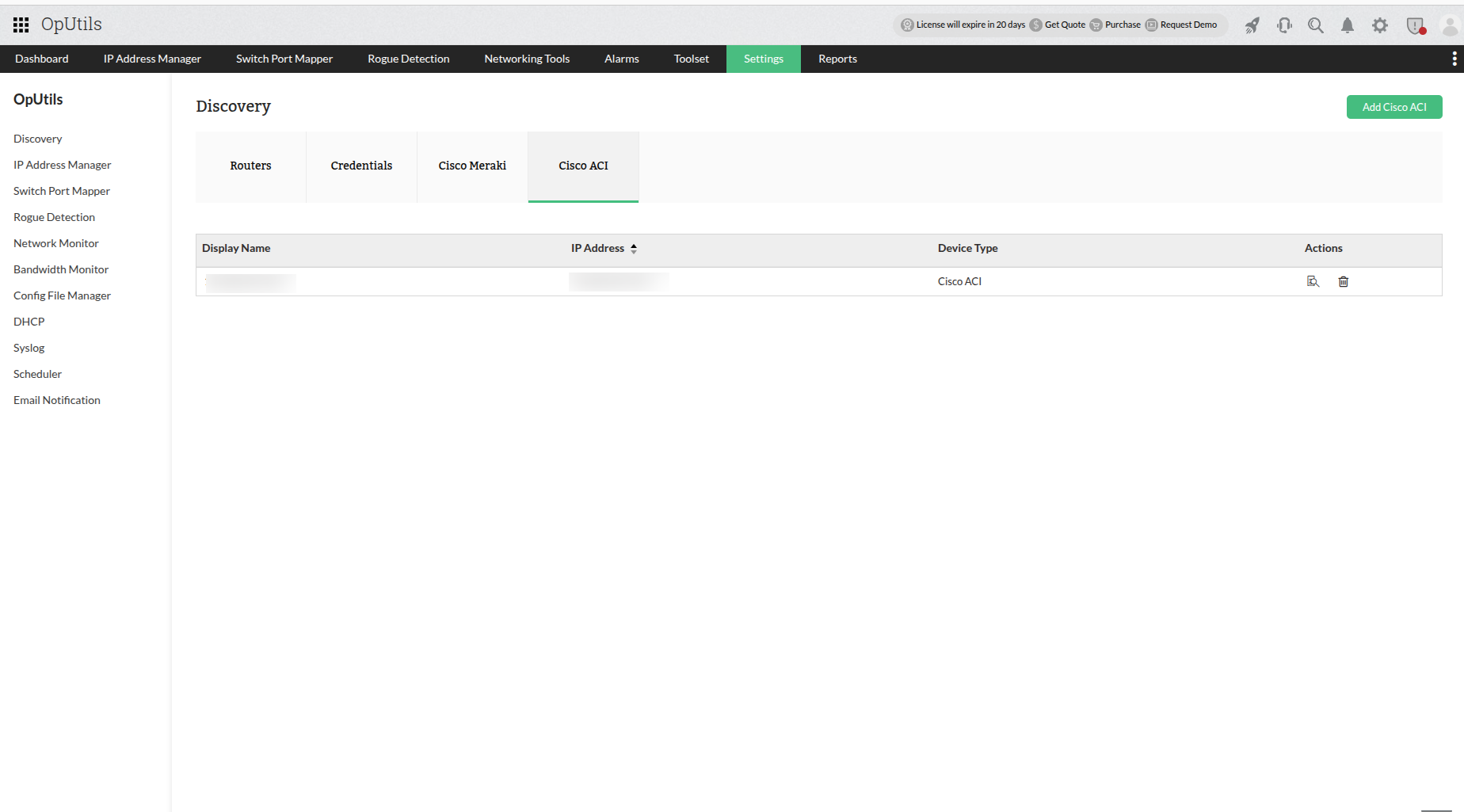
2.Connect and fetch data:
OpUtils establishes a connection to the APIC and uses its APIs to fetch live topology and endpoint data directly from your ACI fabric.
3.Automated mapping:
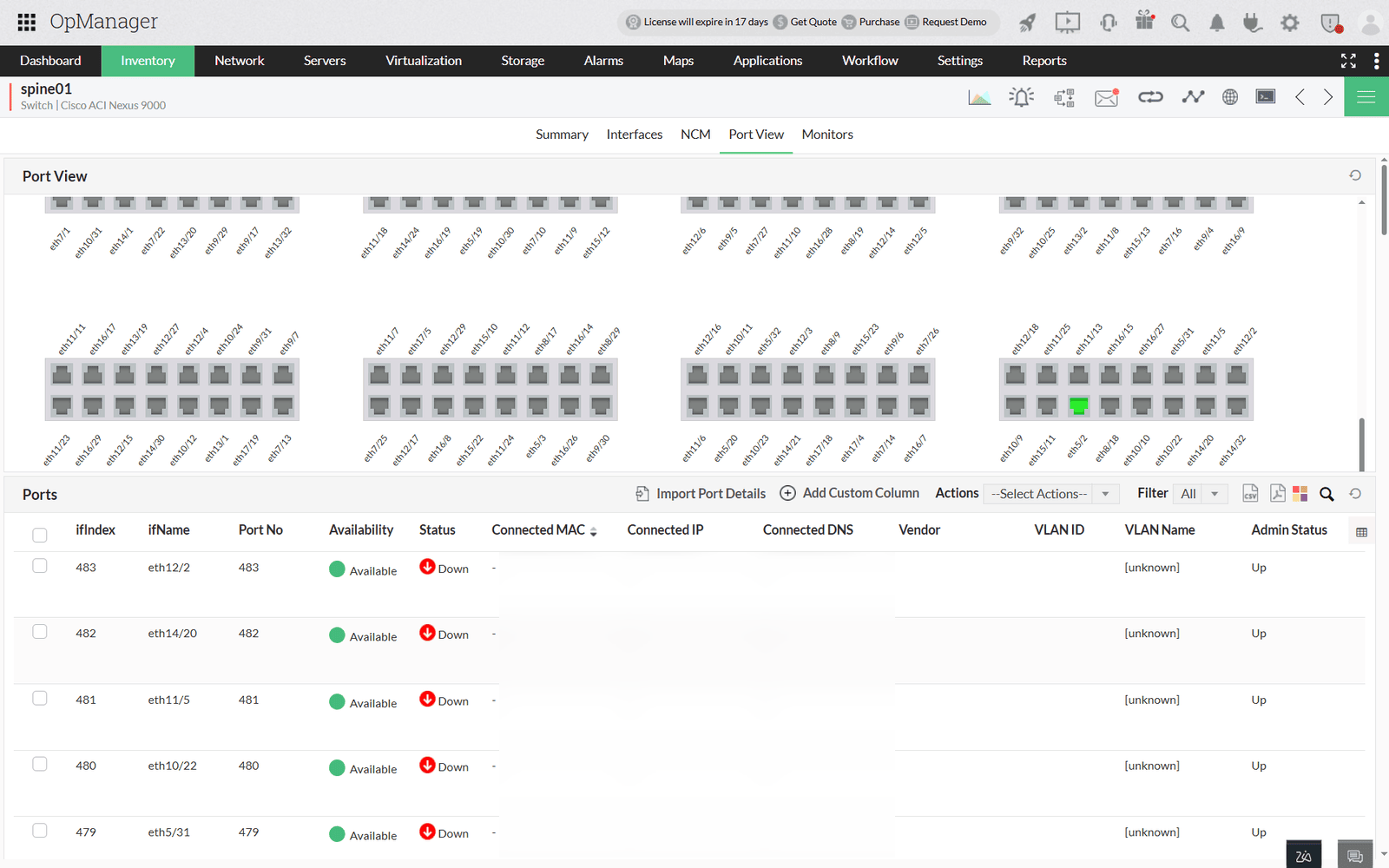
The platform automatically discovers and maps all spine and leaf switch interfaces, all connected endpoints with their MAC and IP addresses, and real-time port status, activity, and associated VLANs.
This API-based approach ensures you always have accurate, up-to-the-minute visibility into your Cisco ACI environment, without any complex configurations.
Note: For a detailed, step-by-step guide on setting up the Cisco ACI integration, please refer to our help documentation.
Benefits of managing switches via Cisco ACI in OpUtils
- Agentless and configuration-free: Eliminates the need to configure SNMP on each switch by connecting directly to the APIC with a one-time setup.
- Real-time switch and endpoint visibility: Provides instant insights into switches, connected devices, and interfaces without waiting for polling cycles.
- Accelerated onboarding: Automatically builds your switch and port inventory across the ACI fabric, saving time and effort.
- Centralized network monitoring: Offers a unified console view of all switches and endpoints, powered by APIC as the single source of truth.
- Designed for large-scale ACI deployments: Scales to handle hundreds of switches and thousands of endpoints without performance issues.
What OpUtils fetches from Cisco ACI
Here’s a clear breakdown of the detailed information that the Switch Port Mapper in OpUtils displays for your Cisco ACI-managed switches:
| Feature | Description |
|---|---|
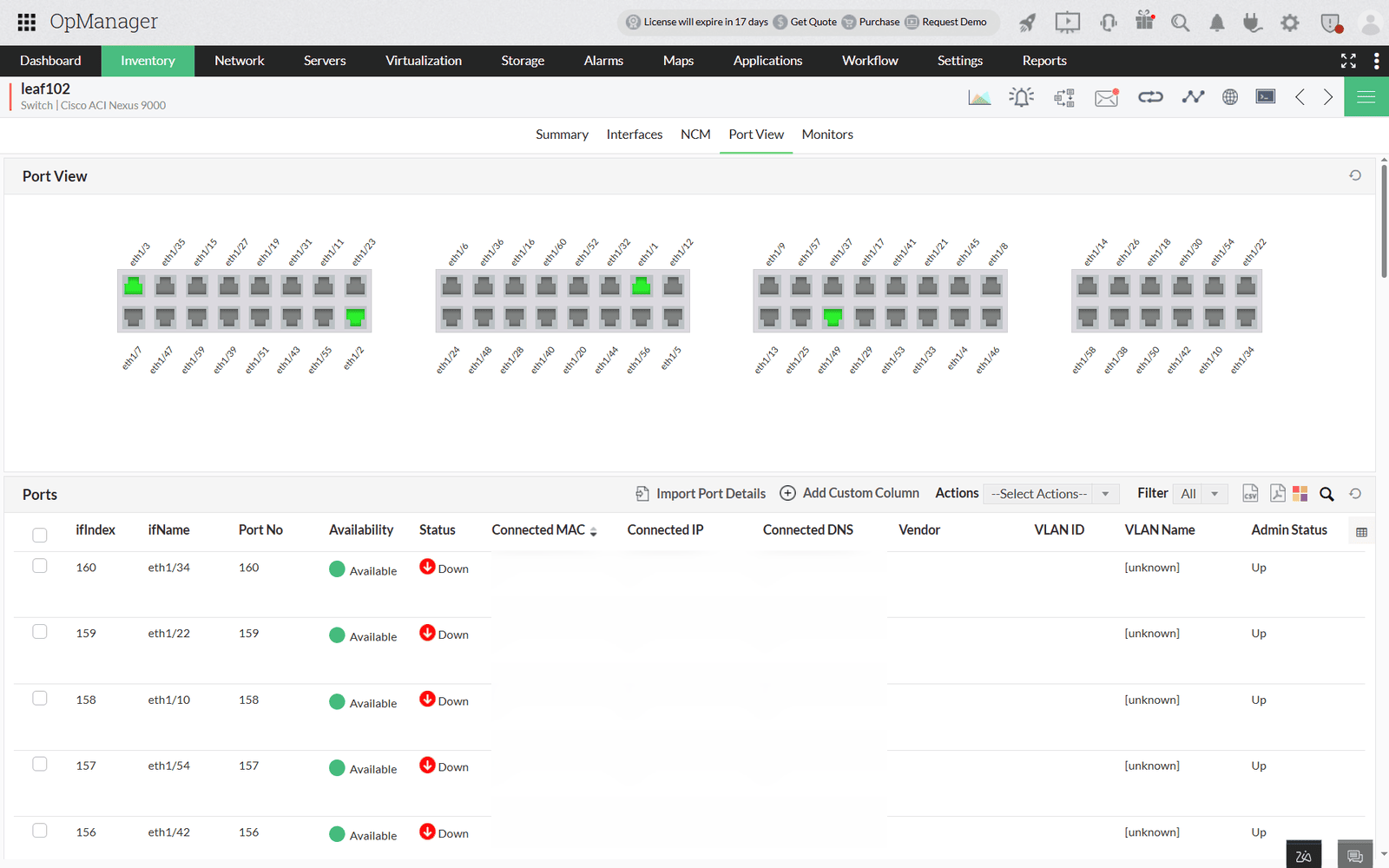
| Interface details | Provides the ifIndex, ifName, port number, and real-time up/down status for every interface on your switches. |
| MAC address mapping | Shows the dynamically learned MAC addresses of all endpoint devices connected to each interface. |
| IP address mapping | Displays the associated IP address for each MAC-addressed device, as retrieved from the APIC. |
| Node role | Automatically identifies whether a discovered switch is a leaf or spine node within the ACI fabric. |
| Device connectivity | Clearly shows which endpoint (e.g., server, workstation) is connected to which specific switch port. |
Why discovering and managing switches through Cisco ACI matters
In today’s dynamic, policy-driven data centers, real-time visibility into your switch fabric and endpoint connections is critical for security, troubleshooting, and compliance. By integrating directly with the Cisco APIC, OpUtils ensures your switch inventory remains accurate and current, streamlining troubleshooting, compliance audits, and capacity planning without any of the manual effort required by traditional tools.
Take full control of switch port management in your Cisco ACI environment
Beyond discovery, OpUtils empowers network teams with complete port-level visibility across their ACI fabric. From a unified dashboard, you can view port activity, monitor status changes in real time, and trace endpoint connections across VLANs - all without configuring SNMP or logging into individual switches. This level of granular control not only simplifies port management but also enhances operational efficiency, improves security response, and accelerates troubleshooting in dynamic, large-scale environments.
Is Cisco ACI the only way to discover switches in OpUtils?
While Cisco ACI integration offers an automated, controller-based approach to discovering switches, OpUtils also supports multiple other methods to suit varied network infrastructures. You can perform switch discovery using SNMP by specifying IP ranges, importing device details in bulk, or leveraging existing IP address scans to map switches and their connected ports.
These methods offer flexibility for on-premises and hybrid networks, ensuring that OpUtils fits seamlessly into any environment. Whether you're managing a small branch office or a large-scale enterprise network, OpUtils provides the tools needed to maintain a complete and up-to-date switch inventory.
Try this feature for free for the next 30 days. If you have questions or need tailored guidance, book a free personalized demo, and we’ll connect you with the right product expert.