


What is valid account abuse?
When an attacker logs in with real credentials, the network sees a legitimate user. Firewalls pass the traffic. VPNs grant access. Even multi-factor authentication can be circumvented through MFA fatigue attacks, temporary access passes, or stolen session tokens. This is T1078: Valid Accounts, and it is the hardest initial access technique to detect because the attacker is using the front door with a valid key.
The IBM X-Force 2025 Threat Intelligence Index reports that valid account abuse accounted for 30% of initial access incidents, making it the second most common vector after phishing. The rise of info-stealer malware (Raccoon, RedLine, Vidar) has created an industrial supply chain for stolen credentials. Malware harvests browser-stored passwords, the credentials appear on underground markets within hours, and access brokers sell them to ransomware affiliates who log in as the victim.
Part of the Initial Access (TA0001) attack tactic.
Key facts about T1078
| MITRE ID | T1078 |
|---|---|
| Tactic | Initial Access (TA0001), also Persistence, Privilege Escalation, Defense Evasion |
| Sub-techniques | T1078.001 (Default Accounts), T1078.002 (Domain Accounts), T1078.003 (Local Accounts), T1078.004 (Cloud Accounts) |
| Severity | Critical; legitimate credentials bypass most controls |
| Affected platforms | Windows, Linux, macOS, Azure AD / Microsoft Entra ID, AWS, GCP, SaaS |
| Common tools | Credential stuffing tools, Mimikatz, info-stealers (Raccoon, RedLine), access brokers |
| Detection difficulty | Hard; requires behavioral analytics, not just signature matching |
| Log360 coverage | 12 prebuilt rules + UEBA behavioral detection |
| Key log sources | Microsoft 365 Unified Audit, AWS CloudTrail, AD Security Event Logs, SQL Server audit |
How the attack works
Stage 1: Credential acquisition
Credentials arrive through multiple pipelines. Info-stealer malware installed on employee home devices harvests browser-stored passwords. Phishing campaigns use fake login pages to capture credentials in real time, and credential stuffing uses credentials from previous breaches to test against your Microsoft 365 or VPN login portals. On the dark web, initial access brokers sell verified credentials with details about the target organization's industry, revenue, and access level, a fully commoditized market.
Stage 2: Authentication and MFA bypass
Sophisticated attackers do not stop at a username and password. MFA fatigue bombing (pushing hundreds of authentication prompts until the user accepts one) has been documented in breaches of major technology companies. More surgical approaches include creating a Temporary Access Pass via a compromised admin account, stealing session tokens from the user's browser, or exploiting SAML federation to forge authentication assertions (golden SAML attacks).
Stage 3: Abuse and escalation
Once authenticated, the attacker operates with the victim's permissions. If those permissions include admin access, the damage is immediate, including data exfiltration, persistence establishment, and lateral movement to other systems. If the account is low-privileged, the attacker looks for privilege escalation opportunities such as modifying PIM role configurations, adding application consent grants, or creating short-lived admin accounts.
Real-world attacks using T1078
| Year | Incident | Technique variant | Impact |
|---|---|---|---|
| 2023–2024 | Scattered Spider | MFA fatigue + social engineering of help desk | Cloud infrastructure access, data theft from major tech companies |
| 2024 | Microsoft corporate breach by Midnight Blizzard | Password spray + OAuth application abuse | Executive email access, source code repository access |
| 2023 | MGM Resorts breach | Social engineering for credential reset + MFA bypass | 10-day system outage, $100M+ estimated losses |
How to detect and investigate T1078 with Log360
Detecting credential abuse requires a fundamentally different approach than exploitation or phishing detection. There is no malicious process to catch, no exploit payload to signature-match. The defense is behavioral and centers on determining whether a login is consistent with the user's established patterns.
Log360 combines rule-based detection for known credential abuse patterns with UEBA behavioral analytics for novel abuse scenarios.
Real-time detection: Microsoft 365
Detecting MFA bypass and identity manipulation
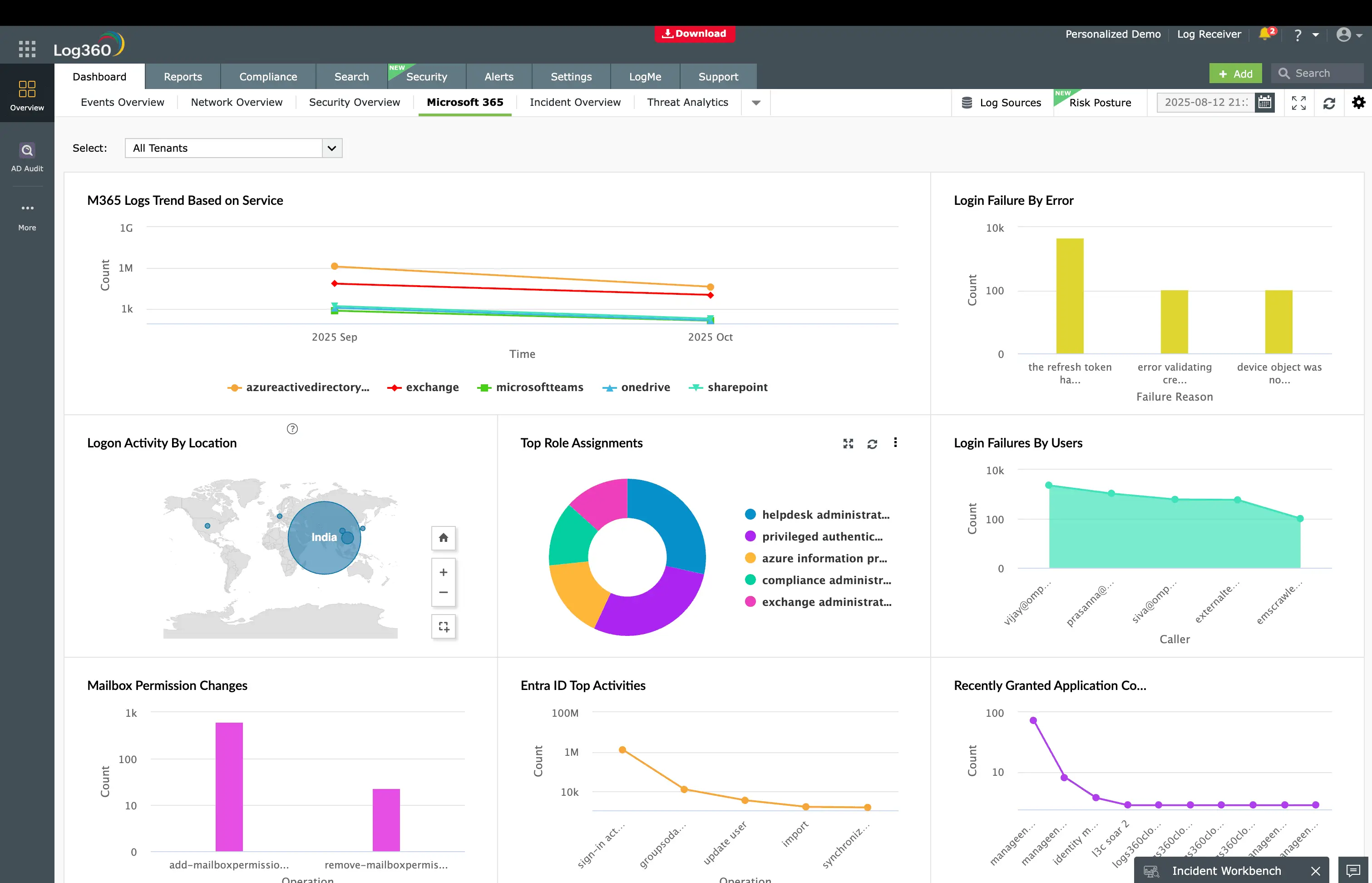
The most dangerous credential abuse patterns involve circumventing MFA entirely. Log360 monitors Microsoft 365's unified audit log for the Temporary Access Pass Added To An Account rule (Critical, Microsoft 365), which fires when a TAP is created for any user account. In legitimate operations, TAPs are rare. They are provisioned for user onboarding or device recovery. A TAP appearing for a senior executive's account outside of a planned onboarding event is almost certainly an attacker bypassing MFA after compromising an admin account.
The MFA Challenge Failed During Authentication rule (Trouble, Microsoft 365) catches the other side of MFA abuse, specifically repeated MFA failures that indicate either a credential stuffing attack or MFA fatigue bombing. When this alert correlates with a successful login shortly afterward, the attacker likely pushed enough prompts for the user to accept one.
Detecting identity infrastructure manipulation
Attackers with admin access often manipulate the identity infrastructure itself. The Application ID URI Modified rule (Critical, Microsoft 365) detects changes to application identity URIs, a technique used to impersonate trusted first-party Microsoft applications. The PIM Role Configuration Changed rule (Attention, Microsoft 365) catches modifications to Privileged Identity Management roles, which could indicate an attacker expanding their access by lowering the bar for privilege activation.
For disposable identity abuse, the M365 Short Lived Accounts rule (Critical, Microsoft 365) detects accounts created and deleted within a short window, a pattern where the attacker provisions a temporary identity, performs their actions under that identity, then deletes it to cover tracks. The Login to Disabled Account rule (Trouble, Microsoft 365) catches authentication against accounts that should be completely inactive, indicating credential reuse from a breach database.
Real-time detection: AWS
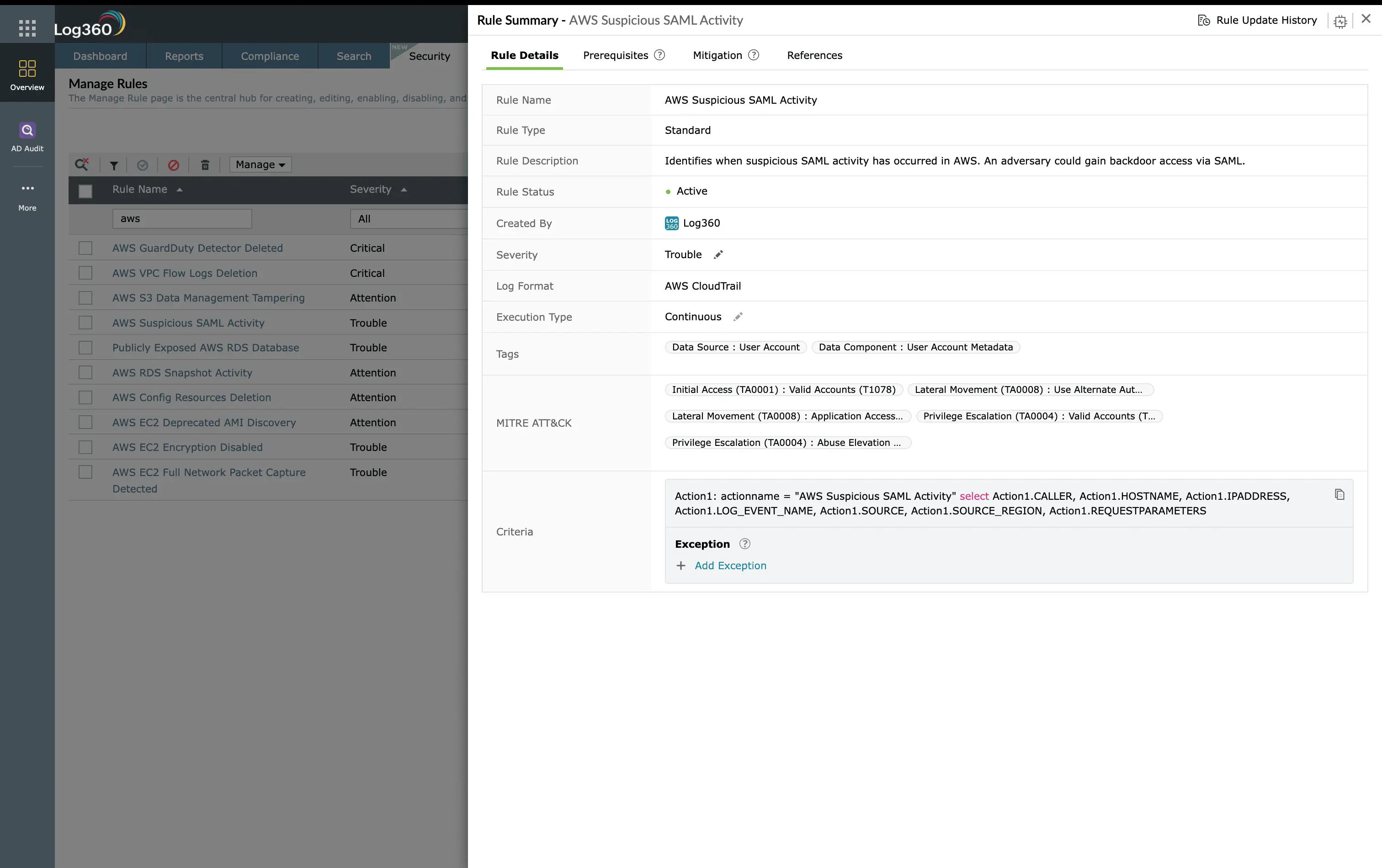
In AWS environments, credential abuse takes different forms. The AWS Suspicious SAML Activity rule (Trouble, AWS) monitors CloudTrail for anomalous SAML federation events that could indicate a golden SAML attack, where the attacker forges SAML assertions to authenticate as any user without needing their actual credentials. The AWS Key Pair Import Activity rule (Trouble, AWS) catches unauthorized SSH key imports to EC2 instances, which creates a persistent backdoor that survives password rotations.
Real-time detection: SQL Server
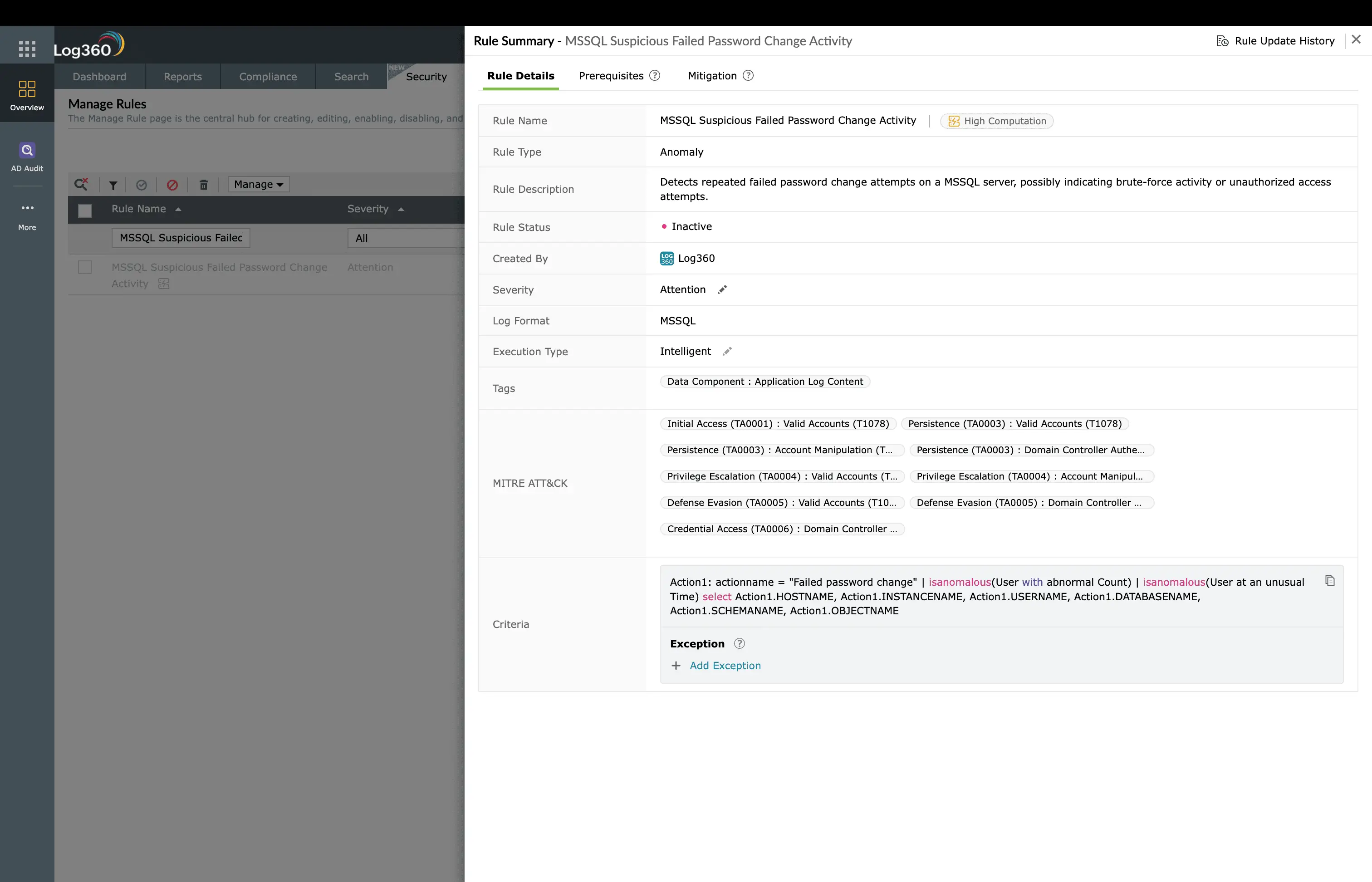
Database credential abuse is monitored through three rules targeting SQL Server. The MSSQL Server - Connection attempt using a disabled account rule (Trouble, SQL Server) detects login attempts against disabled database accounts, while the MSSQL Suspicious Successful Password Change Activity and MSSQL Suspicious Failed Password Change Activity rules (Attention, SQL Server) catch unauthorized password modifications, often the attacker securing their access after initial compromise.
ManageEngine Log360 for credential abuse detection
12 prebuilt rules across Microsoft 365, AWS, and SQL Server detect MFA bypass, temporary access pass creation, short-lived accounts, and SAML abuse. UEBA adds behavioral baselines for geographic anomalies and login pattern deviations.
Behavioral detection with UEBA
Rule-based detection catches known abuse patterns, but novel credential abuse requires behavioral analytics. Log360's UEBA module establishes baselines for each user's normal login behavior (typical hours, source locations, devices used, applications accessed) and assigns risk scores to deviations. A user who normally logs in from New York between 9 AM and 6 PM suddenly authenticating from Eastern Europe at 2 AM generates a significant risk score spike, even without a specific correlation rule for that scenario.
UEBA also performs peer group analysis. If one user in the Finance department suddenly accesses engineering repositories, the deviation from their peer group's behavior triggers an anomaly alert. This catches attackers who use stolen credentials to access resources outside the victim's normal scope.
Investigation workflow
- Review the authentication timeline: When a credential abuse alert fires, pull up the user's full authentication history in Log360. Look for geographic impossibilities, new devices, or unusual access times.
- Check for identity modifications: Search for any admin actions performed on or by this account, including role changes, application consent grants, and new MFA methods registered. These indicate the attacker is securing their access.
- Correlate with other MITRE tactics: Look for a Persistence alert (new scheduled task, application consent) or a Collection alert (mass file download, email export) around the same time. These indicate the attacker has progressed beyond initial access.
- Determine credential source: Check if the user's credentials appear in known breach databases. If the password matches a previously leaked credential, the access method is clear.
- Scope the impact: Identify the data and systems the attacker accessed while authenticated. Log360's file access and activity logs show exactly what was viewed, downloaded, or modified during the session.
How to remediate and prevent T1078 attacks
Immediate containment
- Disable the account: Immediately disable the compromised account in Active Directory and Microsoft Entra ID. Revoke all active sessions and OAuth tokens.
- Force credential reset: Reset the password and require re-registration of all MFA methods. The attacker may have registered their own authenticator app.
- Revoke all tokens: In Microsoft Entra ID, revoke all refresh tokens for the user. In AWS, rotate all access keys and invalidate temporary credentials.
Long-term hardening
- Phishing-resistant MFA: Deploy FIDO2 security keys or Windows Hello for Business instead of push notification MFA, which is vulnerable to fatigue attacks.
- Conditional Access policies: Require compliant devices, block legacy authentication protocols, and enforce risk-based access controls that step up MFA for unusual sign-in patterns.
- TAP policy restrictions: Limit who can create Temporary Access Passes and set short maximum lifetimes (1 hour instead of the default 8 hours).
- Credential monitoring: Subscribe to breach notification services and proactively check employee credentials against known breach databases.
FAQ
What is Valid Accounts (T1078) in MITRE ATT&CK?
T1078 describes adversaries using legitimate credentials (stolen, purchased, or guessed) to access systems. Sub-techniques include default accounts (T1078.001), domain accounts (T1078.002), local accounts (T1078.003), and cloud accounts (T1078.004). Log360 detects credential abuse with 12 prebuilt rules across AWS and Microsoft 365.
How does Log360 detect stolen credential use?
Log360 correlates authentication events across cloud platforms to identify anomalous patterns, including disabled account logins, MFA bypass attempts, temporary access pass creation, short-lived accounts, and suspicious SAML activity. The UEBA module adds behavioral baselines for login times, geolocations, and device patterns. See the Initial Access detection guide for the complete picture.
What is a Temporary Access Pass attack?
A Temporary Access Pass (TAP) is a time-limited passcode that bypasses MFA. Attackers who compromise an admin account create a TAP for a target user, log in as that user without MFA, and perform actions under the victim's identity. Log360's Temporary Access Pass Added To An Account rule (Critical) catches this immediately.
How do I detect impossible travel with SIEM?
Impossible travel detection compares sequential login locations and calculates whether physical travel between them is feasible in the elapsed time. Log360's UEBA module automates this with geographic anomaly scoring across Microsoft 365, AWS, and VPN authentication logs.
- What is valid account abuse?
- Key facts about T1078
- How the attack works
- Real-world attacks using T1078
- How to detect and investigate T1078 with Log360
- How to remediate and prevent T1078 attacks
- FAQ

