While the constantly evolving technology landscape has become a sign of progress and has bolstered businesses, it has also brought with it numerous vulnerabilities and advanced network security threats that pose risks to organizations' cybersecurity postures.
When it comes to detecting such sophisticated cyberattacks, traditional security measures and responses may not suffice. This is why organizations need to move towards user and entity behavior analytics (UEBA) for advanced threat detection and response.
Log360 collects and analyzes logs from different sources, such as firewalls, database servers, mail servers, and endpoints, to understand the regular usage patterns exhibited by users. Using this data, a baseline is established. A risk score is then calculated based on comparisons between observed activities and the baseline. Anomalous behavior generates a risk score depending on its severity and subsequently triggers an alert so that necessary action can be taken to mitigate the threat. Anomalies are identified as time-based, count-based, and pattern-based.
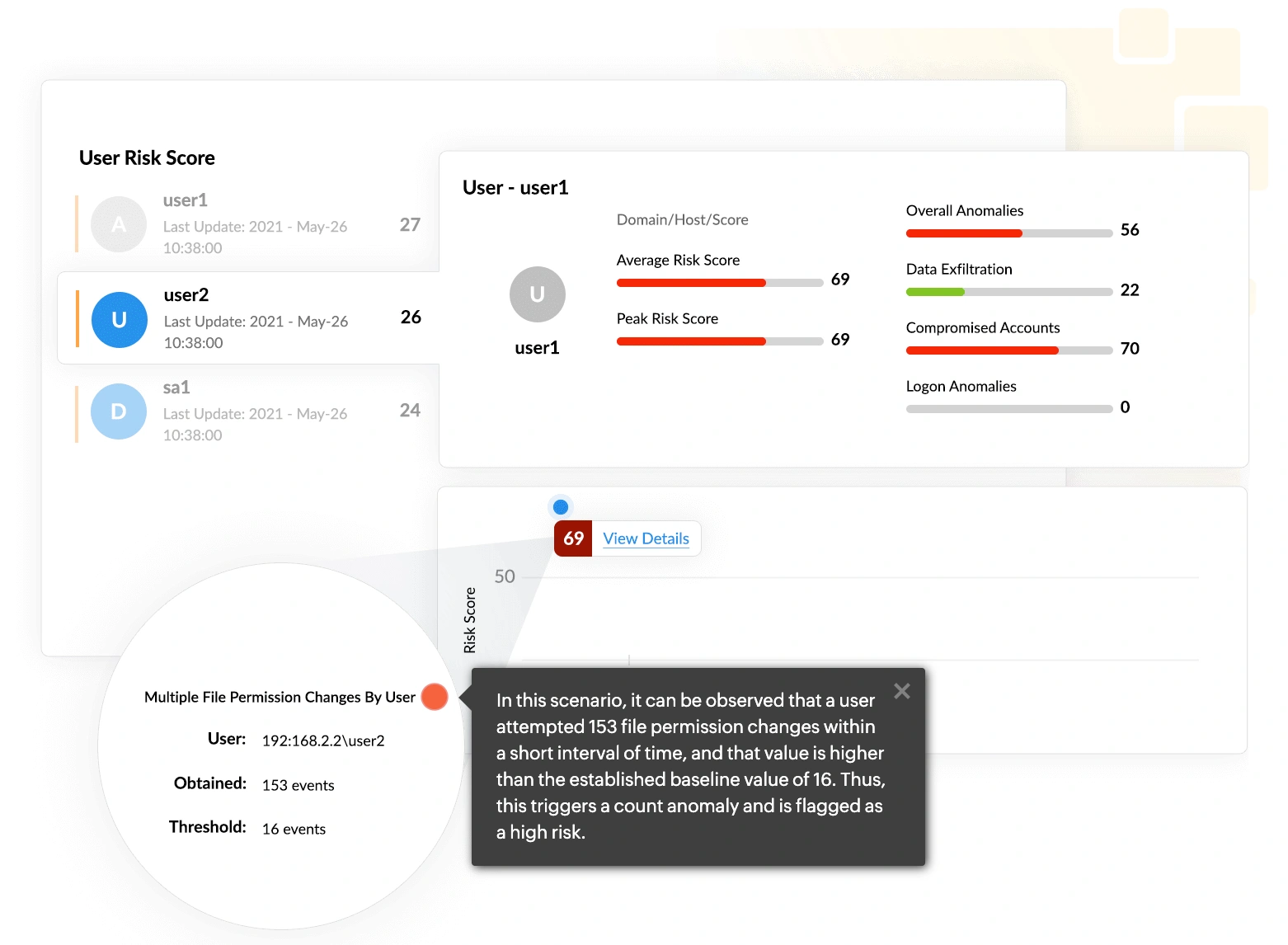
Insider threats refer to the risks posed by users in an organization's network. This includes malicious threat actors who intend to cause damage to the organization by stealing sensitive information for financial or personal gain. Insider threats can also be negligent users who, by their careless actions, inadvertently expose the network to attacks.
Log360 closely monitors such events, spots abnormal behavior, and alerts IT administrators of a possible attack. With Log360, you can go a step further in mitigating threats by using its incident management console.
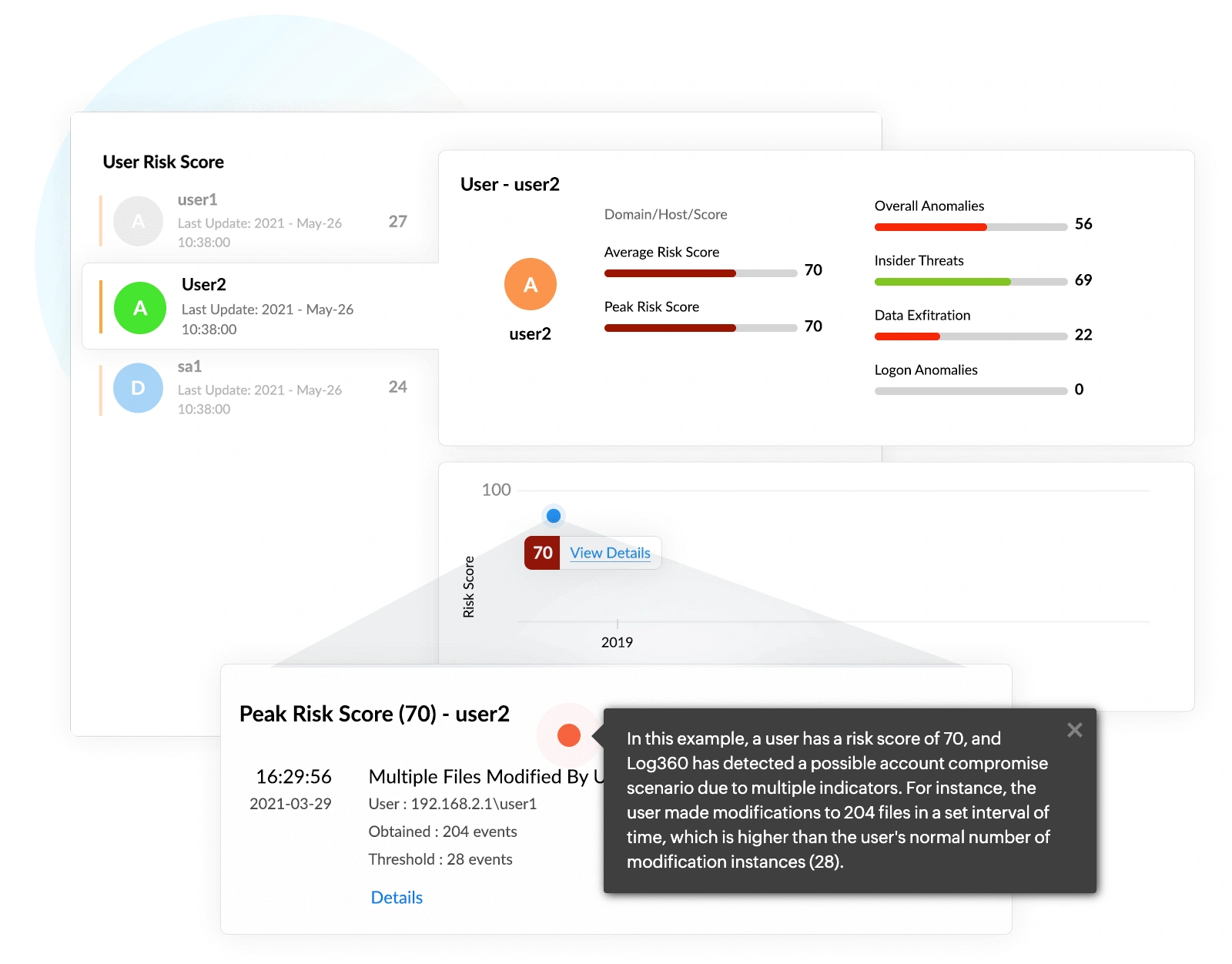
If an attacker gains access to a legitimate user account, the account can be leveraged to perform detrimental activities, such as malicious software installations, that can lead to further compromise. There are several ways user accounts can be compromised, including phishing, brute-force attacks, users accessing unsecured networks, and weak password policies.
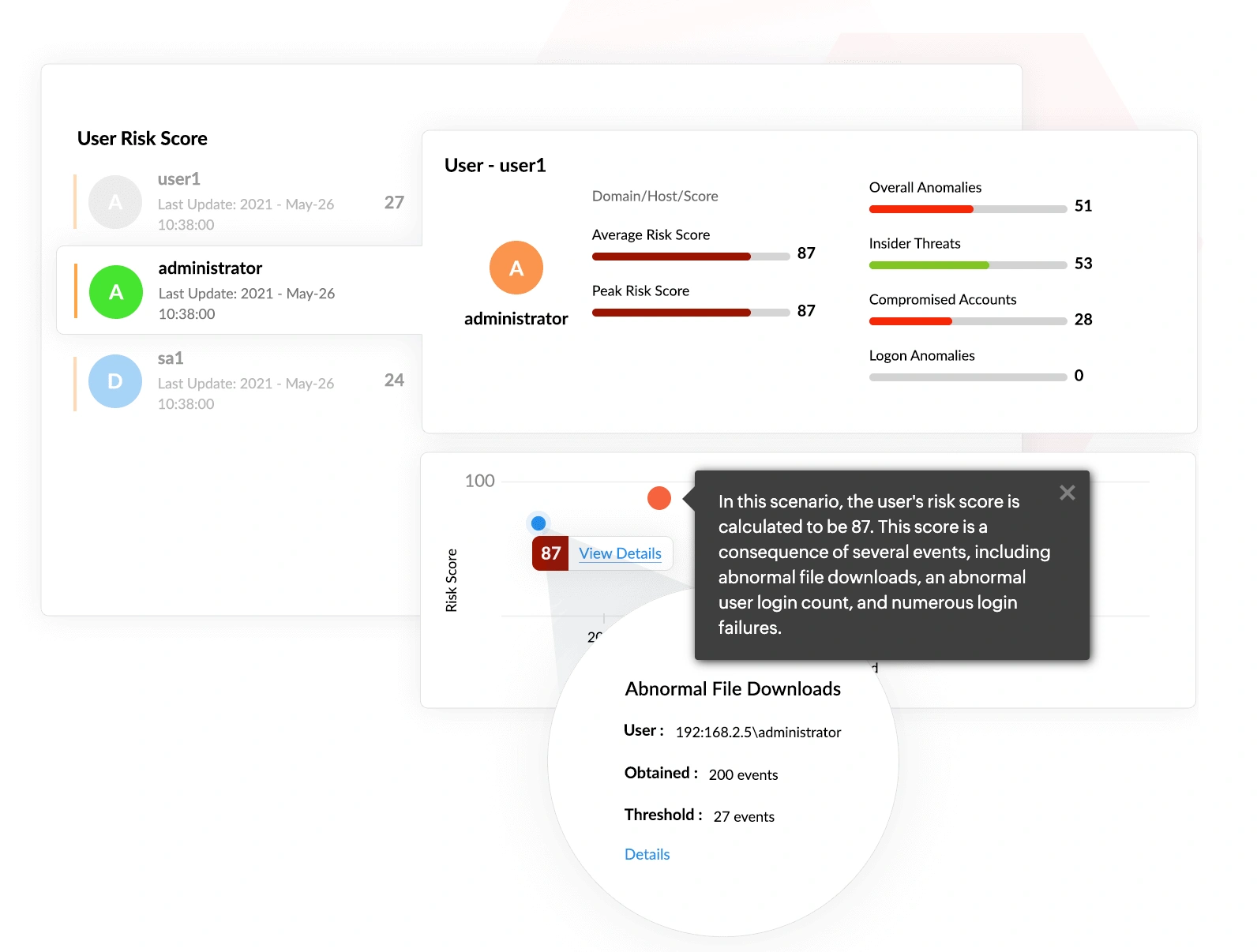
Data exfiltration is one of the most common end goals for the majority of cyberattacks. In simple terms, data exfiltration is the unauthorized movement of data from within an organization to outside of it. This affects an organization in multiple ways, including financial losses, compliance violations, and damage to its reputation.
Log360 identifies, qualifies, and investigates threats that might otherwise go unnoticed by extracting more information from the logs collected by its SIEM component to provide better context.
Log360 offers greater visibility into threats with its score-based risk assessment for users and entities through its dashboard. This approach helps you determine which threats actually merit investigation.
Log360 provides more context to the risk scoring process by using dynamic peer grouping. It monitors user activities and calculates a risk score based on each user's peer group. If a user exhibits behavior that is abnormal for their virtual peer group (resulting in a high risk score), an alert is raised.
Log360 customizes risk scoring by assigning different weightage to different factors. In this way, you can make sure Log360 is optimized for maximum performance, resulting in enhanced threat detection.
We wanted to make sure that one, we can check the box for different security features that our clients are looking for us to have, and two, we improve our security so that we can harden our security footprint.
Carter Ledyard
The drill-down options and visual dashboards make threat investigation much faster and easier. It’s a truly user-friendly solution.
Sundaram Business Services
Log360 helped detect insider threats, unusual login patterns, privilege escalations, and potential data exfiltration attempts in real time.
CIO, Northtown Automotive Companies
Before Log360, we were missing a centralized view of our entire infrastructure. Now, we can quickly detect potential threats and respond before they escalate.
ECSO 911
Log360's UEBA detects abnormal activity, prioritize risks with risk scores, and uncover threats such as account compromise and insider threats.