Email Notification Template
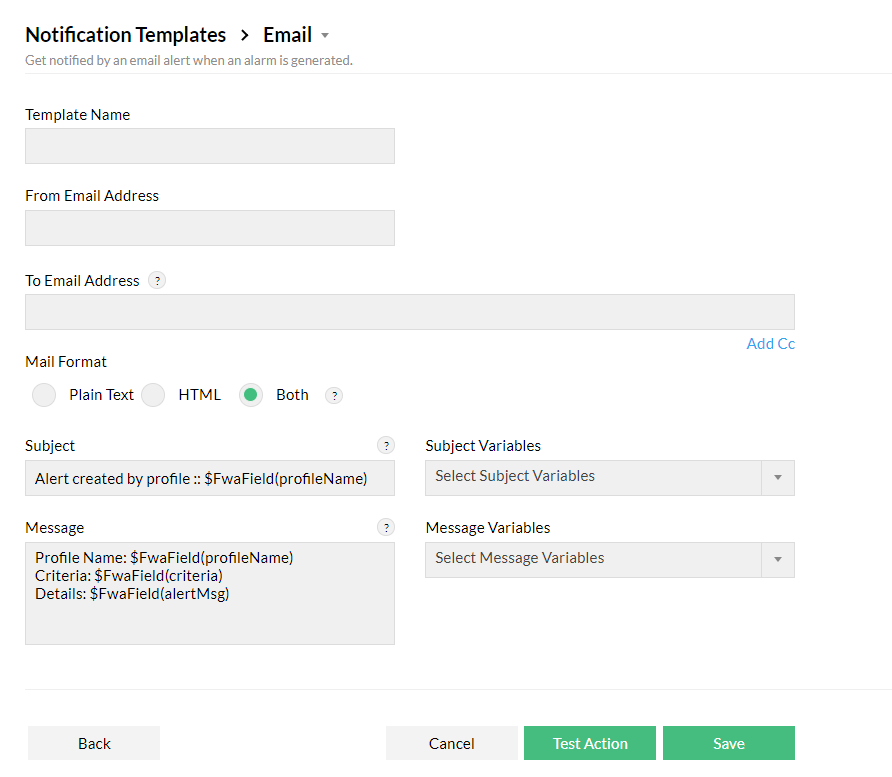
You can configure Firewall Analyzer to send an email alert when specific events have happened in your network. To do this, you need to configure your email settings and follow the steps mentioned below:
- To create an Email Notification Template, go to Settings > Others > Notification Template.
- Select Add and choose Email.
- Give the template a name, from and to email address, and choose your preferred Mail Format.
- Customize the email's message by selecting required variables from Subject Variable and Message Variable.
- Test this template using the Test Action option and Save this template.