Configuring thresholds for performance monitors
Configuring thresholds enable OpManager to proactively monitor the resources and the services running on the servers and network devices, and raise alerts before they go down or reach the critical condition. OpManager offers multiple threshold levels namely:
- Attention threshold - low severity
- Trouble threshold - medium severity
- Critical threshold - high severity
- Rearm - to rearm the alert after it has been triggered
You can configure multiple thresholds for the monitors that are associated to a single device, and even configure them from a device template in order to apply across multiple devices. Also, if you are going to enable custom dials, the thresholds configured for the monitor will also be applicable for the custom dial, and the color of the dial will change in real time based on the status of that monitor.
- To configure threshold for performance monitors in an individual device
- To configure threshold for performance monitors in an individual interface
- To configure threshold for multiple devices of the same type using Device Template
- To configure threshold for multiple interfaces of the same type using Device Template
- To configure the Performance Monitors page
- To configure the Adaptive Thresholds page
- To configure thresholds for multiple performance monitors
Configure threshold for performance monitors in an individual device
- Navigate to Inventory → Devices and then click on a device to open its snapshot page.
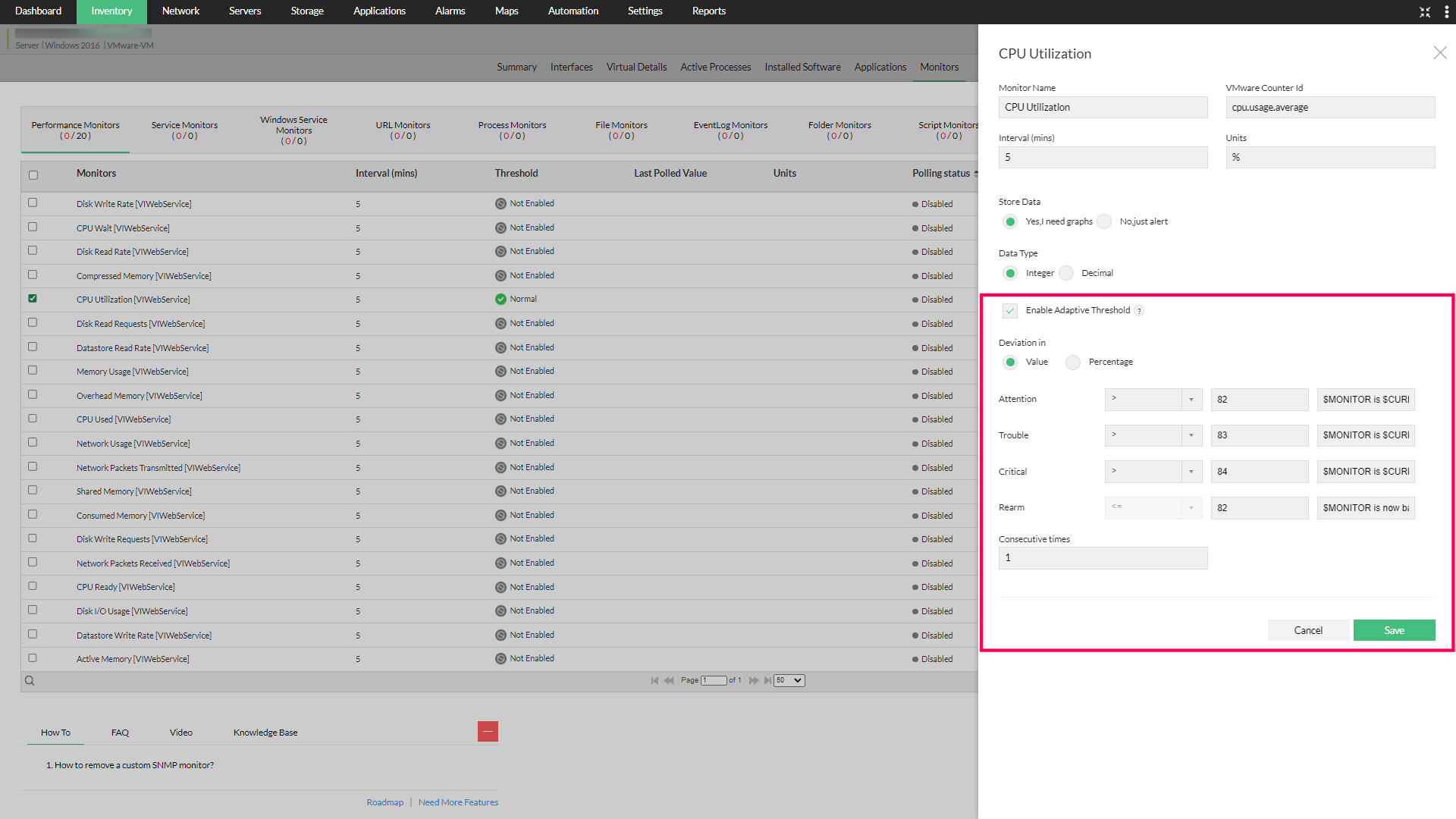
- Click Monitors → Performance Monitors → click on the edit icon corresponding to the monitor for which you want to configure threshold limits. Edit Monitor page opens.
- Ensure that the monitoring Interval is configured.
- Specify the unit for the monitored resource in terms of percentage, MB, KB etc (based on how the parameter is measured).
- Select the condition for Attention, Trouble, Critical and Rearm thresholds, and enter the value.
- For Numeric type monitors, select from >, >=, <, <=, =, or !=; alert is raised if the monitored value is greater than, greater than or equal to, lesser than, lesser than or equal to, equal to, or not equal to (whichever is selected) the threshold value. Also, for = operator, you can provide multiple values using pipe '|' as the separator. Ex: 1|2|3.
- For String type monitors, select from Contains, Not Contains, Equals, Not Equals, or Match Regex instead; alert is raised when the monitored String value satisfies the selected condition against the configured Value.
- Enter the Rearm Value. Rearm value is the value which the determines the monitor has restored to normal condition.
- For Numeric type monitors: For instance, the Warning threshold condition for a memory monitor is selected as greater than [>] and the threshold value is configured as 75. The monitored memory value of that device is 80. Now alert is raised and the monitor is in violated condition. At the next poll the monitored value is 72. An alert for returning to normal condition is generated. At the next poll again the monitored value goes to 80. Again a threshold violation alert is generated. In order to avoid this, enter the rearm value. Only if the monitored value reaches the rearm value the monitor goes to the normal condition and a normal alert is raised. Note: If you select the threshold conditions greater, then the rearm value should be lesser than the threshold value and vice versa.
- For String type monitors: The Rearm condition works the same way, but using String matching logic. For example, The monitor returns to normal when the monitored string no longer meets the threshold condition. For example, if the threshold is Contains "High", set the rearm condition to Not Contains "High".
Note that if you set the thresholds' conditions using '>' criteria, then the rearm value can only be set using '<=' and vice versa. - In the Consecutive Times field enter the value of how many consecutive times the thresholds (Attention, Trouble and Critical) can be violated to generate the alert.
- Click on Save.
Configure threshold for performance monitors in an individual interface
- Navigate to Inventory → Interfaces or go through Inventory → Device → Interfaces and select the desired interface (e.g., GigabitEthernet0/2-TRUNK).
- On the Interface Snapshot page, click the menu icon (⋮) at the top-right corner.
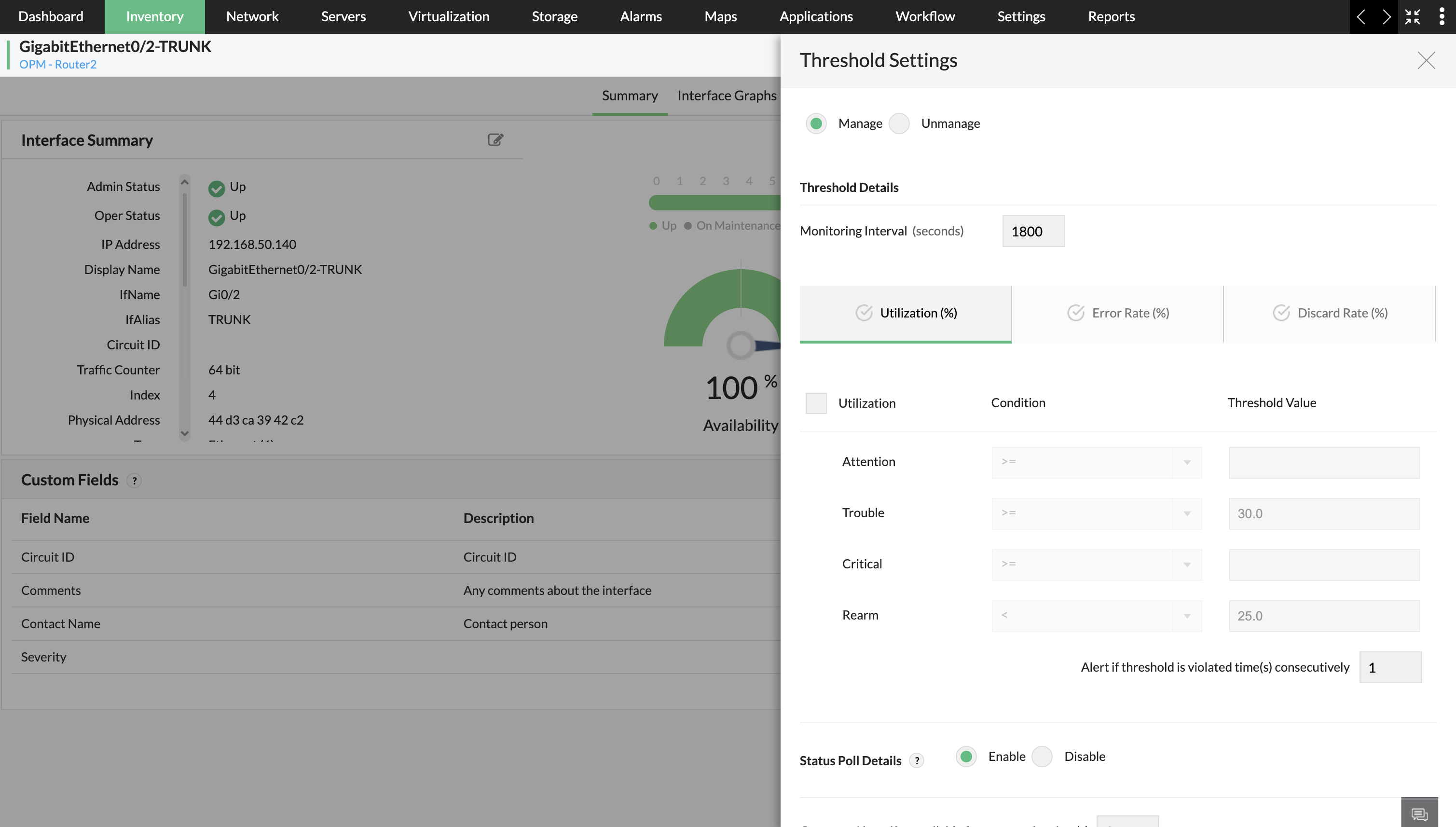
- Select Threshold Settings from the dropdown to open the configuration panel on the right.
- Configure thresholds based on your preferred Severity (Attention, Trouble, Critical) along with its Rearm value.
- Configure Threshold Settings →
- Click on one of the metric tabs: Utilization (%), Error Rate (%), or Discard Rate (%).
- Set Threshold Values →
- Under each selected tab, enter values for Attention, Trouble, Critical, and Rearm.
- For example, under Utilization (%), set thresholds like
Trouble ≥ 30andRearm < 25.
- In the field below, specify how many consecutive violations should trigger an alert.
- Enable or Disable Polling:
- Scroll to the bottom and choose to Enable or DisableStatus Poll Details to activate or deactivate monitoring for the interface.
- Save Changes: Once all configurations are done, click Save to apply the settings.
Configure threshold for multiple devices of same type using Device Template
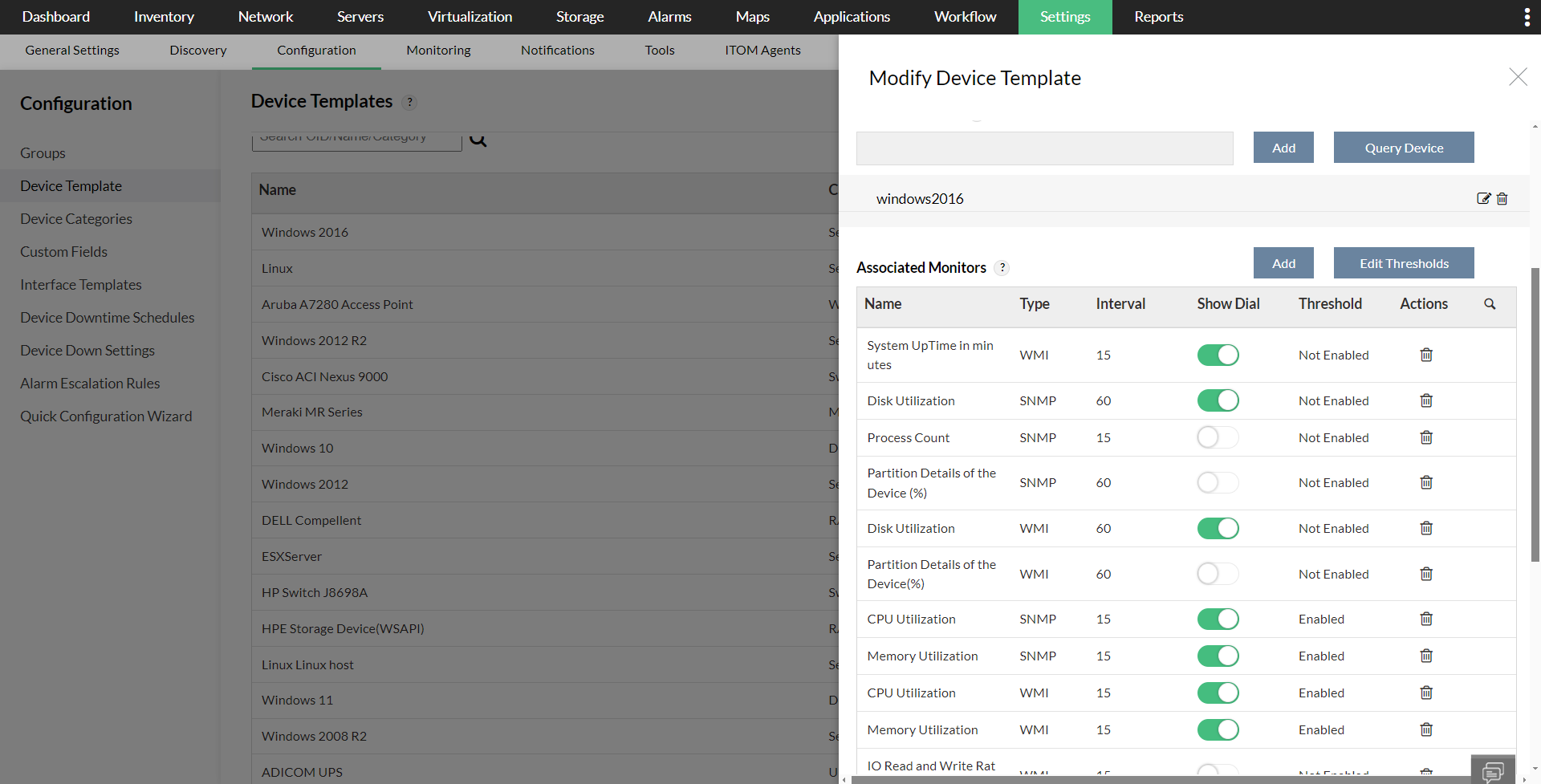
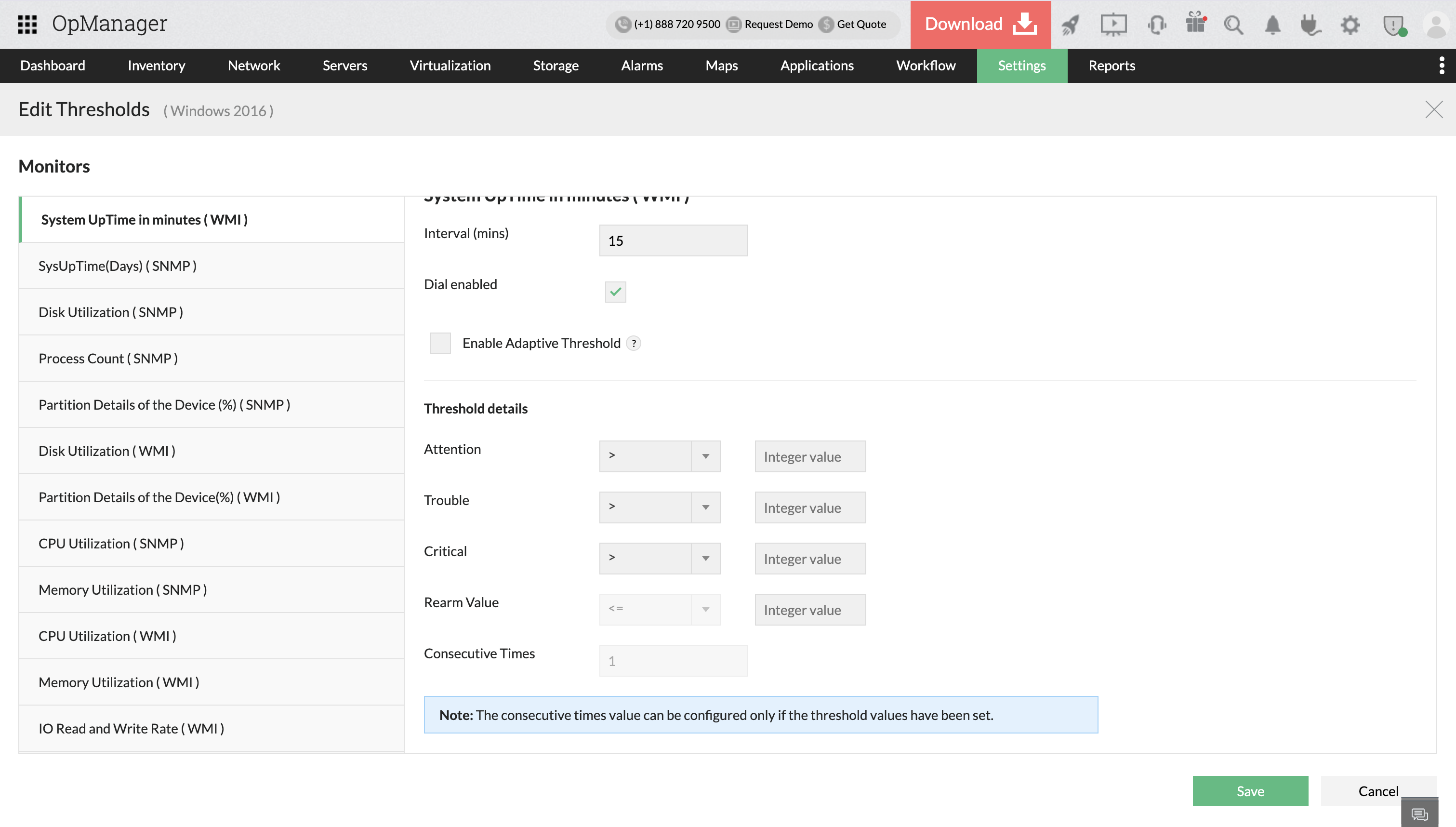
- Go to Settings → Configuration → Device Templates and select the template in which you want to configure the threshold.
- Under Monitors column, all the monitors that are currently associated with the devices are listed. If you want toadd additional default or custom monitors. Click on Edit Thresholds button.
- Configure the threshold values including Attention, Trouble, Critical, and Rearm. Now, click OK. As with individual device configuration, the conditions available (Numeric or String) depend on the monitor's OID expression data type.
- Click on OK
Click here to know more about adding additional default or custom monitors
Configure threshold for multiple interfaces of same type using Interface Template
- Navigate to Settings → Configuration → Interface Templates and click on the Interface Types tab.
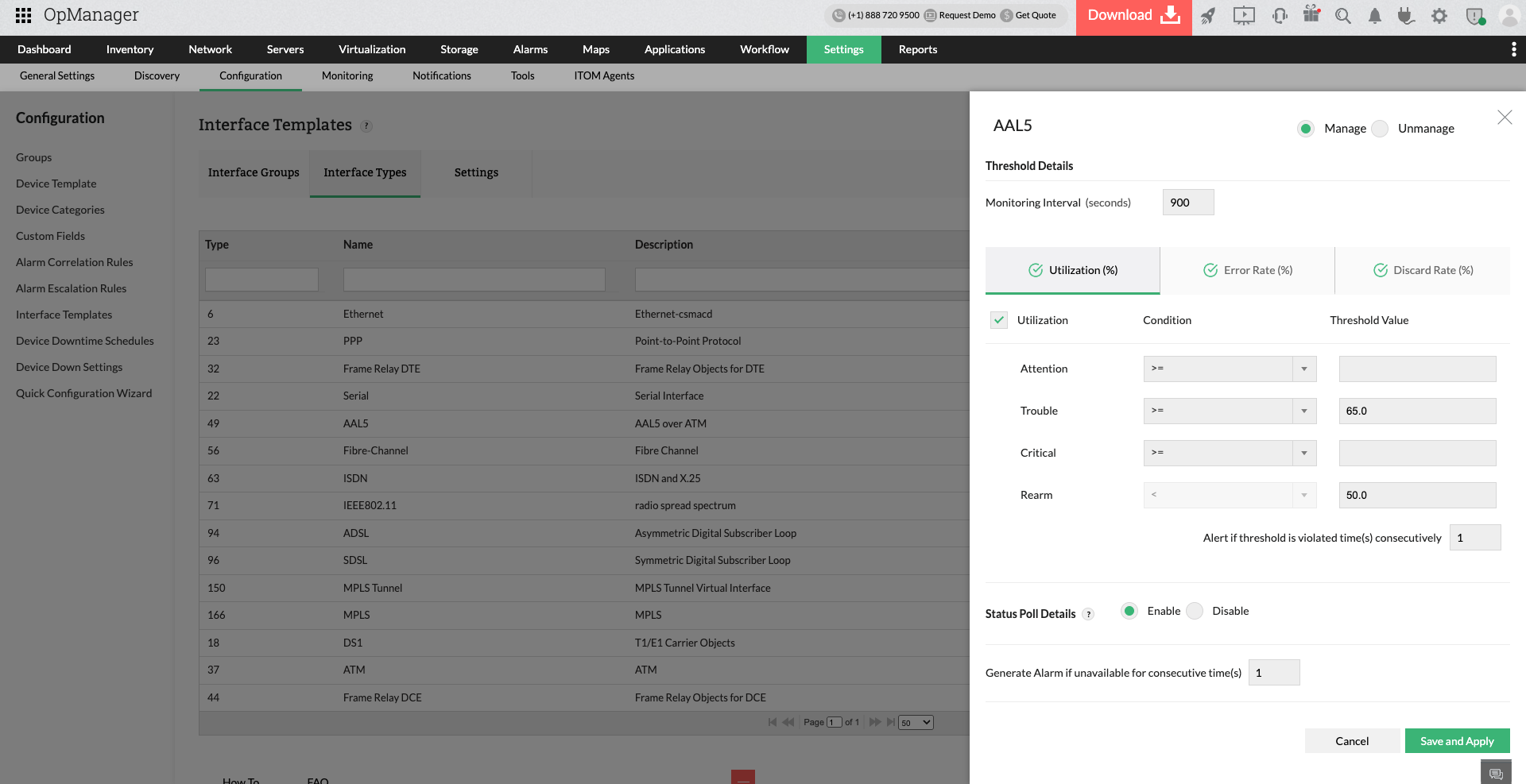
- Click on the interface name (e.g., ethernet) to open its Threshold Details on the right pane.
- Configure Threshold Settings → you will see three main tabs: Utilization (%), Error Rate (%), and Discard Rate (%). Select the appropriate tab you want to configure.
- Configure thresholds based on your preferred Severity (Attention, Trouble, Critical) along with its Rearm value. For example, in Utilization (%), you can configure thresholds for when alerts should be triggered based on usage.
- Enable all monitors to take effect in the associated interfaces.
- Enable or Disable Polling: At the bottom, choose to Enable or DisableStatus Poll Details and configure how many times the alarm should be triggered if the threshold is violated.
- Save and Apply Changes: Once all settings are configured, click Save and Apply to commit the changes.
Apply thresholds in bulk using Interface Groups to configure thresholds across different interface types.
Configuring thresholds from the Performance Monitors page:
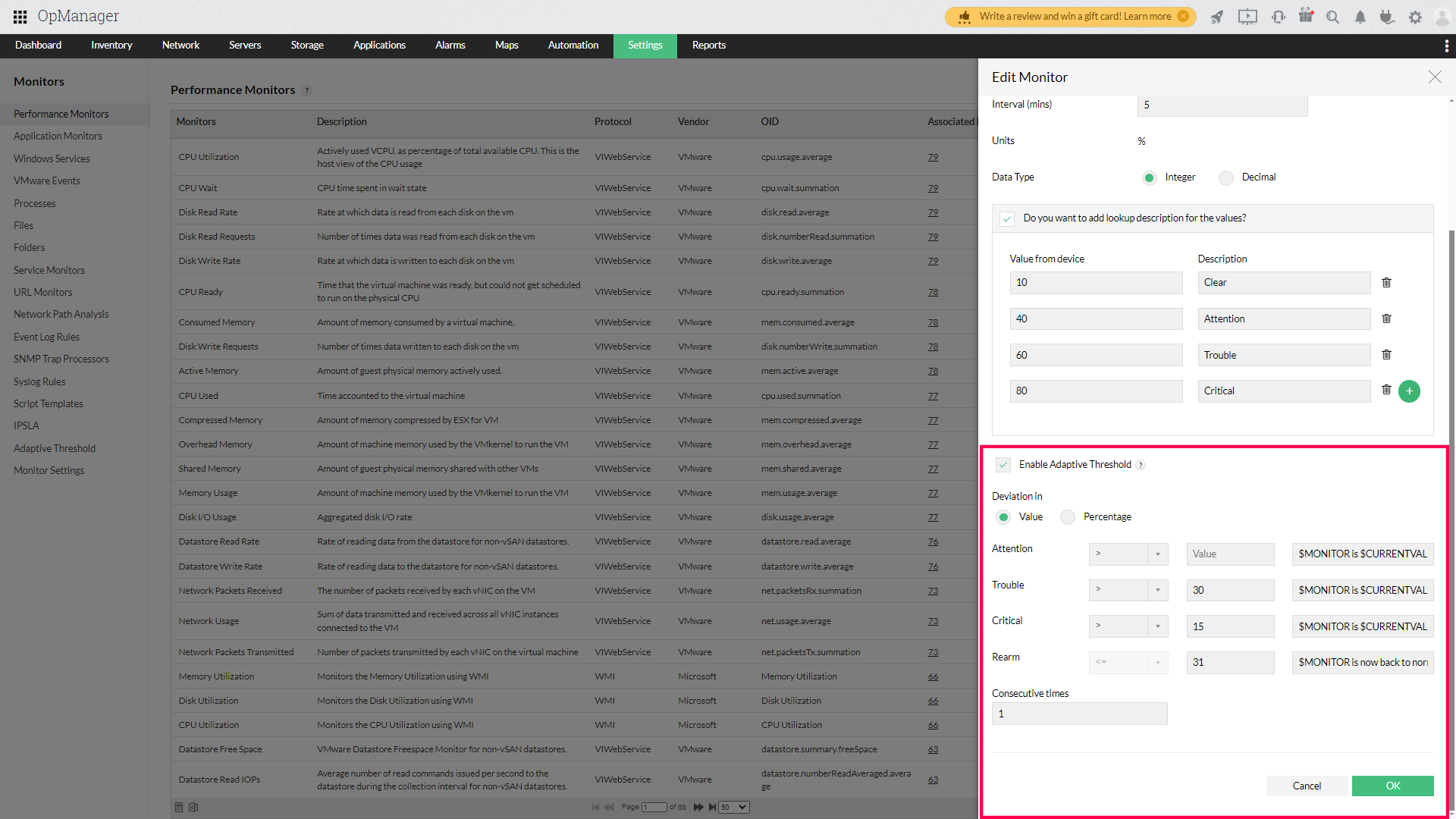
- Go to Settings → Monitoring → Performance monitors and click the 'Edit' icon next to the monitor of your choice.
- Change the threshold values as required and click 'Save'.
- Once it's done, click the 'Associate' button next to the monitor to associate it to the necessary devices.
NOTE:
- To associate monitors in bulk, click on the associate icon at the top right corner of the page, and select the monitors you want to associate with devices.
- Lookup values customize the display of collected performance monitor values by assigning user-defined text labels for easier interpretation and reporting.
Configure Thresholds from the Adaptive Thresholds page:
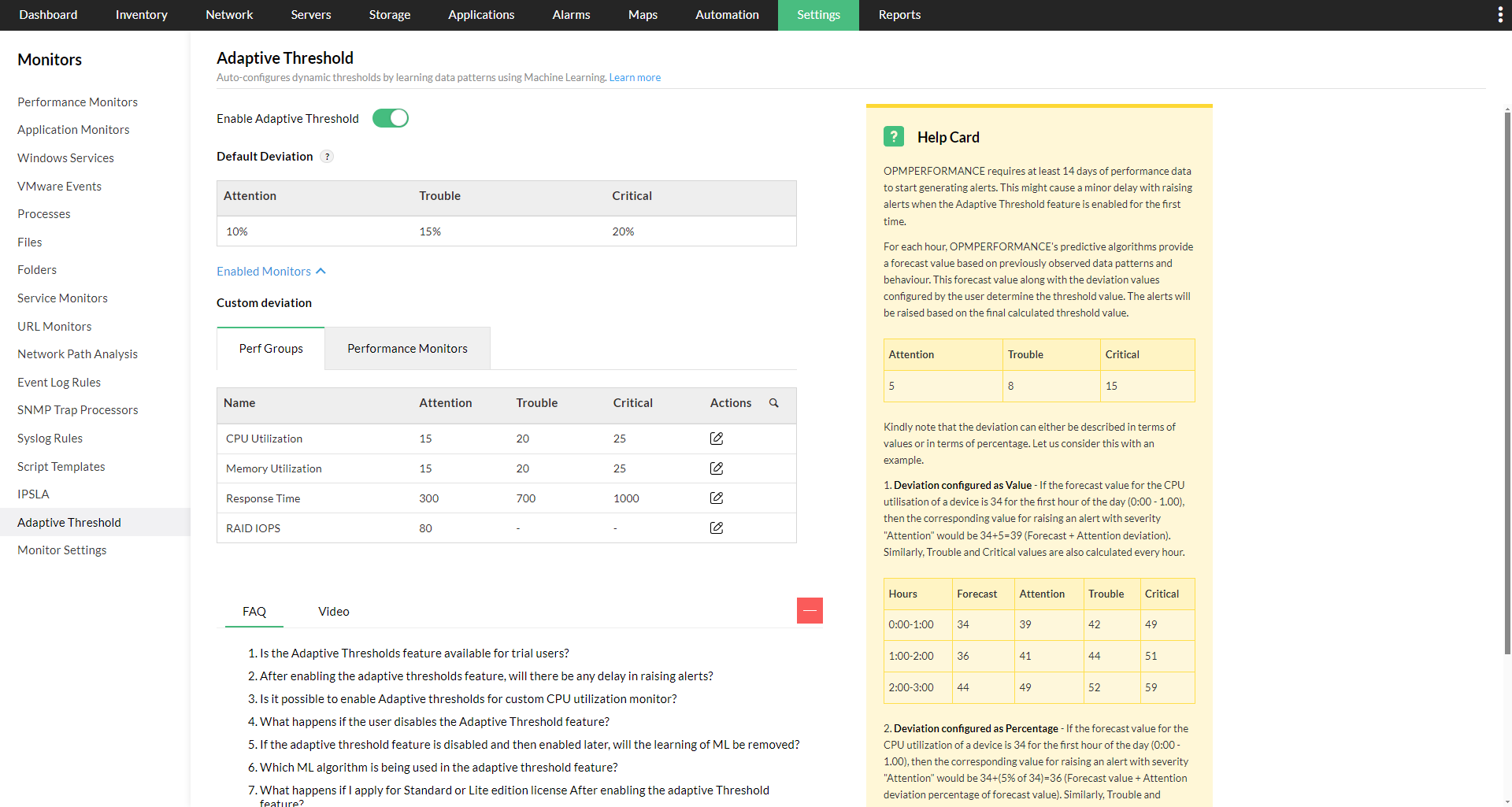
Adaptive Thresholds in OpManager automatically adjust performance limits based on historical trends and usage patterns. This helps minimize false alerts by recognizing normal variations in device behavior over time.
- Go to Settings → Monitoring → Adaptive Threshold.
- Enable the "Enable Adaptive Threshold" radio button.
- Configure the deviation values from the below table under the actions column, for both perf groups and performance monitors.
- Click on "Save".
Learn more about Adaptive Thresholds.
Configure thresholds for multiple performance monitors via QCW:
The Quick Configuration Wizard (QCW) in OpManager allows you to configure or dissociate threshold settings in bulk across multiple devices for both performance monitors and availability monitors.
- Go to Settings → Configuration → Quick Configuration Wizard and click Threshold Settings.
- Select the monitor type: Partition, Instance, VMware-Datastore, Application, Hardware, or Other Performance Monitors.
- Choose the required Protocol, Category, and Filters based on the devices you want to configure, then click Next.
- Select the monitors you want to configure for their associated devices and click Configure.
- Set the polling Interval and Data Type.
- Enter threshold values and alert messages for Attention Threshold, Trouble Threshold, and Critical Threshold.
- Enter the Rearm value and its alert message.
- In the Consecutive Times field, enter the number of successive polls that must violate the threshold before an alert is raised.
- Click Apply & Overwrite.
Note: Only fields in which values are entered will be overridden. Unchanged fields will retain their previously configured values. The Consecutive Times value can be configured only if threshold values have been set.