In any network, Windows services are a crucial part of business-facing applications. The ideal performance of these applications is greatly dependent on the smooth functioning of the Windows services. Monitoring Windows services with a potent Windows service monitor like OpManager is essential to prevent application and network downtime.
The Windows service performance monitoring capabilities of OpManager help remove the burden of an IT admin's shoulders by putting monitoring and troubleshooting tasks on auto-pilot. It helps network administrators foresee performance anomalies and take corrective actions to keep the network's health and performance in check.
OpManager: The dynamic Windows Service monitor network admins rely on
OpManager's network monitoring capabilities help you perform Windows service monitoring, eliminating the challenges involved. OpManager offers:
Windows Service monitor: Agentless monitoring tool using WMI
OpManager's Windows service monitoring tool allows you to monitor Windows services locally or across multiple servers on the network. OpManager supports monitoring Windows services via WMI monitor and does not require an agent to be installed on each remote machine.
Windows Service monitor: Fault identification and alarm dissemination
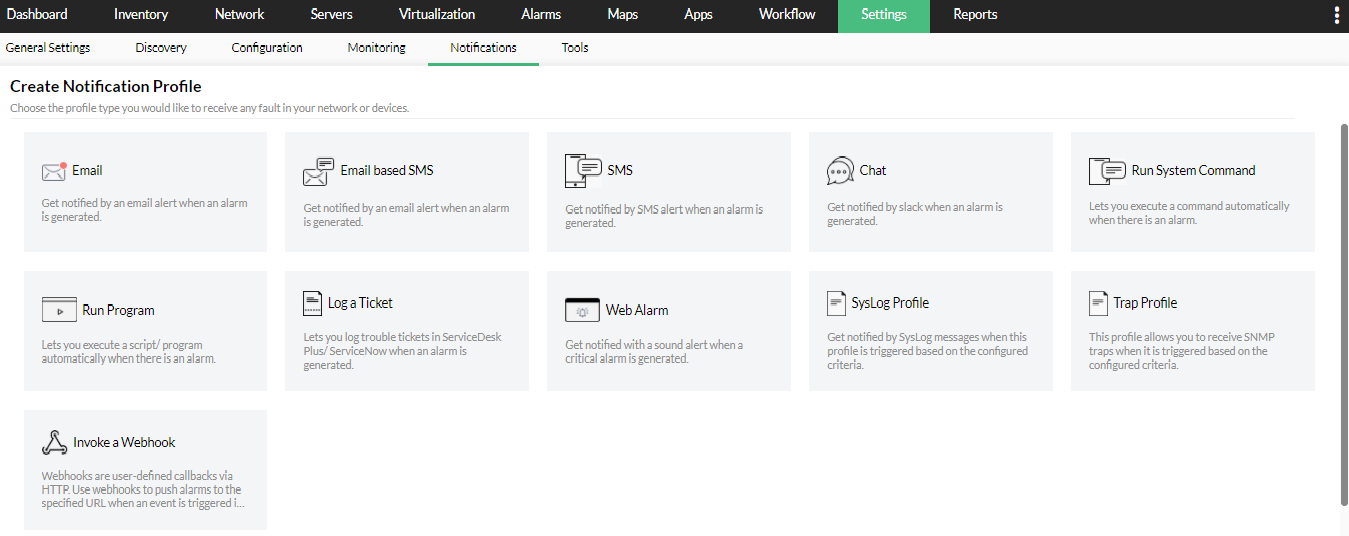
OpManager is a tool to monitor services in a Windows environment and notifies you instantly when any of your Windows services turn dormant. OpManager generates alarms that can be delivered as notifications. You can configure notification profiles on OpManager to get the network monitoring alerts delivered to you via e-mail, SMS or Slack notifications. This swift delivery of fault notifications helps expedite the troubleshooting process and in turn, helps minimize downtime.
Windows Service monitor: Automated troubleshooting with Workflows
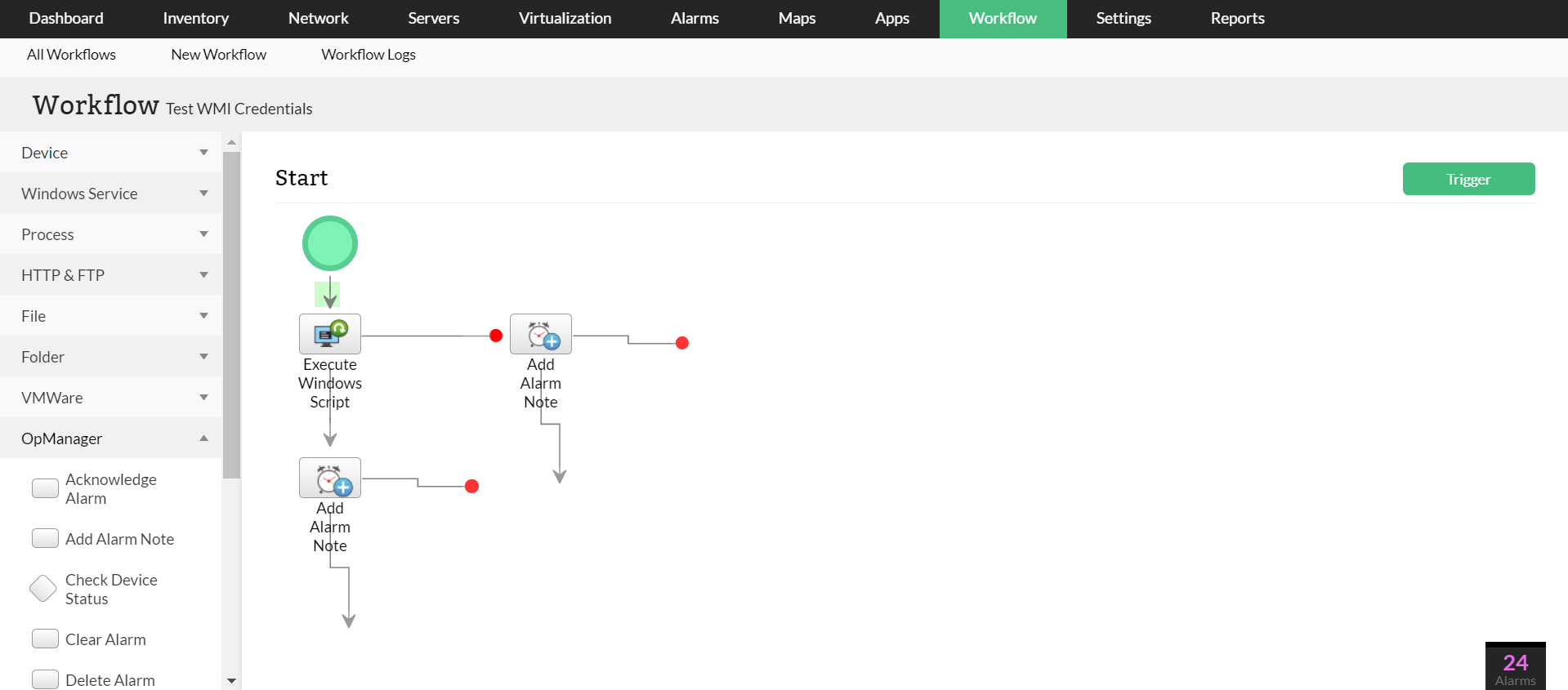
OpManager saves you the hassle of manual troubleshooting with its Workflows. Once the faults have been identified, OpManager's Windows service monitoring software helps you automate the troubleshooting process without any manual intervention. You can completely automate actions such as restarting the Windows service or rebooting the server
Out-of-the-box Windows Service monitoring
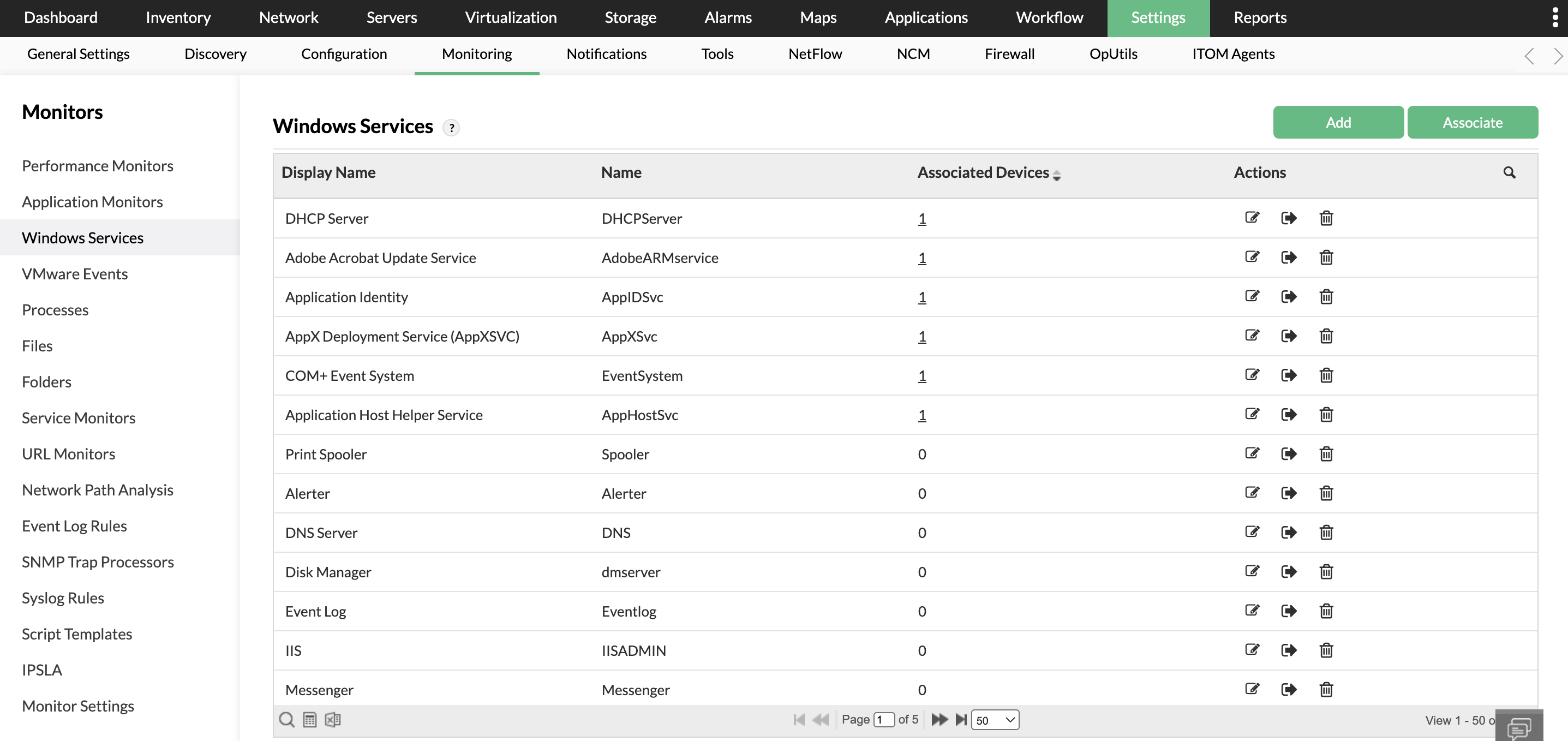
In addition to monitoring system-level services like HTTP, LDAP, SMTP, etc, OpManager's Windows monitoring service supports monitoring of the above Windows Services by default.
Key Windows Services monitored
OpManager's Windows Services monitor scrutinizes availability and response time for the following services.
Alerter
DHCP Server
DNS Server
Disk Manager
Event Log
FTP
IAS
IIS
Messenger
MySQL
Net Logon
Print Spooler
RPC
Telephony
Telnet
FAQs on Windows service monitoring
What is Windows service monitoring?
+
Tracking the health and performance of Windows services with a Windows Service monitoring tool, thereby keeping the critical applications running and preventing network downtime is called Windows Service monitoring.
How to monitor Windows Services?
+
Windows Service monitoring can be performed with the help of a Windows Service monitor like OpManager. OpManager identifies and monitors Windows Services using WMI protocol based on the configured threshold values. When the threshold limits are violated, OpManager alerts network admins to take necessary actions and prevent futile downtime.
"I have a long-standing relationship with ManageEngine. OpManager has always missed one or two features that would make it truly the best tool on the market, but over it is the most comprehensive and easy to use the product on the market."
OpManager
Easy Implementation, Excellent Support & Lower Cost Tool
- Team Lead, IT Service Industry
Review Role: Infrastructure and OperationsCompany Size: 500M - 1B USD
"We have been using OpManager since 2011 and our overall experience has been excellent. The tool plays a vital role in providing the value to our organisation and to the customers we are supporting. The support is excellent and staff takes full responsibilities in resolving the issues. Innovation is never stopping and clearly visible with newer versions"
OpManager
Easy Implementation With A Feature Rich Catalogue, Support Has Some Room For Improvement
- NOC Manager in IT Service Industry
Review Role: Program and Portfolio ManagementCompany Size: 500M - 1B USD
"The vendor has been supporting during the implementation & POC phases providing trial licenses. Feature requests and feedback is usually acted upon swiftly. There was sufficient vendor support during the implementation phase. After deployment, the support is more than adequate, where the vendor could make some improvements."
OpManager
Great Monitoring Tool
- CIO in Finance Industry
Review Role: CIOCompany Size: 1B - 3B USD
"Manage Engine provides a suite of tools that have made improvements to the availability of our internal applications. From monitoring, management and alerting, we have been able to peak performance within our data center."
OpManager
Simple Implementation, Easy To Use. Very Intuitive.
Hinduja Global Solutions (HGS) is an Indian business process management (BPM) organization headquartered in Bangalore and part of the Hinduja Group. HGS combines technology-powered automation, analytics, and digital services focusing on back office proces
One of the largest radiology groups in the nation, with a team of more than 200 board-certified radiologists, provides more than 50 hospital and specialty clinic partners with on-site radiology coverage and interpretations.
Vabi is a Netherlands-based company that provides "real estate data in order, for everyone." Since 1972, the company has focused on making software that calculates the performance of buildings. It has since then widened its scope from making calculations