Direct Inward Dialing: +1 408 916 9393
 Free Edition
'Workflow' lets you design the sequence of flow for an organizational task and define also the composition of workflow agents. It takes care of the intermediate hand offs and hand overs for you. It's repository of requests keep you updated on the status of the tasks at hand.
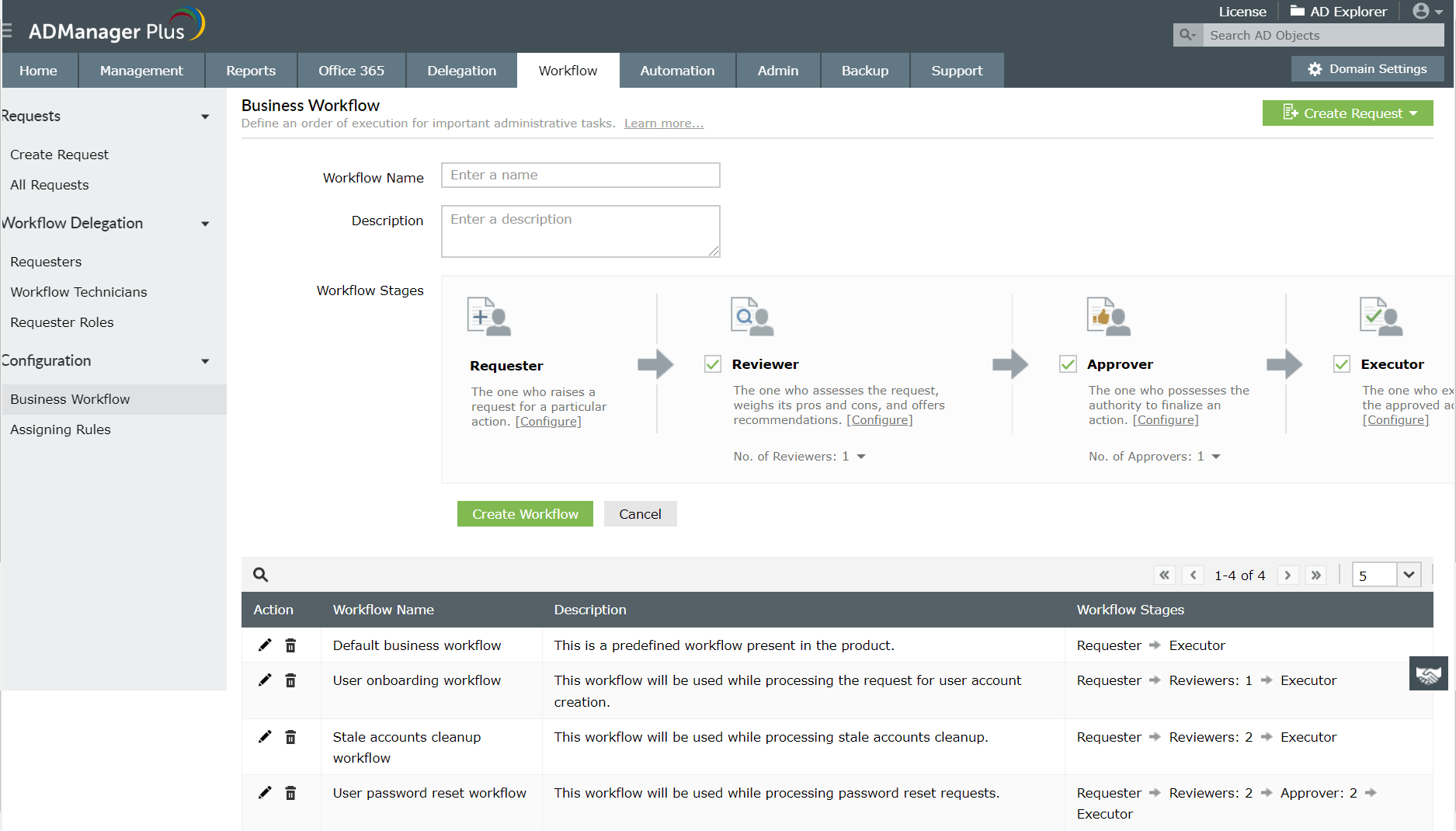
ADManager Plus, unlike the native tools or PowerShell, allows you to define a standard workflow structure for all your organizational tasks.
It can involve up to 4 levels of workflow agents- requestors, reviewers, approvers and executors.It serves as a well-laid road map for all organization tasks.The clear structuring of workflow removes all possible role conflicts.Communications and informations remain secure as they flow only through intended recipients
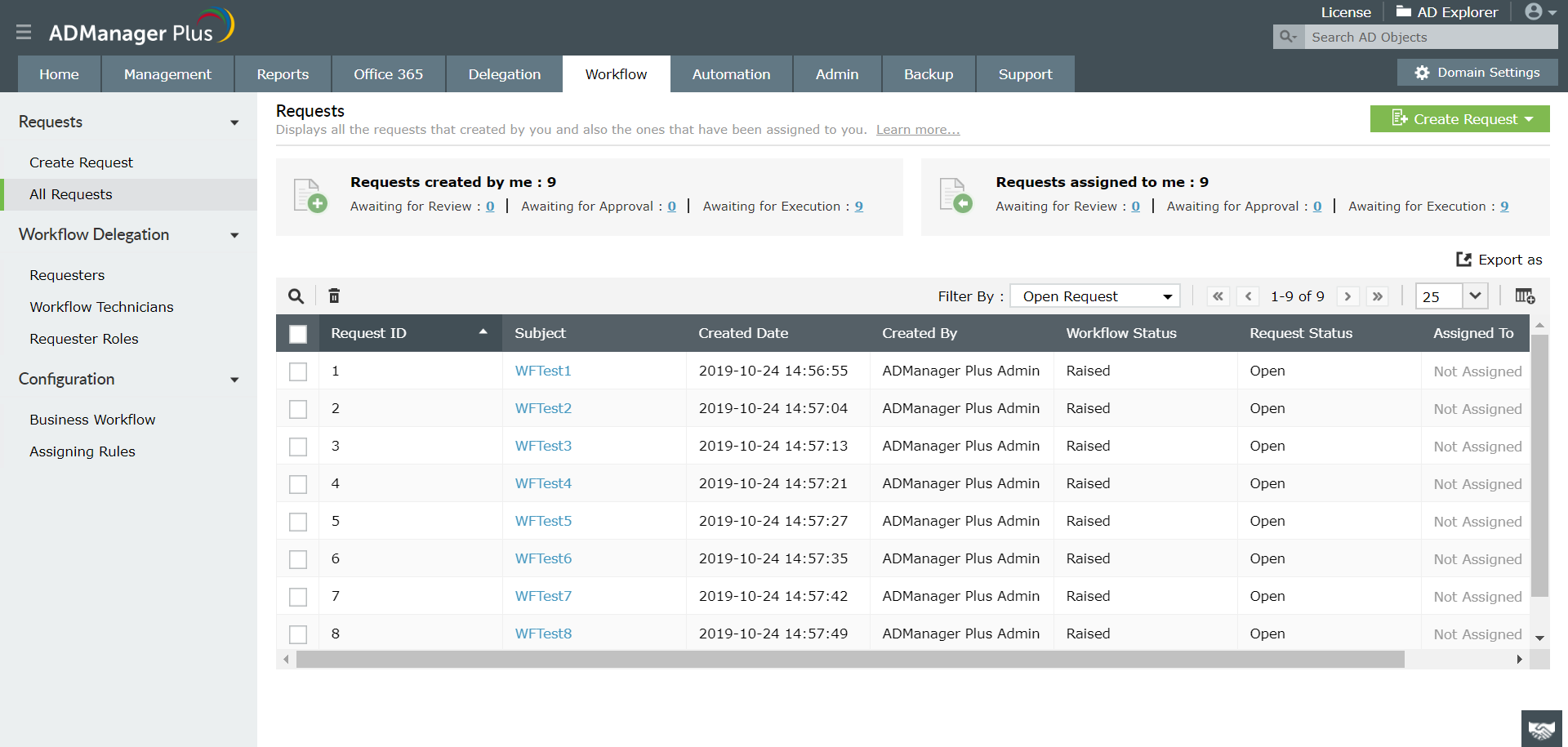
ADManager Plus holds an exhaustive list of all open and completed requests. It gives you complete information of a task that was raised for execution which includes - the time at which execution of the task began, requestor of the task, workflow agents assigned to the task and workflow status of the task etc. ADManager Plus also keeps an electronic document of all tasks executed and accesses that occurred, which can help in compliance with Acts like SOX.
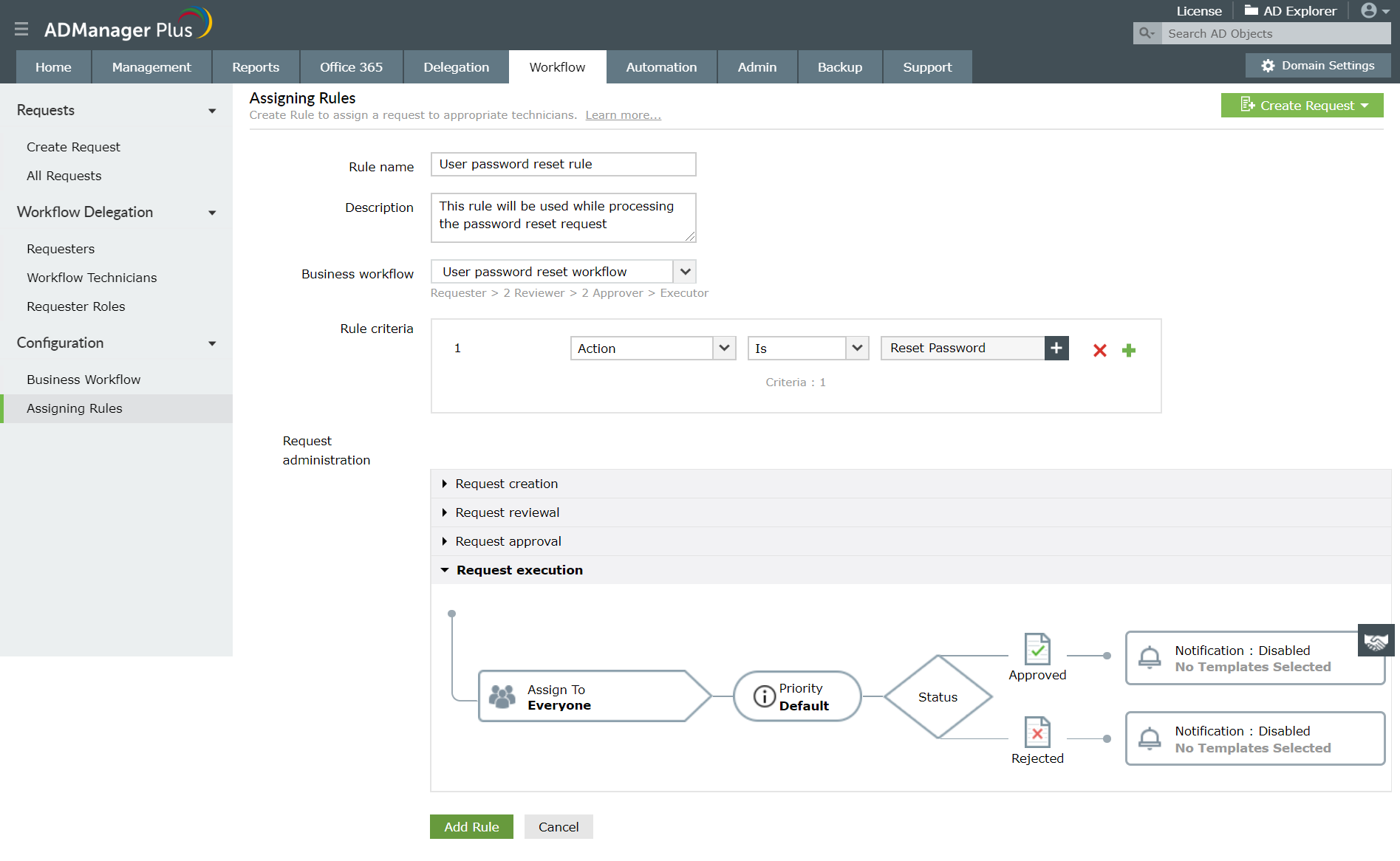
Integrated notification and assigning rules in ADManager Plus Workflow allows setting conditional rules based on which an ADManager Plus technician or priority is assigned to a task. ADManager Plus also allows you to sequence these rules based on which their application to a task will be prioritized. Also, notify the workflow agents on requests that have been raised, reviewed or approved. Basically, it maps the type of action (when request is created, when request is reviewed, when request is approved or when request is executed) to workflow agents for notification reasons. It also allows you to communicate such information to technicians and other concerned people through mails and messages.
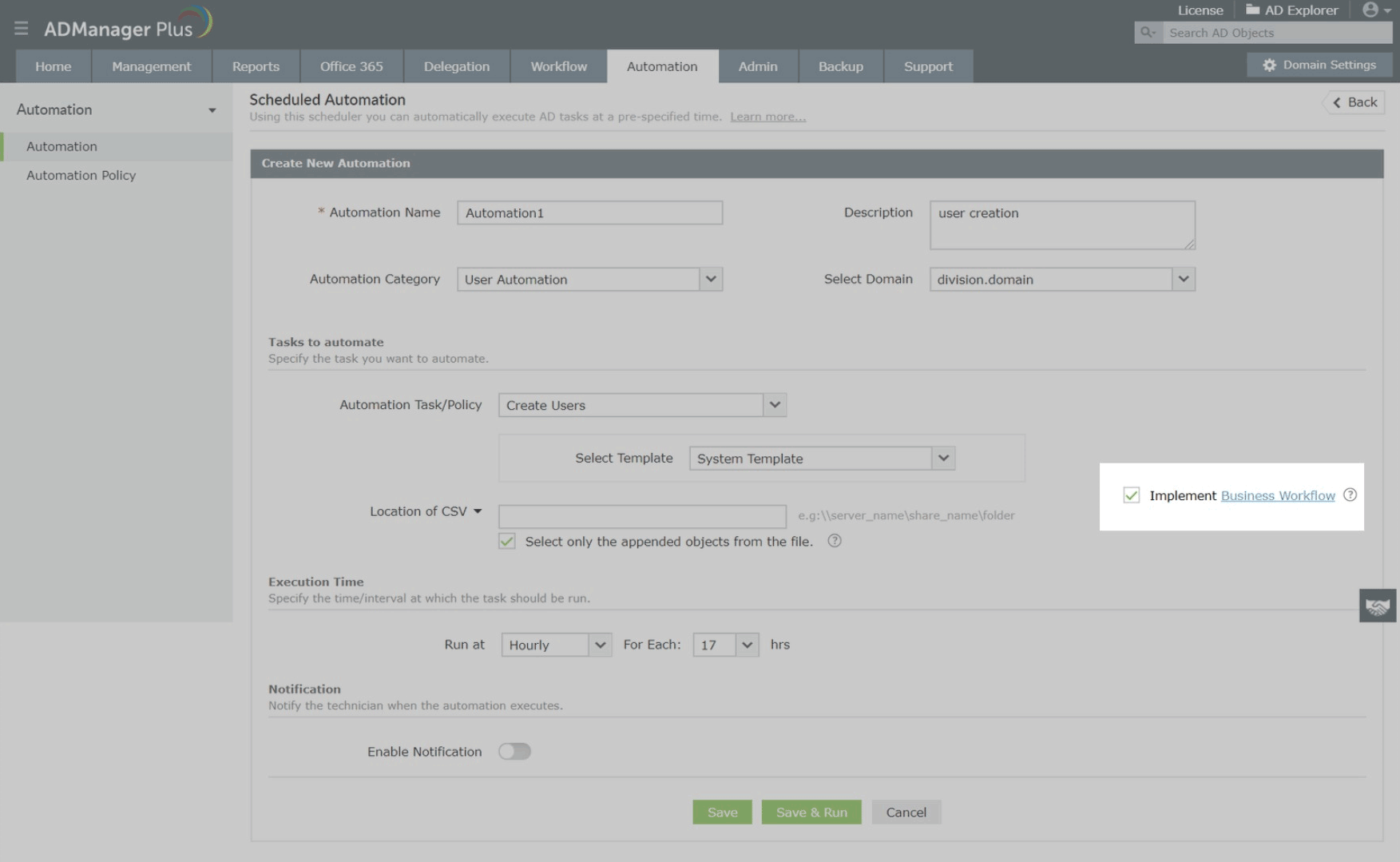
Simple routine tasks such as creating users, deleting or disabling inactive users can be very crucial to an organization's robust functioning. Hence these everyday tasks can be automated using ADManager Plus' "Automation" for operational efficiency. Considering, that some of these tasks are crucial it might become necessary to retain a certain level of control over the Automation, this can easily be done by implementing the business Workflow in automation. Doing this will propel the automated task through the supervision of business Workflow agents.
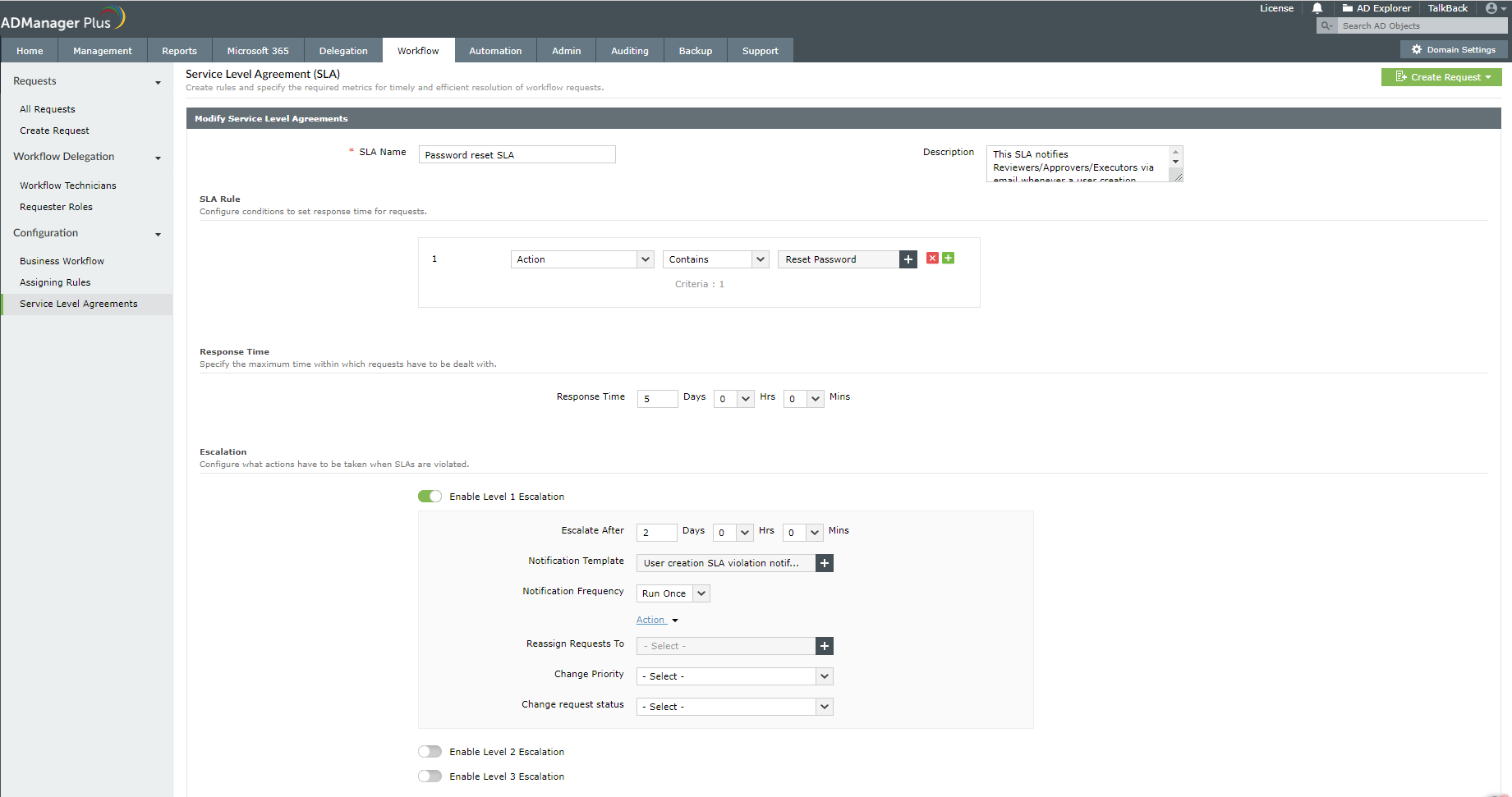
SLA is a formal or informal agreement, typically codified, between the requester and the executor to complete a request within a stipulated time. This helps ensure that the time-sensitive tasks—like user provisioning, account unlock, and permission changes—are carried out without significant delay. ADManager Plus allows you to configure response times for requests based on priority, action, requester, workflow status, and other attributes. You can configure multi-level escalations if the SLA is violated so that the requested task can be reassigned, prioritized, or cancelled. Learn more about Workflow SLA here.
Make your everyday Active Directory management tasks easy and light with ADManager Plus's AD Management features. Create, modify and delete users in a few clicks!
A catalog of almost every report that you will need from your Active Directory! Comprehensive and Reliable reporting. Schedule reports to run periodically. Manage your AD right from within the reports.
Active Directory reports to assist you for compliance to Government Regulatory Acts like SOX, HIPAA, GLBA, PCI, USA PATRIOT...and much more! Make your organization compliance-perfect!
Unload some of your workload without losing your hold. Secure & non-invasive helpdesk delegation and management from ADManager Plus! Delegate powers for technician on specific tasks in specific OUs.
A complete automation of AD critical tasks such as user provisioning, inactive-user clean up etc. Also lets you sequence and execute follow-up tasks and blends with workflow to offer a brilliant controlled-automation.














