IT Asset Tracking System for Enterprises
William R. Cunningham, Systems Administrator, ISMP
Every piece of hardware and software in an IT environment must be recorded, followed, and monitored as part of an IT asset tracking solution. When it comes to buying hardware or distributing software, tracking IT assets facilitates making critical decisions. A manual IT asset tracking system is time-consuming, labor-intensive, and prone to human errors. Asset management is now simpler, thanks to automated IT asset management solutions. Tracking an asset's location and movement improves accuracy and visibility in all businesses. Your team is better positioned to make wise decisions regarding the most crucial assets in your company's portfolio by keeping track of asset maintenance, costs, downtime, and other considerations. Keeping track of your hardware and software assets can be made easier using Endpoint Central's IT asset tracking solution.
Endpoint Central's asset tracking software features
You can make use of the Asset Tracking capabilities of Endpoint Central, and keep yourself up-to-date about the Software and Hardware Inventory in your organization. You can have a complete list of the hardware and software assets in your organization at your finger tips. It provides the following IT asset tracking solutions:
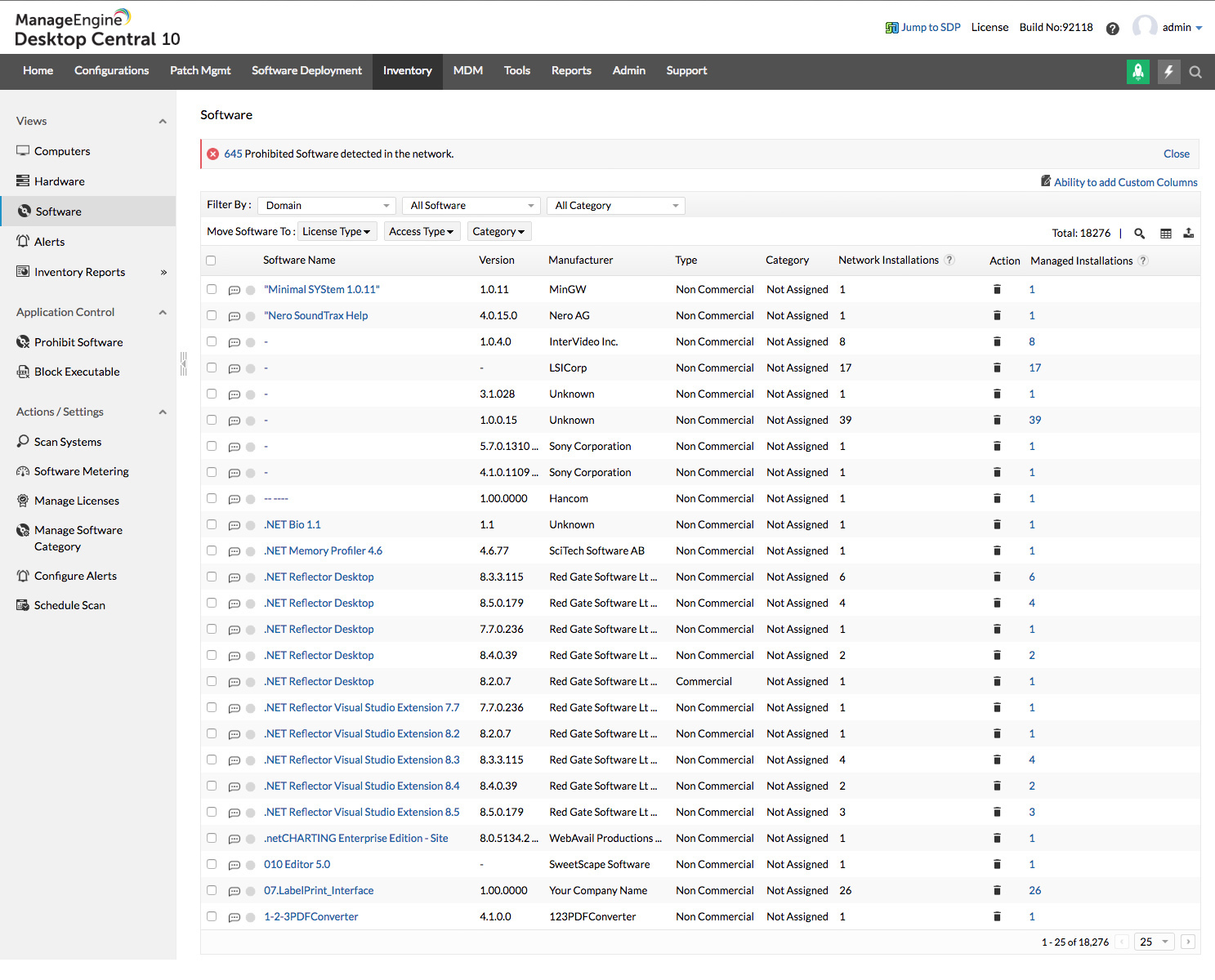
- Software Asset Tracking on your Network.
- Hardware Asset Tracking on your Network Computers.
- Ensure Software License Compliance.
- Understand the Software Usage Statistics per computer.
- Eliminate the usage of Prohibited Software and comply with Company Policy.
- Reduce costs associated with the presence of unused assets in your network.
Scan & Track IT Assets
It helps you run a scan on the desktops and servers in your Windows network. During the asset scan, the Endpoint Central Agents that reside in the client computers collect all the software and hardware asset information from those machines. The collected information is then stored in a database on the Endpoint Central Server. The application supports both manual and scheduled asset scanning. The manual scan can be triggered by the administrator whenever he wishes to see the asset details. Scheduled asset scanning helps to track network assets on a periodic basis.
Hardware inventory tracking
Our Hardware Asset Tracker, scans the Windows desktops/servers in a network, collects the hardware details and stores them in a database. Some of the hardware assets that the application tracks include Processor, IDE Controller, Logical Disk, Serial Port, Desktop Monitor, Battery, Keyboard, USB Hub/Controller, Sound Device, etc. The data is available in form of reports and can be used to understand the usage metrics of hardware. The most common reports that are used in the Hardware Asset Tracking activity are:
Software Asset Tracking
Our asset tracking system in the Software Inventory module periodically scans the Windows Desktops / Servers in the network and collects inventory details of the software installed along with their usage pattern. Software Asset Tracking can help understand the usage frequency pattern. License Management of commercial software that are installed/used in the network can be performed in an effective way. The application helps IT administrators perform the following tasks with respect to Software Inventory Tracking:
- Software Metering
- Software Details
- Software License Management
- Prohibited Software
Software License Compliance
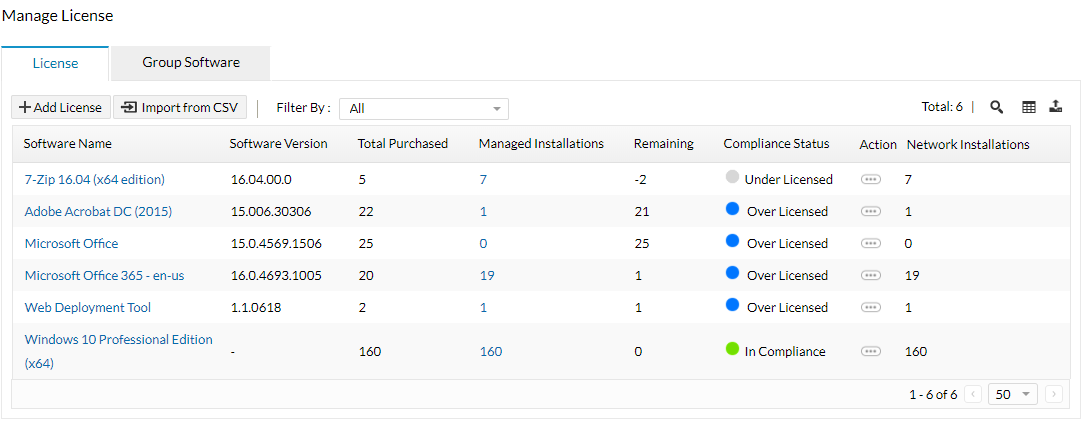
The application helps simplify software license management using the following built-in reports:
- Software License Compliance Report: This report gives you details on the commercial software with their software license compliance status.
- Software Licenses to be Renewed Report: This report provides the list of software whose licenses have to be renewed soon (you can specify the time period). You can also view the software licenses that have already expired by selecting appropriate options.
- Enables you to timely renew the licenses based on the software metering and the usage statistics.
Asset Tracking Alerts
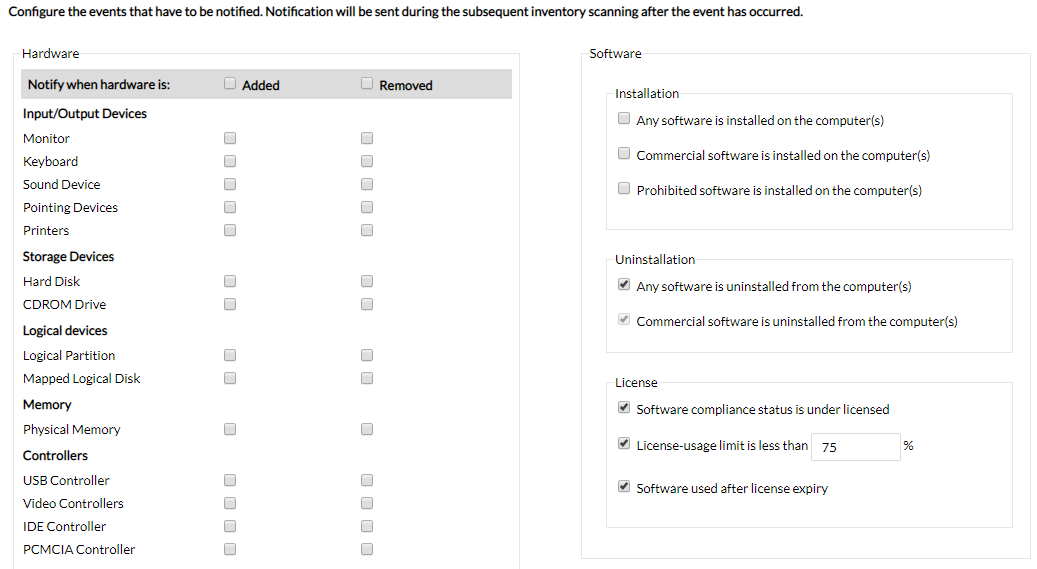
The application uses email alert notifications to keep administrators informed about the assets in their network. An alert message is immediately in the event of occurrence of one of the following:
- Detection of new hardware in your network.
- Detection of new software in your network.
- Presence of prohibited software in the network.
- Inadequacy of purchased licenses (Non-Compliance of Software Licenses).
Network Asset Tracking Reports
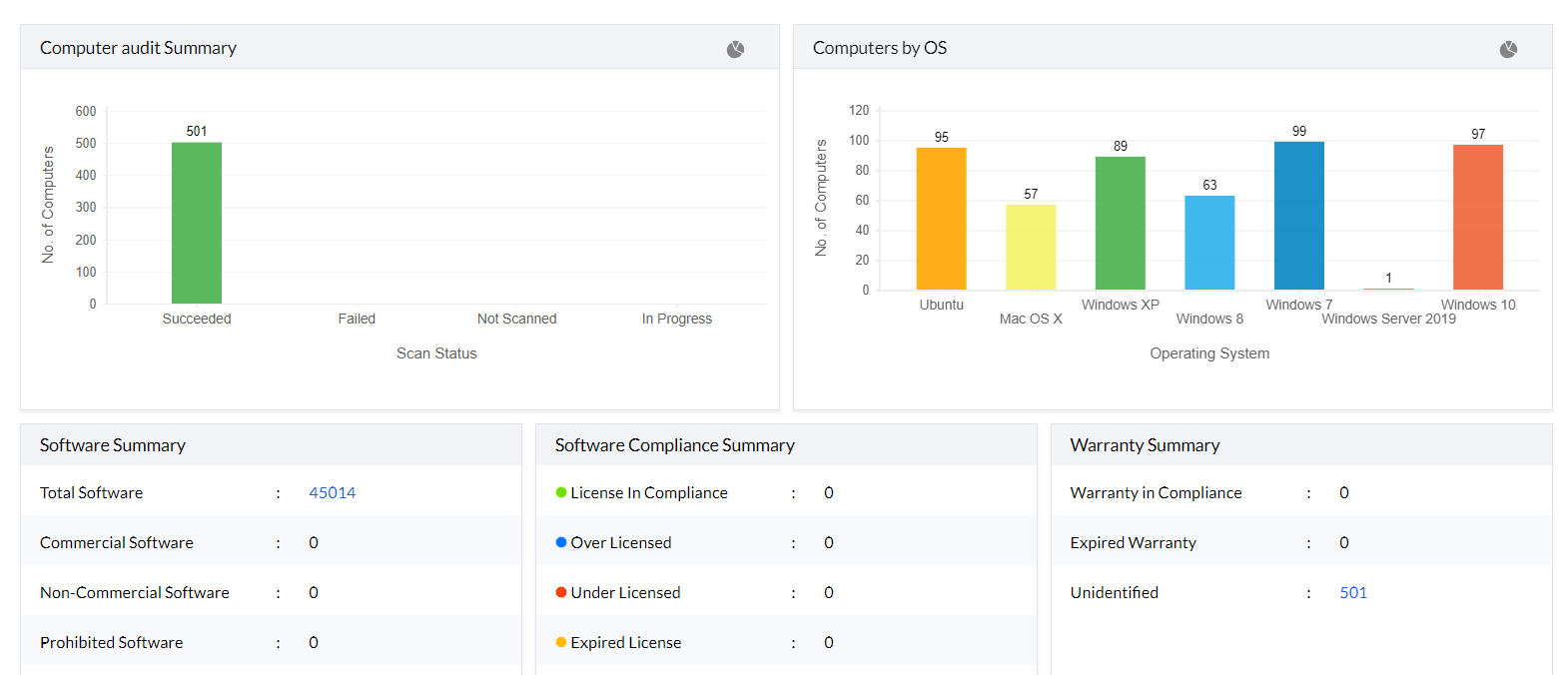
The application offers a comprehensive list of reports that give away all the required information pertaining to the inventory in your network. Apart from the inventory information, License Compliance and Software usage details can also be obtained. You can generate over a dozen pre-defined reports along with a wide range of user-defined custom and query reports. There are also options to export the generated reports in PDF and CSV file formats. Track IT assets for free starting today with Endpoint Central.
Best practices for IT asset tracking
- Ensure software license compliance by keeping tabs on under licensed software including its expiry details and date of renewal.
- Configure event-based notifications for specific instances such as detection of new software, non-compliance due to under-licensing and prohibited software.
- Analyze software usage statistics to reduce costs incurred with unused software via software metering.
- Restrict the usage of unnecessary and illicit applications by blocking executables and uninstalling prohibited software.
What is Asset Tracking Software?
Asset tracking software is a computerized, centralized system that enables your business to track crucial information about each technological asset in real time. This comprises the entire enterprise's software and hardware inventory, which is essential for any IT administrator. To keep track of your company's inventory, you'll need asset tracking and management software.
Need for an automated asset tracking system
Tracking IT assets may not be all that simple especially when you have computers spread across branch offices. Moreover manual tracking of assets can be resource-intensive, time consuming and also error-prone at times. An automated asset tracking software reduces workload on the average system administrator and registers IT assets across the organization for better flexibility, control and resource utilization.




