
 Free Edition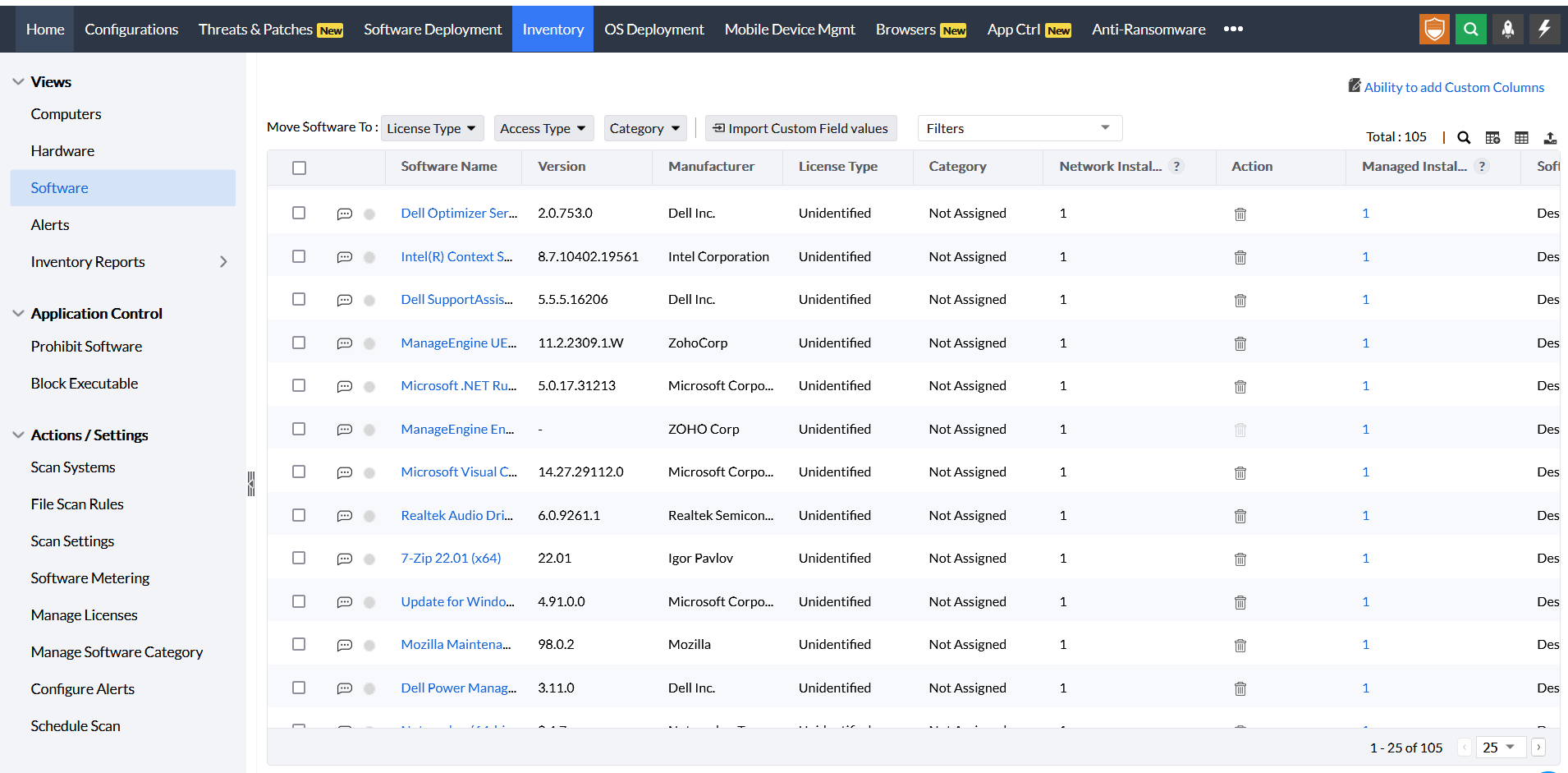
Software inventory is a catalog of all software and applications that are functioning in your IT network. Endpoint Central's automated software inventory tool helps you stay on top of all the software-related changes or additions in your network and ensures that you're software audit-ready at all times. You can view the list of Windows, Mac, and Linux software installed along with the software details like Software Name, Version and, Manufacturer. In a few clicks, you can export the software-related stats and details in TXT and CSV format. Endpoint Central's software inventory tool lets you:

Software license management (SLM) is part of software asset management, which involves software license tracking, documenting, and controlling how and where software is used in your organization. Software license inventory lets you view detailed reports on software license compliance, licenses that need to be reviewed, receive notifications before a license is about to expire and avoid hefty non-compliance fines. In short, the software license inventory lets you manage software licenses used throughout the organization from a single console
Want to monitor software usage in your enterprise? The software metering feature in Endpoint Central enables you to fetch the stats of software applications used in computers and also the list of prohibited software applications in your network. With our built-in reports and other software inventory management tools, you can view the number of installations of different software assets across your network, the number of times the software was used, the usage period and other relevant details that help you with license optimization.
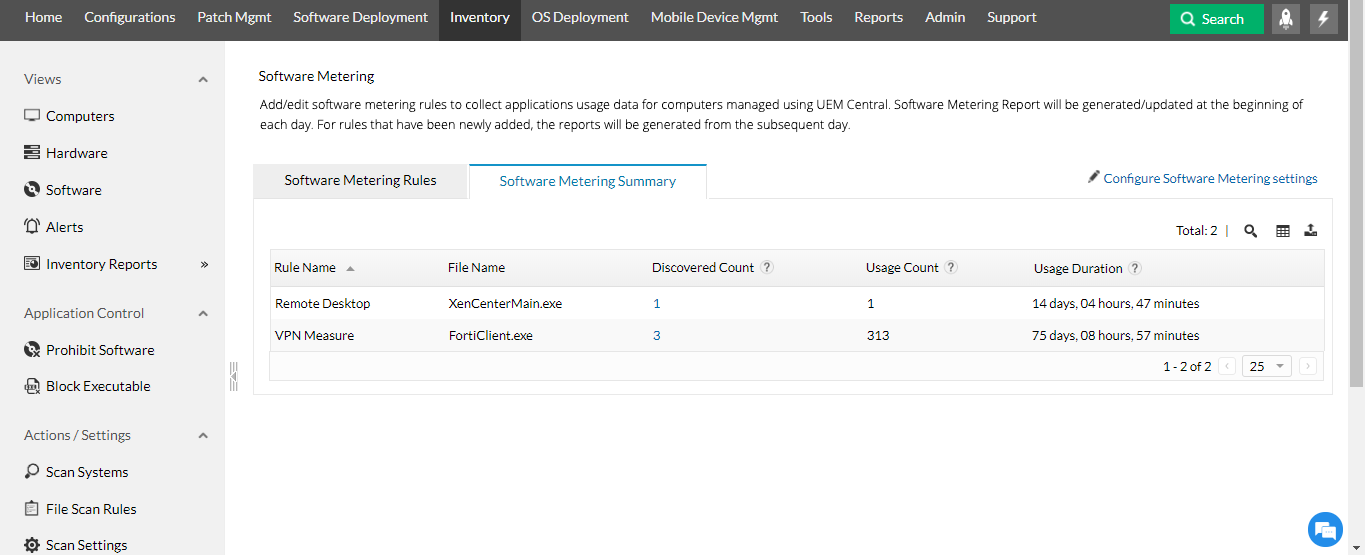
Prohibit software across your network and prevent execution of applications from an external drive by blocking executables. Set up real-time alerts for every time a software is installed/uninstalled within your network and view reports for recently installed software.

Track software assets, view IT software inventory or linux software inventory and audit reports within your network, within a few seconds. Whether you need a user-specific software report or a report of computers with/without a particular software, Endpoint Central has got your back. From verifying the license compliance to software metering, Endpoint Central's software inventory management provides various out-of-the-box inventory reports to view the software details of the systems in the network.
Keeping tabs on state of IT assets is a crucial task for any IT admin. From managing the warranty details of hardware to knowing the software compliance status, this inventory audit software helps you manage both software and hardware assets within your network using a mobile app anywhere, anytime!
A software product key (also known as a software license key) certifies that a software copy is original. Endpoint Central allows you to store all your software product keys centrally, making it convenient to fetch one whenever required along with other license details such as number of licenses purchased, expiry date etc.
Endpoint Central's IT asset management module periodically scans all the Windows, Linux and Mac computers and servers in a network to collect and store hardware and software inventory details. This data is presented in the form of reports with details about software along with the usage metrics for each computer/user. With our software metering and license management capabilities, Endpoint Central's IT Asset Management is the only solution you'll ever need for a comprehensive management & audit of your IT software inventory.
Learn more about IT inventory management.
Endpoint Central offers software inventory feature for the following operating systems:
Click on the link to know more about the overall IT asset management software and its features.
"The hardware and software inventory tools let me find out anything and everything installed on a particular computer in a matter of moments." - K. Ryan Coe, Sunrise Communications
"I get a great view of the hardware and software inventory of my systems and the remote control application lets me manage most issues without leaving my desk." - Rick Kaczanko, Village of Plainfield IL
Software inventory keeps track of all the software and applications that are operating in your IT network. These applications might range from business applications operated on the organizational level to the personal applications installed on the end-user devices. Based on the vendor, version or model, they can be grouped not just for audit but also to know their worth and impact in your business.
You can automatically detect, scan and manage Windows machines and softwares.
This inventory management software allows you to manage and maintain macOS machines.
Cost and time are greatly reduced by automating the management of Linux machines.
Software inventory management is the tracking and recording of all software and applications that are installed or uninstalled in your network. It is an integral part of IT asset management. Endpoint Central's IT asset management software periodically scans all the Windows, Linux and Mac computers and servers in a network to collect and store software and hardware inventory details. This data is presented in the form of reports with details about software along with the usage metrics for each computer/user which can exported in PDF and CSV. Get started with Endpoint Central's free software inventory tool today!
Manage and secure client endpoints effortlessly. Discover the benefits of choosing us.
Know more