As a network administrator, a critical and sometimes unplanned task involved in an IT infrastructure upkeep is creating and archiving actionable reports. Usually, such reports are quickly made and brought together when upper management needs help in making important decisions on capacity additions/ device upgrades/ SLA verifications. Your 24/7 network monitoring tool would have a lot of captured data accumulating to gigabytes of disk space, but it is the tool's ability to provide immediate, intelligent reports that make the difference in running a well-planned and optimized IT infrastructure.
ManageEngine OpManager: The extensive network performance reporting solution
OpManager's extensive reporting feature stores all the monitored network and device health information in its in-built PGSQL/MSSQL database for immediate retrieval. The reports section has several flexible options that help to create customized and actionable reports quickly such as:
Over 250 in-built reporting profiles
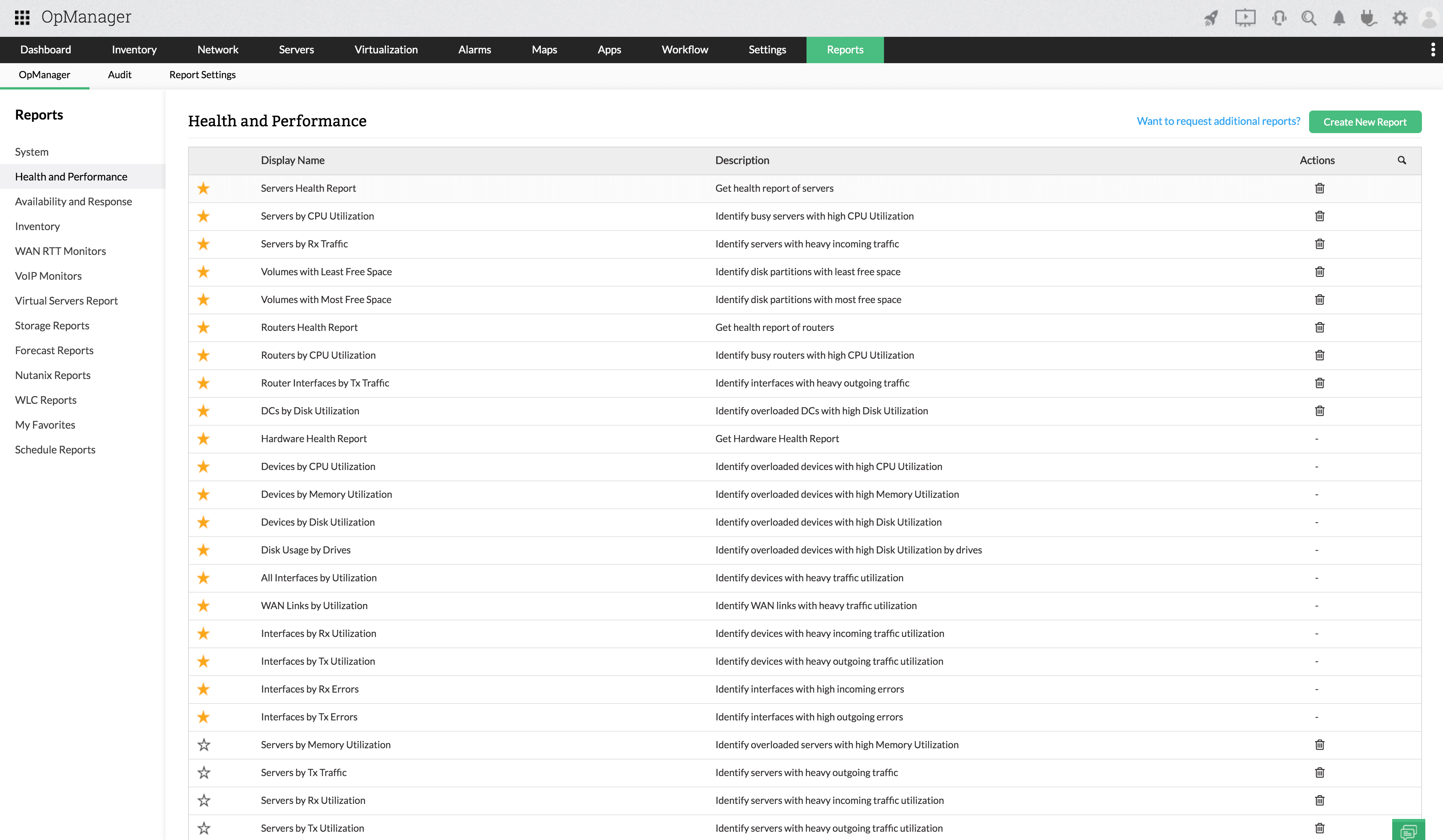
OpManager provides a simple interface with more than 250 default bundled reporting profiles, all intuitively grouped and classified based on different factors such as health and performance, availability and response, inventory, storage, server, forecast and capacity planning, and much more. You can export these reports in the form of PDF or Excel to understand historical data patterns, analyze growth trends, and forecast future resource usage. This helps you perform effective capacity planning and avert indiscriminate storage purchases.
With OpManager's reporting, you can create filters to create reports based on specific business views or groups. Also, you can copy, print, or email these reports as you require.
Custom reports
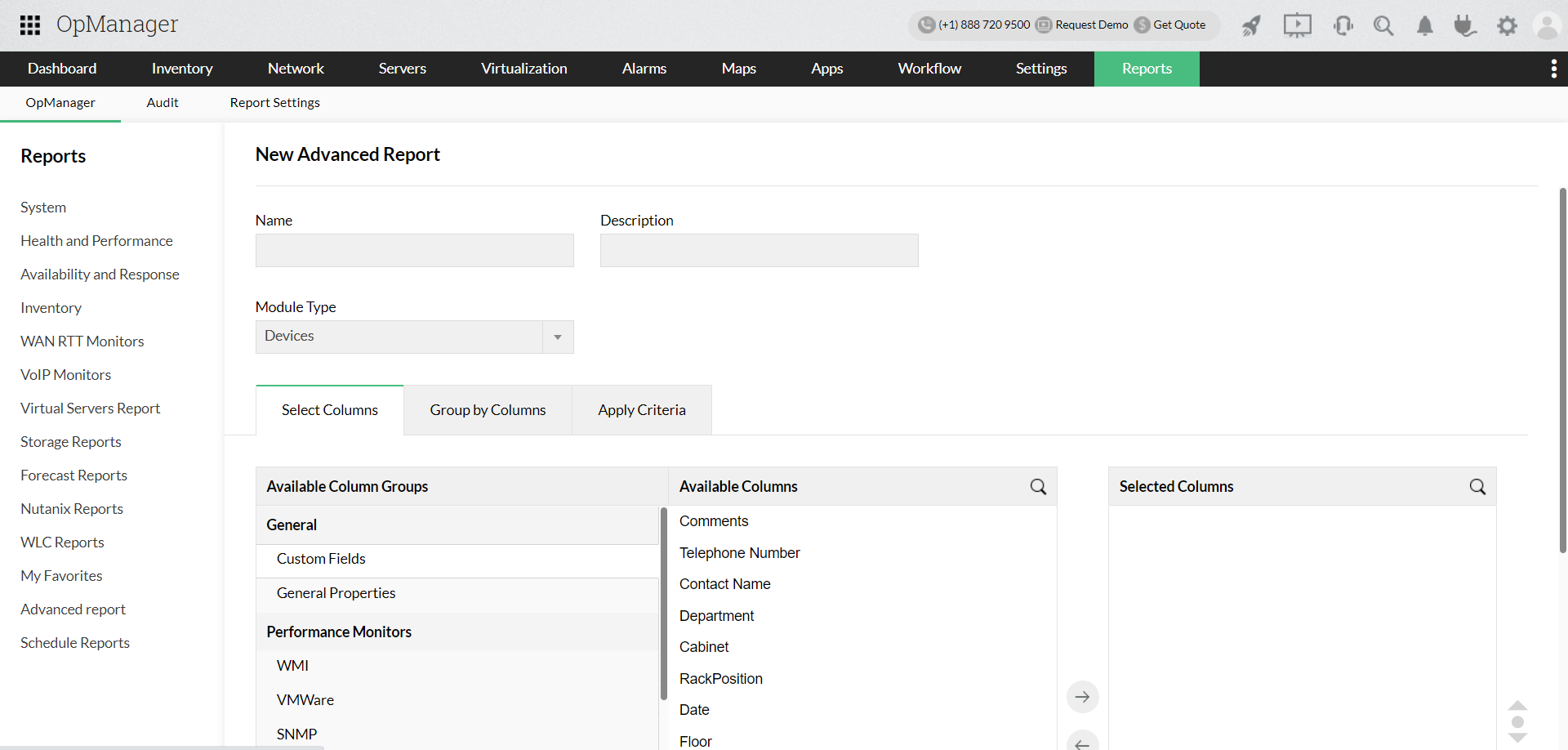
Reports in OpManager is an aggregation of the monitored data. While there are more than 250 default reports available on the UI, users can generate custom reports based on their preferences. Sometimes, IT admins may need reports which cover particular data, say a report is needed on the firmware versions used by storage devices that are grouped based on the vendor model. Using advanced reports, you can simply create a new report for the needed information by specifying the criteria.
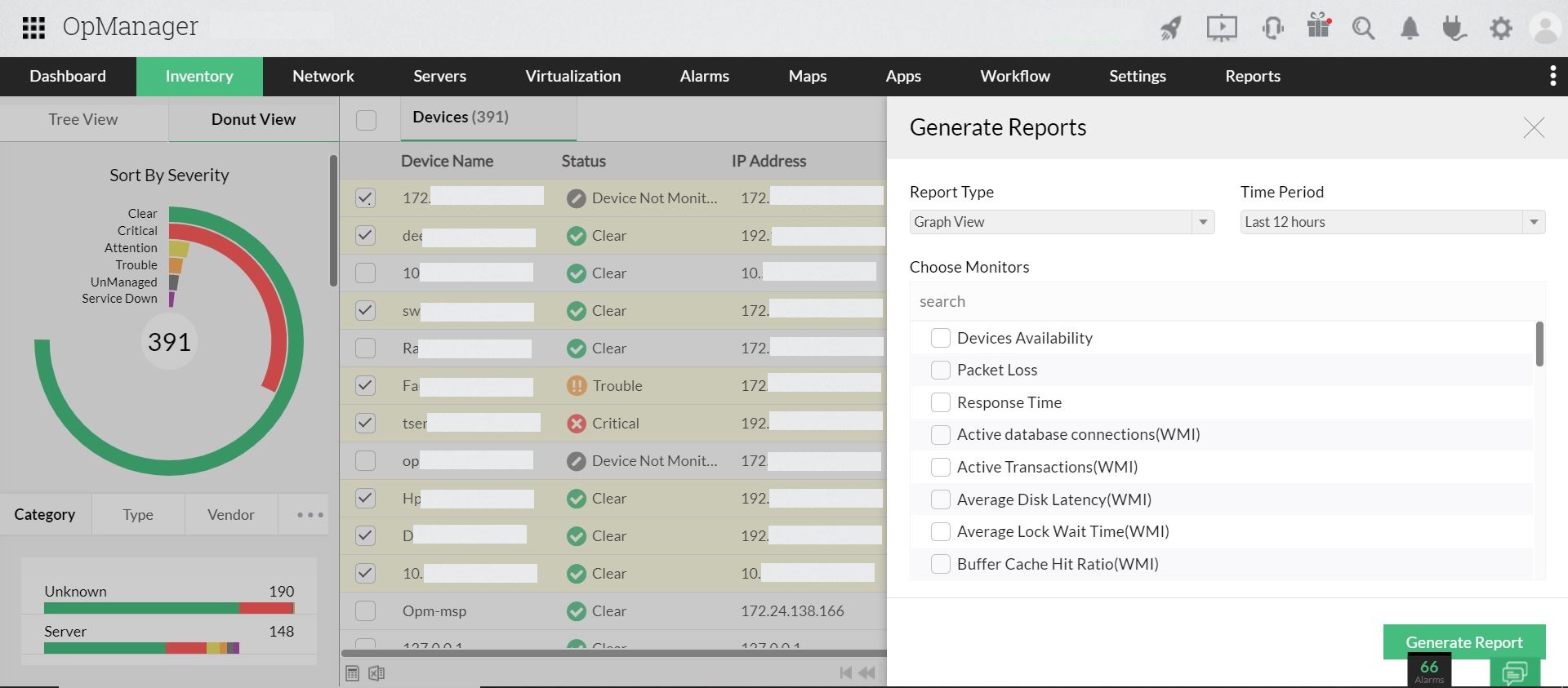
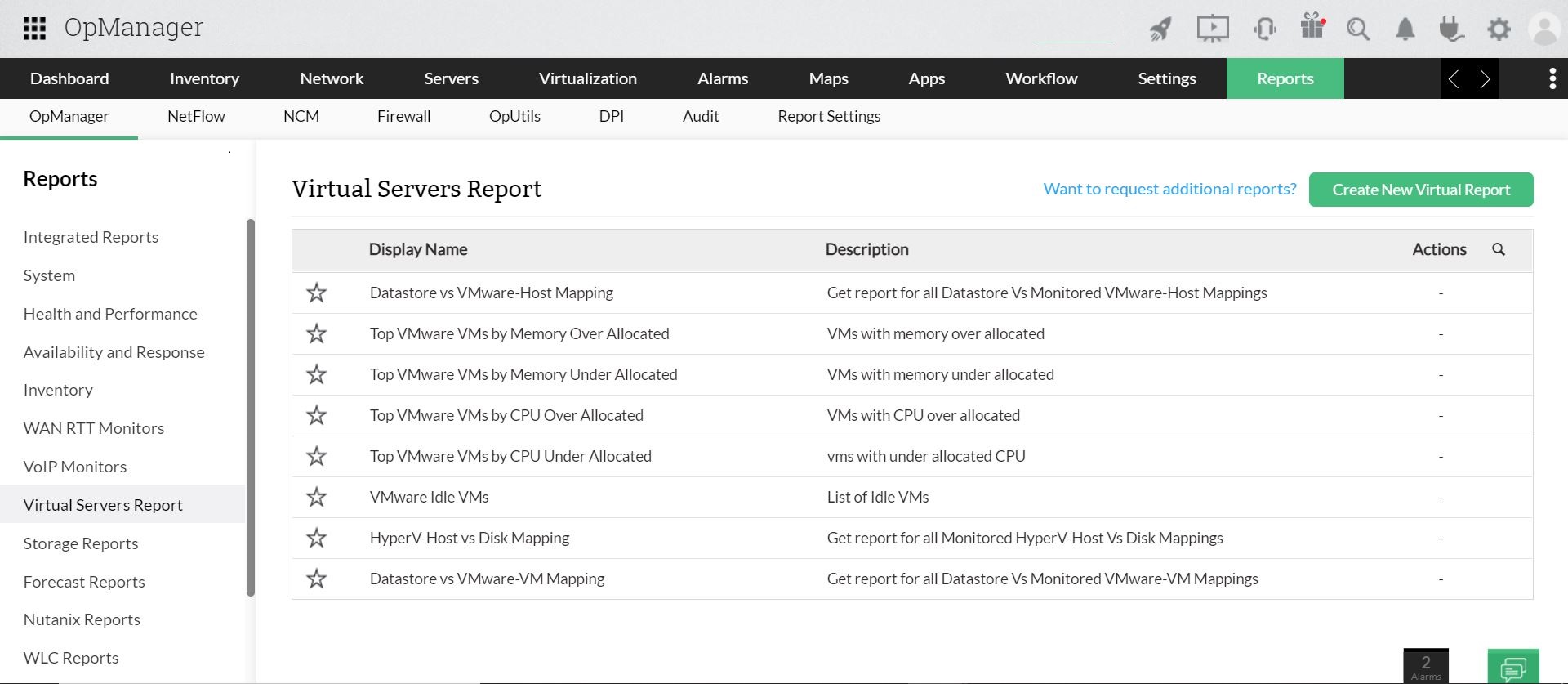
You can also generate a report for selected devices/interfaces from the inventory page. These reports can be generated in a graphical view or table view based on the selected monitors. OpManager also enables you to create customized reports, particularly for virtual machines/servers. (By default, OpManager holds the monitored data of virtual machines as virtual server reports.)
Top N reports: On resource performance or availability
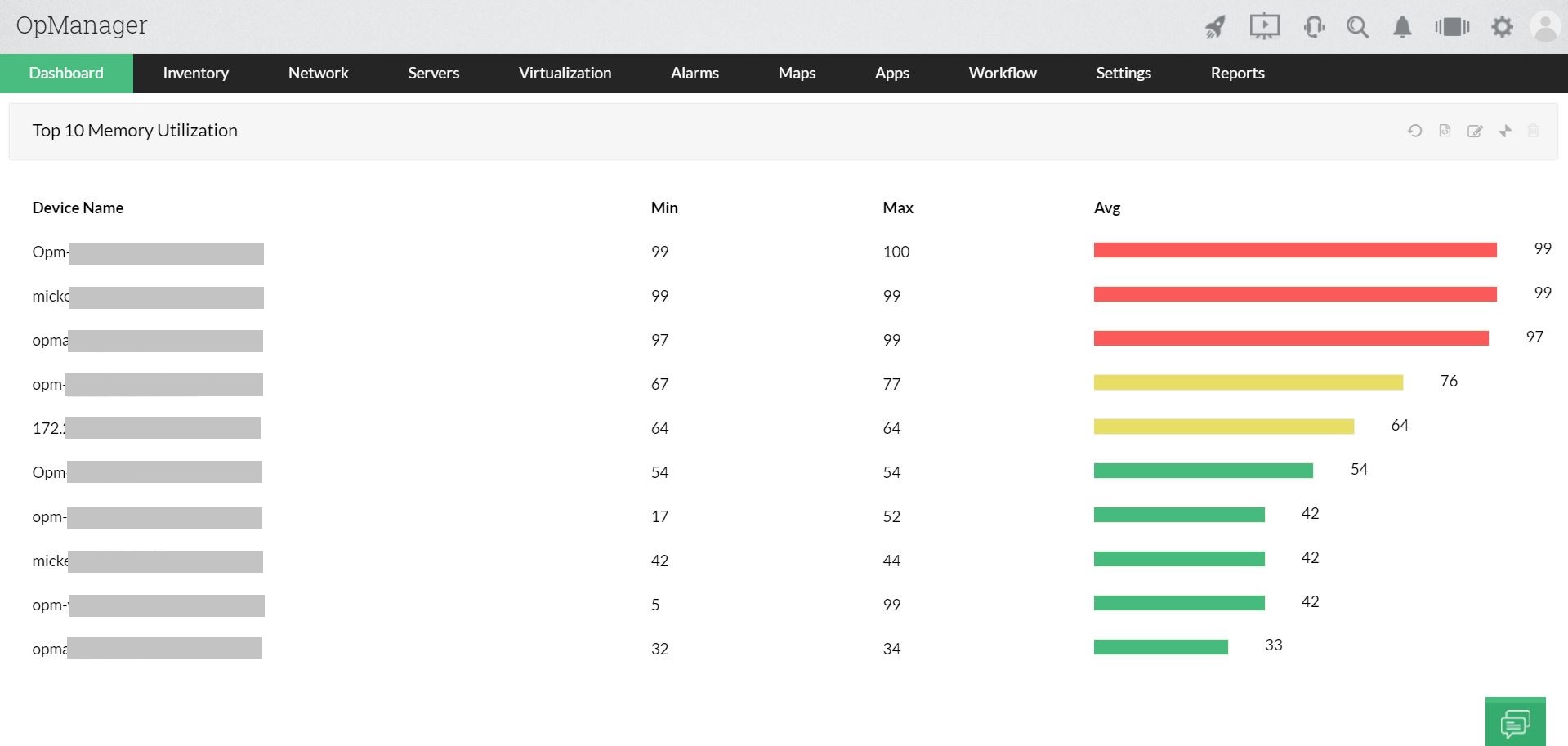
OpManager's in-built reports can be arranged to display interfaces or devices with the highest amounts of CPU utilization, memory utilization, disk utilization, incoming and outgoing traffic, interface errors, response times, etc..This way, you'll gain insights into the devices consuming high resources in a glimpse and take immediate actions as necessary to prevent application crashes or network downtime. Learn more.
Scheduled, automated emailing of periodic reports
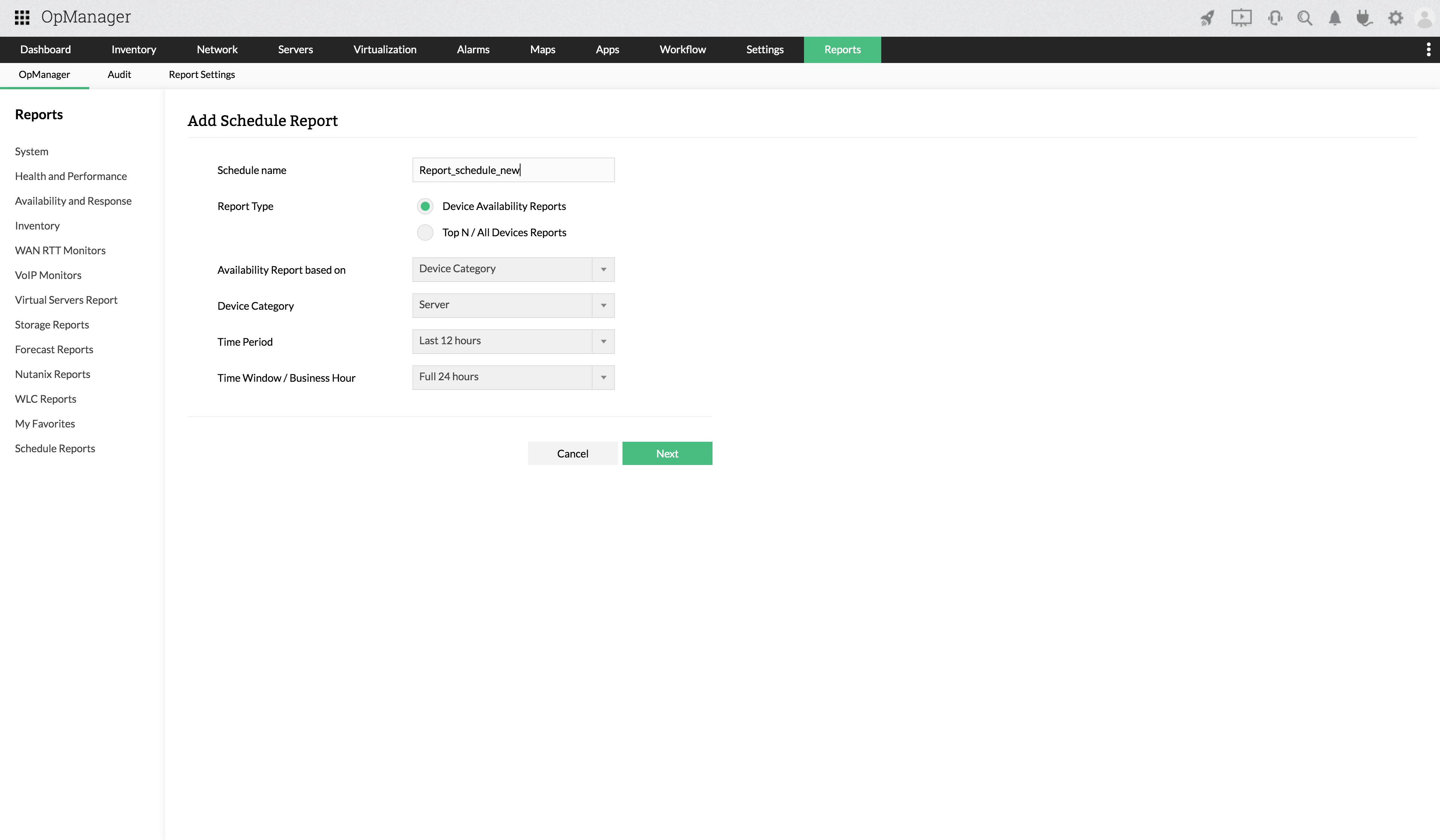
With OpManager's report scheduler, you can automate the creation of reports and also configure to schedule these reports to concerned technicians on a periodical basis. You'll also have the option to send the report as PDF or XLS. While scheduling, you can configure to exclude certain days and send data for the rest. For example, you can create and schedule report for weekly performance reports on servers' memory utilization excluding Saturdays.
Get your hands on the monitored data anytime with reports.
Download 30-day free trialCustomer reviews

Case Studies - OpManager
Awards & Honors
- Recognized as a May 2019 Gartner Peer Insights Customers' Choice for Network Performance Monitoring and Diagnostics Software
- Recognised as an April 2019 Gartner Peer Insights Customers' Choice for IT Infrastructure Monitoring Tools.
- Network Management and Monitor Vendor of the Year 2018, 2019
- Entered the 2019 Gartner NPMD Magic Quadrant.
- Ranked #2 in the Infotech Research Software Reviews Data Quadrant 2018.