VoIP Monitor Use Cases
1) Troubleshooting poor voice quality
Scenario
Imagine you are the network administrator of the aviation business and deployed VoIP recently throughout the company network. You want to keep an eye on the VoIP call quality throughout all call paths in the network, especially those with poor quality so as to troubleshoot & rectify at the earliest, before it affects the business.
Remedial actions
1) Now, all you can do is keep a track on the 'Top Call Performance by Location' section found in the VoIP Overview dashboard. With MOS scores graphically displayed on time-line charts, you find the top problematic VoIP sites having poor Mean Opinion Scores (MOS)
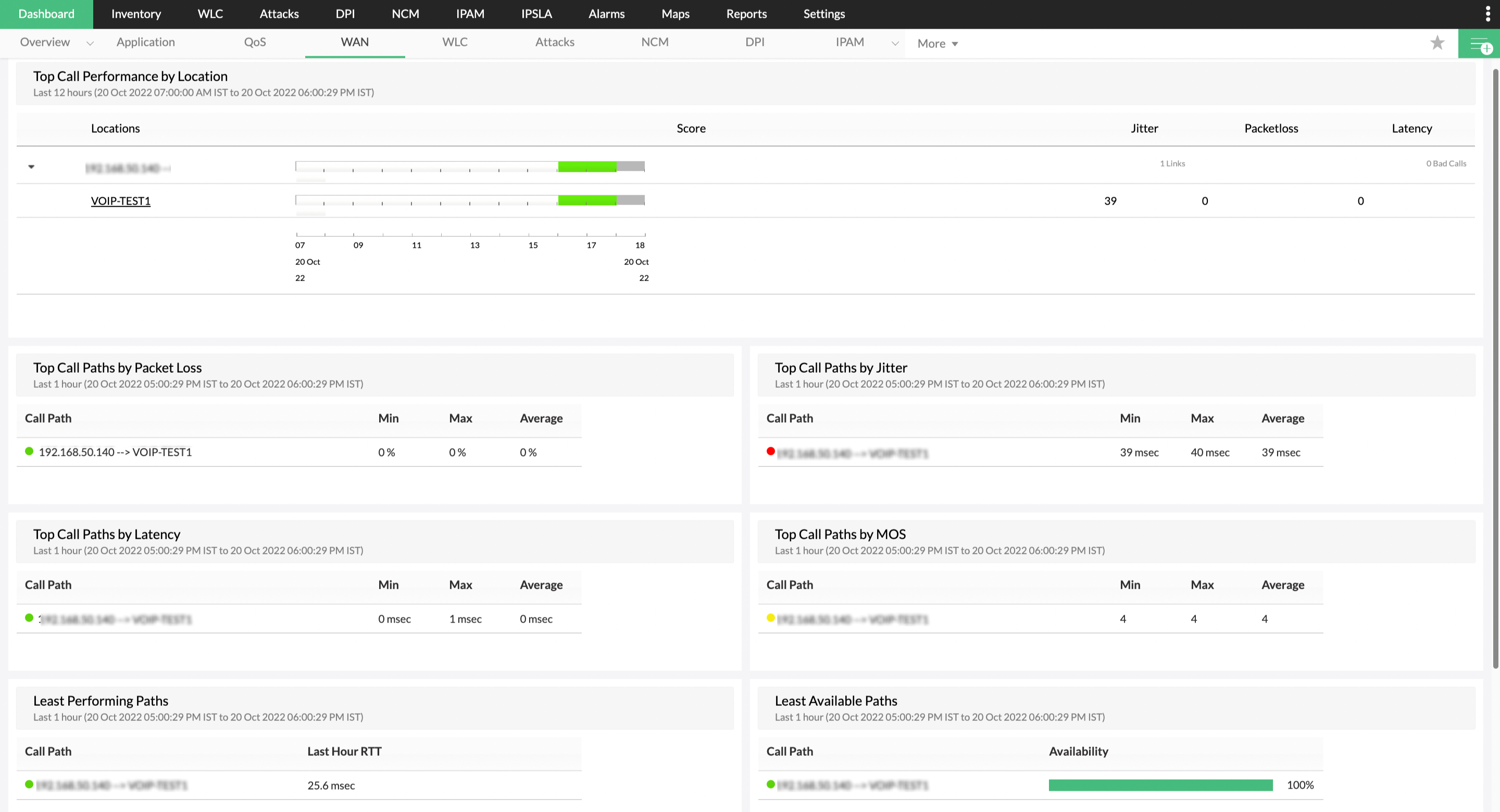
2) Just beside the time-line chart, through the jitter, packet loss and latency values displayed, you discover that the site with the poorest MOS score is hit with high jitter and latency. So, you click on the call path link to find the root cause.
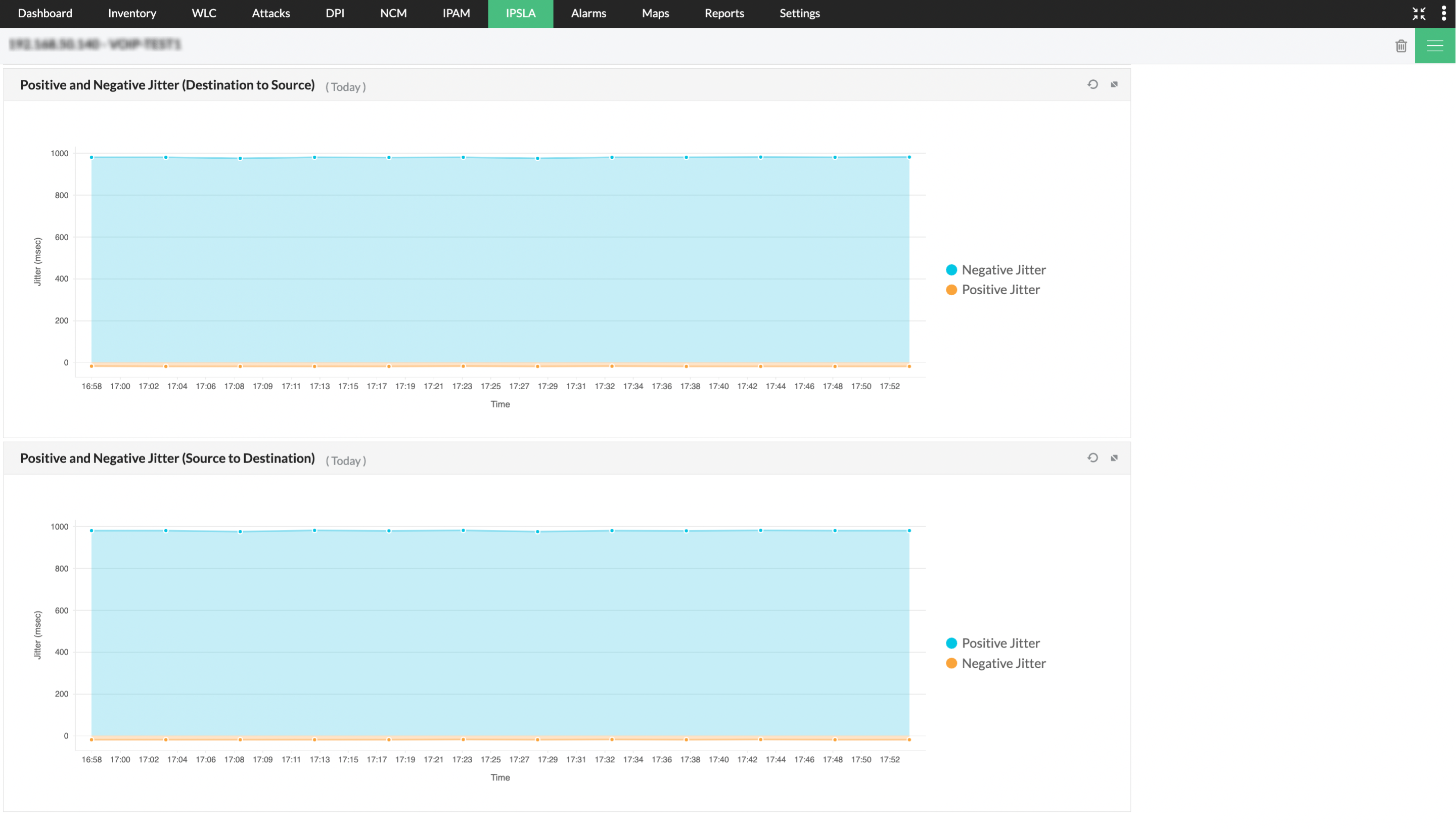
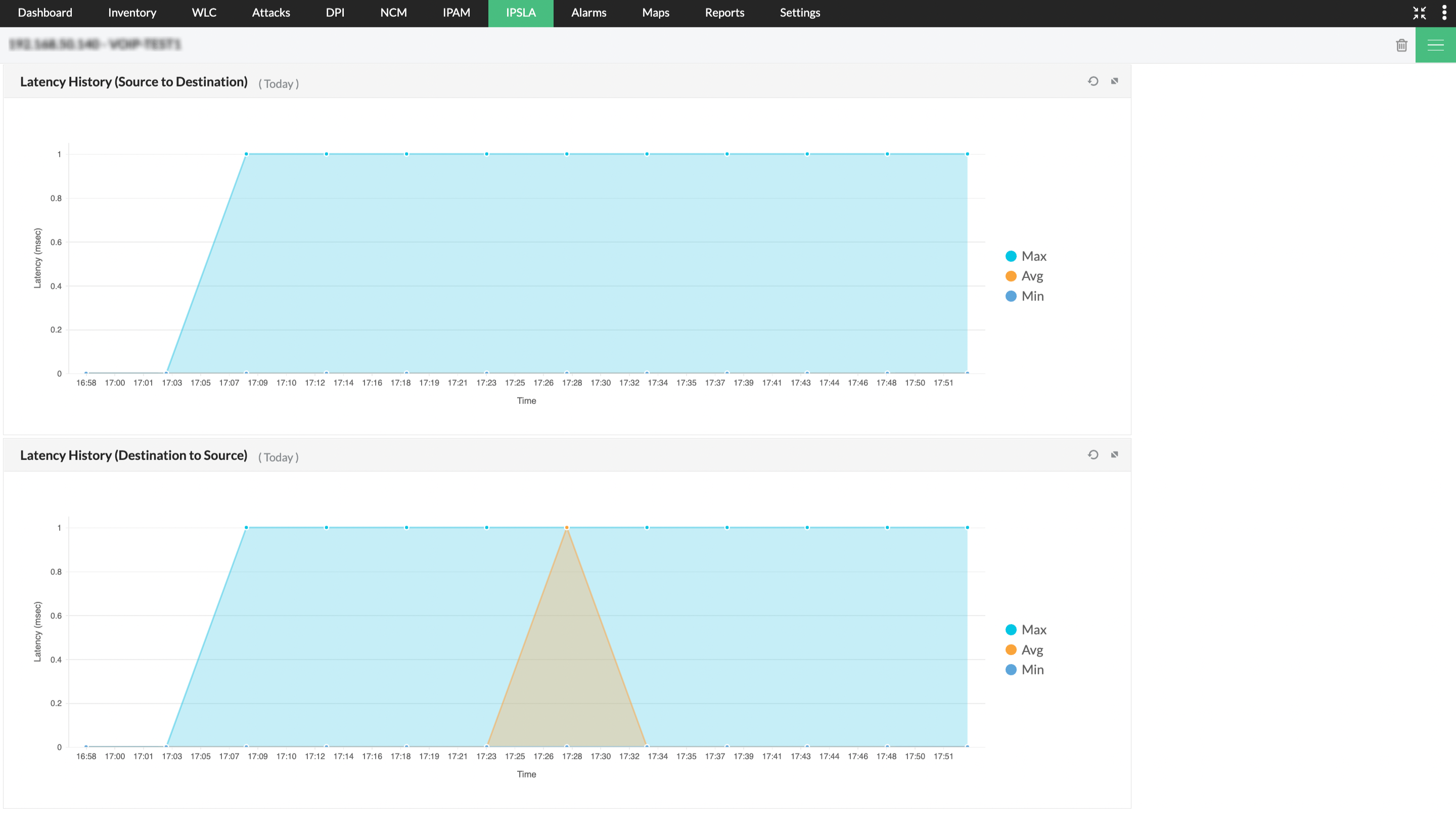
3) With the detailed bandwidth graphs from the NetFlow Plug-in, you find that inter-site backup process is occupying most of the bandwidth during the performance degradation period
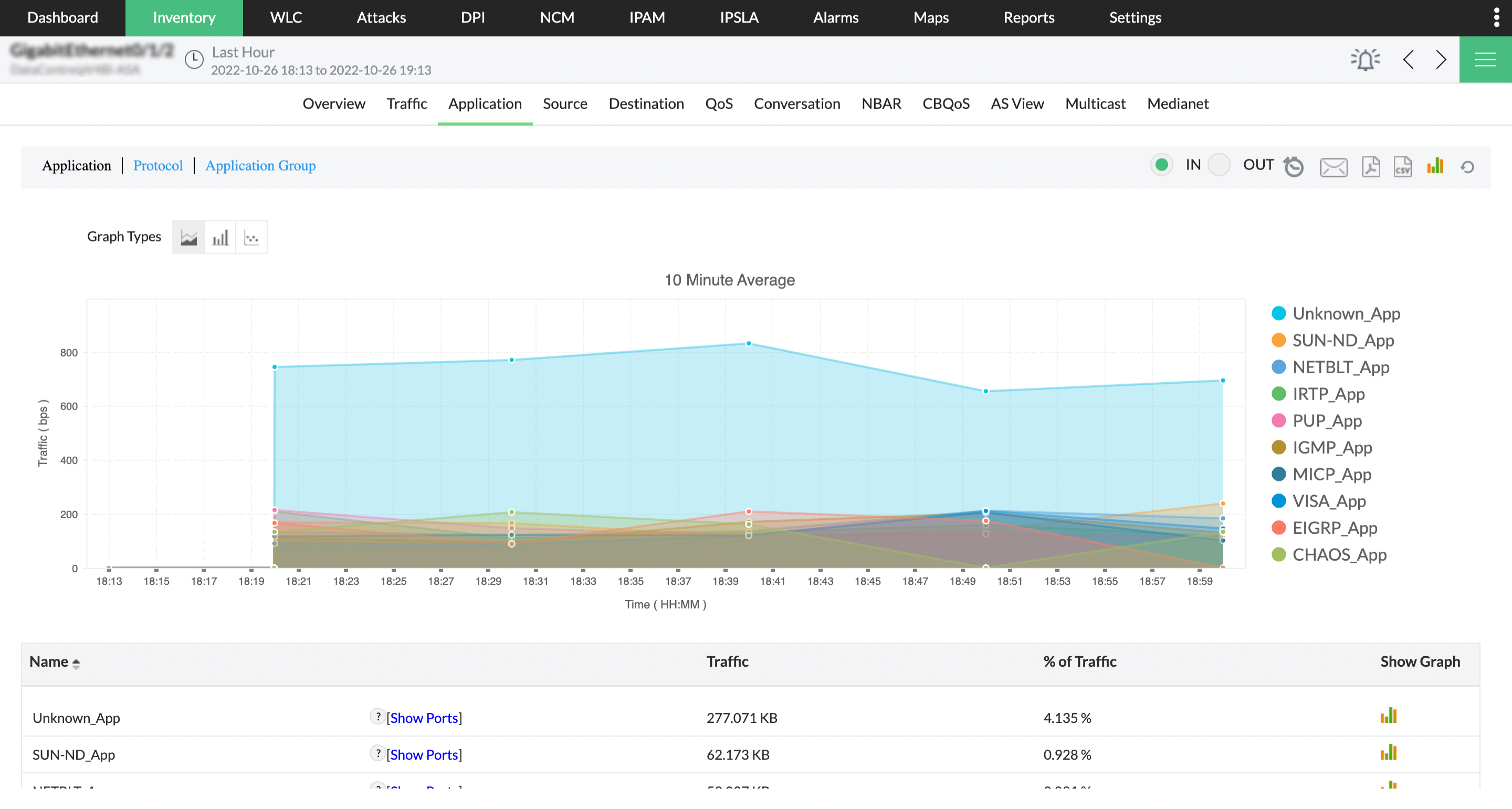
Outcome: Active scrutiny of VoIP QoS values across all call paths, along with respective bandwidth utilization trends helped you pin down the root cause of the VoIP quality degradation. The backup process is scheduled for off-business hours and VoIP quality remains good henceforth.
2) Change in QoS policy impacting VoIP Performance
Scenario
Let's assume you are the network administrator of an automobile company and its VoIP infrastructure is suddenly facing serious quality degradation. You are assigned to investigate the situation and improve the VoIP performance.
Remedial actions
1) By looking at the VoIP Overview dashboard in OpManager, you identify performance degradation (MOS of 1.5) on a particular VoIP site that has been the source of many user complaints. Interestingly, the site also figures in the top calls by jitter and packet loss but does not report high latency.
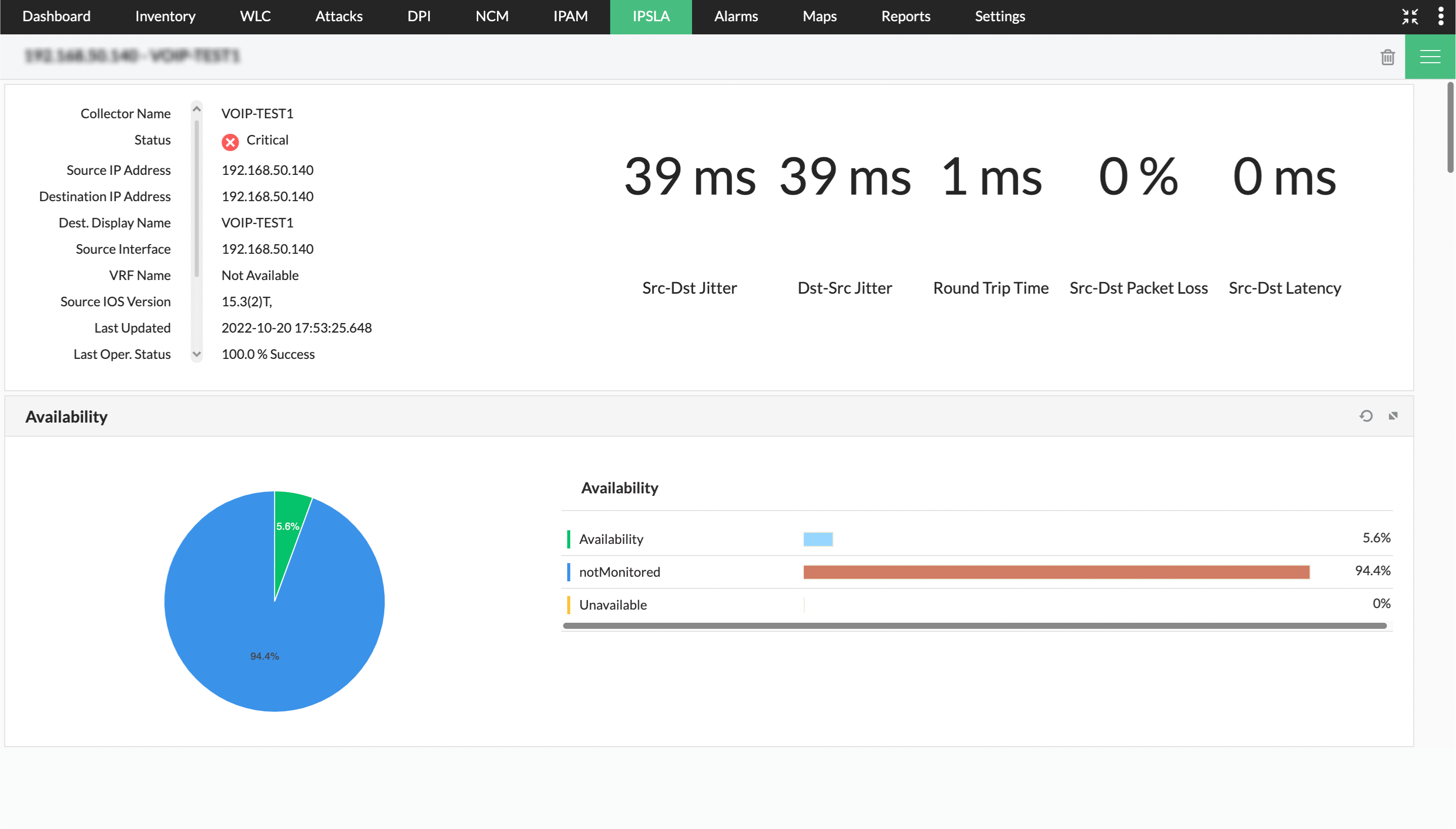
2) To investigate further, you drill down to the snapshot page of the VoIP site. The voice packets show huge packet loss values and high jitter too. Bandwidth utilization graphs do not show high utilization thus ruling out any causes of degradation due to an over-burdened link.
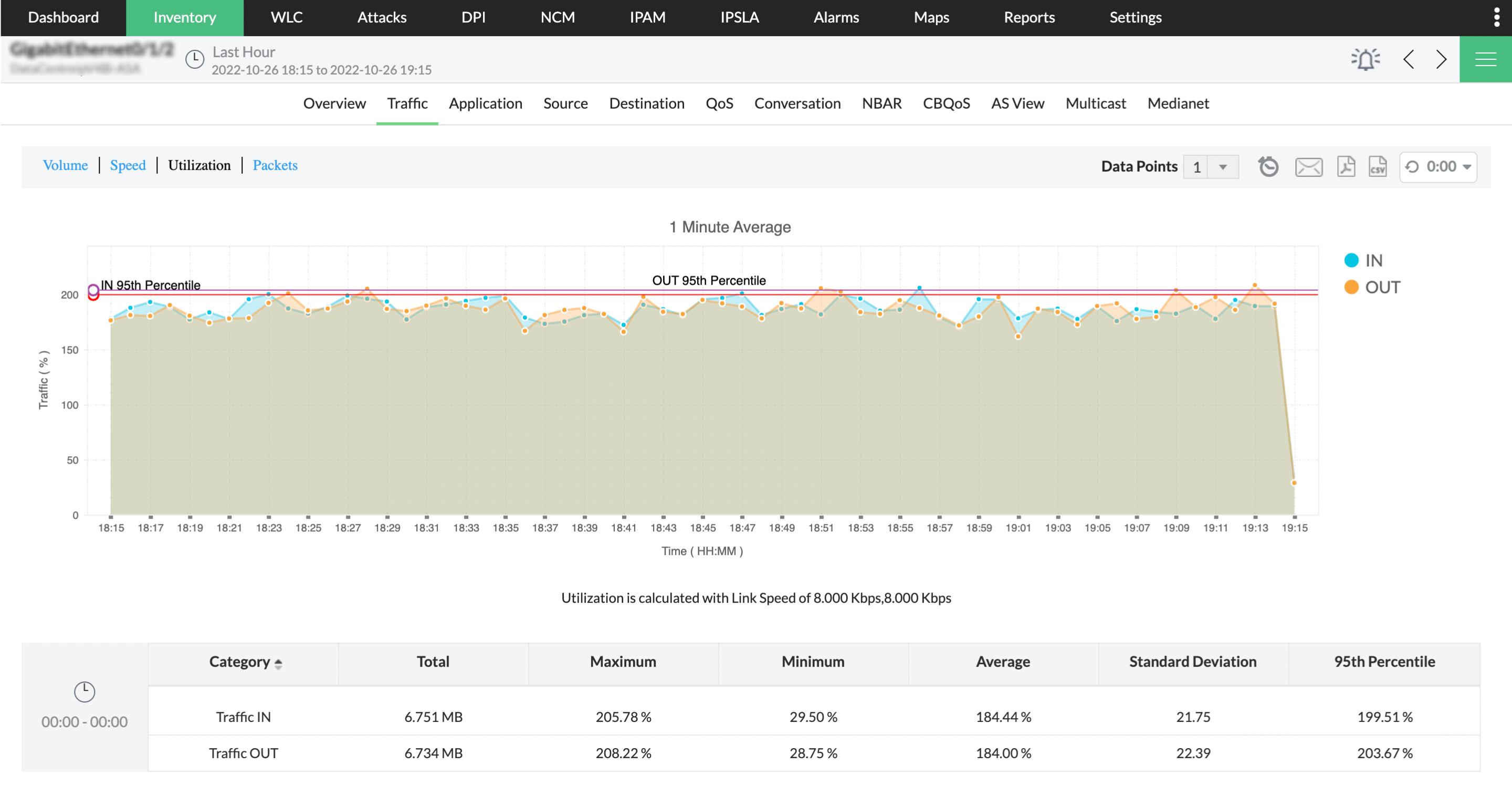
3) On looking at the Class Based QoS (CBQoS) traffic pattern of the link, pre-policy traffic and post-policy traffic show a lot of dropped packets in the VoIP traffic class.
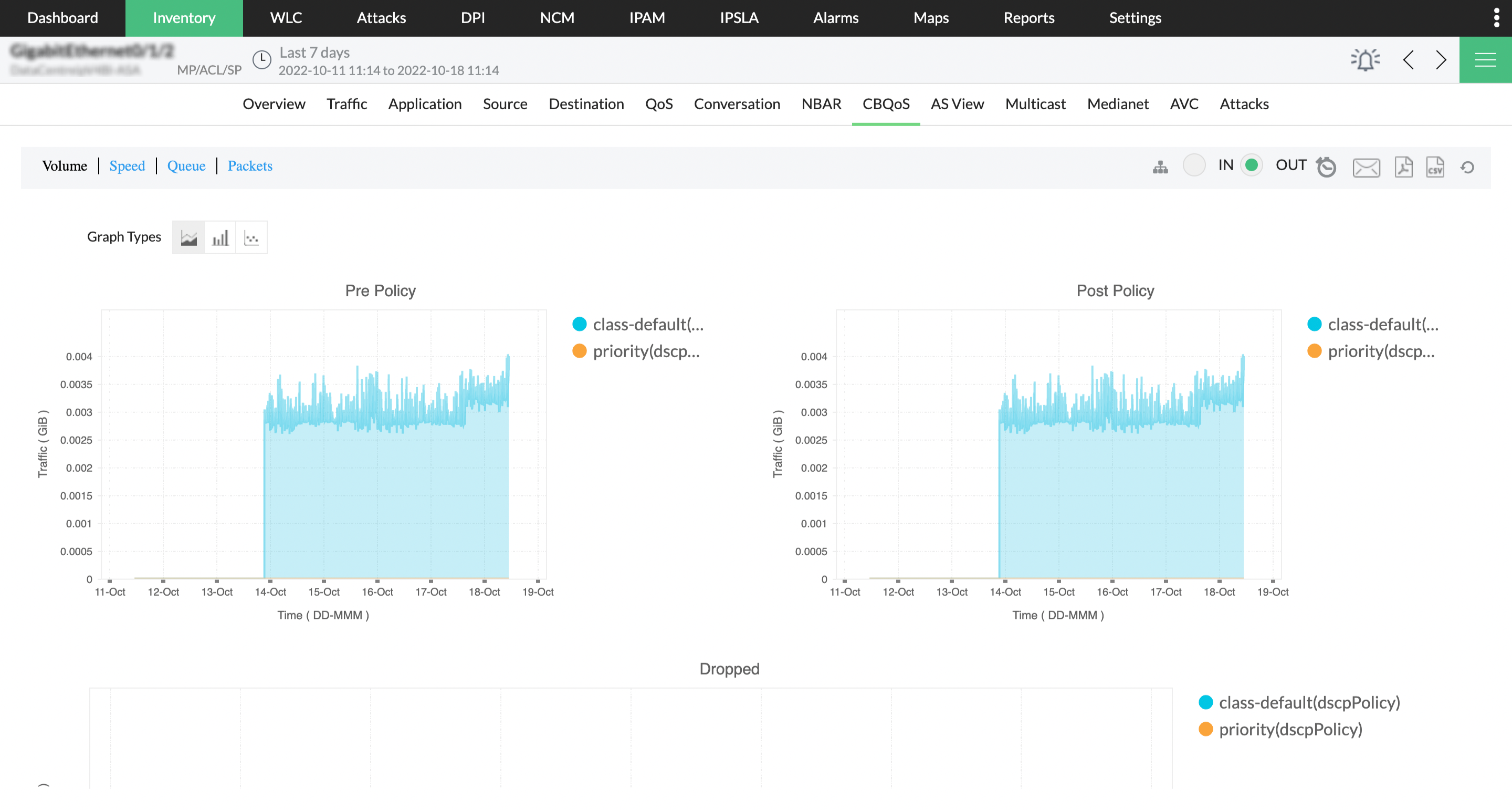
4) You investigated these trends along with the configuration changes made on QoS policies in the routers. This revealed that recent changes made in QoS policy settings affected voice quality due to huge VoIP packet loss.
Outcome: You allocate higher precedence to the VoIP traffic, which then restores healthy VoIP quality conditions.
Learn more about VoIP Monitoring in OpManager.