
Choosing an analytics solution for your organization's IT when you already have (or are considering buying) Power BI can feel like a fruitless labor. If you've done some basic research into Power BI, you may have been struck by the dizzying array of features, editions, and pricing models. So if you find yourself asking why you should consider another analytics service, here's some advice:
Start with the basics. Power BI is built for business users flanked by armies of data analysts and experts focused on building data models and visualizations to make business decisions. IT data is siloed, extremely complex, vast, and innately nuanced all of which make it difficult for a business data analyst to gain context. Using Power BI for IT analytics can feel a bit like going to a general medical practitioner when you need a specialist. What you need is a customized analytics solution that has a deep understanding of ITone that can help you make sense of and gain context about IT holistically.
Analytics Plus offers private or public cloud, SaaS, and on-premises deployment options.
Costs are simple. Choose the SaaS model and you pay for user licenses and get fixed capacity.
Need more rows? Additional rows are available for as low as $12 per month for 0.25M rows. Analytics Plus On-premises is entirely your own, and you're free to host it anywhere.
Power BI offers on-premises and private or public cloud deployment options.
Power BI hosted privately on Azure means your data is never really on-premises, and you're also paying hidden costs for computing power and storage on Azure.
You also need a Power BI desktop client to create reports.
Analytics Plus funnels in data seamlessly from several IT applications and business services using out-of-the-box integrations, facilitating in-depth data analysis and data correlation.
The app also connects to several local and cloud databases, cloud drives, files, feeds, and web forms using data connectors, live connectors (for select databases), and APIs.
Power BI imports data from several online services, databases, and files using Power Query Editor. A lack of prebuilt integrations means setup and implementation require professional help.
Several third-party tools offer ready-made connectors and prebuilt integrations to ingest data into Power BI directly. But these third-party tools are unreliable, expensive, and may not be compatible with your data needs, and it's rare to find dedicated support and assistance for them. Additionally, they come with serious data security concerns because you're practically handing over your data to unvetted sources.
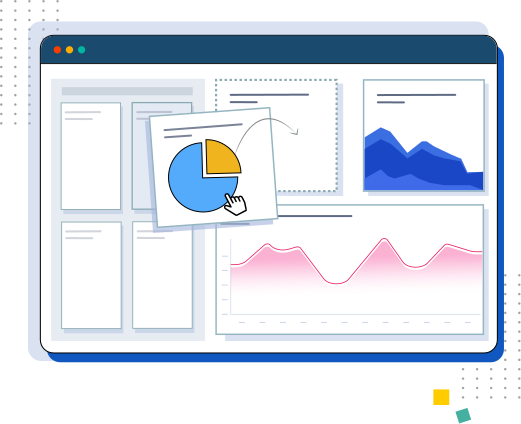
Both Analytics Plus and Power BI offer a variety of visualizations, charts, maps, pivots, and tabular views that are made possible through advanced visualization techniques and guided analytics. Both apps feature a drag-and-drop report builder for creating reports.
Unlike Power BI, however, Analytics Plus offers prebuilt reports and dashboards for out-of-the-box integrations with the added ability to edit and customize these prebuilt visualizations.
The primary objectives of analytics applications is to cut down time taken to make decisions and enable decision makers to foresee opportunities and threats from miles away.
Analytics Plus offers out-of-the-box reports. Furthermore, these reports are organized into dashboards based on the context, roles, and problems. This plug-and-play capability helps users unlock instant value for their analytics investment.
For instance, the CIO dashboard for ITSM provides a high-level overview of the help desk's service quality, while the alarms dashboard for ITOM provides a comprehensive look at application and network alarms and highlights overlaps between the two.
Power BI doesn't offer prebuilt reports; users need to build data models and process data in the required format before loading them into the app for analysis. Expensive third-party add-ons are available to automate report creation.
Both Power BI and Analytics Plus support a cocktail of augmented analytics capabilities, such as building predictions, creating ML models, extracting key phrases for sentiment analysis, interpreting natural language questions, and building visualizations.
Analytics Plus outdoes Power BI by offering linguistically rich narrative descriptions of reports and the insights found in the reports. All you have to do is act on those insights. Power BI doesn't offer automated storytelling capabilities.

Analytics Plus delivers rich insight into IT data but also adds context to it.
For instance, if you're planning cloud deployments, Analytics Plus' AI can suggest how to deploy workloads in the most cost-effective and high-performing cloud locations, taking into account historical performance, cost structure, and security requirements.
Power BI is a business intelligence platform that's designed to deliver rich insight into business data.
Analytics Plus cuts out the middle man and automatically identifies correlations among data columns from different tables, data sources, or integrated applications using data blending.
For instance, Analytics Plus automatically blends data from ServiceNow and Telephony to enable users to get an overarching picture of agent performance in terms of help desk tickets resolved and calls answered.
Power BI requires Power Query Editor to blend data by splitting rows and columns and by pivoting and un-pivoting columns. These changes are implemented in a container and are not reflected in the actual data set. The container-processed data can then be used for analysis. The container data takes up capacity, and you'll end up paying more for storing the same data twice.
Both Power BI and Analytics Plus excel in their ability to deliver powerful forecasts with options to define accuracy and confidence levels.
However, Analytics Plus outshines Power BI with a deep understanding of the IT domain and context.
A prediction of alarm volume based on not just historical alarm trends but also device failure cycles is a good use case for Analytics Plus.

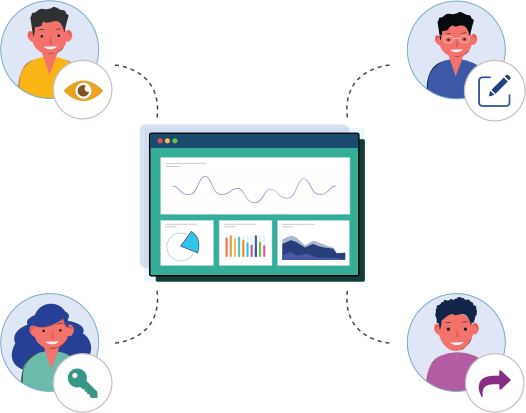
With a privacy-first approach, Analytics Plus enables users to share visualizations via granular options such as own, read-only, read-write, report authoring, drill down, export, and embed. Analytics Plus also provides options for you to have real-time contextual discussions over shared visuals. Additionally, Analytics Plus' built-in AI assistant enables users to interact with data without directly accessing it. This ensures sensitive, confidential corporate data isn't exposed to the end user, enhancing your data security.
Power BI offers an embedding option via Microsoft Azure.
Analytics Plus enables users to take action based on specific triggers tied to changes in data points. These alerts dynamically consider multiple user- and environmental-related changes.
Power BI just offers static alerts based on thresholds.
Power BI is a well-established analytics platform for business users. However, IT data is not a singular business entity like marketing or sales. IT is made of clusters of intertwined entities, such as the help desk, ITOps, the SOC, endpoint management solutions, and IAM solutions. Analytics Plus unifies all these entities to provide a holistic, 360-degree view of IT. Business app connectors for Analytics Plus enable users to measure the impact of IT on the business.
For instance, IT service desks can see the impact of abandoned calls on end-user satisfaction rates, and IT leaders can measure how end-user satisfaction impacts end-user productivity.
Here's what our customers who've migrated from Power BI to Analytics Plus have to say:
that's how long we had to wait to see reports. By then, the info was old and useless."
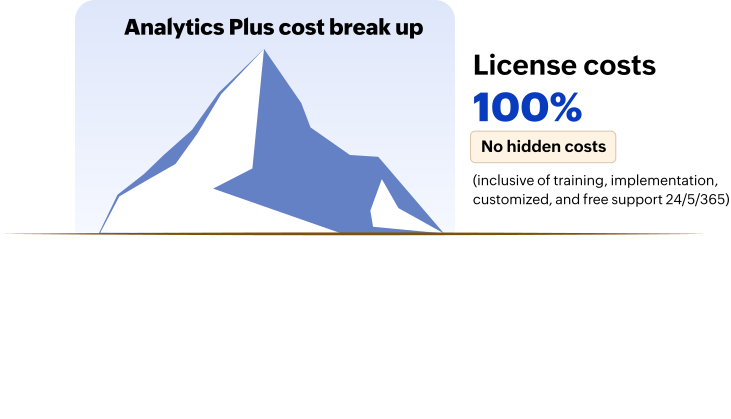
Analytics Plus implementations are straightforward. There are no hidden costs. The cloud version starts at $199 for two users per month, and the on-premises version starts at $995 for two users per year. Tier-based pricing delivers cost savings. As you scale, Analytics Plus practically pays for itself by delivering value.
If you opt for Analytics Plus Cloud, you'll only pay for the user licenses and you'll get defined data storage. Additional storage costs $32 per month for one million rows. If you opt for Analytics Plus On-premises, you'll only pay for the licenses and you'll control the data storage. Get more details here.
Power BI's pricing isn't straightforward. Licenses are projected to start at $27.50 for one user per month without accounting for the Azure capacity requirements, which could cost as much as $5,000-6,000 per month for any regular-sized deployment. This is because the prices are closely tied to data loads on Azure and increase exponentially as you scale. So your final bill depends on the required computing capacity, deployment size, implementation costs, custom features, and add-ons.
For instance, if you run heavy loads, you'll pay $85 per vCore per 24 hours or risk slowing your analytics application by hours.
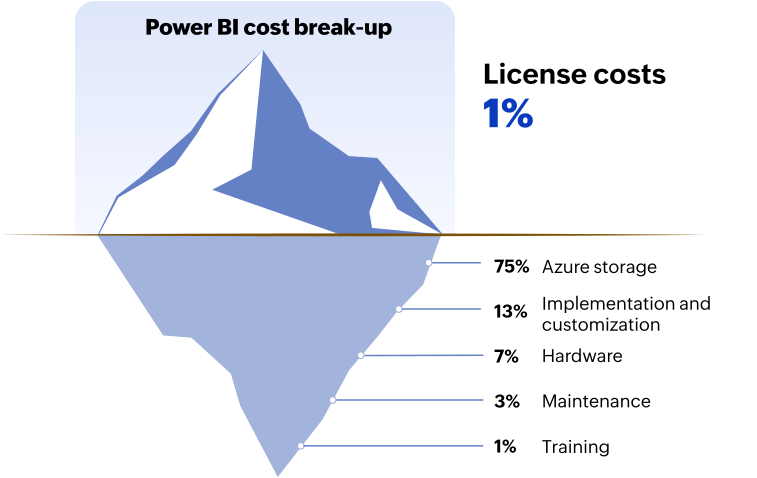
Note: Costs are calculated for a mid-sized analytics deployment of 20 million rows of data.