
Network discovery tools are an indispensable part of IT environments that continually scale by adding new network devices or components across wired, wireless, and virtual networks. Network discovery solutions create and maintain an inventory of these components by tracking their location and how they're mapped, along with rediscovering existing components for real-time status updates. With your IT inventory depending on the efficiency of your network discovery tool, it's important to choose an effective network discovery solution that enables you to automatically discover, scan, and map your network environment.
Challenges in Discovering a Network
Discovering every device in a modern IT environment is not as simple as running a basic scan. Networks today are distributed, dynamic, and often a mix of on-prem, cloud, and virtual components. This creates several challenges:
1. Dynamic environment
Networks undergo continuous changes: new devices get added, existing ones get moved, and older ones get decommissioned. This makes it hard to maintain an accurate inventory at any given moment. If discovery isn’t continuous, you end up managing outdated data that doesn’t reflect what’s actually connected. This leads to blind spots in monitoring and troubleshooting. Automated, scheduled scans are necessary to keep everything current without manual effort.
2. Hidden or inaccessible devices
Some devices don’t respond to basic discovery methods like ping because ICMP is disabled or blocked for security reasons. Others may have SNMP turned off or be placed behind firewalls, NAT, or VLAN boundaries, making them unreachable through standard scans. This causes important devices to go undetected or be identified incorrectly. A reliable discovery solution must support multiple techniques and protocols to work across different vendors and network setups.
3. Multi-vendor, multi-protocol complexity
Networks today are built with devices from multiple vendors—Cisco, HP, Dell, Palo Alto, Fortinet, and many more. Each vendor supports different management protocols such as SNMP, WMI, SSH, or proprietary APIs. For accurate discovery, the tool must understand and communicate using all these protocols reliably. Missing support for even one can result in partial information or incorrectly identified devices. This protocol diversity increases operational complexity and slows down troubleshooting.
4. Distributed and hybrid networks
Organizations no longer operate from a single office. They now use on-prem data centers, cloud environments, remote sites, and a mix of virtual machines and containers. Each layer behaves differently and requires separate discovery logic. Cloud assets, for instance, may appear and disappear based on workload demand. Remote offices might be connected through VPN or SD-WAN links. A robust discovery solution must adapt to all these environments to give a true end-to-end view.
5. VLAN and subnet segmentation
Networks are often segmented into multiple VLANs and subnets to improve security and traffic management. This segmentation can prevent standard scanners from reaching devices across boundaries unless trunking, routing, or probe servers are configured. Access-control rules and routing policies may also restrict scanning traffic. Without deliberate configuration to traverse segments, parts of the network remain invisible. Proper handling of segmentation is essential for full visibility and accurate mapping.
6. Lack of proper credentials
Device discovery becomes limited when the right credentials—SNMP community strings, SSH/WMI logins, or API tokens—are missing. Without authenticated access, the tool can only gather minimal information or may fail to identify the device type altogether. This results in incomplete or inaccurate inventory data. Credential management also becomes complex when dealing with hundreds of devices across teams and locations. Secure, centralized credential handling is essential for deep and reliable discovery.
7. Mapping complex topologies
Modern networks go far beyond simple switches and routers. They now include virtual switches inside hypervisors, software-defined networks, and wireless infrastructures from a variety of vendors, adding layers of abstraction that basic Layer 2 discovery cannot capture. This makes it challenging to understand how everything is actually connected. Organizations need a comprehensive view that shows dependencies between devices, interfaces, services, applications, and workloads to understand their environment completely. In addition, mapping tools are required to visualize how devices are distributed across regions, branch offices, and business sites, while rack-level visualization helps teams understand data center layouts and server farm structures. Together, these capabilities enable a complete and accurate picture of the entire network topology.
OpManager: The trusted network discovery tool for enterprise networks
OpManager's network discovery tool offers advanced network discovery capabilities that automate the network device discovery process and also create and maintain a detailed inventory of all your network devices by continually scanning and updating end-to-end network device details. OpManager network discovery tool relieves your IT team of redundant network monitoring tasks by automating IT inventory maintenance, network resource mapping, availability monitoring, and more.
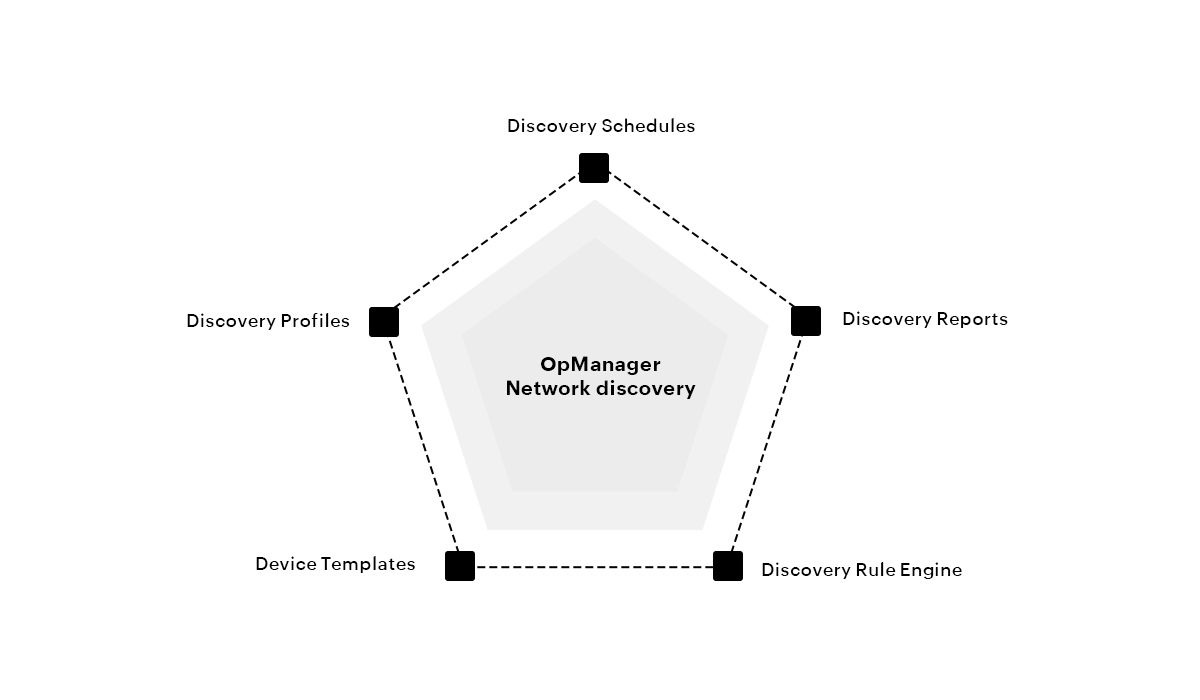
OpManager's top 5 network discovery software features
OpManager comes jam-packed with robust features aimed at making the network discovery process simpler, less time-consuming, and much more effective. The features include:
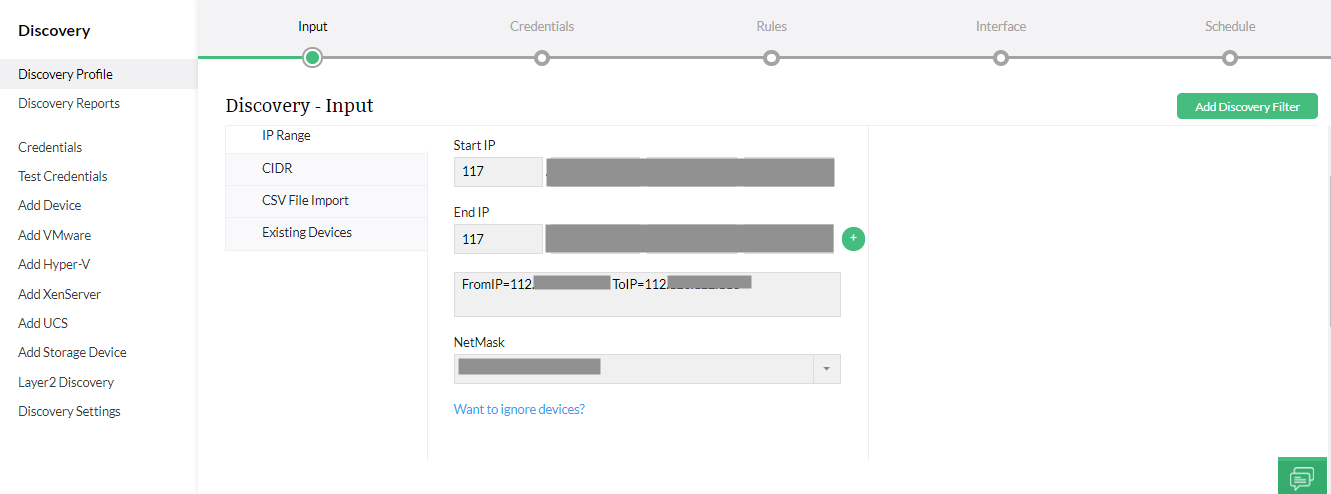
Keep your inventory updated with your network discovery tool
OpManager's discovery profiles eliminate the typical woes of network discovery. Its flexible discovery capabilities enable you to detect network devices by scanning across IP address blocks, subnets, or integrated active directories, or by importing them through a CSV file. OpManager's network discovery tool supports multiple authentication credentials including SNMP v1, v2, and v3; WMI; SSH; and Telnet, which enable you to discover a range of network devices, servers, virtual environments such as VMware and Proxmox, and storage devices. OpManager not only discovers devices but also the interfaces associated with the devices that are discovered. OpManager also allows you to rediscover a network device after you make changes to it; this process automatically updates the device information without the need for reconfiguration.
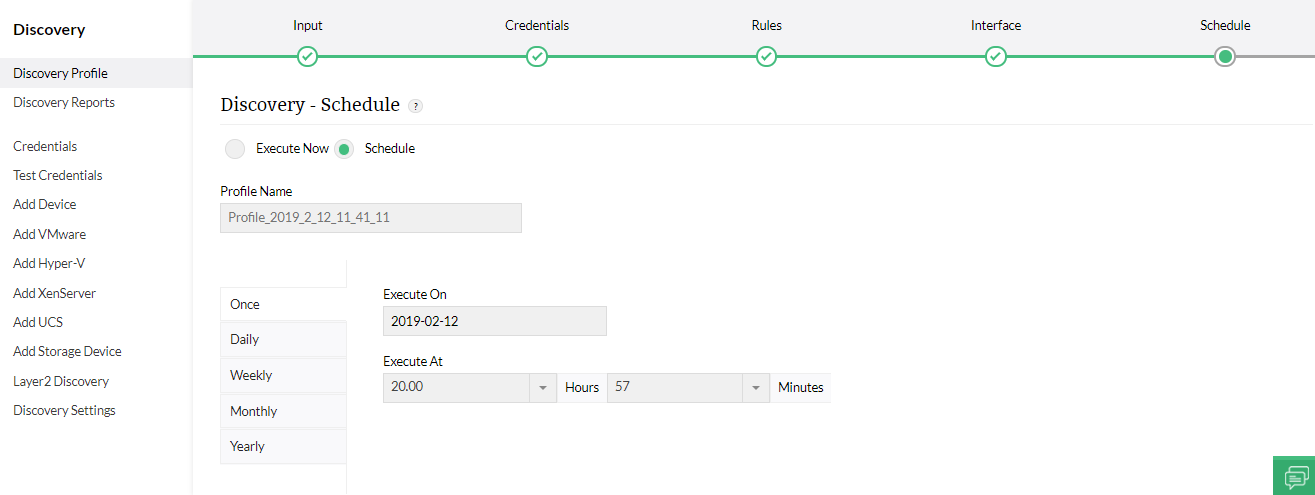
Automate discovery scans
When it comes to monitoring network components, one of the most time-consuming tasks is manually triggering a network scan from your network discovery tool every time a new device is added to your network.
OpManager simplifies this process with Discovery Schedule. You can configure a Discovery Schedule by specifying the time interval in which you want the discovery to happen again, upon which OpManager's network discovery software automatically initiates the discovery process in the specified time frequency.
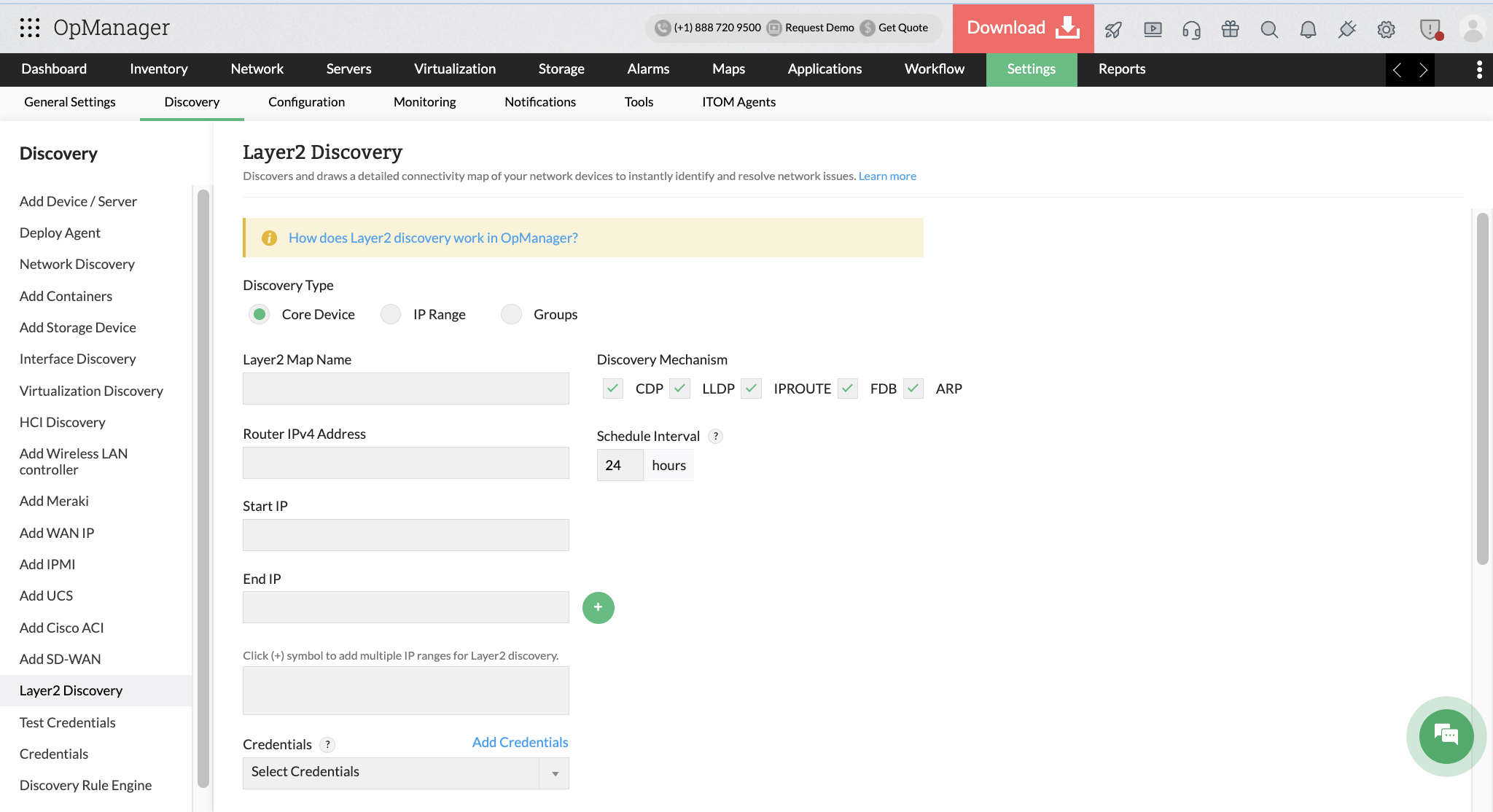
Discover and visualize layer 2 network topology
With Layer-2 discovery, you can configure uplink dependency to the core router or seed device so that downstream devices are discovered automatically. This setup also reduces unnecessary alerts. For example, if the core router or switch goes down, OpManager raises a single alert for that device instead of generating alerts for every connected device. Since all issues trace back to the same root cause, you avoid alert storms and can respond more efficiently.
In addition, Layer-2 discovery automatically generates network maps for the discovered devices, helping you visualize the topology and monitor the network more effectively.
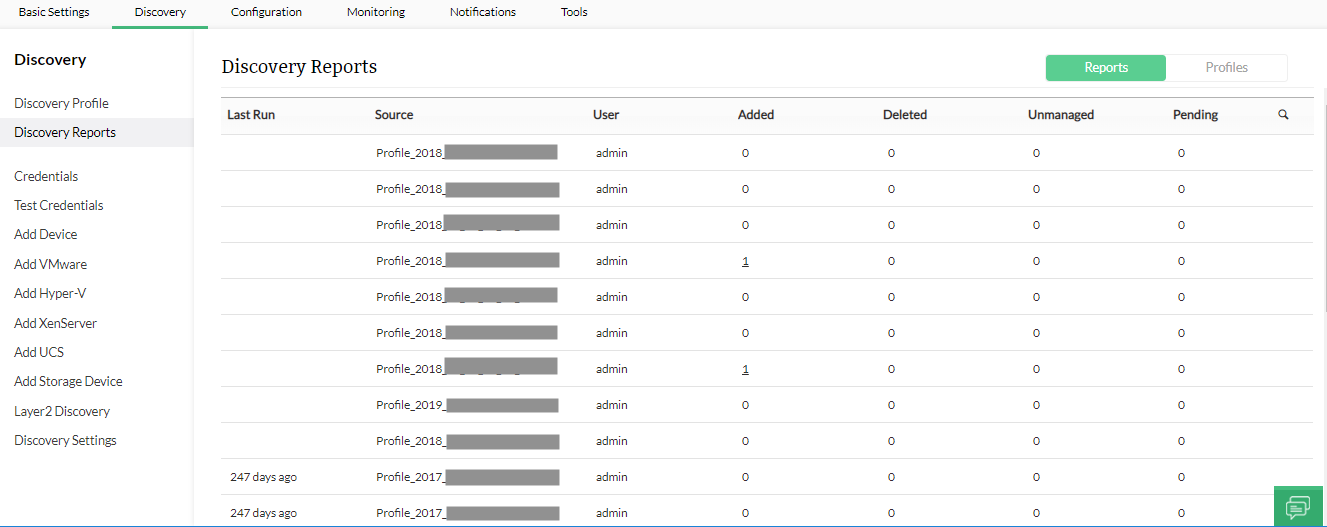
Track completed discovery scans using Discovery report
Once a discovery profile is configured, OpManager's network discovery scanning offers a detailed discovery report on the discovered devices based on the time the profile was executed. This report displays the total number of devices found in your network, the number of devices successfully discovered, the number of undiscovered devices, and other important aspects of network discovery and monitoring that will help you drill down into the performance and availability of your network.
Automatically classify and associate monitors to discovered devices
Network discovery isn't just about finding new devices in your network anymore. For an uncomplicated network monitoring experience, your network discovery tool should be able to both identify and classify devices, readying them for monitoring by your network monitoring solution.
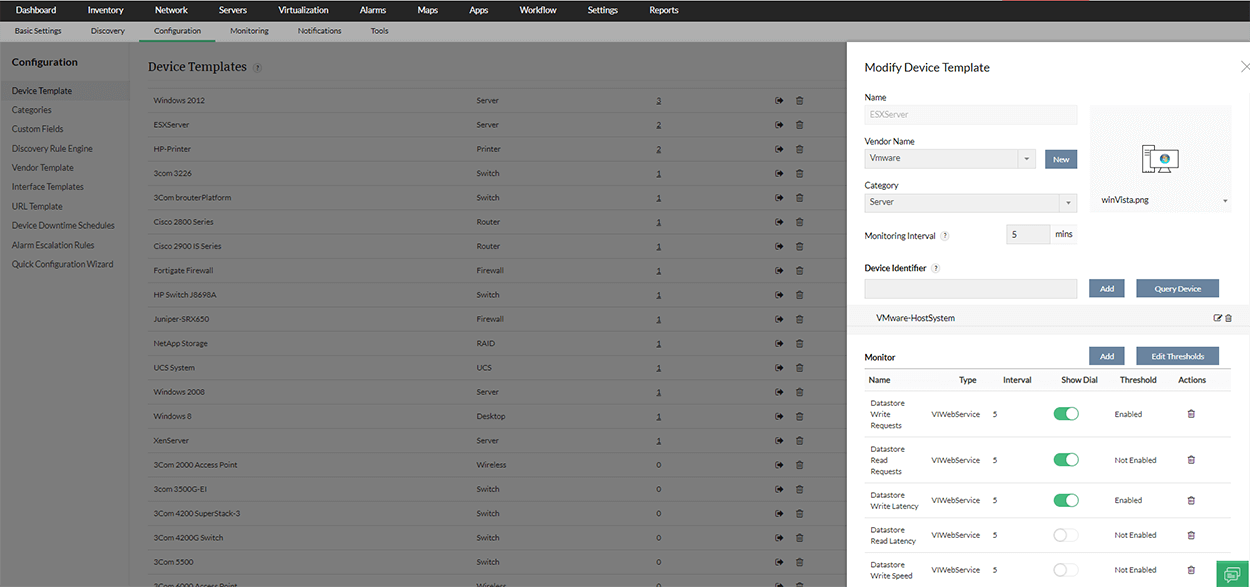
OpManager comes pre-loaded with more than 11,000 device templates, each preconfigured with a set of properties such as Vendor Name, Category, Device Identifier, and a few pre-configured monitors for a particular device type. For example you can discover your Windows and Linux devices in OpManager and according to the configured credentials OpManager will classify the devices and fetch monitoring data with appropriate protocols like WMI. Once it detects any new device in the network, OpManager compares the device with its device templates and associates an appropriate one with the newly discovered device. You can allow OpManager to monitor the device with the preconfigured settings in these device templates, or you can edit the settings via the device snapshot page.
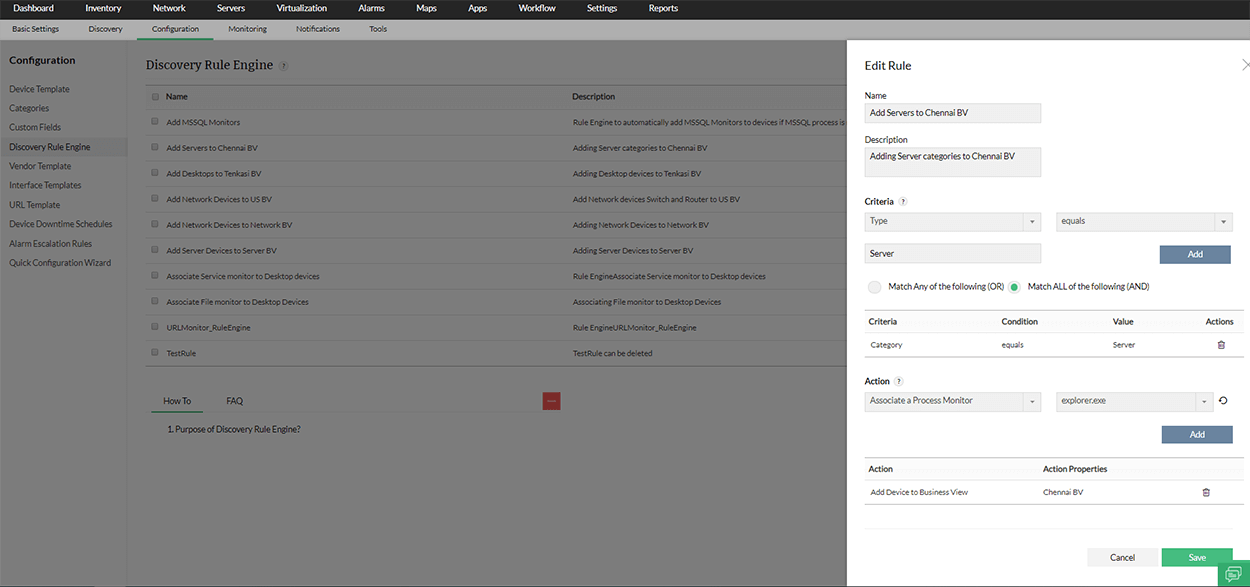
Automate post-discovery configurations
With OpManager’s powerful discovery rule engine, you can automate key post-discovery actions such as associating notification profiles for alerting, applying the right monitors, or assigning devices to business view maps. This ensures newly discovered devices are immediately organized, monitored, and reflected accurately in your topology view.
Monitor your network effortlessly with OpManager
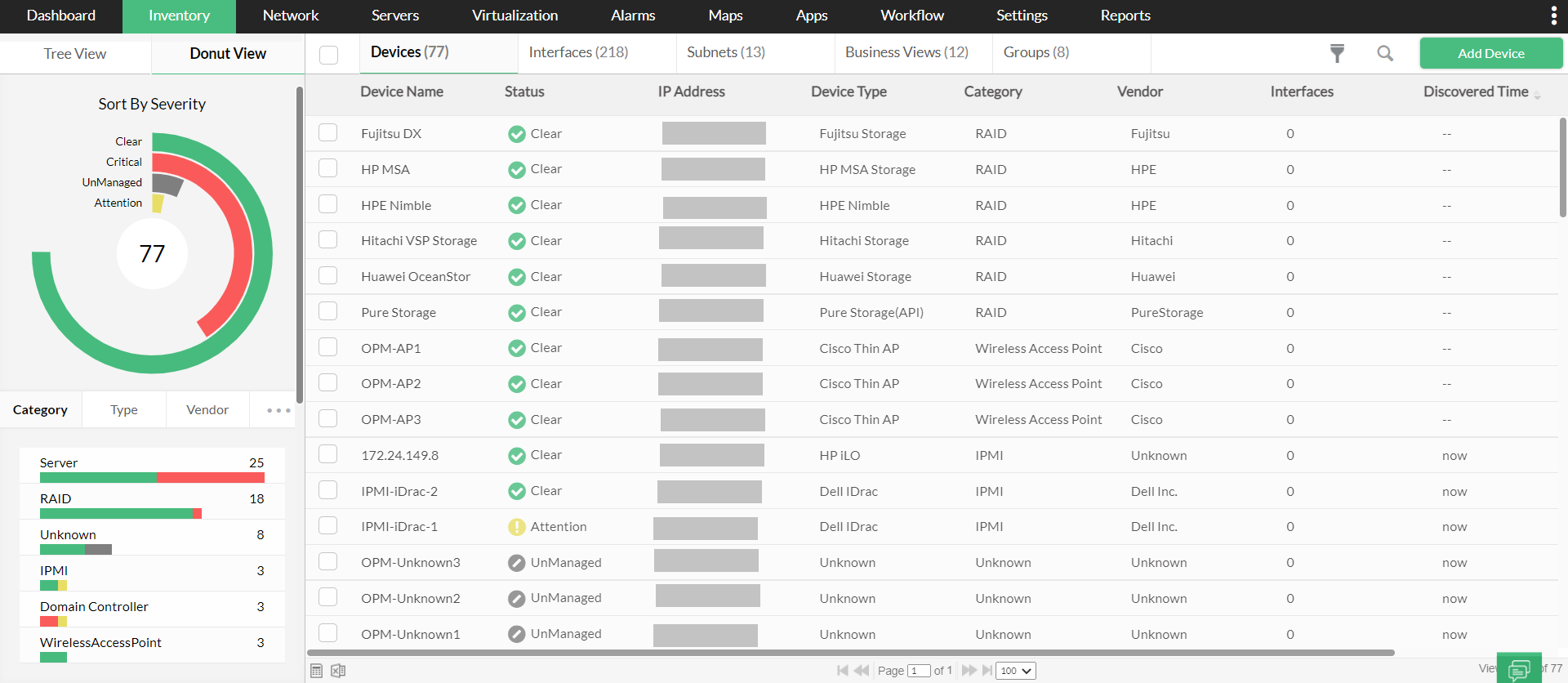
Once discovery is complete, OpManager automatically adds every device, interface, and component to a unified inventory. With dedicated views for virtualization, WAN, VoIP, storage, and more, it applies the right device templates from its library of 11,000+ profiles to begin monitoring instantly. This means you get out-of-the-box visibility, real-time performance tracking, accurate topology maps, and proactive alerts from day one. By continuously watching your network’s health and identifying issues before they impact users, OpManager helps you prevent outages and ensure uninterrupted IT performance.
FAQs on Network discovery tool
What is a network discovery tool?
+
How does a network discovery tool work?
+
Why do you need a network discovery tool?
+
Simplify network discovery process with OpManager