

- Free Edition
- Quick links
- Active Directory management
- Active Directory reporting
- Active Directory delegation
- Active Directory permissions management and reporting
- Active Directory automation
- Governance, risk, and compliance
- Microsoft 365 management and reporting
- Microsoft 365 management and reporting
- Microsoft 365 management
- Microsoft 365 reports
- Microsoft 365 user management
- Microsoft 365 user provisioning
- Microsoft 365 license managementn
- Microsoft 365 license reports
- Microsoft 365 group reports
- Dynamic distribution group creation
- Dynamic distribution group reports
- Exchange management and reporting
- Active Directory integrations
- Popular products
The home folder in Active Directory (AD) enables users to store their personal files. As it allows user data to be stored in a centralized location, users can access their files from any computer connected to the same network. This allows IT admins to back up and recover network files easily.
Admins often resort to built-in AD tools like Active Directory Users and Computers (ADUC) to create AD home folders for new and existing users. In environments where many new user accounts are created frequently, using ADUC to create home folders for every single account is not feasible because it is time-consuming.
Create and manage home folders in bulk
ManageEngine ADManager Plus, an AD management and reporting tool, helps admins:
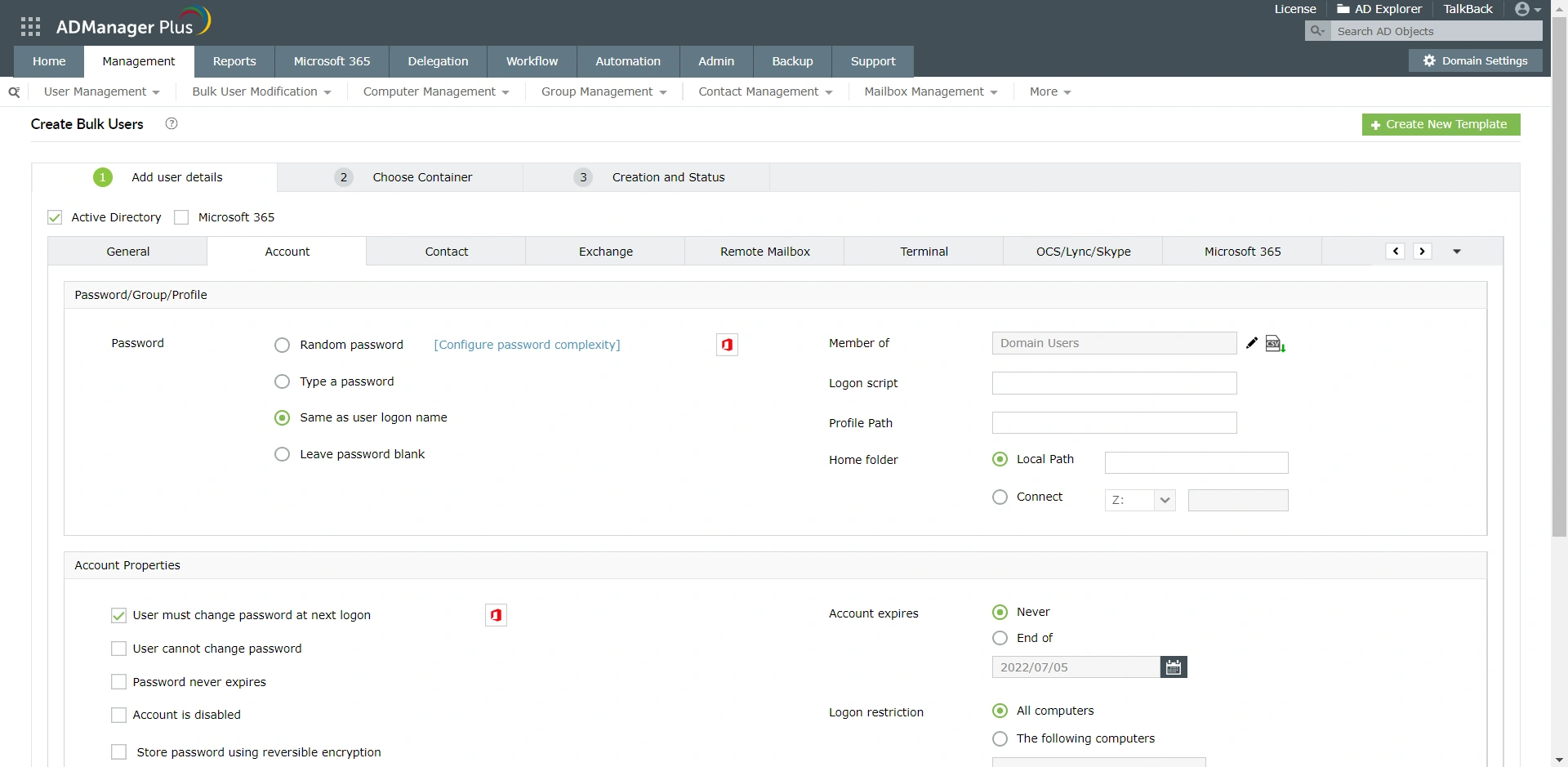
- Create home folders in bulk for new and existing user accounts. They can simply upload a CSV file containing the list of all users and their corresponding attributes.
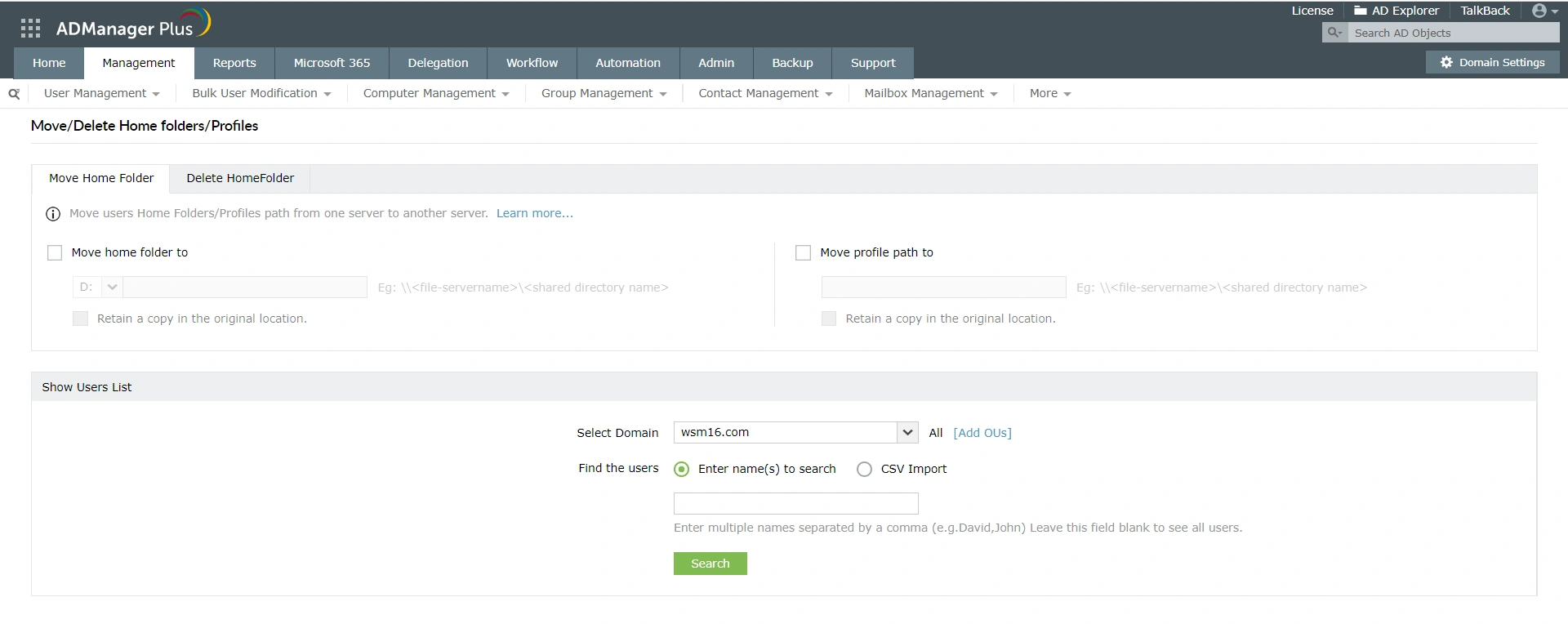
- Move home folders in bulk and modify multiple attributes of different users at once.
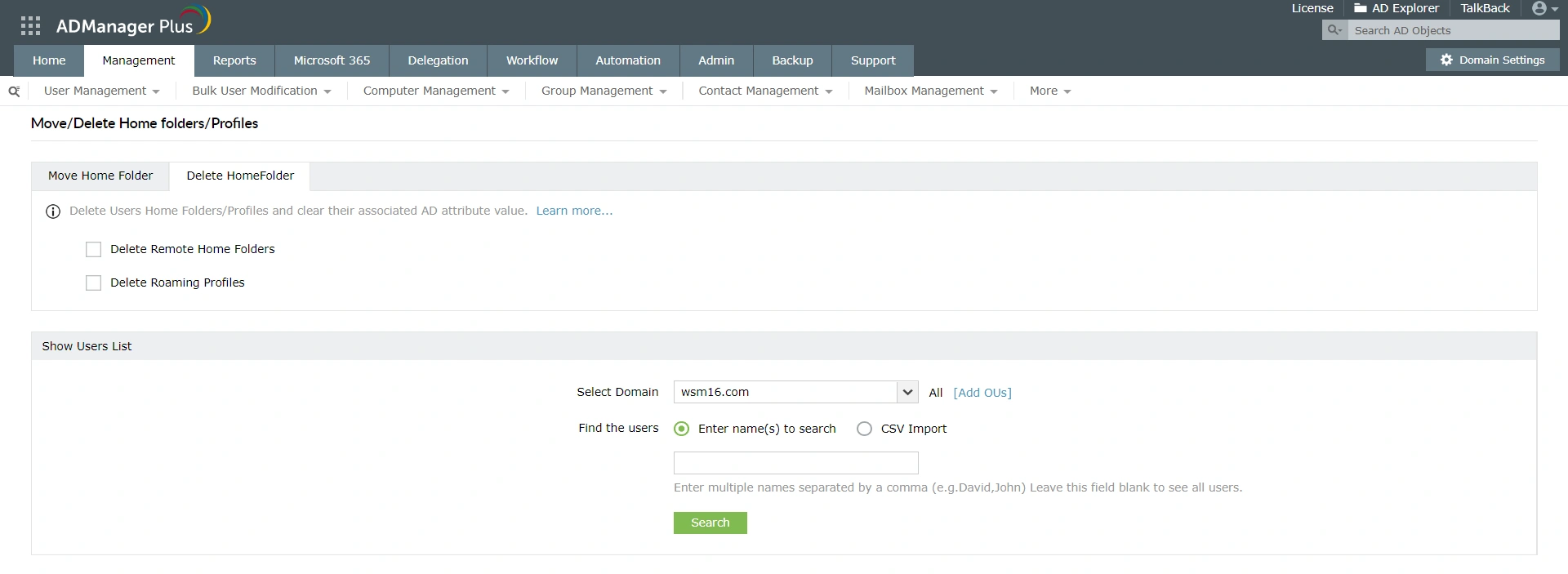
- Delete AD home folders and clear the corresponding AD attributes.
Generate reports on home folders
- Generate the list of users using a specific home folder without writing any PowerShell scripts.
Automate or delegate home folder management
ADManager Plus' powerful automation module enables admins to create, move, and delete users' home folders automatically. They can also securely delegate home folder management to help desk technicians without writing any PowerShell scripts.
- Modify all desired attributes and mailbox permissions in a single action.
- See the modifications that are going to be carried out, so that you can double check your changes before implementation.
Top benefits of using ADManager Plus to manage AD home folders
ADManager Plus enables administrators to easily delegate the creation of Exchange or Microsoft 365 shared mailboxes to specific non-administrative users. The responsibility of modifying Exchange shared mailboxes can also be assigned. To make this delegation completely secure, ADManager Plus allows administrators to:
- Create, move, and delete home folders in bulk in a few clicks.
- Identify which users are using a specific home folder using NTFS reports, without any PowerShell scripts.
- Implement the controlled automation of AD home folder management.
- Delegate home folder management to non-administrators.
Featured links
Other features
Active Directory Management
Make your everyday Active Directory management tasks easy and light with ADManager Plus's AD Management features. Create, modify and delete users in a few clicks!
Active Directory Reports
A catalog of almost every report that you will need from your Active Directory! Comprehensive and Reliable reporting. Schedule reports to run periodically. Manage your AD right from within the reports.
Active Directory Cleanup
Get rid of the inactive, obsolete and unwanted objects in your Active Directory to make it more secure and efficient...assisted by ADManager Plus's AD Cleanup capabilities.
Active Directory Password Management
Reset password and set password propertied from a single web-based console, without compromising on the security of your AD! Delegate your password-reset powers to the helpdesk technicians too!
Active Directory Compliance Reports
Active Directory reports to assist you for compliance to Government Regulatory Acts like SOX, HIPAA, GLBA, PCI, USA PATRIOT...and much more! Make your organization compliance-perfect!
Active Directory Automation
A complete automation of AD critical tasks such as user provisioning, inactive-user clean up etc. Also lets you sequence and execute follow-up tasks and blends with workflow to offer a brilliant controlled-automation.
Need Features? Tell Us
If you want to see additional features implemented in ADManager Plus, we would love to hear. Click here to continue


