

- Free Edition
- Quick links
- Active Directory management
- Active Directory reporting
- Active Directory delegation
- Active Directory permissions management and reporting
- Active Directory automation
- Governance, risk, and compliance
- Microsoft 365 management and reporting
- Microsoft 365 management and reporting
- Microsoft 365 management
- Microsoft 365 reports
- Microsoft 365 user management
- Microsoft 365 user provisioning
- Microsoft 365 license managementn
- Microsoft 365 license reports
- Microsoft 365 group reports
- Dynamic distribution group creation
- Dynamic distribution group reports
- Exchange management and reporting
- Active Directory integrations
- Popular products
Orchestration in ADManager Plus
ADManager Plus, an IGA solution with Active Directory (AD) management, reporting, access certification, and other capabilities, is also an identity orchestration tool designed to solve the challenges that IT administrators face. Through event-driven automations, ADManager Plus lets administrators orchestrate identity management tasks at defined time intervals from a single console. Unlike a scheduled automation, which gets executed at a scheduled date and time, an event-driven automation is triggered by an action and can be used to perform a sequence of actions not just in AD but also in other external applications.
What is Orchestration?
Often mistaken for automation, identity orchestration involves the coordinated management of identity processes, applications, and systems within an IT environment. While orchestration does involve a great deal of automation, it primarily focuses on streamlining processes to optimize business performance, unlike its counterpart, whose only purpose is to get things done without human intervention.
Identity orchestration ensures that user identities, access permissions, and credentials are consistently and securely managed throughout their lifecycle—from onboarding to role changes and offboarding—across all necessary platforms, including cloud, on-premises, and third-party applications. ADManager Plus, a unified orchestration platform, enables simplified, secure identity management, access control, and automated workflows across diverse environments by bringing together cloud orchestration, identity orchestration, and IT orchestration into a single solution.
How does orchestration work in ADManager Plus?
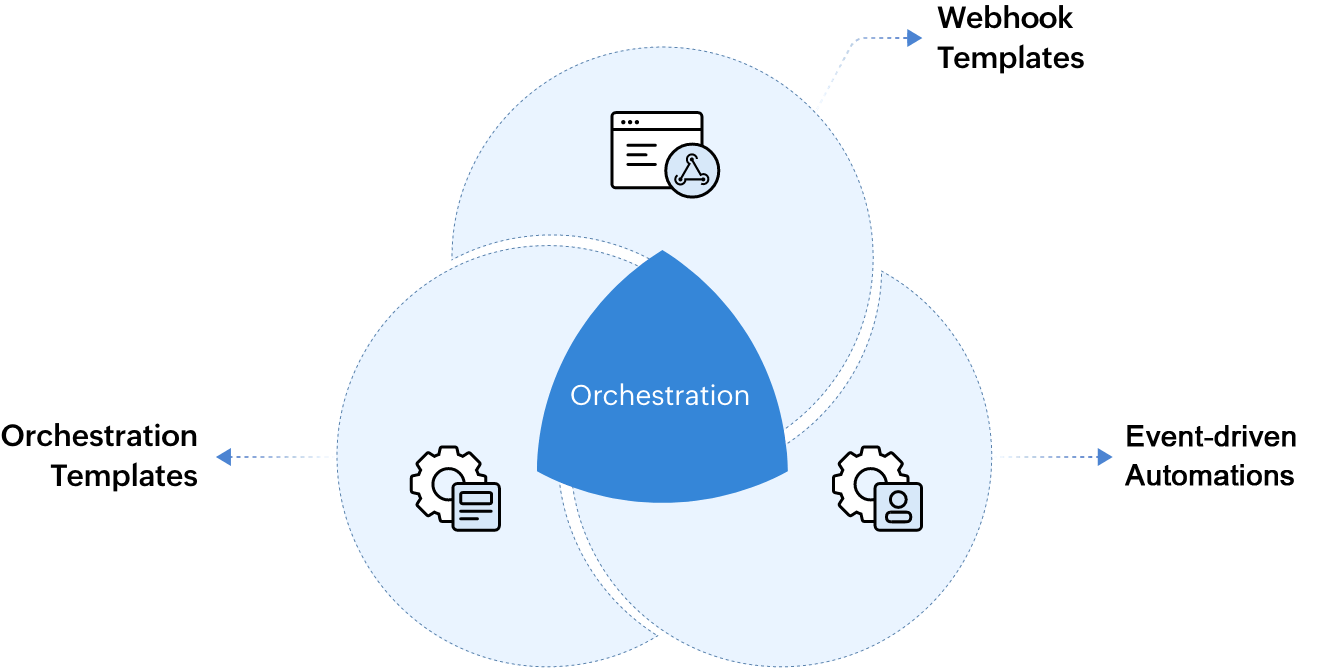
Event-driven Automation, Webhook, and Orchestration Templates help in building an orchestration workflow.
- Webhook Templates help admins execute tasks in external applications using REST APIs.
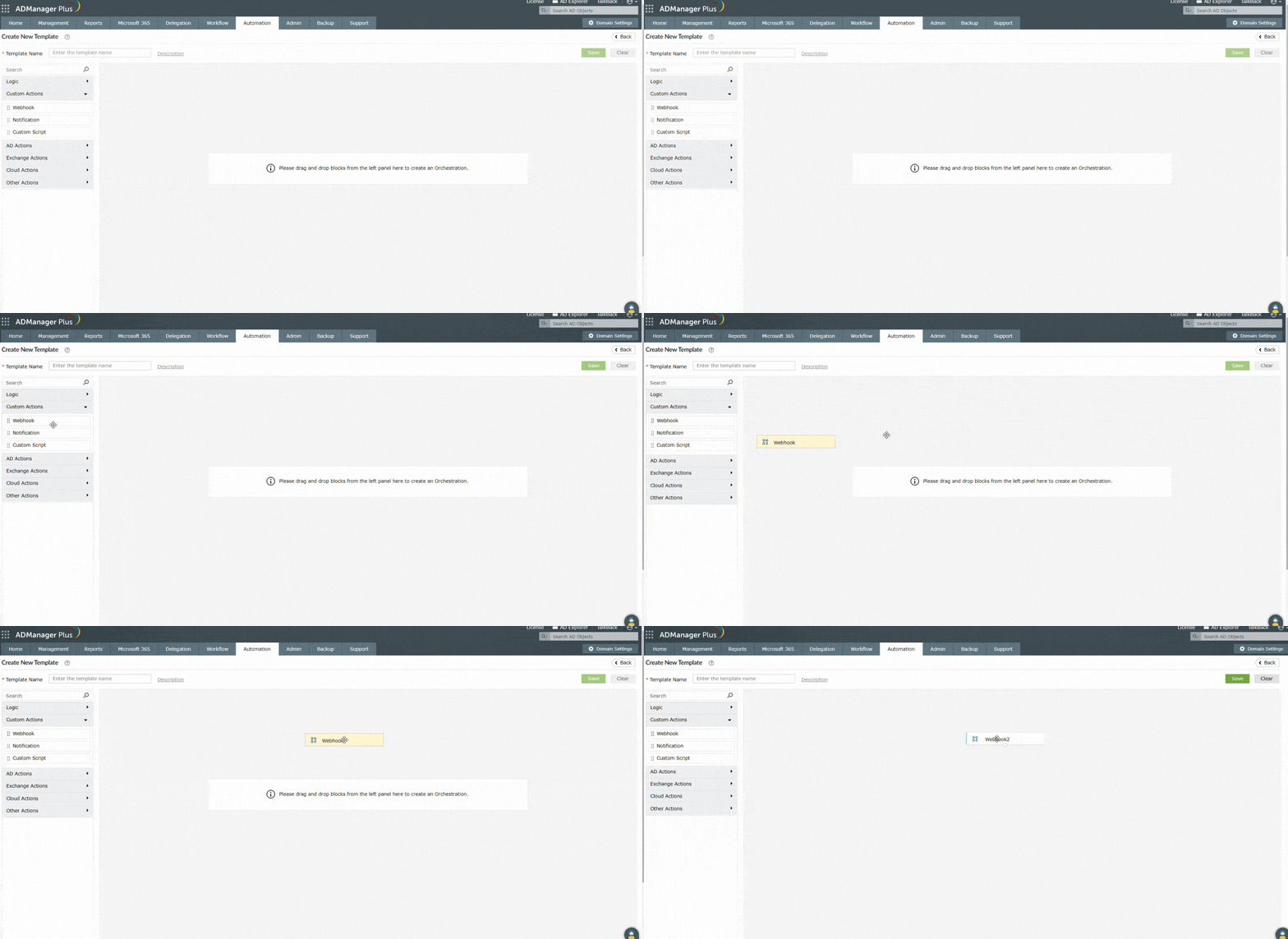
- Orchestration Templates define the flow of actions and can be constructed using just drag-and-drop actions. These templates can also be directly applied to users to perform a series of actions on them without a trigger.
- Event-driven Automations define execution of a series of tasks in an Orchestration Template that will be triggered when the management actions are completed successfully.

Use cases illustrating identity orchestration
With event-driven automations, IT admins can automate all of the items on an offboarding checklist and sit back and relax. This will involve:
Use case 1: Automate employee offboarding
Employee offboarding is as critical as employee onboarding, and IT admins play a huge role in making the process seamless for employees just as much as HR personnel. It’s also the IT admin’s responsibility to ensure that the process is in line with the organization’s security principles, like instantly deleting user accounts and revoking access to enterprise applications when the employee decides to call it quits. Doing all of these manually involves switching back and forth between applications, maintaining multiple checklists, and a long waiting time.
With the orchestration feature, IT admins can automate all of the items on an offboarding checklist and sit back and relax. This will involve:
- Creating Webhook Templates to delete user accounts in enterprise applications and to reclaim assets using ServiceDesk Plus Cloud.
- Constructing an Orchestration Template with the following workflow:
- Disable a user's Exchange mailbox.
- Delete a user's Microsoft 365 account.
- Delete user accounts and recover IT assets using Webhook Templates.
- Send a farewell email.
- Creating an Event-driven Automation to execute the actions defined in the Orchestration Template whenever a AD user is deleted using ADManager Plus.
-

Webhook Templates to configure API endpoints
-

Orchestration Template to define orchestration workflow
-

Conditional execution of actions defined in the Orchestration Template
Use case 2: Orchestrate password resets across multiple applications
Send password reset notifications and automatically reset passwords across Microsoft 365 and Google Workspace platforms at defined time intervals whenever a user's AD password is reset.

Salient aspects of the orchestration feature in ADManager Plus
-
Custom notifications
Send automated welcome and farewell emails to users, notify their managers, and more using notification templates.
-
Webhook support
Use webhook Templates to create, update, and delete users, groups, and their attributes in external applications.
-
Drag-and-drop template builder
Create templates from scratch with simple drag-and-drop actions.
Benefits of investing in an identity orchestration tool like ADManager Plus
With the orchestration feature in ADManager Plus, you can:
- Provision and deprovision users seamlessly.
- Orchestrate events in external applications from a single place.
- Mitigate data entry errors and insider threats.
- Reduce IT costs and optimize business performance.
Other features
Active Directory User Reports
Exhaustive reporting on Active Directory Users and user-attributes. Generate reports in user-activity in your Active Directory. Perform user-management actions right from the report interface!
Active Directory Management
Make your everyday Active Directory management tasks easy and light with ADManager Plus's AD Management features. Create, modify and delete users in a few clicks!
Active Directory Cleanup
Get rid of the inactive, obsolete and unwanted objects in your Active Directory to make it more secure and efficient...assisted by ADManager Plus's AD Cleanup capabilities.
Active Directory Compliance Reports
Active Directory reports to assist you for compliance to Government Regulatory Acts like SOX, HIPAA, GLBA, PCI, USA PATRIOT...and much more! Make your organization compliance-perfect!
Terminal Services management
Configure Active Directory Terminal Services attributes from a much simpler interface than AD native tools. Exercise complete control over technicians accessing other domain users' computers.
Active Directory Automation
A complete automation of AD critical tasks such as user provisioning, inactive-user clean up etc. Also lets you sequence and execute follow-up tasks and blends with workflow to offer a brilliant controlled-automation.


