Direct Inward Dialing: +1 408 916 9393
Remove one license or all licenses from a single user, a list of users, or every licensed user with the Microsoft 365 admin center, Microsoft Graph PowerShell, or ADManager Plus.
When a license is removed, the Exchange Online data linked to that account is held for 30 days. After the 30-day grace period, the data is deleted and cannot be recovered.
Connect-MgGraph -Scopes "User.ReadWrite.All","Organization.Read.All"
Get-MgSubscribedSku -All | Select-Object SkuPartNumber, SkuId, ConsumedUnits
Get-MgUserLicenseDetail -UserId "jsmith@zylker.com" | Select-Object SkuPartNumber, SkuId
$e5Sku = Get-MgSubscribedSku -All | Where SkuPartNumber -eq 'SPE_E5'
Set-MgUserLicense -UserId "jsmith@zylker.com" -RemoveLicenses @($e5Sku.SkuId) -AddLicenses @{}
Run the command from step 3 again to confirm the license is gone.
A license inherited only from a group cannot be removed directly from the user. The user must be removed from the licensing group, or the license must be removed from that group.
The CSV file needs a UserPrincipalName column, with one account on each row:
$usersList = Import-Csv -Path "C:\Temp\Accounts.csv"
$e5Sku = Get-MgSubscribedSku -All | Where SkuPartNumber -eq 'SPE_E5'
foreach ($user in $usersList) {
    Set-MgUserLicense -UserId $user.UserPrincipalName -RemoveLicenses @($e5Sku.SkuId) -AddLicenses @{}
}This removes every license from every licensed user in the tenant, so add -WhatIf to Set-MgUserLicense for a dry run first. The licensed users come from Get-MgUser:
$licensedUsers = Get-MgUser -Filter 'assignedLicenses/$count ne 0' `
    -ConsistencyLevel eventual -CountVariable licensedUserCount -All `
    -Select UserPrincipalName,DisplayName,AssignedLicenses
foreach ($user in $licensedUsers) {
    $licensesToRemove = $user.AssignedLicenses | Select-Object -ExpandProperty SkuId
    Set-MgUserLicense -UserId $user.UserPrincipalName -RemoveLicenses $licensesToRemove -AddLicenses @{}
}| Parameter | Description |
|---|---|
| -Scopes | The permission scopes requested for the session, such as User.ReadWrite.All |
| -TenantId | The tenant to sign in to |
| -NoWelcome | Hides the welcome banner after sign-in |
| Parameter | Description |
|---|---|
| -All | Returns every subscribed license in the tenant. |
| Parameter | Description |
|---|---|
| -UserId | The UPN or object ID of the user |
| -Property | Limits the output to specific license detail properties |
| Parameter | Description |
|---|---|
| -Filter | An OData filter, such as assignedLicenses/$count ne 0 or accountEnabled eq false |
| -ConsistencyLevel | Set to eventual for advanced queries such as the $count filter |
| -CountVariable | Stores the total number of matching users in the named variable |
| -All | Returns every matching user, not only the first page |
| -Select | Returns only the listed properties, such as UserPrincipalName and AssignedLicenses |
| -Property | Requests specific properties, such as AssignedLicenses, that are not returned by default |
| Parameter | Description |
|---|---|
| -UserId | The UPN or object ID of the user |
| -RemoveLicenses | The SkuIds of the licenses to remove |
| -AddLicenses | The licenses to add; pass @{} when you are only removing licenses |
| -WhatIf | Shows what would happen without removing anything |
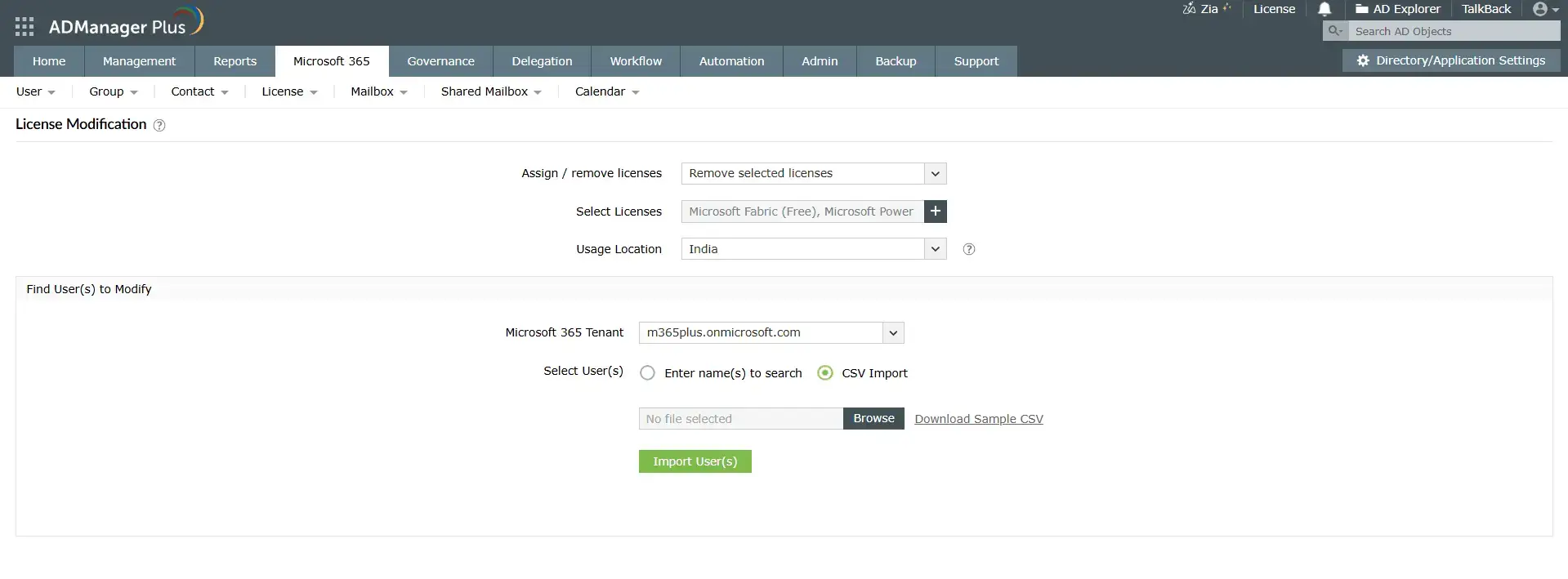
ADManager Plus is a web-based tool for managing AD, Exchange, and Microsoft 365. It removes selected or all Microsoft 365 licenses for one user or many, from a GUI and without scripts.
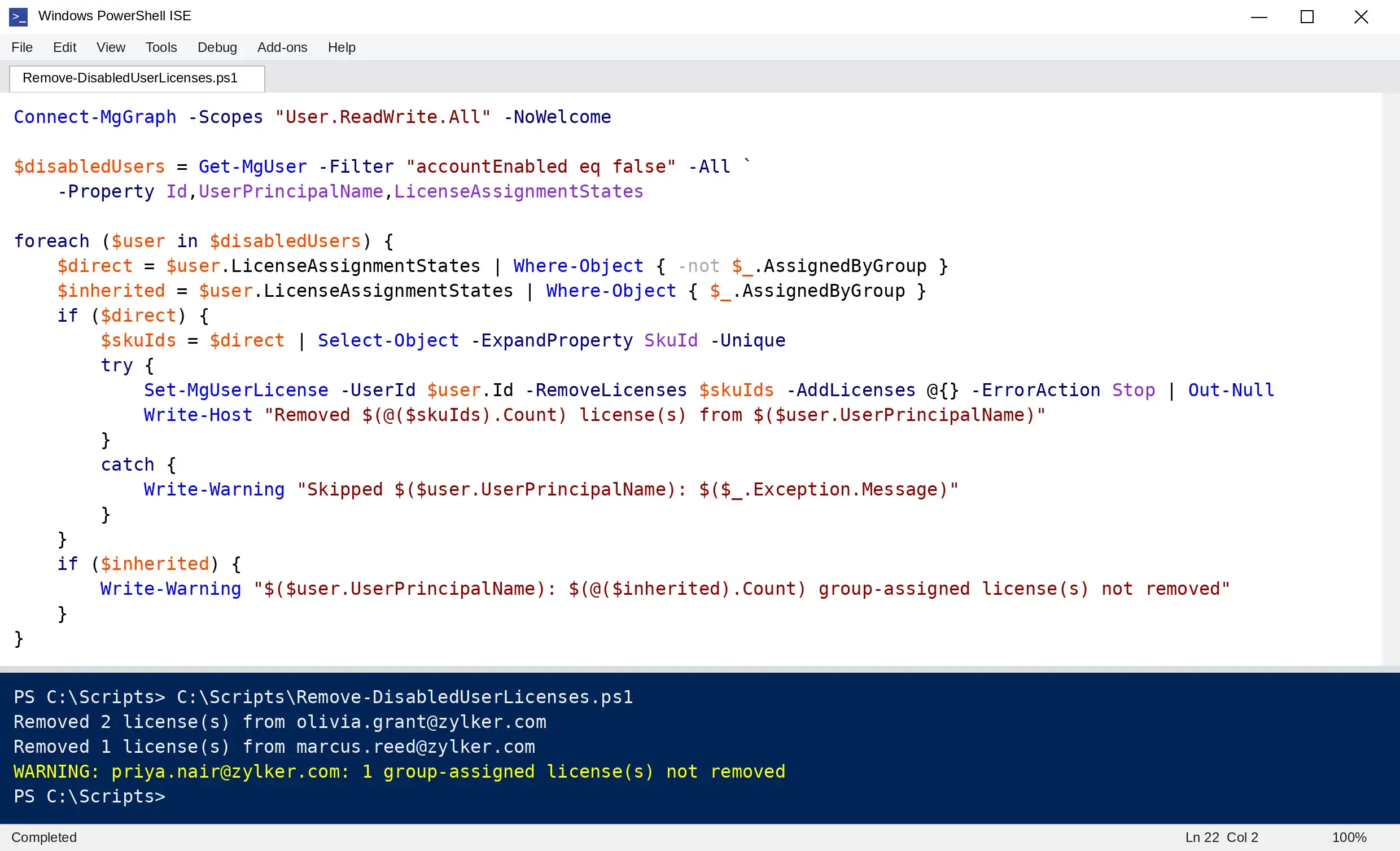
This script removes directly assigned licenses from disabled accounts and reports group-assigned licenses it cannot remove, and mailbox data is held for only 30 days after an Exchange Online license is removed, so try it on a test account first.
Connect-MgGraph -Scopes "User.ReadWrite.All" -NoWelcome
$disabledUsers = Get-MgUser -Filter "accountEnabled eq false" -All `
    -Property Id,UserPrincipalName,AssignedLicenses |
    Where-Object { $_.AssignedLicenses.Count -gt 0 }
foreach ($user in $disabledUsers) {
    $skuIds = $user.AssignedLicenses | Select-Object -ExpandProperty SkuId
    try {
        Set-MgUserLicense -UserId $user.Id -RemoveLicenses $skuIds -AddLicenses @{} -ErrorAction Stop | Out-Null
        Write-Host "Removed $($skuIds.Count) license(s) from $($user.UserPrincipalName)"
    }
    catch {
        Write-Warning "Skipped $($user.UserPrincipalName): $($_.Exception.Message)"
    }
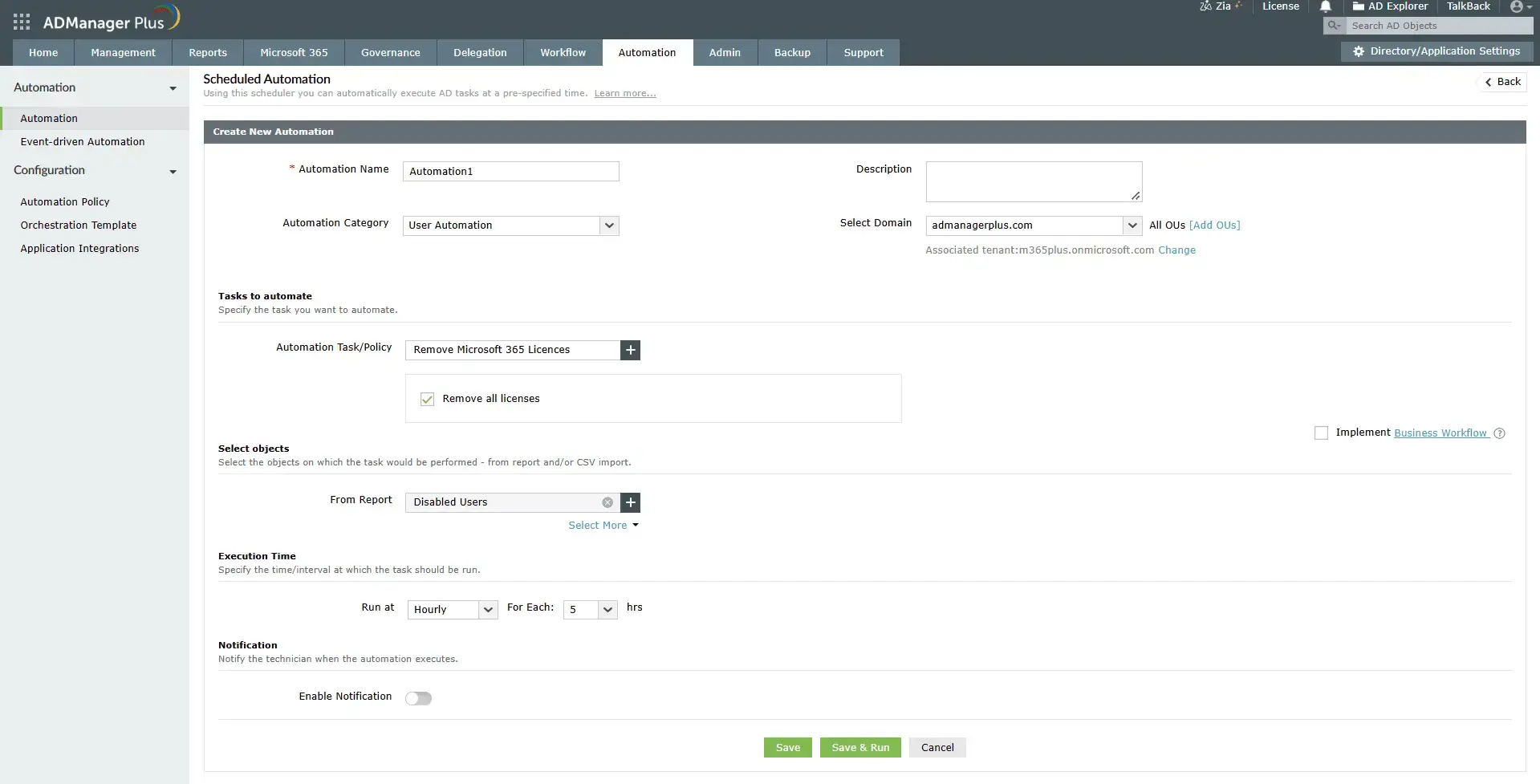
}ADManager Plus can remove licenses from disabled users on a recurring basis through an automation.
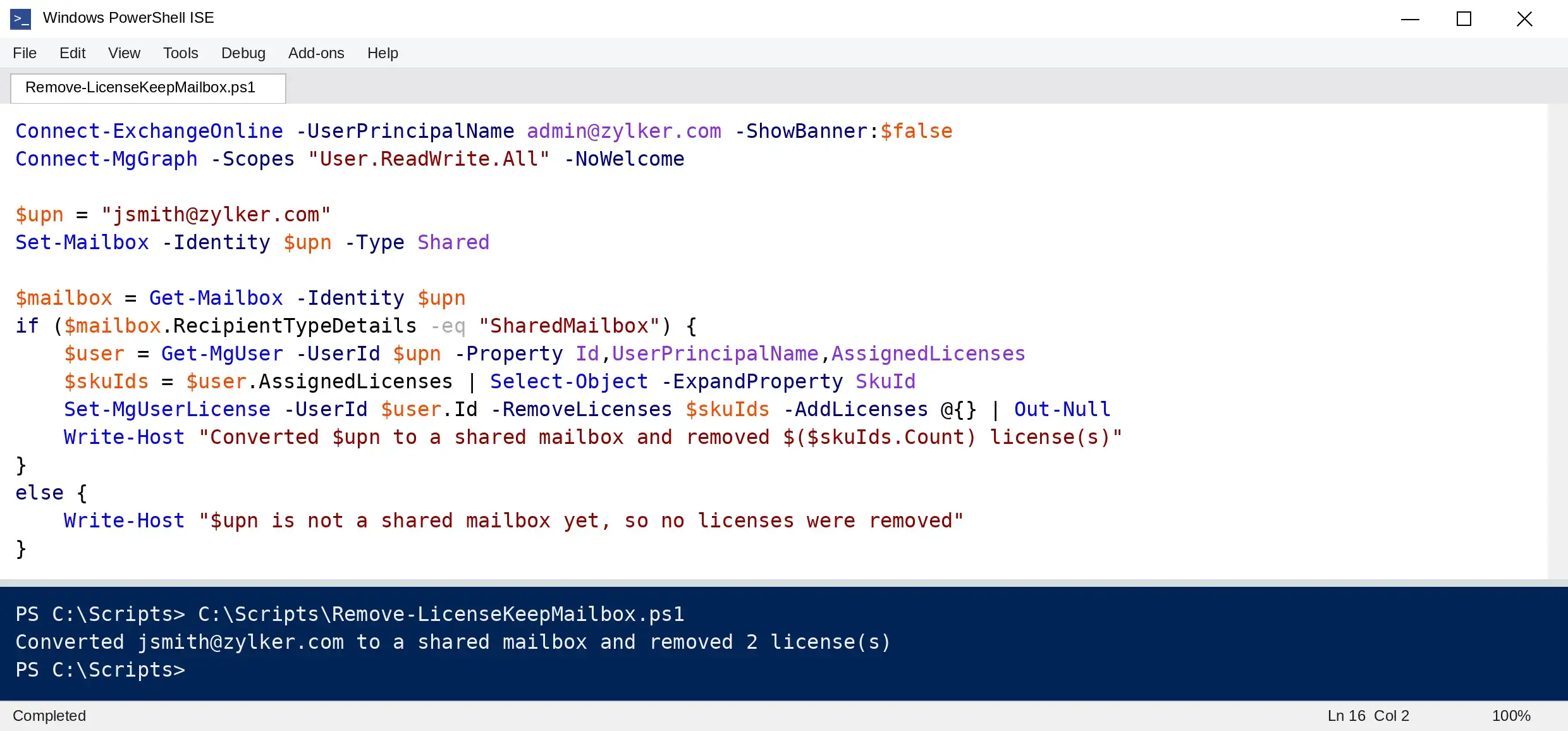
The script in the screenshot converts the mailbox to a shared mailbox with Exchange Online PowerShell, confirms the conversion, and then removes the licenses with Microsoft Graph PowerShell, which suits mailboxes of 50GB or less with no in-place archive or litigation hold.
Connect-ExchangeOnline -UserPrincipalName admin@zylker.com -ShowBanner:$false
Connect-MgGraph -Scopes "User.ReadWrite.All" -NoWelcome
$upn = "jsmith@zylker.com"
Set-Mailbox -Identity $upn -Type Shared
$mailbox = Get-Mailbox -Identity $upn
if ($mailbox.RecipientTypeDetails -eq "SharedMailbox") {
    $user = Get-MgUser -UserId $upn -Property Id,UserPrincipalName,AssignedLicenses
    $skuIds = $user.AssignedLicenses | Select-Object -ExpandProperty SkuId
    Set-MgUserLicense -UserId $user.Id -RemoveLicenses $skuIds -AddLicenses @{} | Out-Null
    Write-Host "Converted $upn to a shared mailbox and removed $($skuIds.Count) license(s)"
}
else {
    Write-Host "$upn is not a shared mailbox yet, so no licenses were removed"
}An automation policy can convert the mailbox first and remove the license after the period you set.
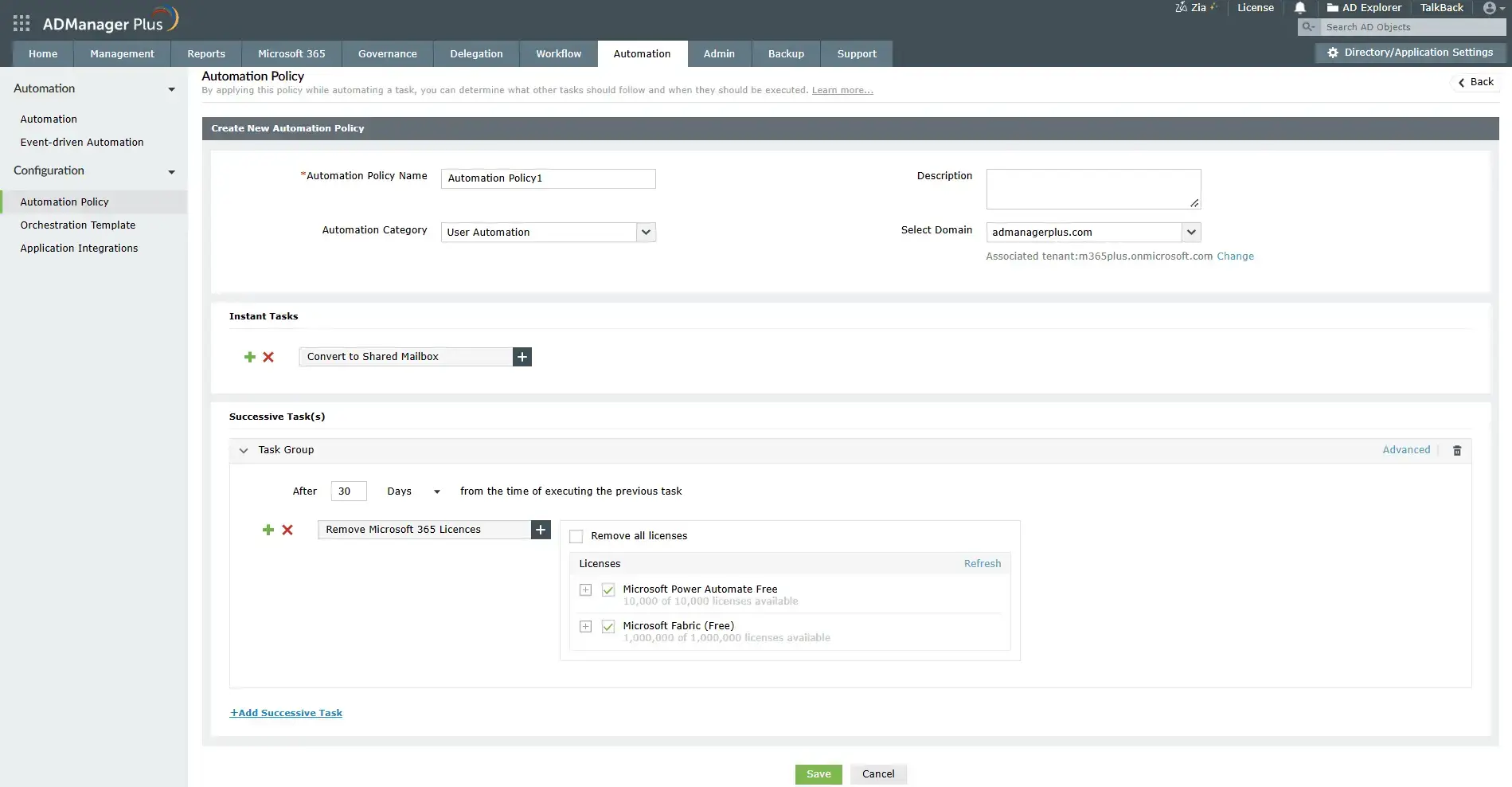
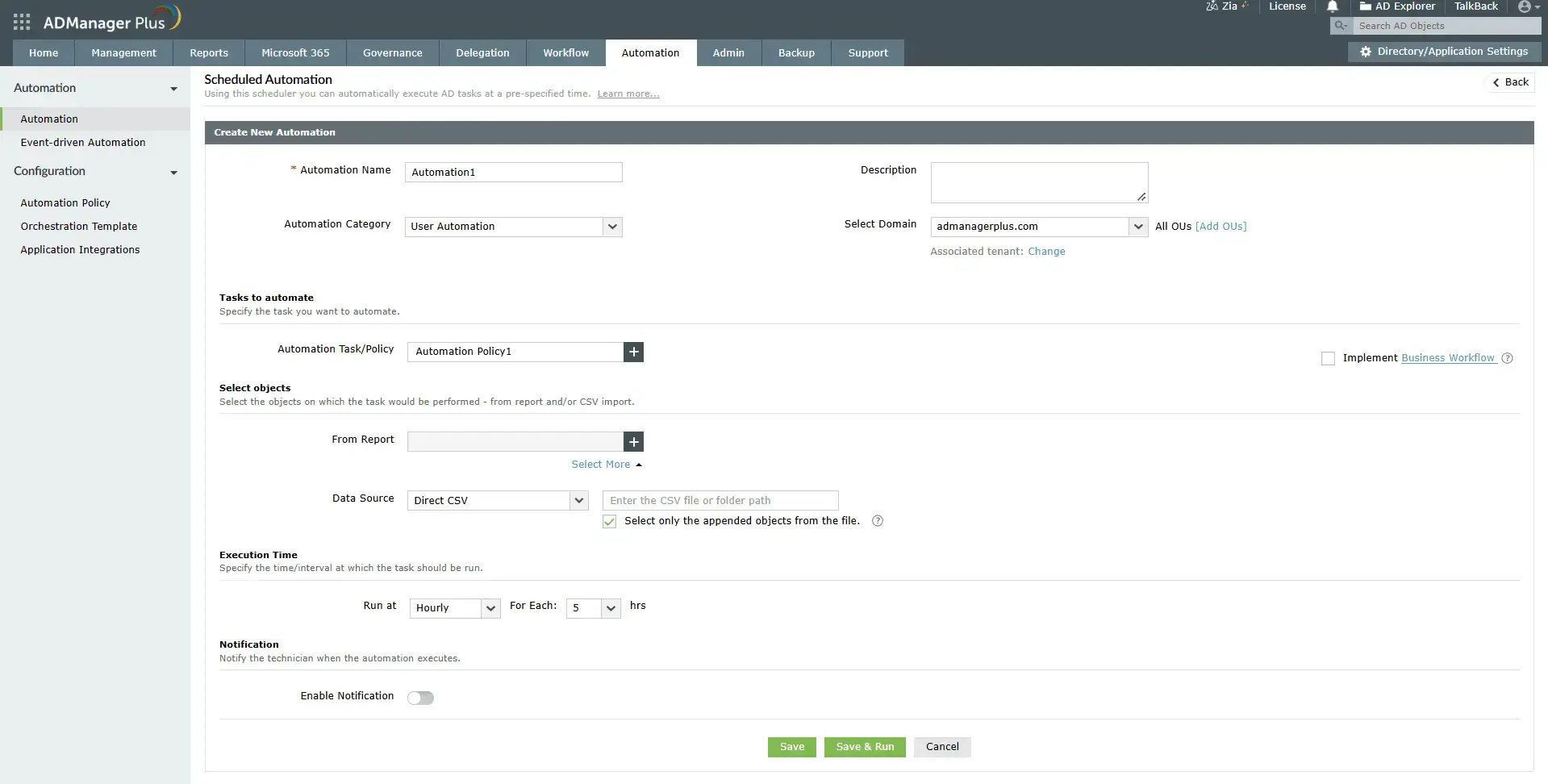
The conversion runs first and the license removal follows after the period you set, so the mailbox is already shared when its license is removed. A shared mailbox over 50GB, or one with in-place archiving or a litigation hold, still needs an Exchange Online Plan 2 license.
Read the user's assigned licenses with Get-MgUser -Property AssignedLicenses, then pass their SkuIds to the -RemoveLicenses parameter of Set-MgUserLicense. ADManager Plus does the same for many users at once through bulk license management using the Remove all licenses option.
No. Microsoft retired the license assignment cmdlets in the MSOnline and Azure AD PowerShell modules, and Set-MgUserLicense from the Microsoft Graph PowerShell SDK replaces them. Scripts written with Set-MsolUserLicense and an AccountSkuId need to be rewritten with a SkuId after you connect with Connect-MgGraph.
Run Get-MgSubscribedSku -All to list the tenant's licenses with their SkuPartNumber and SkuId, such as SPE_E5. To see one user's licenses, run Get-MgUserLicenseDetail -UserId, or get the license details of a user through the dedicated how-to. ADManager Plus lists the same information in its license reports.
The examples in Microsoft's documentation pass an empty collection for the list you are not using, so supply -AddLicenses @{} when you remove licenses and -RemoveLicenses @() when you add them.
Exchange Online data linked to the account is held for 30 days and then deleted, and the mailbox can no longer be searched with eDiscovery tools. OneDrive files are not deleted right away, but the account becomes unlicensed. It turns read-only after 60 days and is archived after 93 days, even if the user account stays active. Once billing for unlicensed OneDrive accounts is enabled, archived accounts incur storage and reactivation charges, and accounts that stay unpaid are subject to deletion after 365 cumulative unpaid days. Assigning a license before archival restores access. These rules do not apply to Microsoft Education, Government Community Cloud, or Department of Defense tenants.
Yes. When a user account is deleted, the license becomes available to assign to someone else immediately. To do this with PowerShell, learn how to delete Microsoft Entra ID users using Graph PowerShell.
The license is assigned through group-based licensing, and Set-MgUserLicense can only remove licenses that were assigned directly. Remove the user from the group that assigns the license, or change the license assignment on the group, then run the script again.
The session does not hold the permissions needed to change licenses, or the signed-in account lacks the License Administrator or User Administrator role. Run Connect-MgGraph again with the User.ReadWrite.All and Organization.Read.All scopes, and sign in with a qualifying account.
The Microsoft Graph PowerShell SDK is not installed or loaded in the current session. Run Install-Module Microsoft.Graph -Scope CurrentUser, open a new PowerShell window, and connect again.
The assignedLicenses/$count filter is an advanced query. Add -ConsistencyLevel eventual and -CountVariable to the Get-MgUser command, as in the all-licensed-users example above.