Application Control Audit & Reports
Discover installed applications, identify unmanaged software, and audit blocked access attempts — all from one place.
Inventory
Discovered application reports
These reports summarize every application and executable detected across your managed endpoints.
The Application Control catalogue separates discovered applications, unmanaged applications, blocked access and elevation activity. These report categories are not a ranking of the applications a user uses most often. A configured allowlist and an access-event report also answer different questions: a configured entry is not evidence that a user launched it. Review the individual report’s scope before using its output as usage evidence.
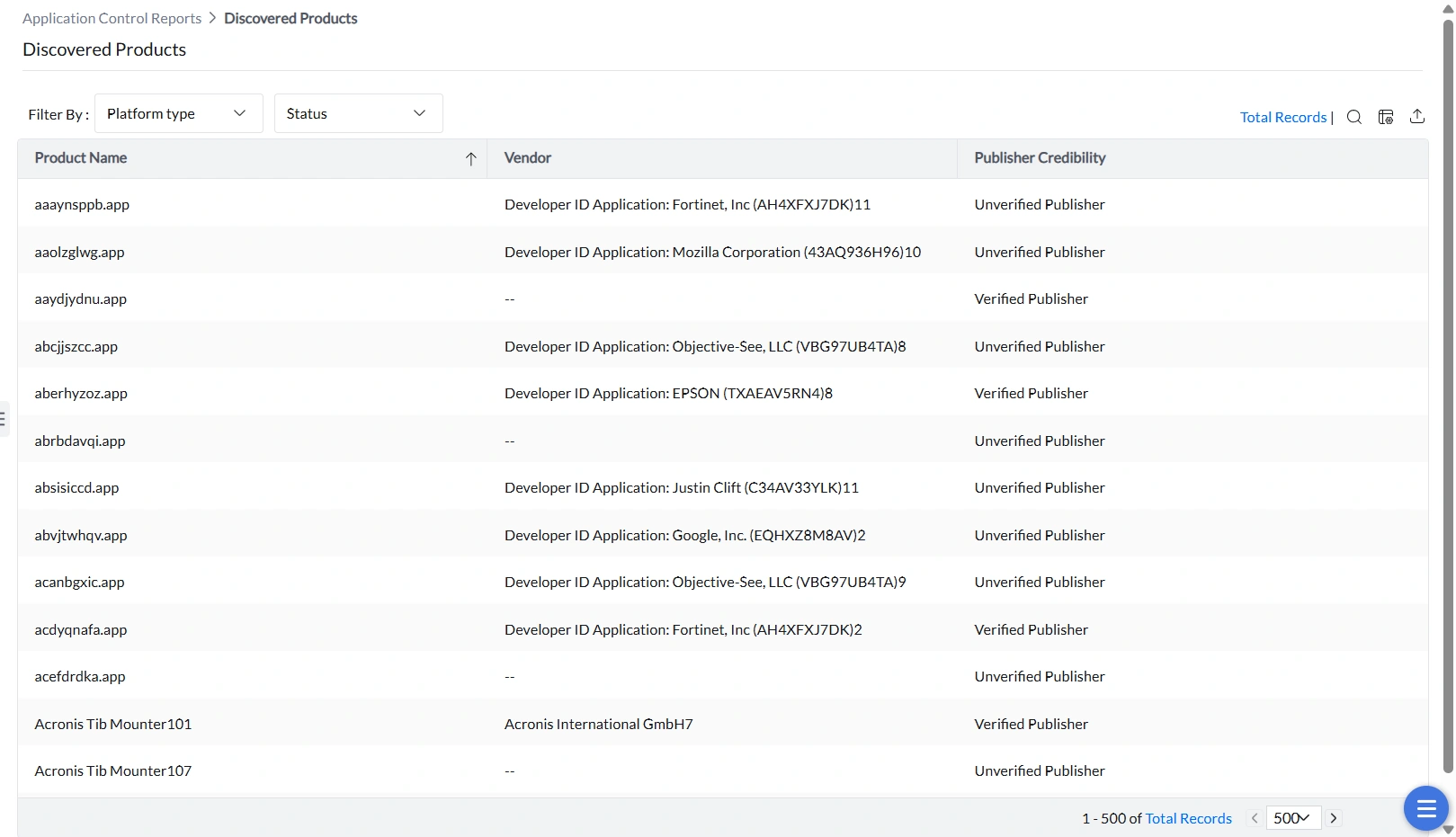
Discovered Products
This report lists all discovered applications across all vendors. Filter the report by OS platform (Windows or macOS) and by whether each application is associated with an application control policy or not.
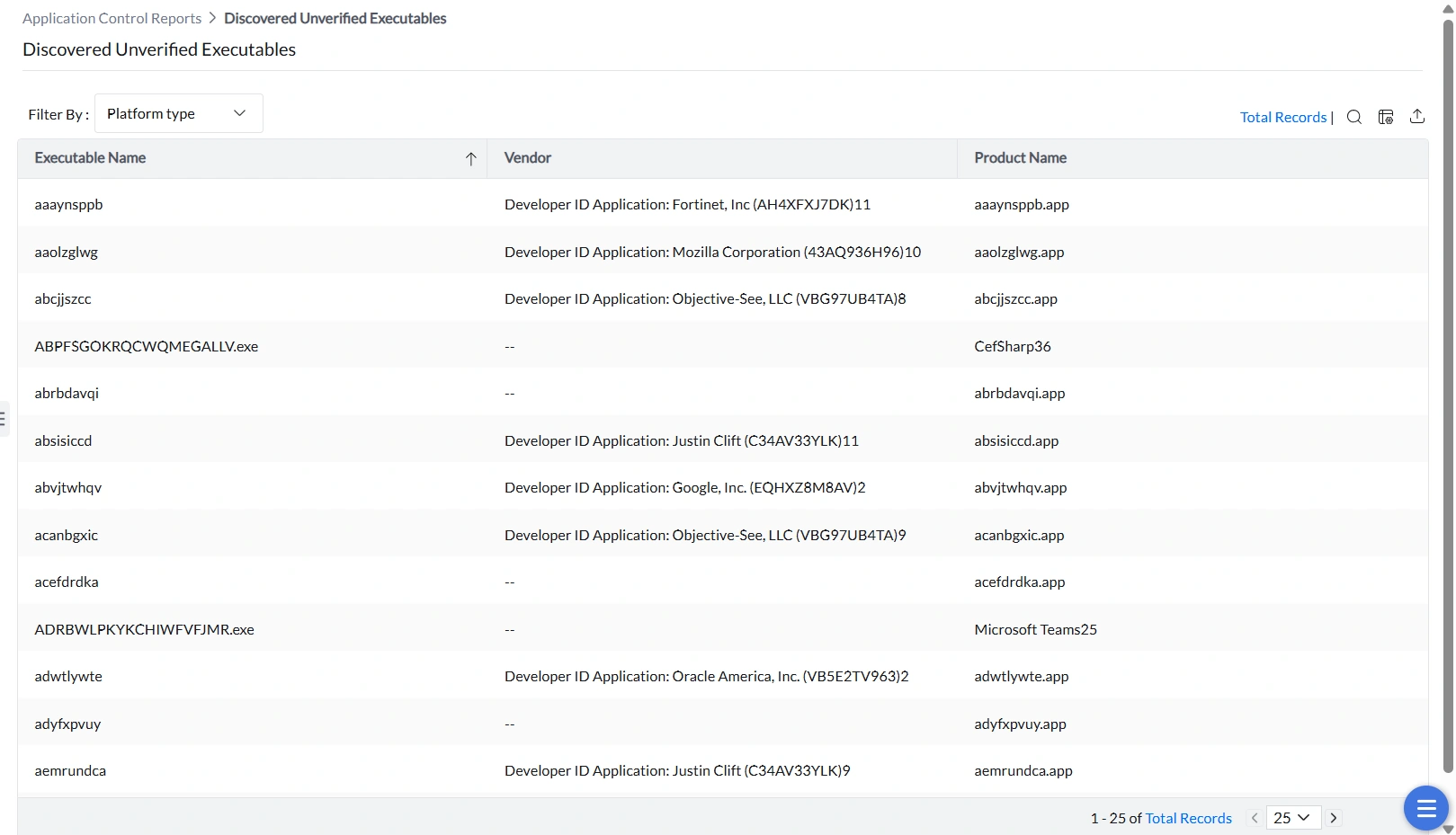
Discovered Unverified Executables
Applications consist of multiple executable files, each of which should carry a valid digital signature from its vendor. This report lists executables whose digital signature cannot be verified. Any tampered or unsigned executable will be blocked from running — making this report critical for maintaining a trusted execution environment.
To look up a discovered executable, search using the Executable Name column, for example TeamPulse.exe. This view describes discovered executable records; finding a record does not prove that the process is running now on a particular computer.
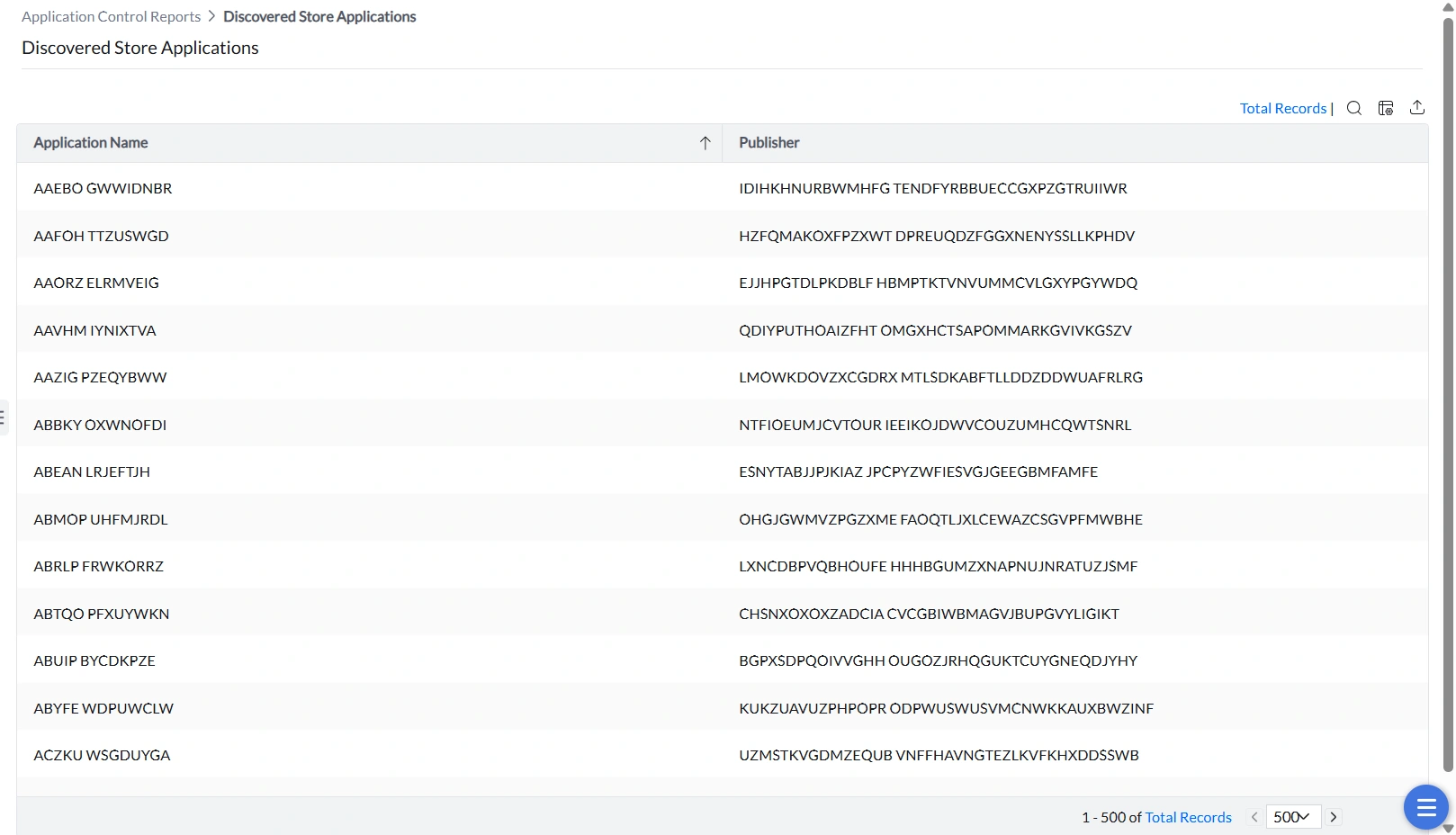
Discovered Store Applications
This report lists all Windows 10 and Windows 11 Store applications running on managed endpoints.
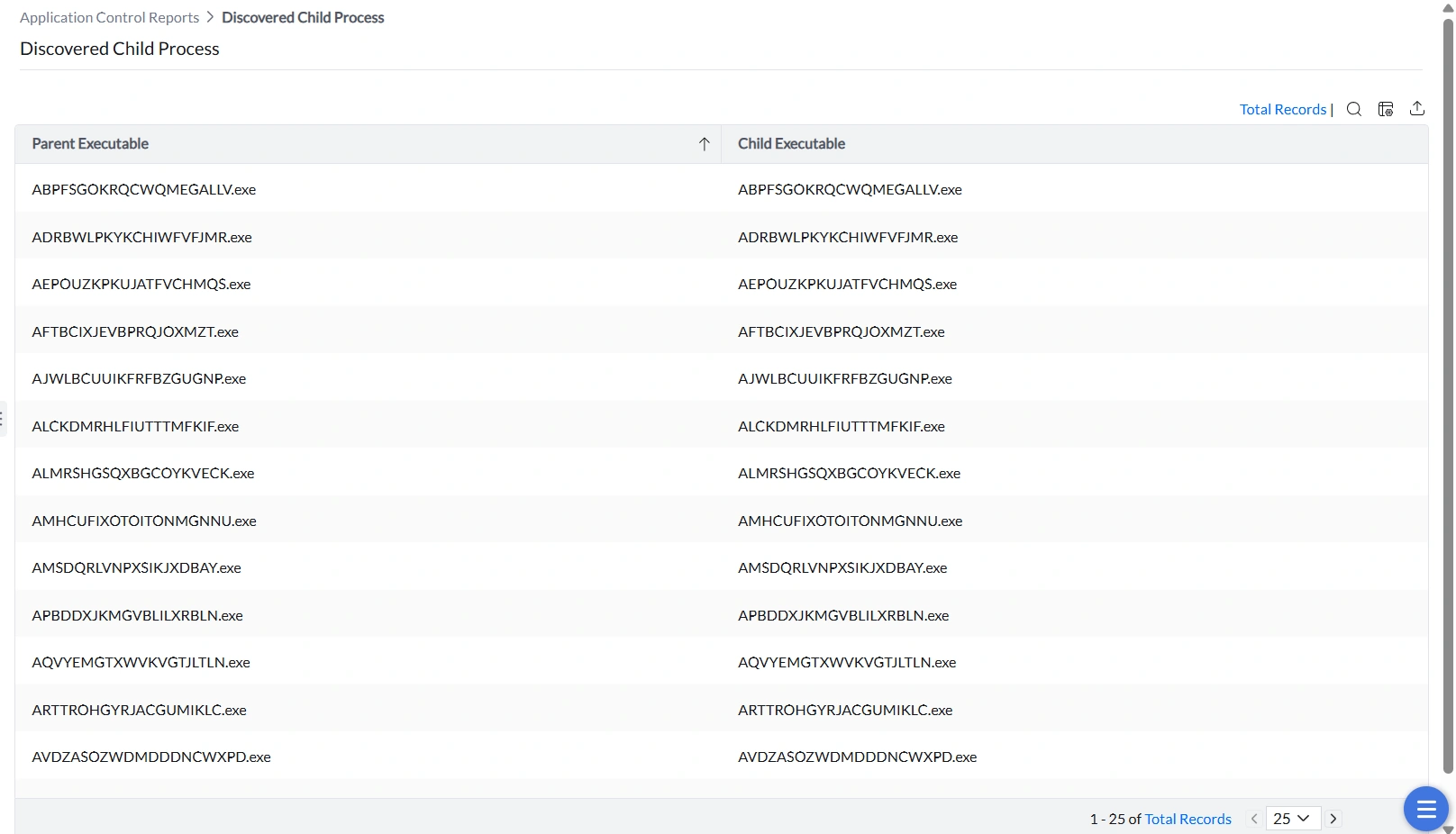
Discovered Child Processes
Child processes are processes launched by a running application. This report captures them so administrators can decide whether to permit or restrict them. Allowing only authorized applications to spawn child processes significantly reduces the risk of process-injection attacks and other exploitation techniques.
Child processes of an application run even when the parent application is blocklisted. Review this report to understand the full execution footprint of your installed software.
Unmanaged
Unmanaged application reports
Identify software that exists outside any application control policy so you can decide what to do with it.
Unmanaged Products
This report lists all applications not governed by an application control policy. Filterable by OS platform (Windows or macOS), this report is the starting point for eliminating policy gaps.
If a canned report does not include the information you need, review Query Reports and ask support for a query for your environment. Include the report name, required columns and product/build details. A query can return only data available to that supported reporting environment; this is not a guarantee that every requested field can be exported.
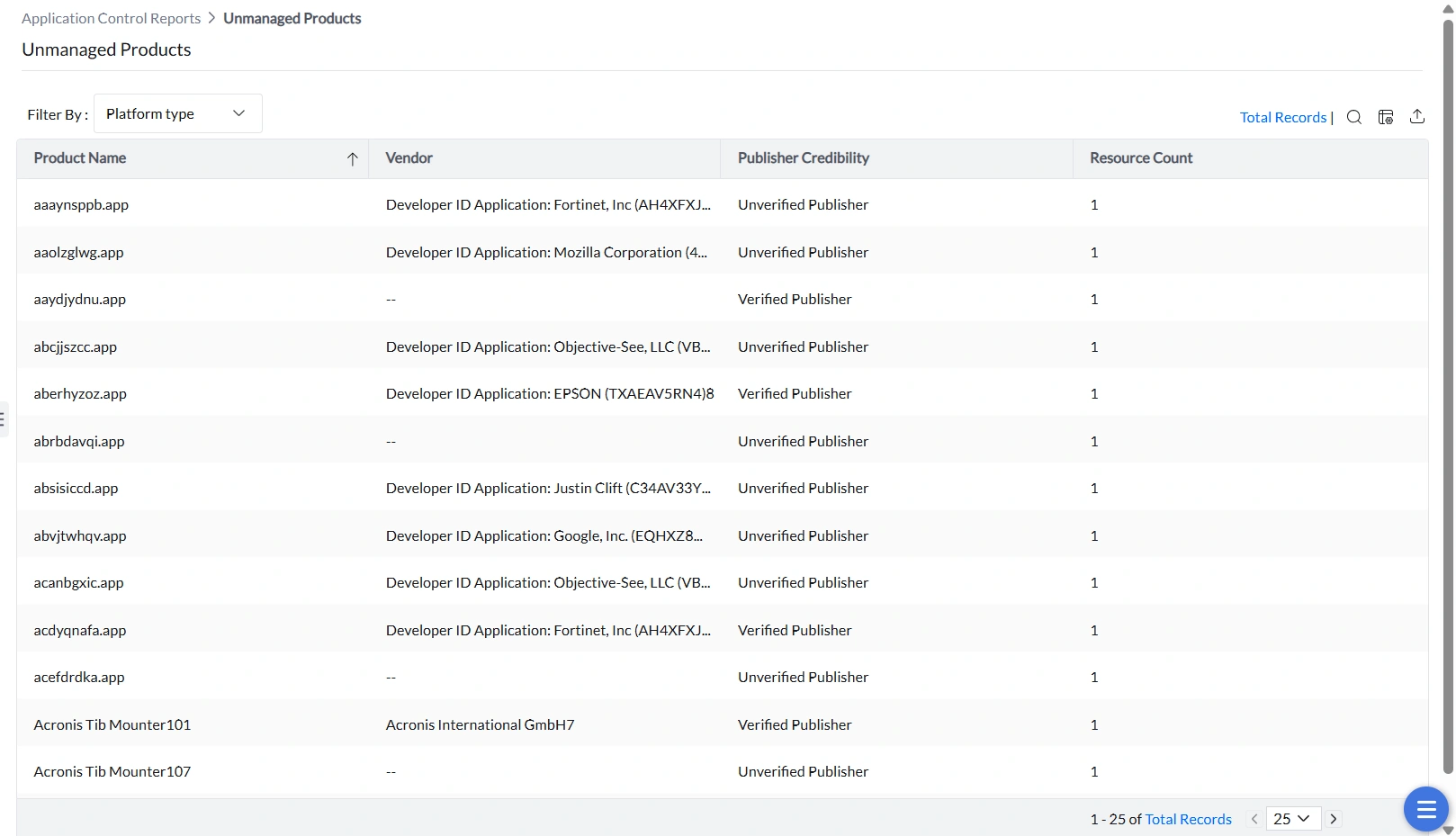
Unmanaged Products is included in the Application Control scheduled-report catalogue. Where Schedule Reports is available for your product and role, review the report and its available criteria there.
The policy group’s Unmanaged Apps view is a separate view with its own group context and export controls. Do not assume that selecting a consolidated scheduled report schedules the contents of that group view. Confirm the required group criteria before relying on the output.
If a removed application remains in this report, review Unmanaged Applications for discovery freshness checks. A record from another computer or an older observation must not be read as proof that the application is still installed on the computer you checked.
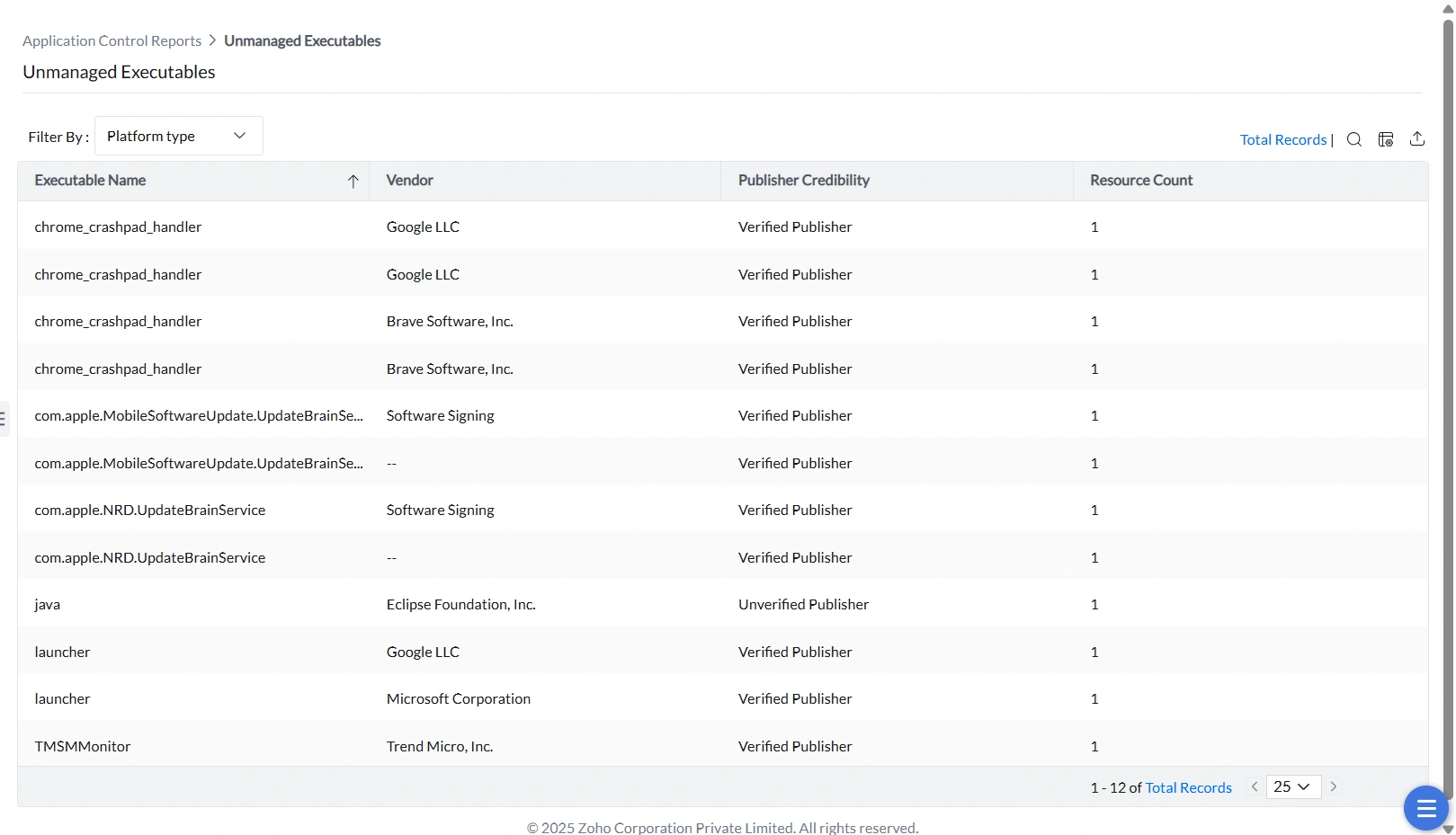
Unmanaged Executables
This report lists individual executables not included in any application control policy. Filterable by OS platform.
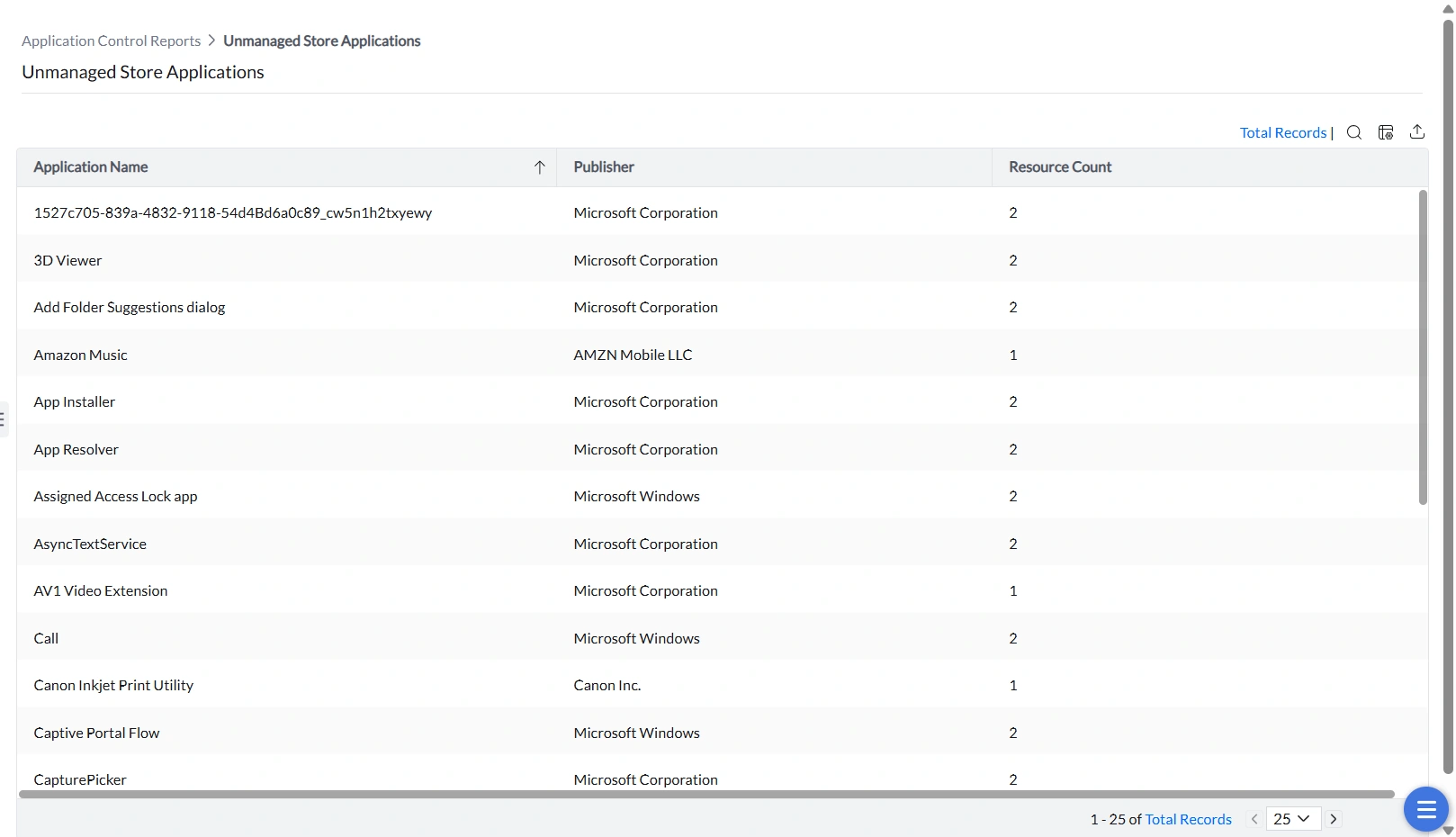
Unmanaged Store Applications
This report lists Windows 10 and Windows 11 Store applications not covered by any application control policy.
Events
Event audit reports
Track enforcement activity — blocked access attempts, elevation requests, and privilege usage — for compliance and investigation.
For activity under a JIT policy, open the policy’s Audit view as described in JIT Events Report. This is separate from the general elevation report catalogue.
Blocklisted Application Access
This report logs every attempt to launch an application that is explicitly blocked by policy. Use this report for compliance evidence and to monitor attempts to run prohibited software.
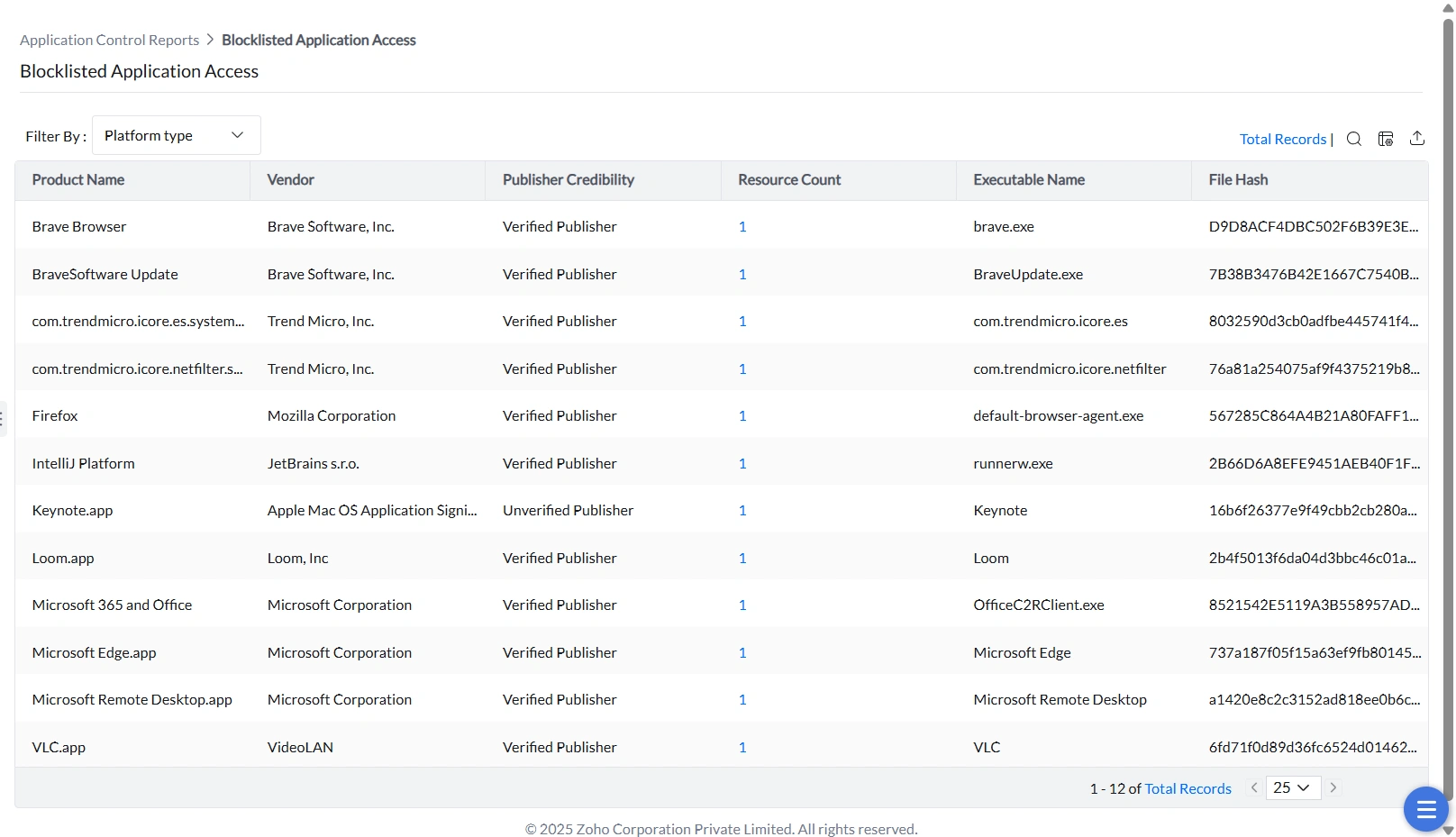
The consolidated Blocklisted Application Access view reports explicit blocklist activity. Do not assume it includes every unmanaged application blocked by Strict Mode. To investigate a specific computer’s blocked activity, review Application Access Events and compare the effective policies.
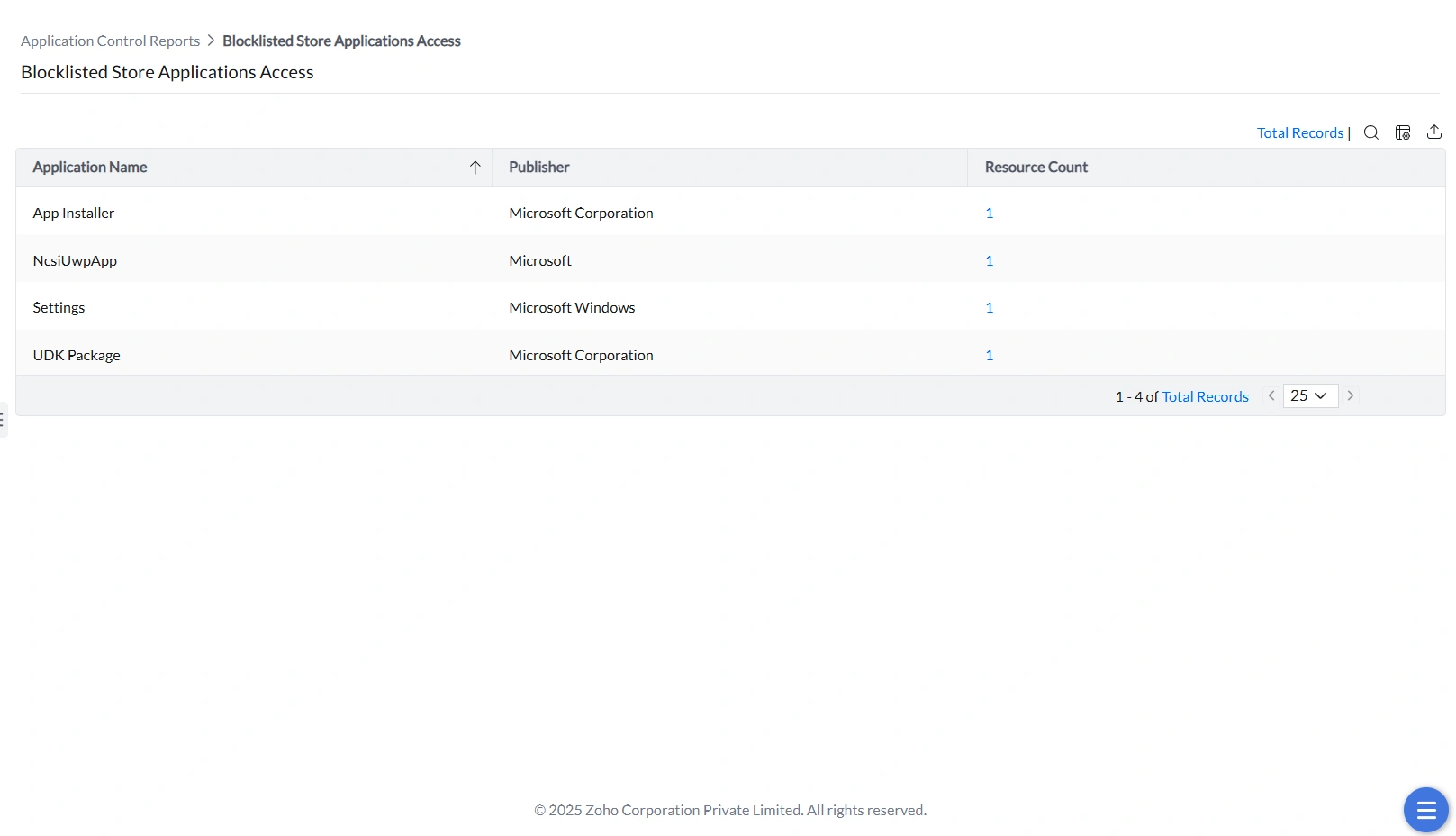
Blocklisted Store Application Access
This report tracks execution attempts for Windows Store applications that have been explicitly blocked. It provides a dedicated view for enforcing store-specific restrictions.
To configure a matching Store application rule, see StoreApps Rule. Desktop and Store-packaged variants can require different rule selections.
If a report is empty, first check your agent communication and the report type. Discovery reports depend on application discovery data. Access-event reports depend on reported application activity under the relevant policy. A discovered application is not proof of an access event.
Review the report’s filters and the affected computer’s policy and agent status before concluding that the report is unavailable.