Application Control: Policy Deployment
Associate application groups with device groups, choose a policy mode, and manage enforcement, notifications, revocation, and access events.
Association
Associating Application Groups
Link application allowlists or blocklists to specific device groups before deploying.
How to associate applications with custom groups
Users with similar roles often need the same set of applications. Endpoint Central lets you associate multiple allowlists with a custom device group — and a single allowlist with multiple groups — so policies scale without duplication.
- Navigate to Application Groups to create an Allowlist or Blocklist. To know more about the creation of application groups, refer to this page.
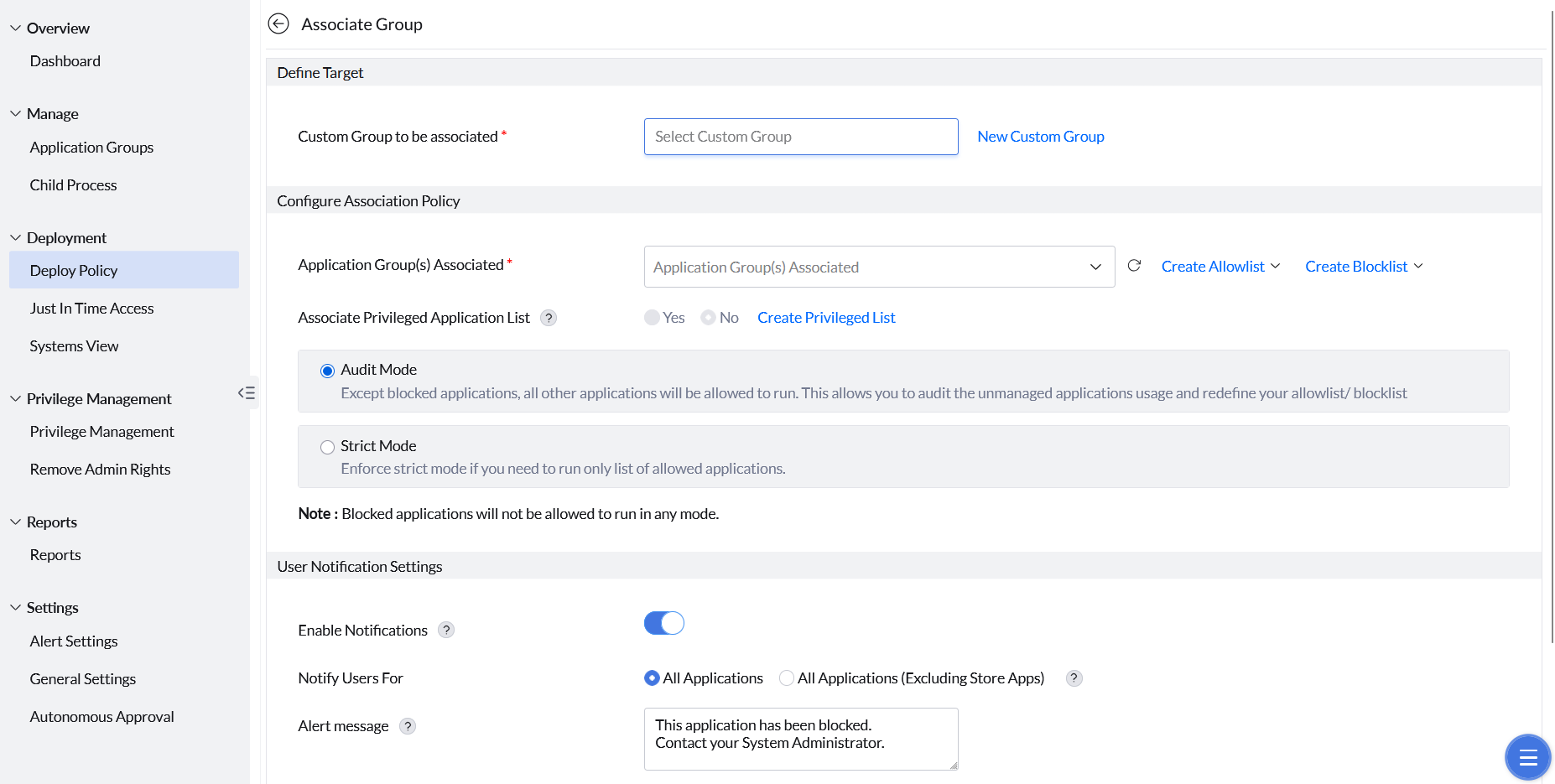
- Under Deployment, go to Deploy Policy and create or select a custom group.
- Select the application group to associate with that custom group.
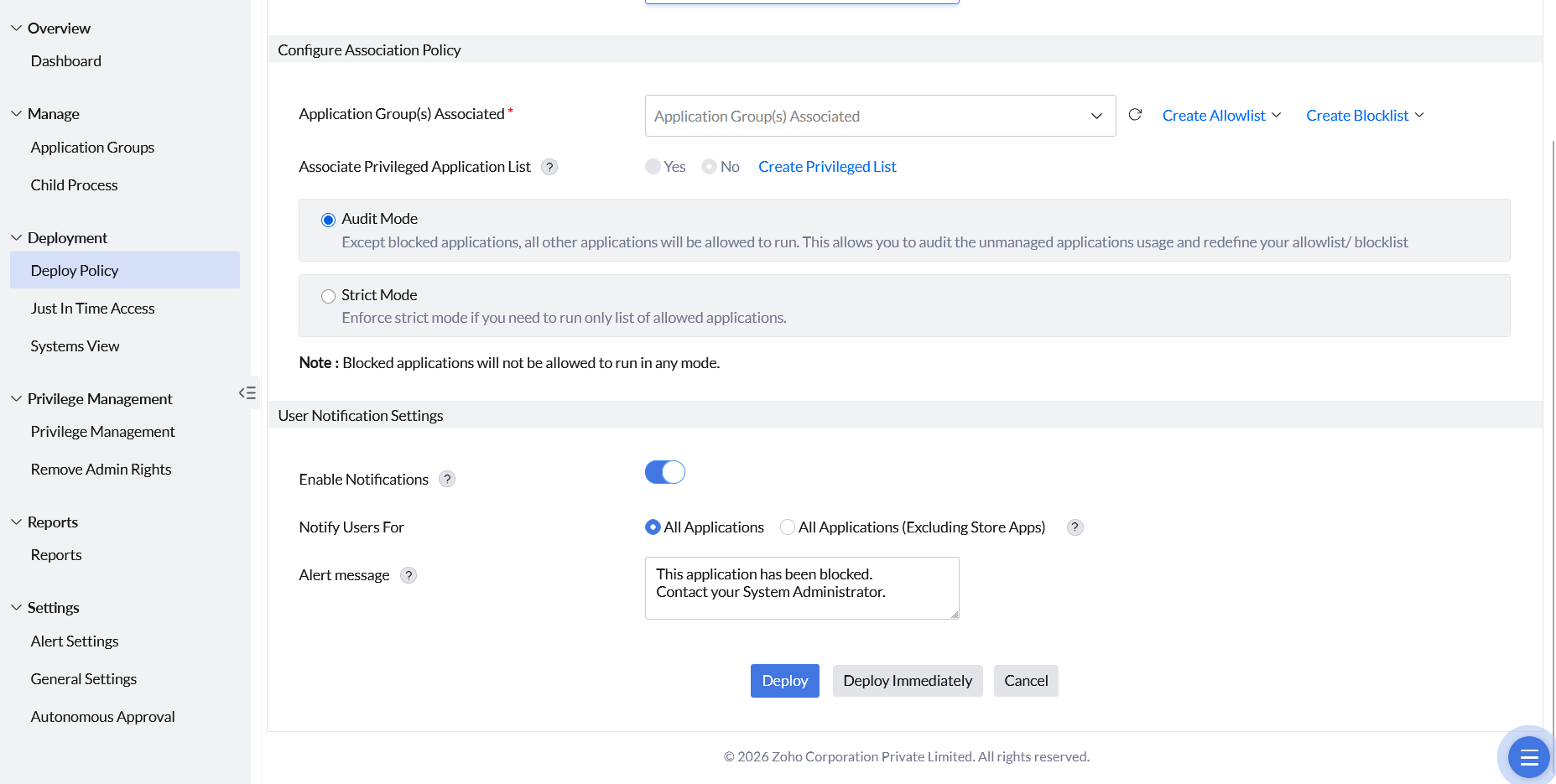
- If required, enable Associate Privileged Application List for privilege management.
- Select Audit Mode or Strict Mode as the enforcement level.
- While running in Strict mode, the unmanaged applications can be requested if the option is enabled.
- Configure Custom Notifications and Alert Messages as needed.
- Click Deploy or Deploy Immediately.
Policy Modes
Flexibility Regulator
Choose the enforcement level that matches your organization's current security posture.
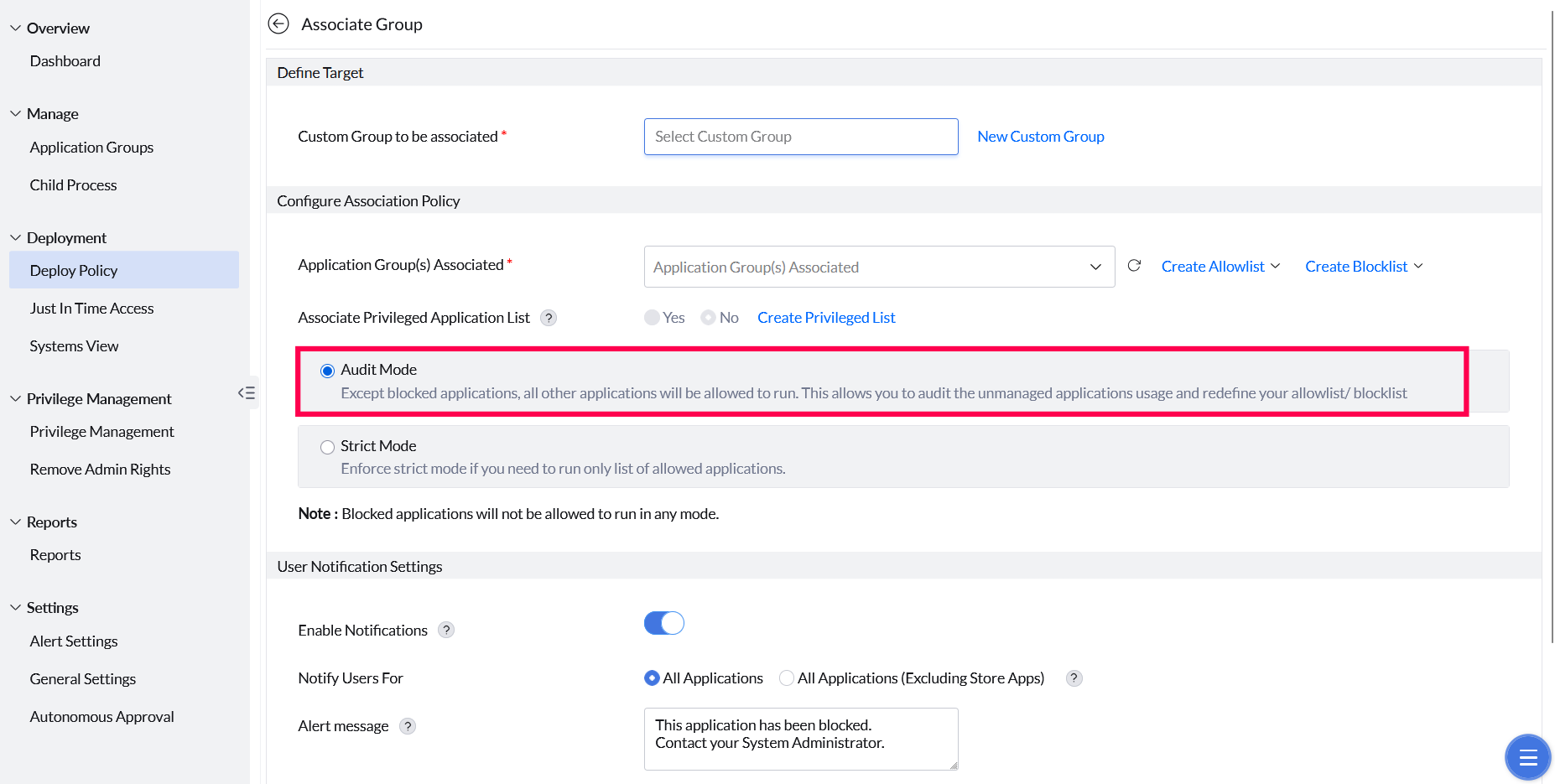
Audit Mode
Audit Mode is the recommended starting point for organizations new to application control. All allowlisted and unmanaged applications run without restriction, while events are collected to help administrators understand which applications users actually need.
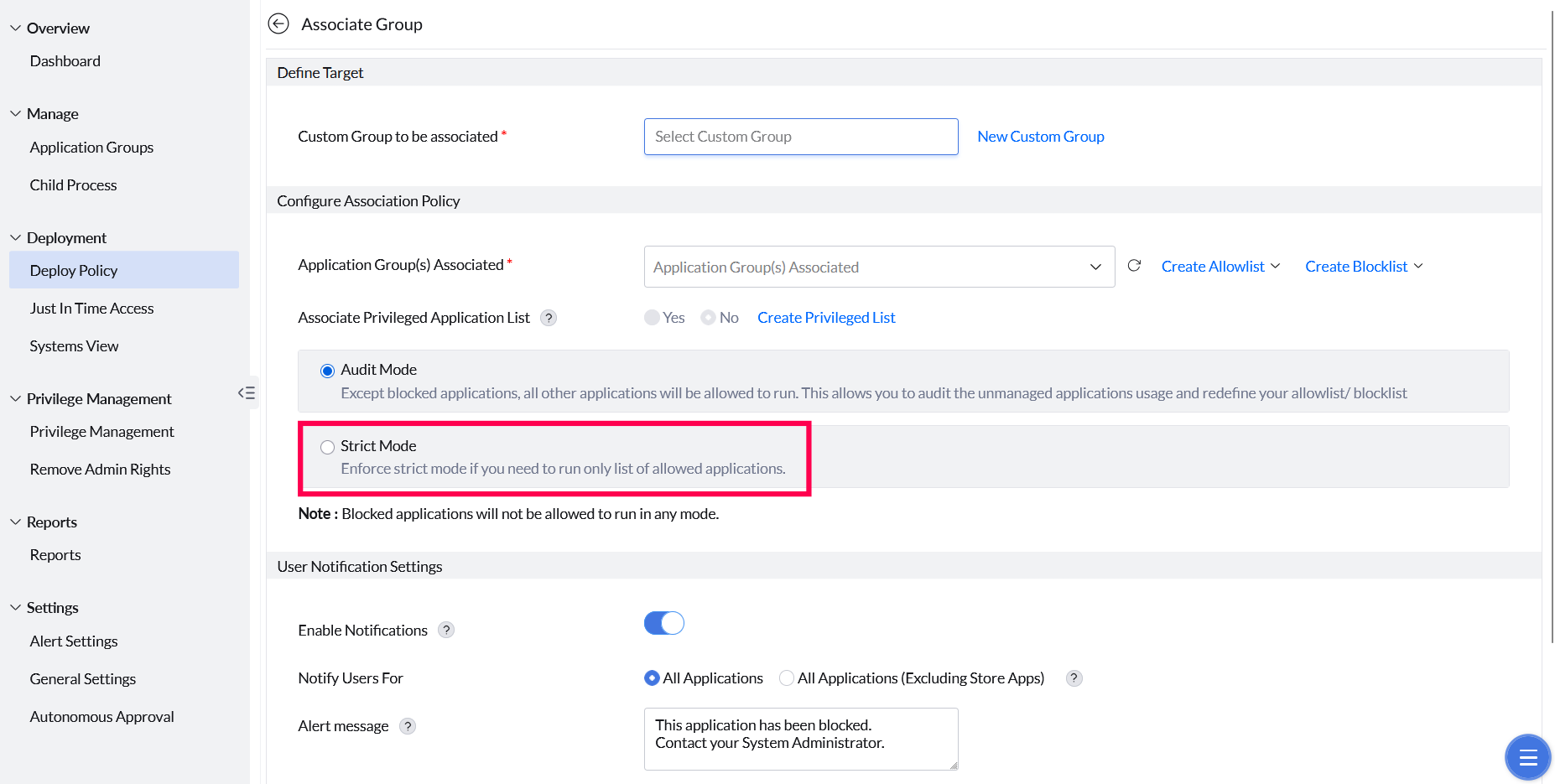
Strict Mode
Strict Mode enforces a zero-trust security model. Only applications explicitly included in the allowlist can execute. Any attempt to run an unmanaged application is immediately blocked and the user is notified.
Notifications
User Notification Settings
Show a custom alert to end users when an application is blocked.
Configuring custom block notifications
Administrators can configure a customized alert message to display on the user's device whenever an application is blocked by policy. The notification can be tailored as needed and applied to all blocked applications.
Management
Revoking, Events, and Precedence
Manage the policy lifecycle and resolve conflicts across overlapping policies.
Revoking Application Policy
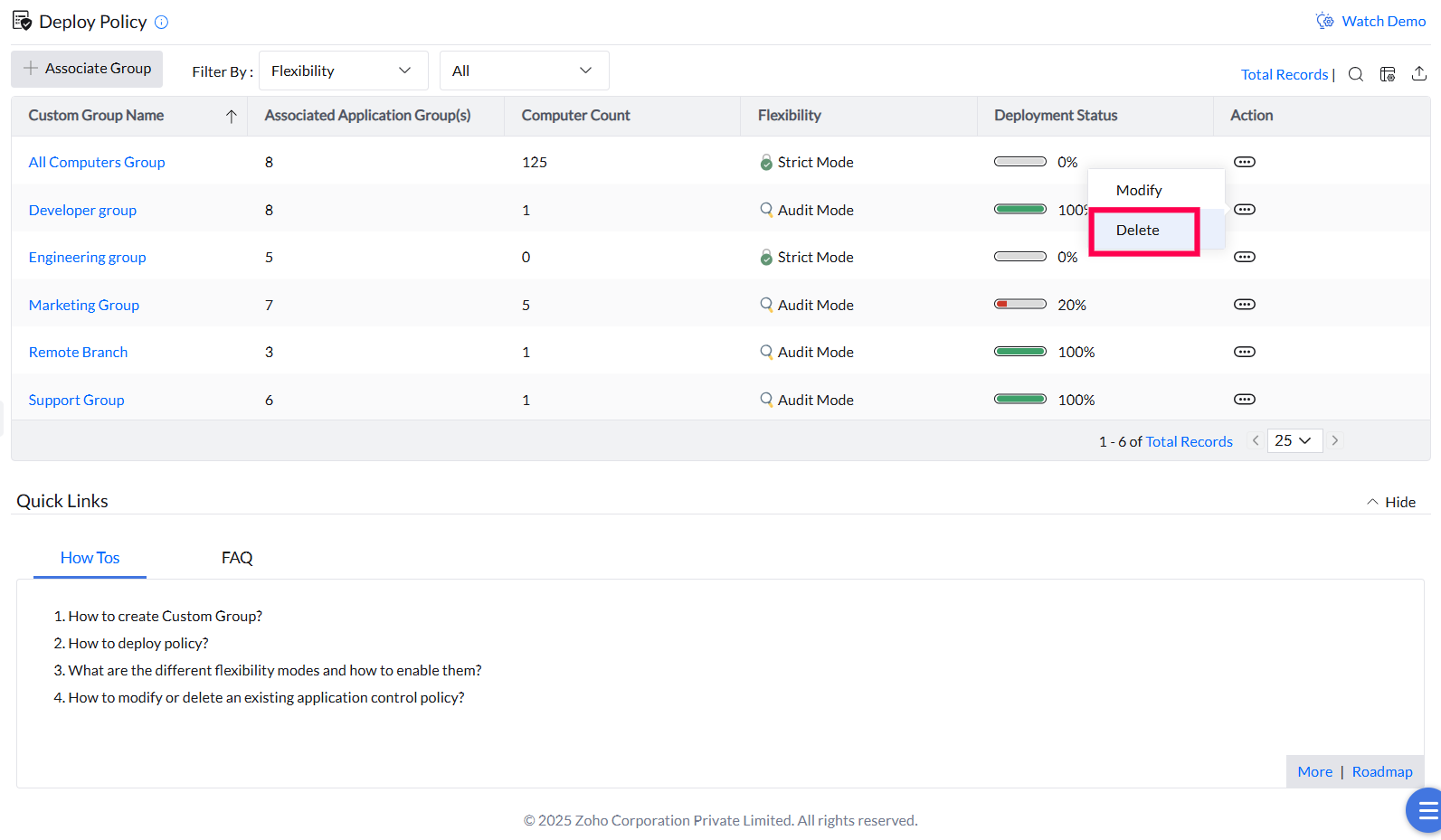
Deployed policies can be revoked by deleting the policy or by removing the target machine from its associated custom group. Policy changes, deletions, group modifications, and updates to unmanaged applications are synchronized with agent machines during their 90-minute refresh cycles. In environments with a Distribution Server, changes are replicated there first and then pushed to agents.
Application Access Events
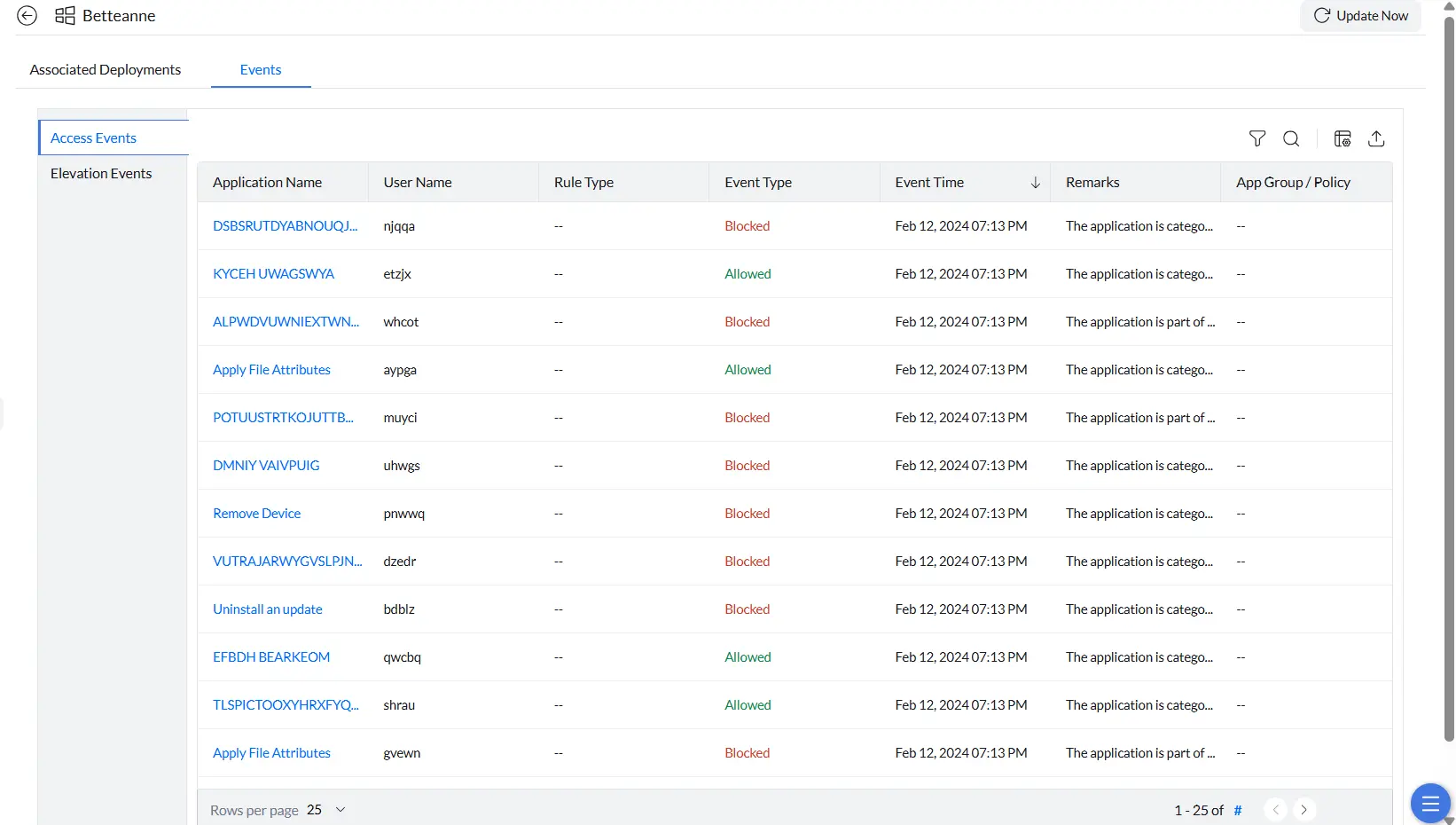
The Access Events view shows a full record of application access attempts on a managed endpoint — both successfully launched and blocked applications. Use it to monitor user activity, verify policy enforcement, and investigate unauthorized access attempts.
- Navigate to Systems and select the target machine.
- Open the Events tab and choose Access Events from the left panel.
- Click Update Now in the top-right corner to refresh events from the endpoint.
Each event shows the application name, user, event type (Allowed or Blocked), event time, remarks, and the associated application group.
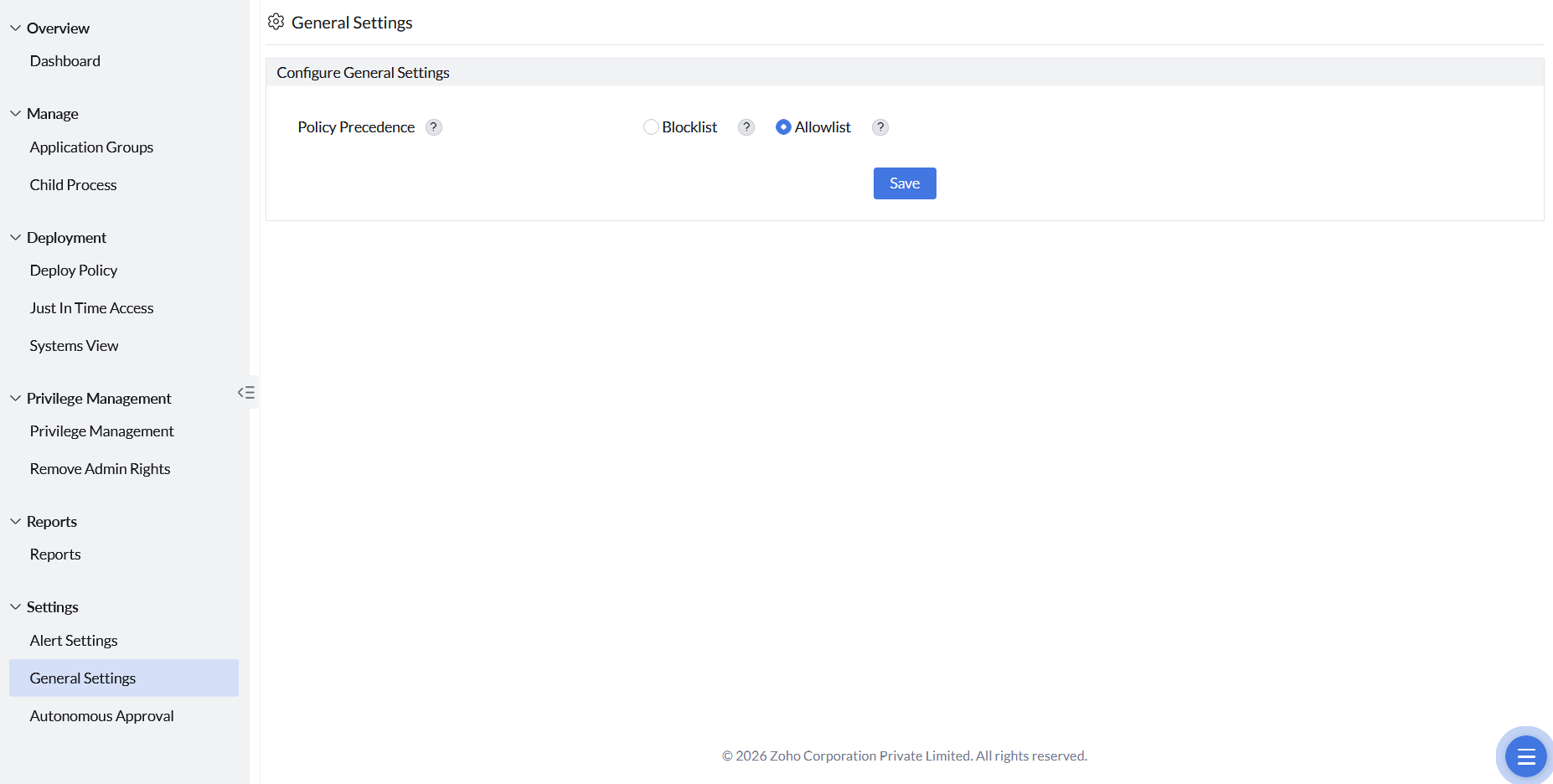
Policy Precedence
When both allowlist and blocklist policies share the same filter rule and apply to the same endpoint, Policy Precedence determines which takes priority. Configure this under Settings → General Settings.