Free Edition
The database used in ADSelfService Plus houses some important information that is crucial for the proper functioning of the tool. ADSelfService Plus allows you to automatically back up its built-in PostgreSQL database at specified intervals, as a proactive measure against the loss of data.
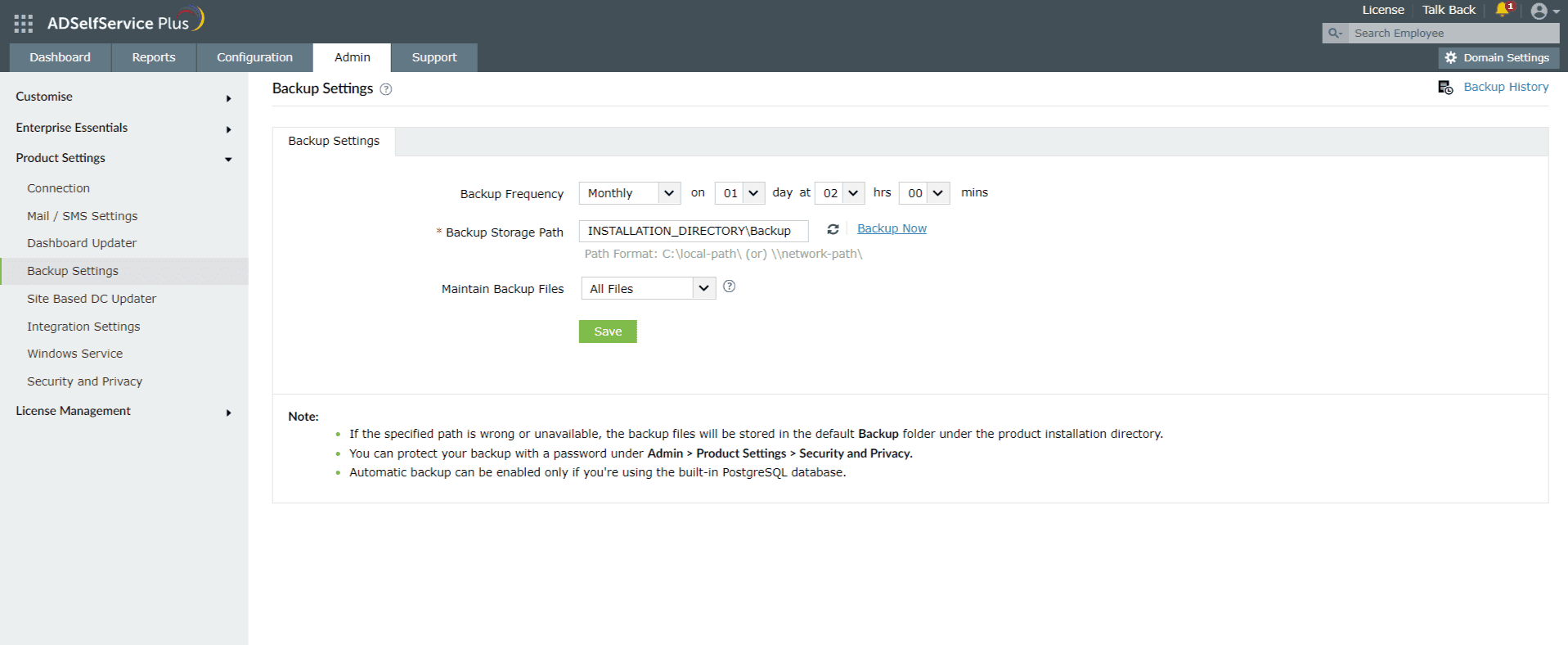
Note: If the specified path is wrong or unavailable, the backup file will be stored in the default backup folder under the product installation directory, which is <Install_Dir>/Backup (By default: C:\Program Files\ManageEngine\ADSelfService Plus\Backup).
To back up the database immediately, click the Backup Now link. You can view the status, location, and timestamp of previous backups by clicking Backup History at the top-right corner of the page.
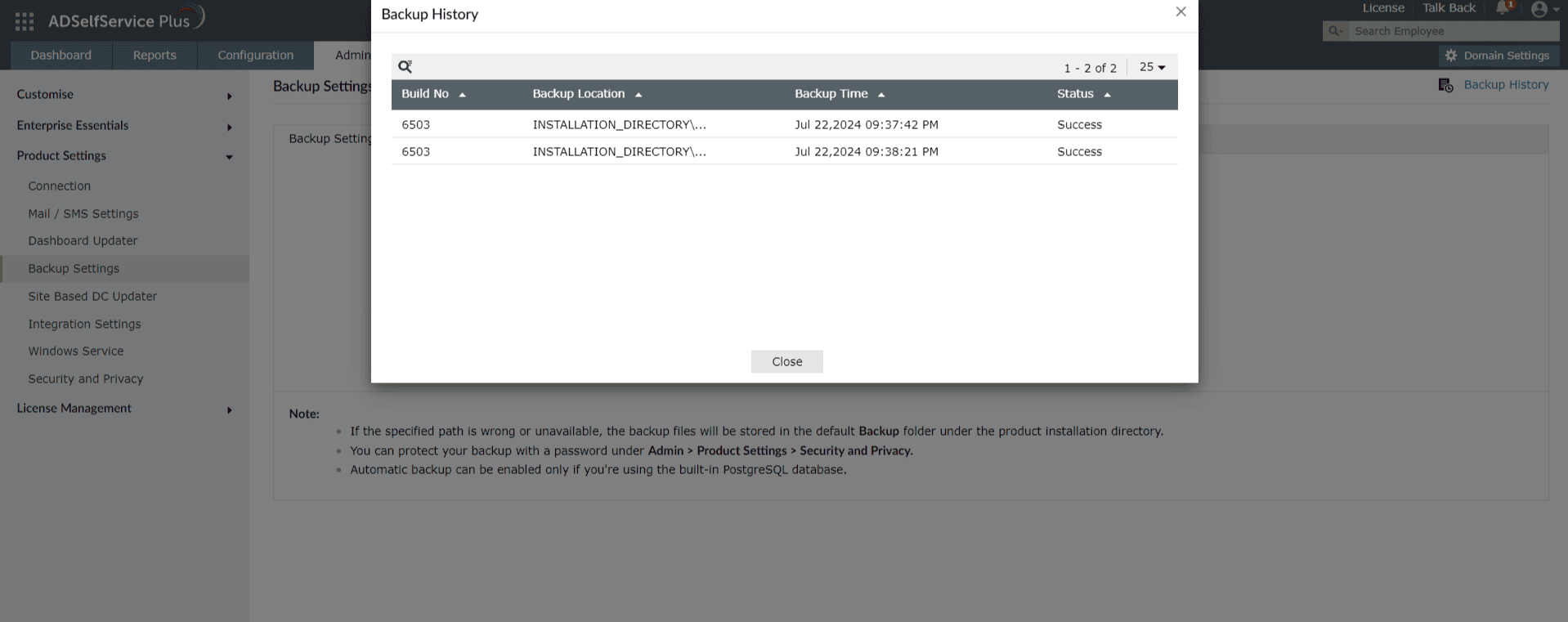
Note: You can protect your backup with a password under Admin > Product Settings > Security and Privacy.
To back up the ADSelfService Plus database manually, follow these steps.
Need further assistance? Fill this form, and we'll contact you rightaway.
Allow Active Directory users to self-service their password resets and account unlock tasks, freeing them from lengthy help desk calls.
Get seamless one-click access to 100+ cloud applications. With enterprise single sign-on, users can access all their cloud applications using their Active Directory credentials.
Intimate Active Directory users of their impending password and account expiry via email and SMS notifications.
Synchronize Windows Active Directory user passwords and account changes across multiple systems automatically, including Microsoft 365, Google Workspace, IBM iSeries, and more.
Strong passwords resist various hacking threats. Enforce Active Directory users to adhere to compliant passwords by displaying password complexity requirements.
Enable Active Directory users to update their latest information themselves. Quick search features help admins scout for information using search keys like contact numbers.