Free Edition
In this article:
This article explains how to configure MFA for privileged Active Directory accounts using ADSelfService Plus to prevent unauthorized access and minimize the risk of account compromise. Enforcing multi-factor login for privileged access can significantly enhance the security of your critical systems and helps secure high-risk users such as IT admins, database administrators, and other users with elevated permissions in Active Directory environments. By enabling privileged access MFA, organizations can enforce strict access policies and enhance protection against credential-based attacks, even if passwords are compromised. With multi-factor login for privileged access, you can:
To begin securing your privileged accounts with MFA, create a self-service policy within ADSelfService Plus. To do this:
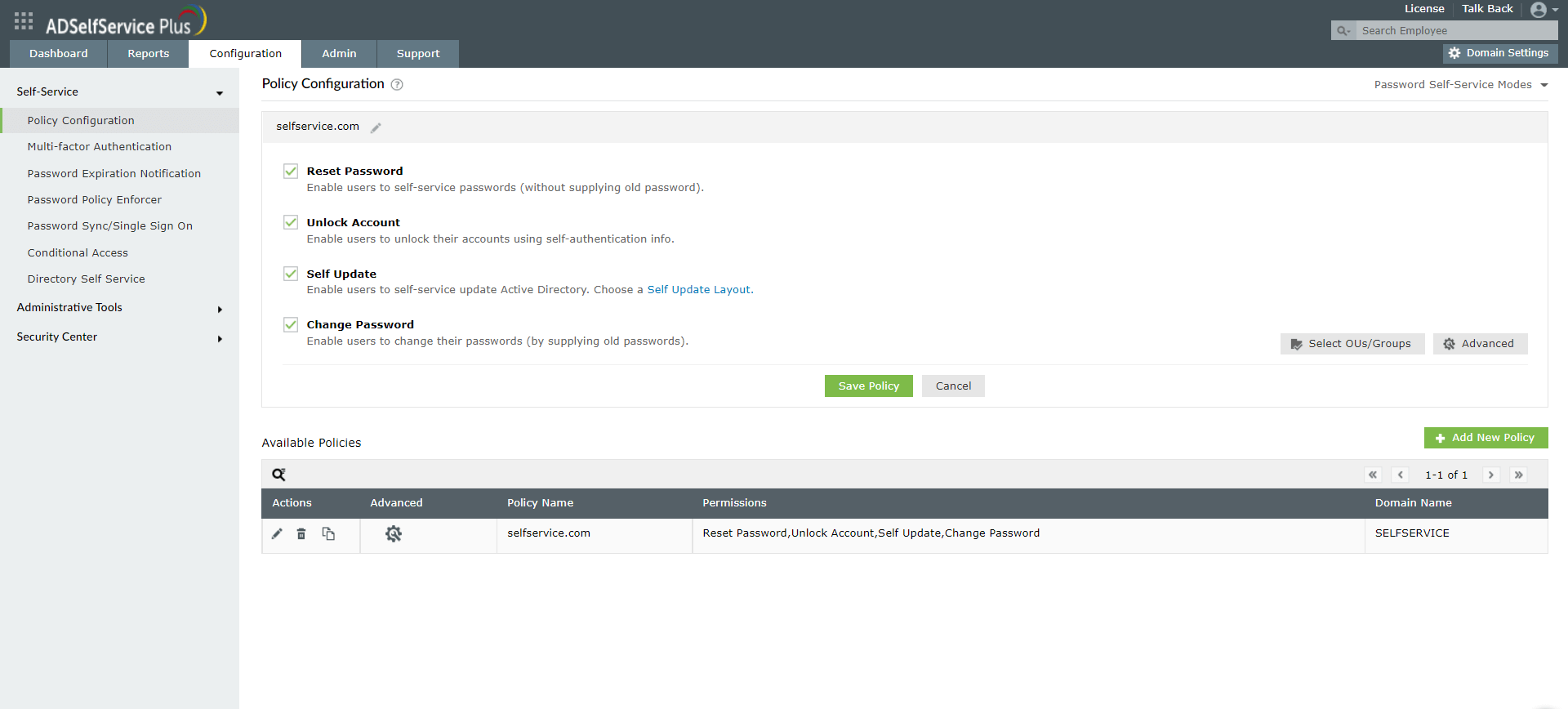
Figure 1: Create a self-service policy for privileged user accounts in ADSelfService Plus.
Next, associate stringent authentication methods for your privileged user account policy. It is recommended to choose strong authenticators such as biometric authentication, FIDO passkeys, or YubiKey Authenticator suitable for high-risk accounts with privileged access.
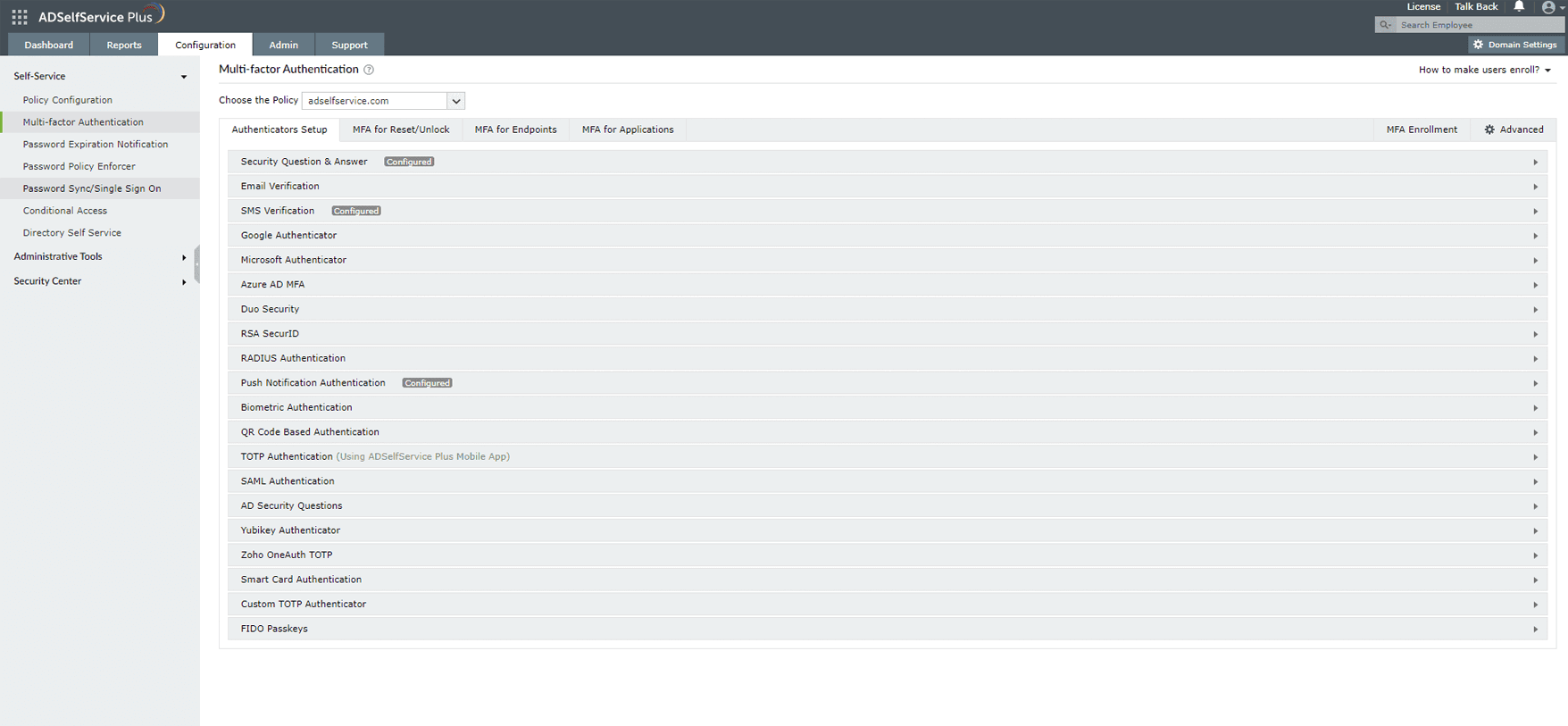
Figure 2: Configure authenticators for privileged access MFA.
To ensure all privileged user accounts are protected by MFA, you can:
This step is crucial for widespread adoption of MFA for privileged accounts, reducing gaps in protection.
This can be configured under Configuration > Administrative Tools > Quick Enrollment.
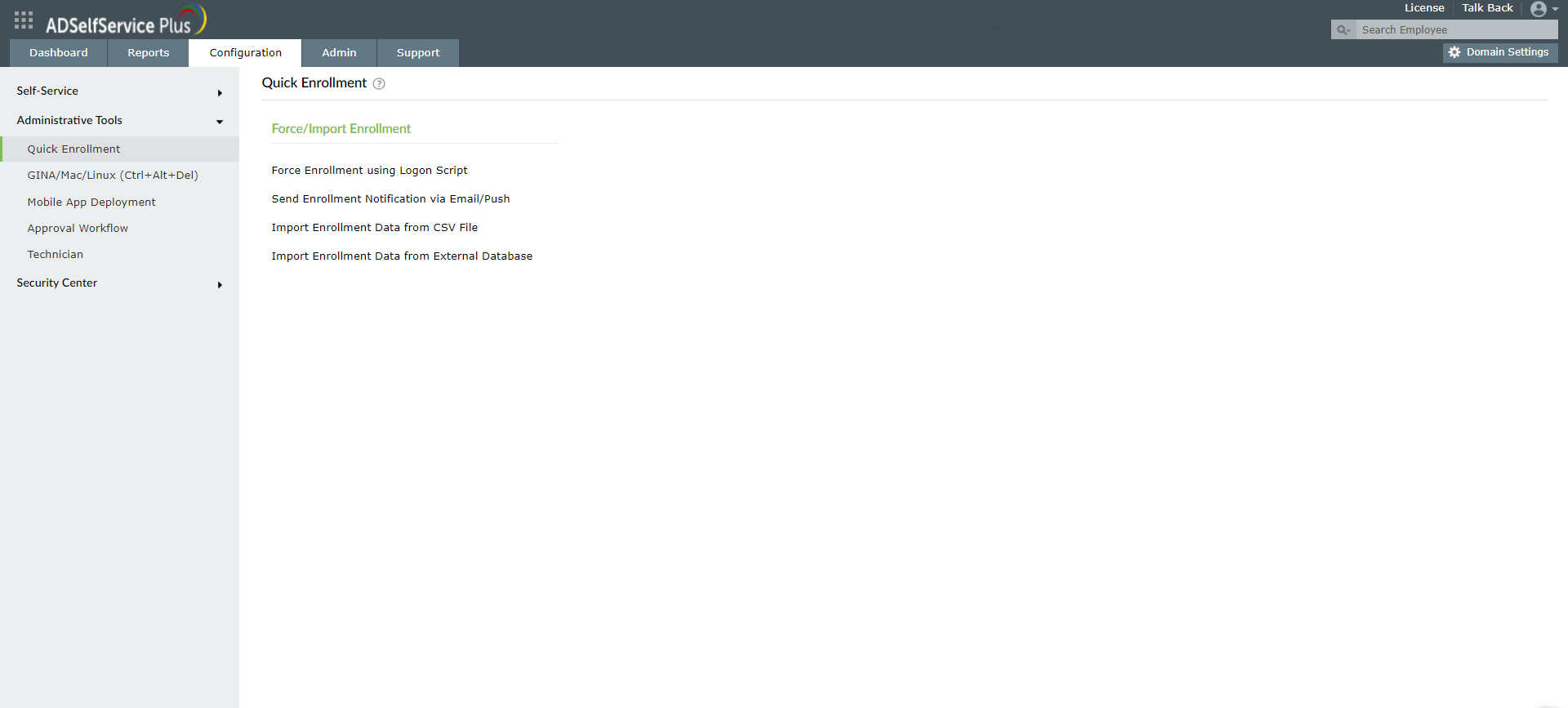
Figure 3: Enable forced user enrollment for privileged access MFA.
ManageEngine ADSelfService Plus supports a wide range of authentication methods to implement robust MFA for privileged accounts:
How to secure privileged accounts with adaptive MFA
MFA for Active Directory accounts
Enable MFA for privileged user accounts using ADSelfService Plus
Download a free trial now! Request demoNeed further assistance? Fill this form, and we'll contact you rightaway.
Allow Active Directory users to self-service their password resets and account unlock tasks, freeing them from lengthy help desk calls.
Get seamless one-click access to 100+ cloud applications. With enterprise single sign-on, users can access all their cloud applications using their Active Directory credentials.
Intimate Active Directory users of their impending password and account expiry via email and SMS notifications.
Synchronize Windows Active Directory user passwords and account changes across multiple systems automatically, including Microsoft 365, Google Workspace, IBM iSeries, and more.
Strong passwords resist various hacking threats. Enforce Active Directory users to adhere to compliant passwords by displaying password complexity requirements.
Enable Active Directory users to update their latest information themselves. Quick search features help admins scout for information using search keys like contact numbers.