
System Resource Calculator
Last updated on:
In this page
Overview
The system resources calculator helps you determine the ideal system resources required for smooth product performance. By analyzing your log flow trends and retention settings, it provides tailored recommendations for disk space, CPU, and memory allocation. This ensures that your deployment can efficiently handle current and projected log volumes without performance degradation.
NOTE The recommendation is based on trend data; it's advisable to run the product for at least 7 days to obtain more accurate recommendations.
Accessing the system resources calculator
- To access and configure the System Resources Calculator, navigate to Settings > System Diagnostics > System Resources Calculator.
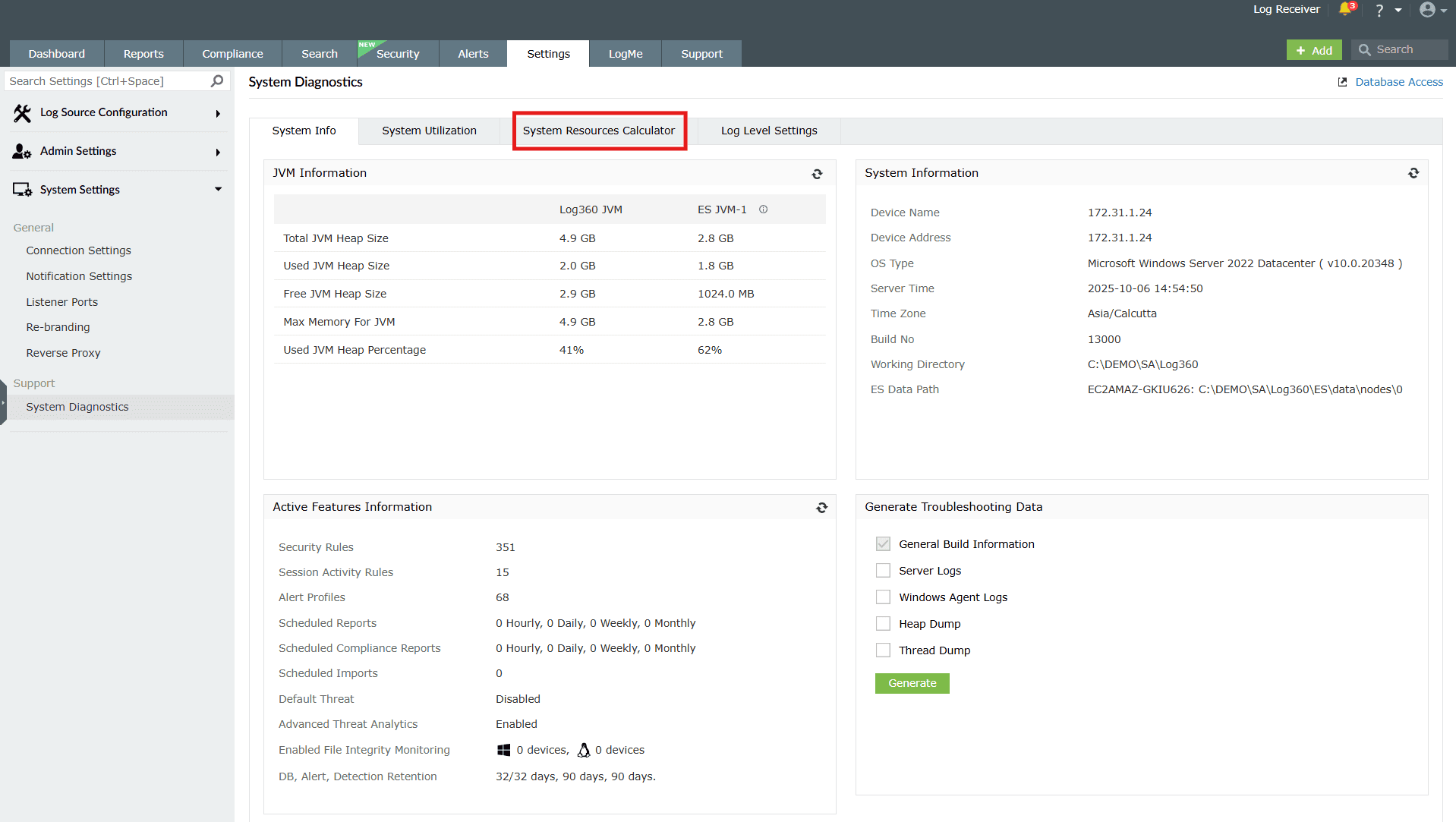
Image 1: Accessing the system resources calculator in the product - Modify Log Flow and retention values by clicking on "edit" to tailor your configurations according to your needs.
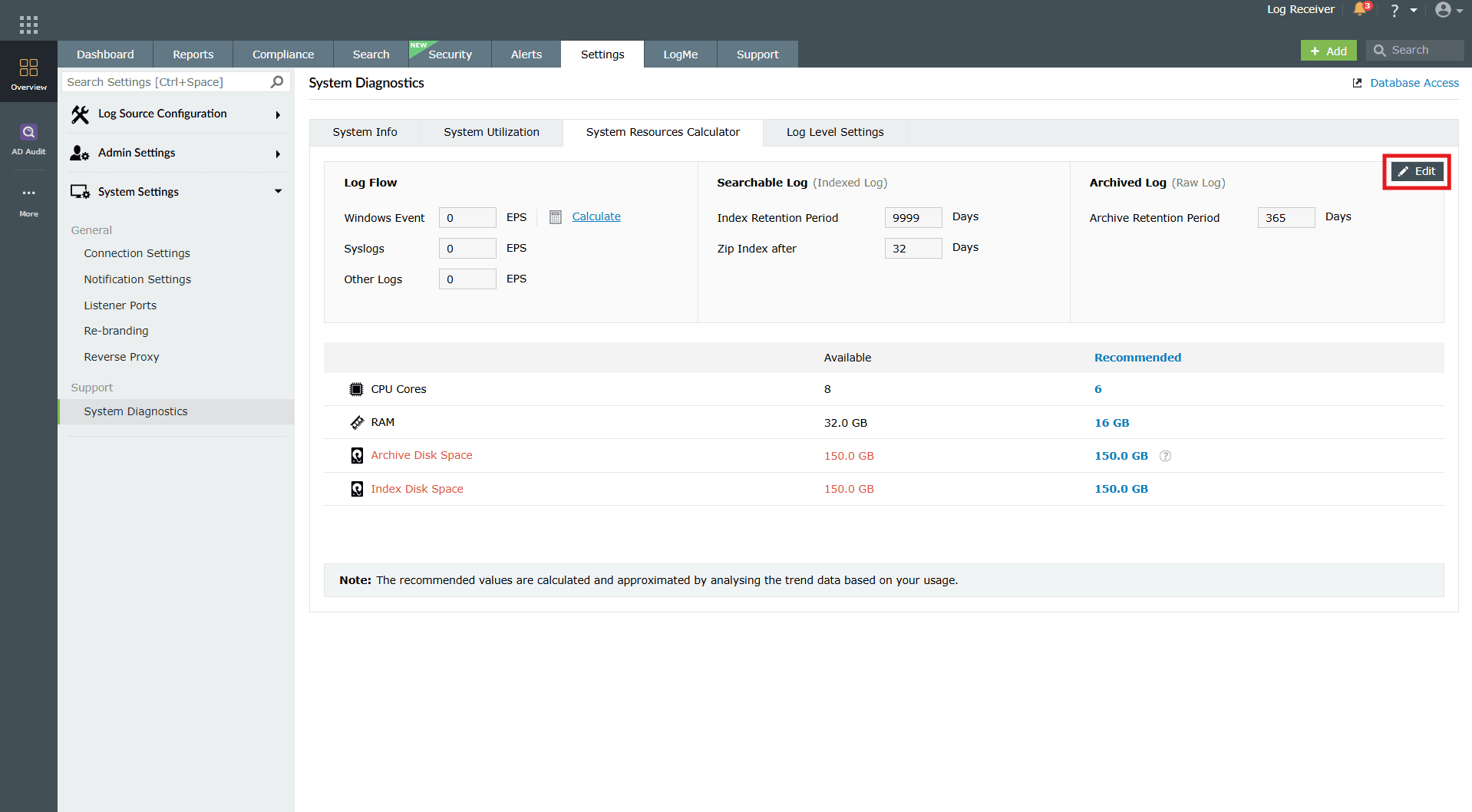
Image 2: Editing the system resources calculator in the product 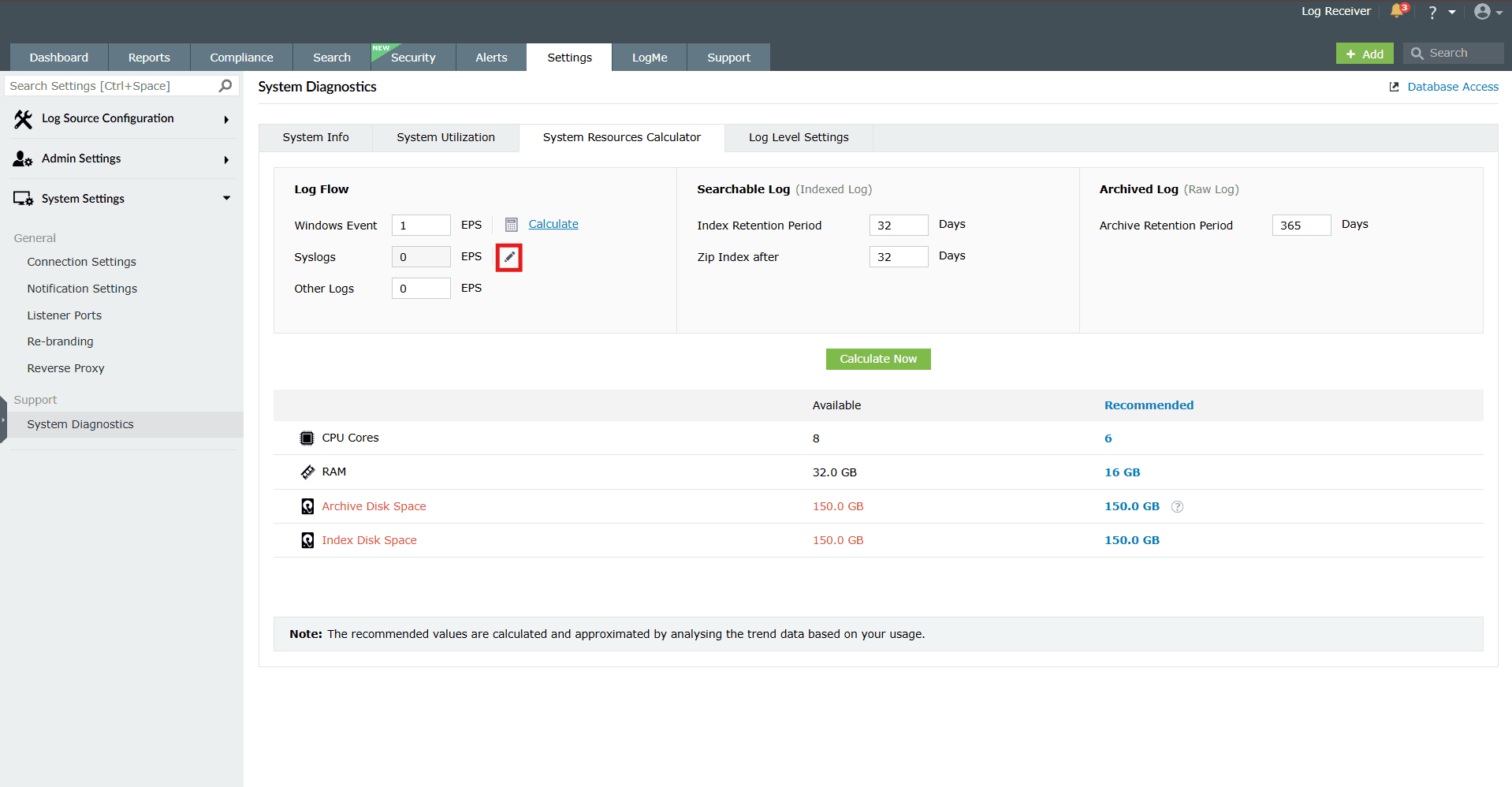
Image 3: Modifying log flow and retention values - Clicking the edit icon triggers a popup where you can specify and Save the types of syslogs you want to add, allowing you to tailor your configurations.
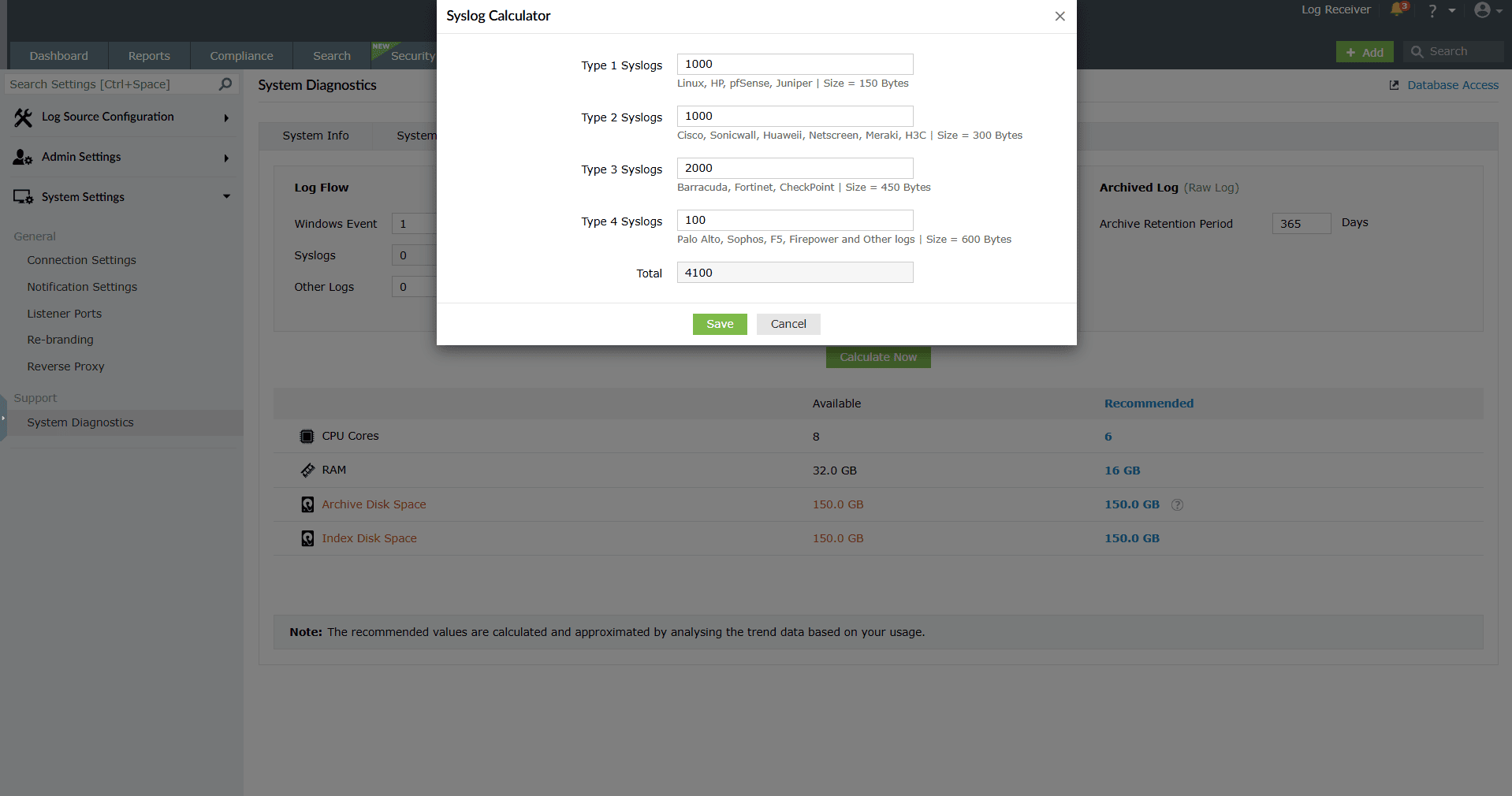
Image 4: Configuring the types of syslogs you want to add - You can calculate the Windows log flow rate for the configured domains.
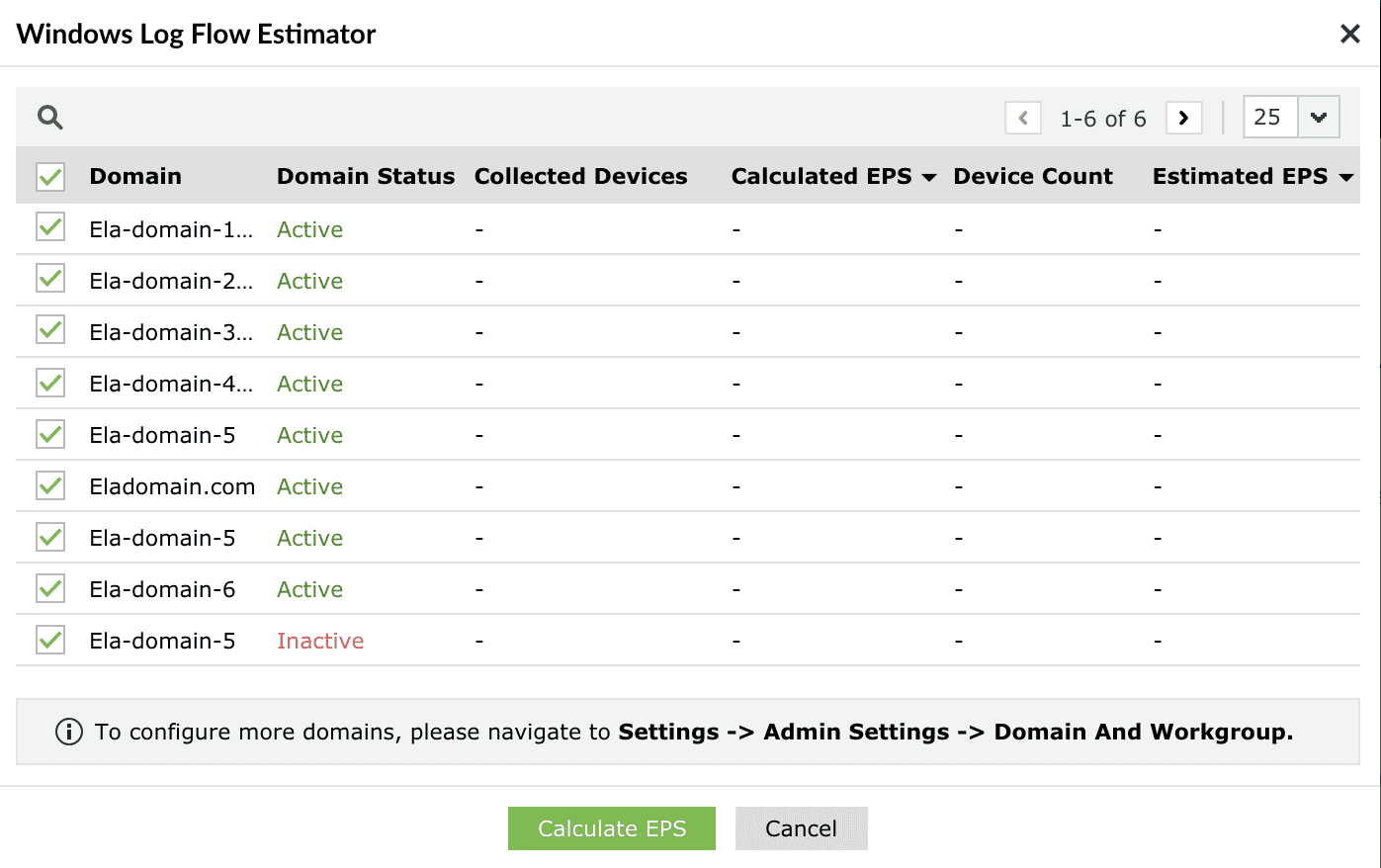
Image 5: Calculating the Windows log flow rate for the configured domains - You can then apply the calculated EPS (Events Per Second), to view your recommendations.
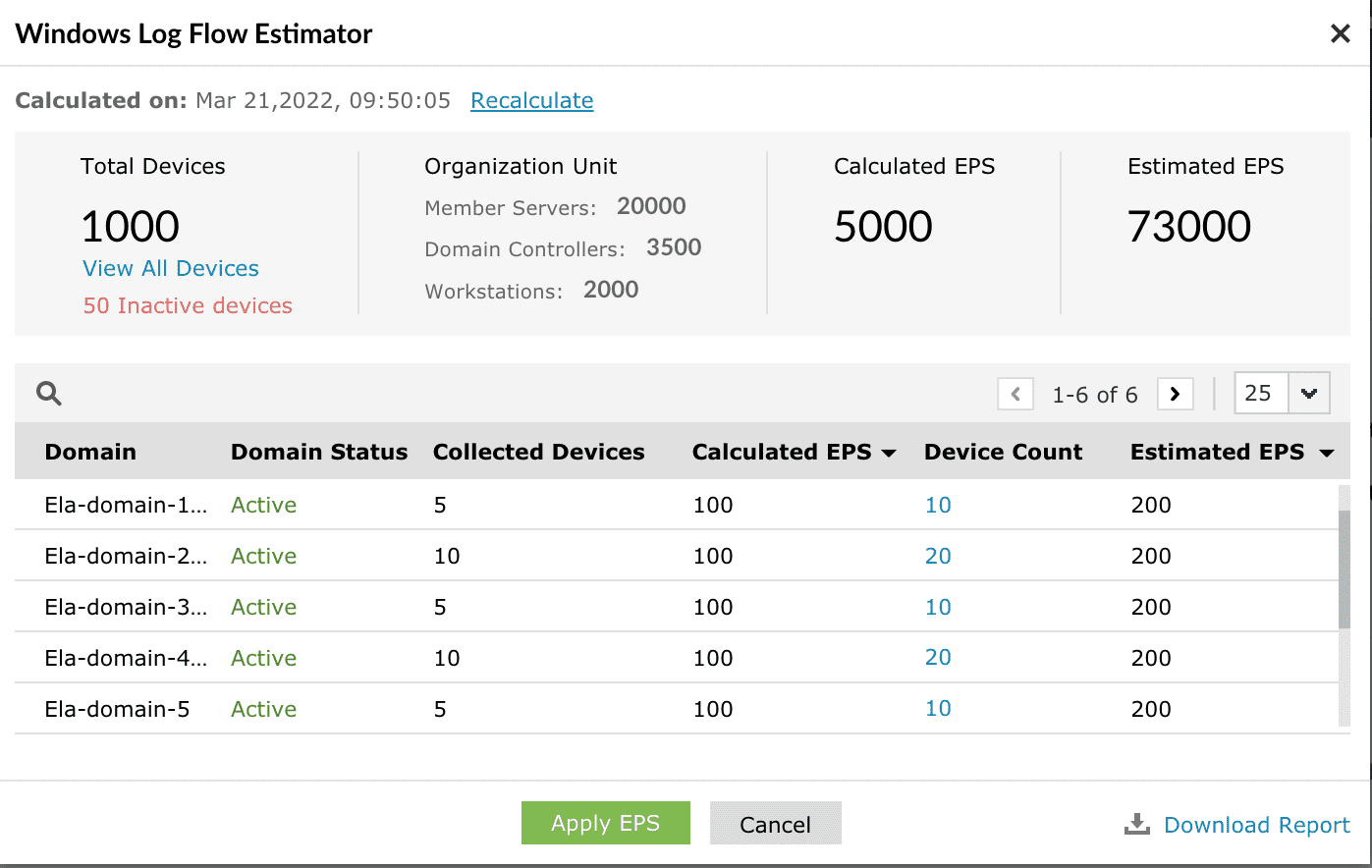
Image 6: Applying the calculated EPS - Clicking the device count of each domain enables viewing the EPS of individual devices within the domain.
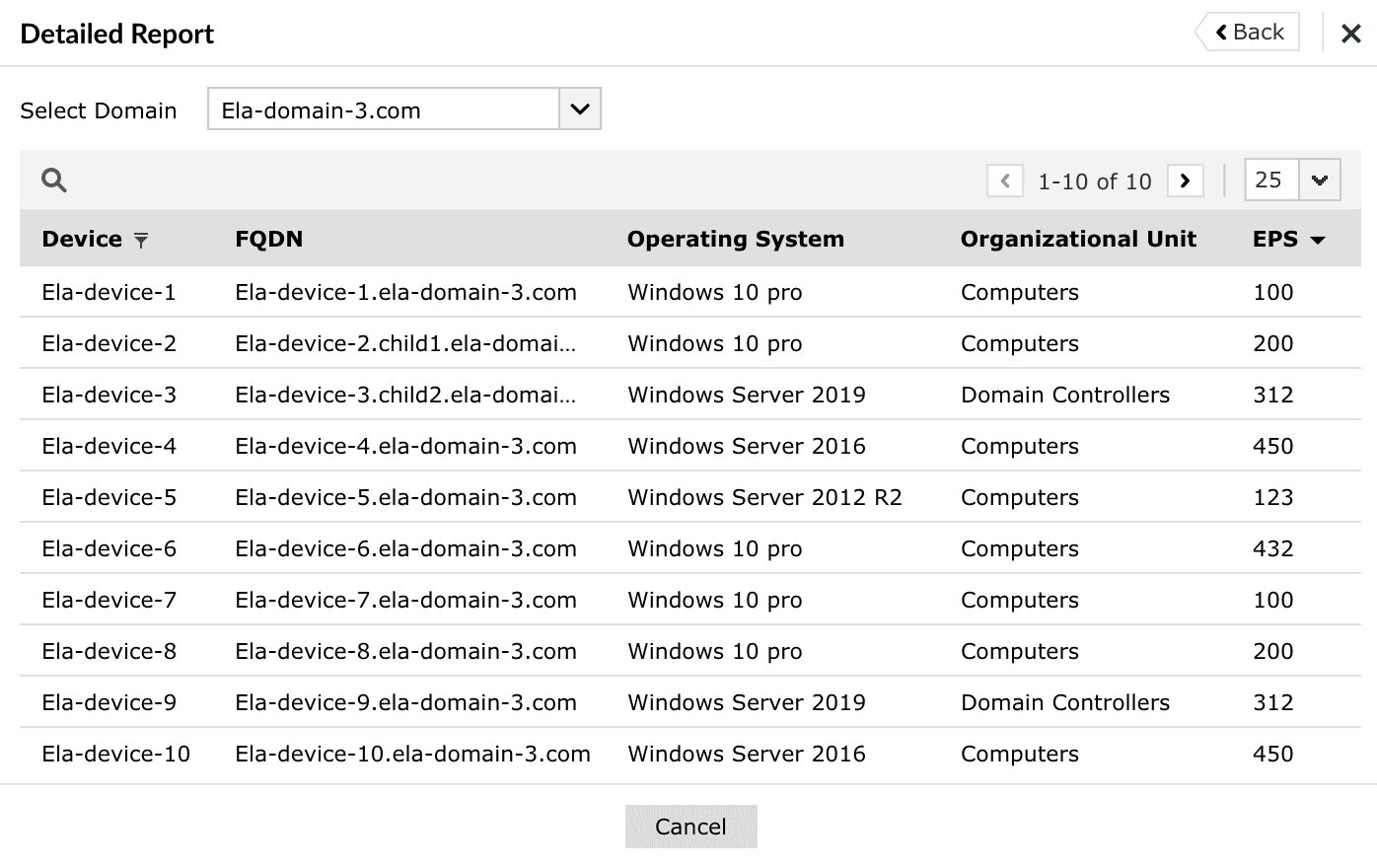
Image 7: Viewing the EPS of individual devices - If the recommended value for Index Disk Space exceeds 1.5TB, the ES - Node Recommendation will be displayed.
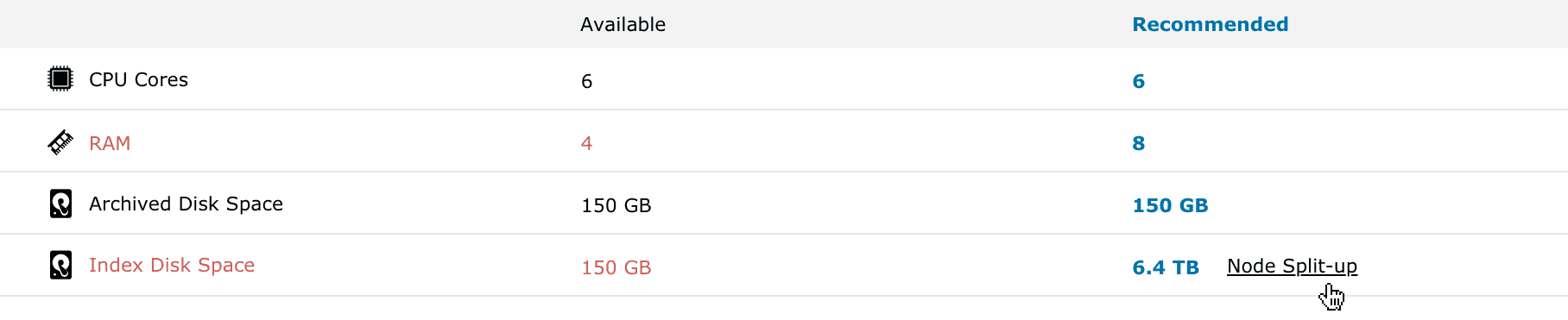
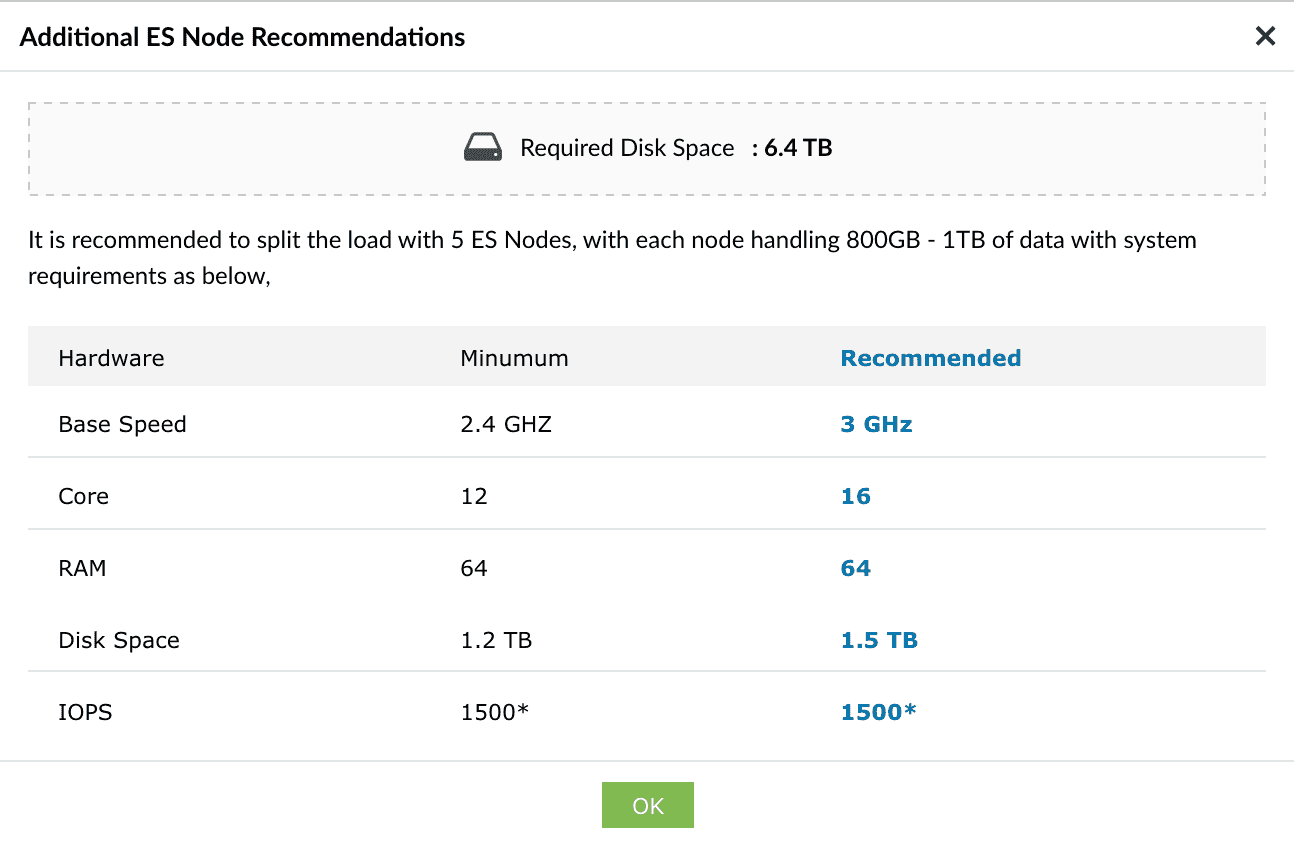
Image 8: The ES - Node recommendation displayed - When the log flow exceeds the high flow threshold, i.e., 3000 Windows EPS, the Distributed Setup Recommendation will be shown.

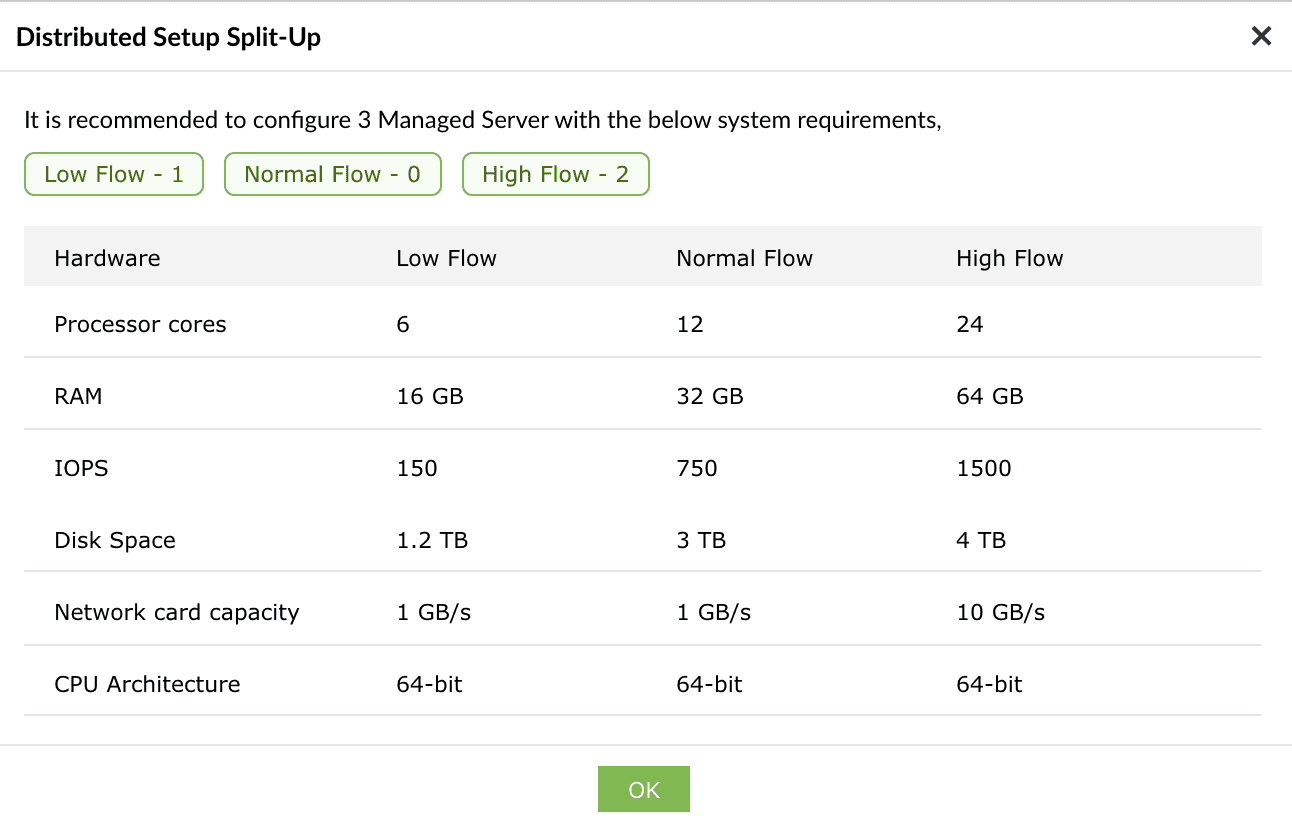
Image 9: The distributed setup recommendation displayed
Read also
This page explains how to calculate the system resources needed for your deployment. For more relevant system settings and configurations, refer to the below help documents: