
Custom functions
Last updated on:
In this page
- Overview
- Prerequisites
- What are custom functions?
- Why use custom functions?
- How do custom functions work?
- Workflow architecture
- Use cases
Overview
The custom functions feature in Log360 Cloud enables administrators to automate response actions by creating and executing scripts written in Python or Deluge.These scripts can perform customized operations such as triggering a third-party API, creating a support ticket, or sending notifications automatically when specific alert conditions are met.
Custom functions act as modular, reusable scripts that can be invoked by other Log360 Cloud capabilities such as playbooks or custom widgets, helping operational teams streamline repetitive and conditional threat remediation functions.
- Functions can currently be associated only with playbooks and custom widgets.
- Each function must be deployed before it can be used in other modules.
Prerequisites
Before using custom functions, ensure the following conditions are met:
Licensing limits
| Plan | Limit |
|---|---|
| Professional | Up to 1000 functions |
| Basic | Capability currently not available |
| Standard | Capability currently not available |
| Free | Capability currently not available |
Role-based access control
The user must have an admin role to create, edit, or delete functions.
| Role | Access |
|---|---|
| Admin | Create, manage function and execution access |
| Operator | No access |
| Guest | No access |
Supported scripting languages
- Python (two supported versions 2.7.15 and 3.9.16)
- Deluge (one version)
Supported output types
- String and Map
What are custom functions?
Custom functions are user-defined scripts that take input parameters, perform logic-based processing, and return output data that can be used within other Log360 Cloud capabilities.
Each function includes the following components:
- Function name and description: Identifies the purpose of the function.
- Language and version: Specifies the scripting environment (Python or Deluge).
- Input parameters: Variables that pass data into the script during execution.
- Output type: Defines the format of the returned result (string or map).
Administrators can build functions directly within the product's code editor, which supports syntax validation, execution testing, and real-time output logging.
Why use custom functions?
Custom functions extend the product's automation capabilities by allowing administrators to define unique workflows that are not covered by default product actions. They are especially useful for:
- Performing actions based on specific alert triggers.
- Integrating Log360 Cloud with external platforms via API calls.
- Simplifying repetitive administrative or incident-handling tasks.
Example:When a logon failure alert occurs, a custom Python function can automatically create a ticket in a third-party help desk application and send an email notification to the SOC team.
How do custom functions work?
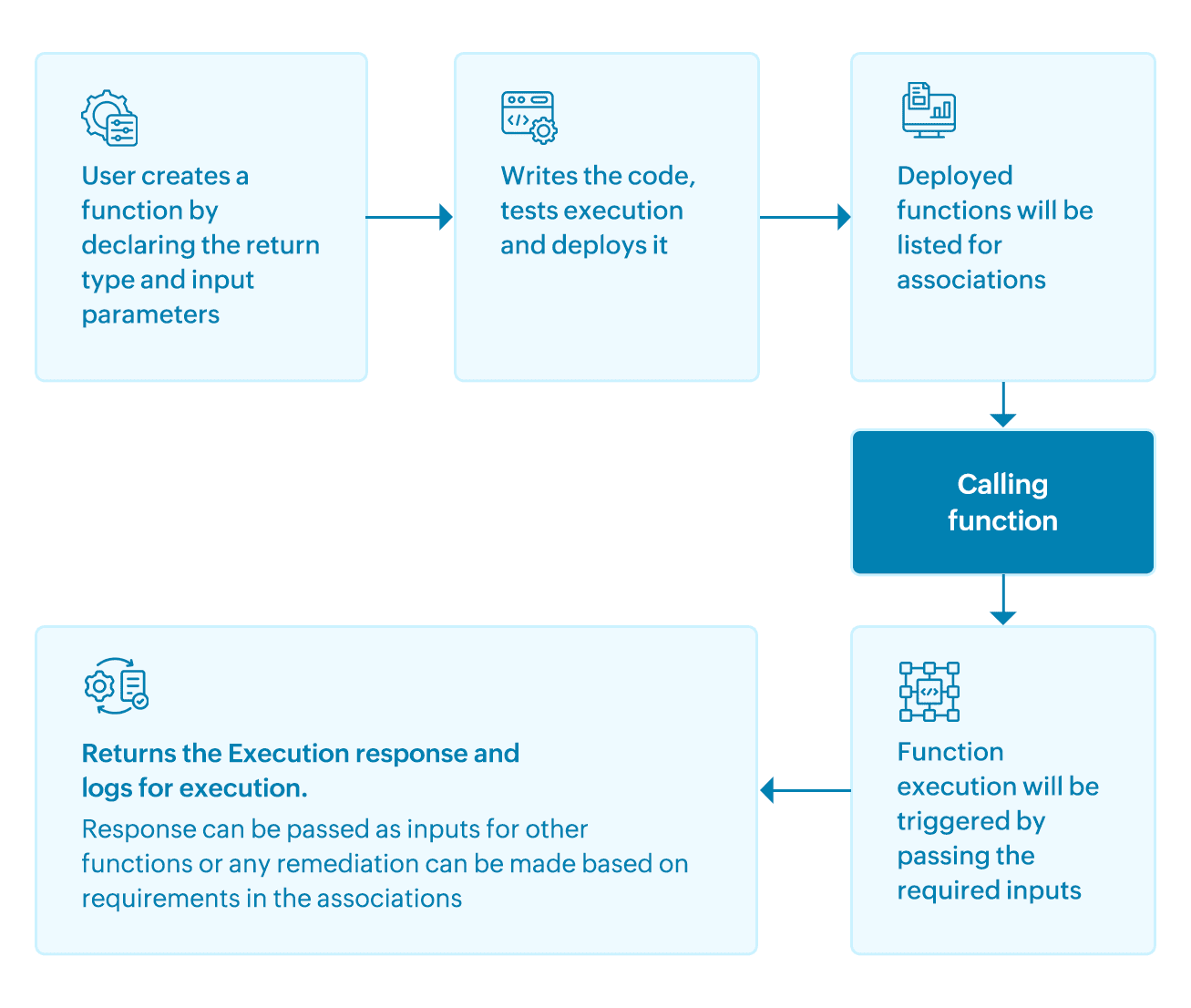
- An admin creates a function by defining the name, description, language, input parameters, and output type.
- The function is written and tested in the built-in editor.
- The function can be saved as draft for testing or deployed to make it available for association.
- Once deployed, the function can be linked to playbooks or widgets that execute the script when certain conditions are met.
- Execution results, including output and logs, are displayed for debugging and verification.
Workflow architecture
The architecture diagram below illustrates how custom functions operate within Log360 Cloud.
Use cases
1. Incident escalation
Use case
A high-priority alert, such as repeated failed logons or detection of malicious activity, is generated in Log360 Cloud.
With custom functions
Administrators can configure a Python or Deluge-based custom function to automatically create an issue in ServiceNow or Jira. The function captures key alert details such as the source, severity, and timestamp and raises a ticket in the external system. This ensures critical alerts are escalated to the appropriate response teams instantly, enabling faster incident resolution and reducing manual intervention.
2. Threat enrichment
Use case
An alert is triggered involving an unknown IP address or suspicious domain. The SOC team needs more context before deciding on a response action.
With custom functions
Analysts can use a Python-based custom function to fetch additional threat intelligence information from external APIs (such as VirusTotal or AbuseIPDB). The function retrieves enrichment data, including reputation scores, related domains, or historical activity and appends it to the alert details. This provides deeper visibility into potential threats and helps analysts make faster, more informed decisions.
These use cases help operational teams reduce manual intervention and ensure consistent, automated responses to critical security events.
Read also
This document introduced the custom functions feature, its prerequisites, and how it integrates within other capabilities hosted by Log360 Cloud. For more understanding and related capabilities, refer to the below help documents: