Direct Inward Dialing: +1 408 916 9892
In Microsoft Entra ID (formerly Azure Active Directory), Conditional Access policies serve as a critical layer of defense that controls user access based on signals such as identity, location, and device compliance. Unauthorized changes to these policies can expose your organization to serious risks. It is essential to monitor who creates, modifies, or deletes these policies to ensure security standards are maintained.
Learn how to track Conditional Access policy activity using Azure’s native auditing capabilities and with ManageEngine ADAudit Plus for deeper visibility and control.
Go to https://portal.azure.com and log in with a privileged admin account
In the left-hand menu of the Azure portal, click All services to browse all available services.
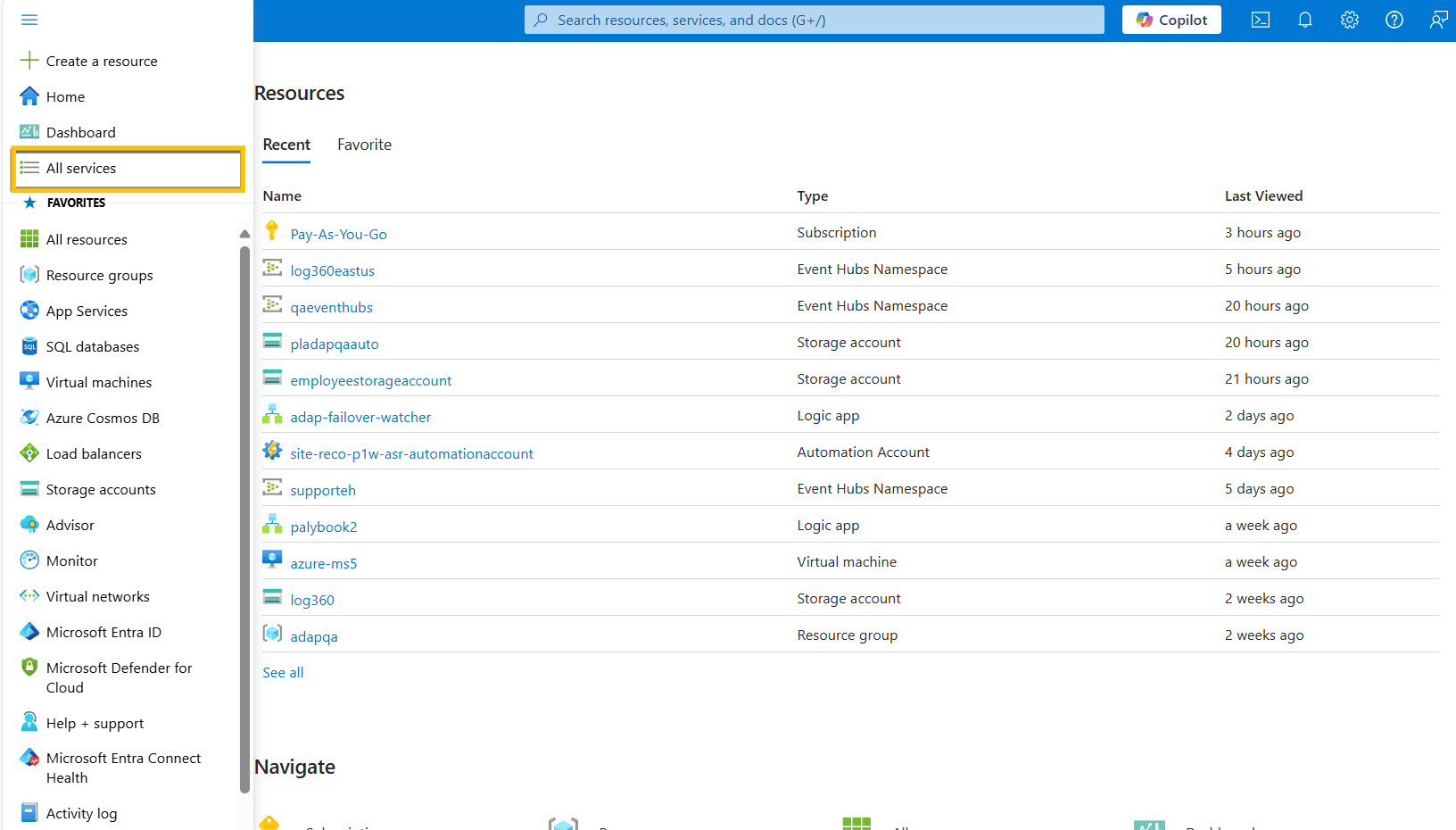
From the list of services, locate and click Microsoft Entra ID.
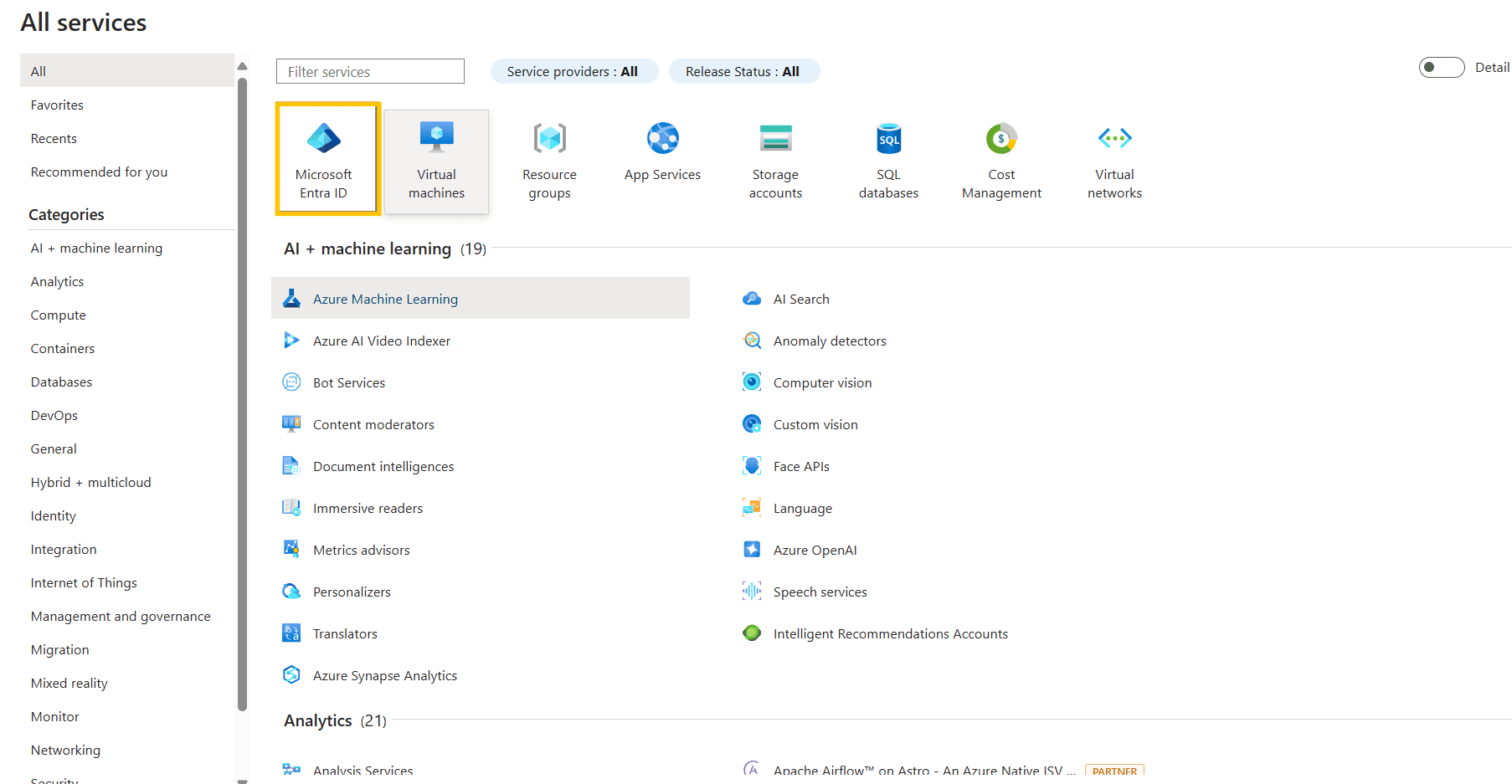
After opening Microsoft Entra ID, use the left-hand menu to click Security.
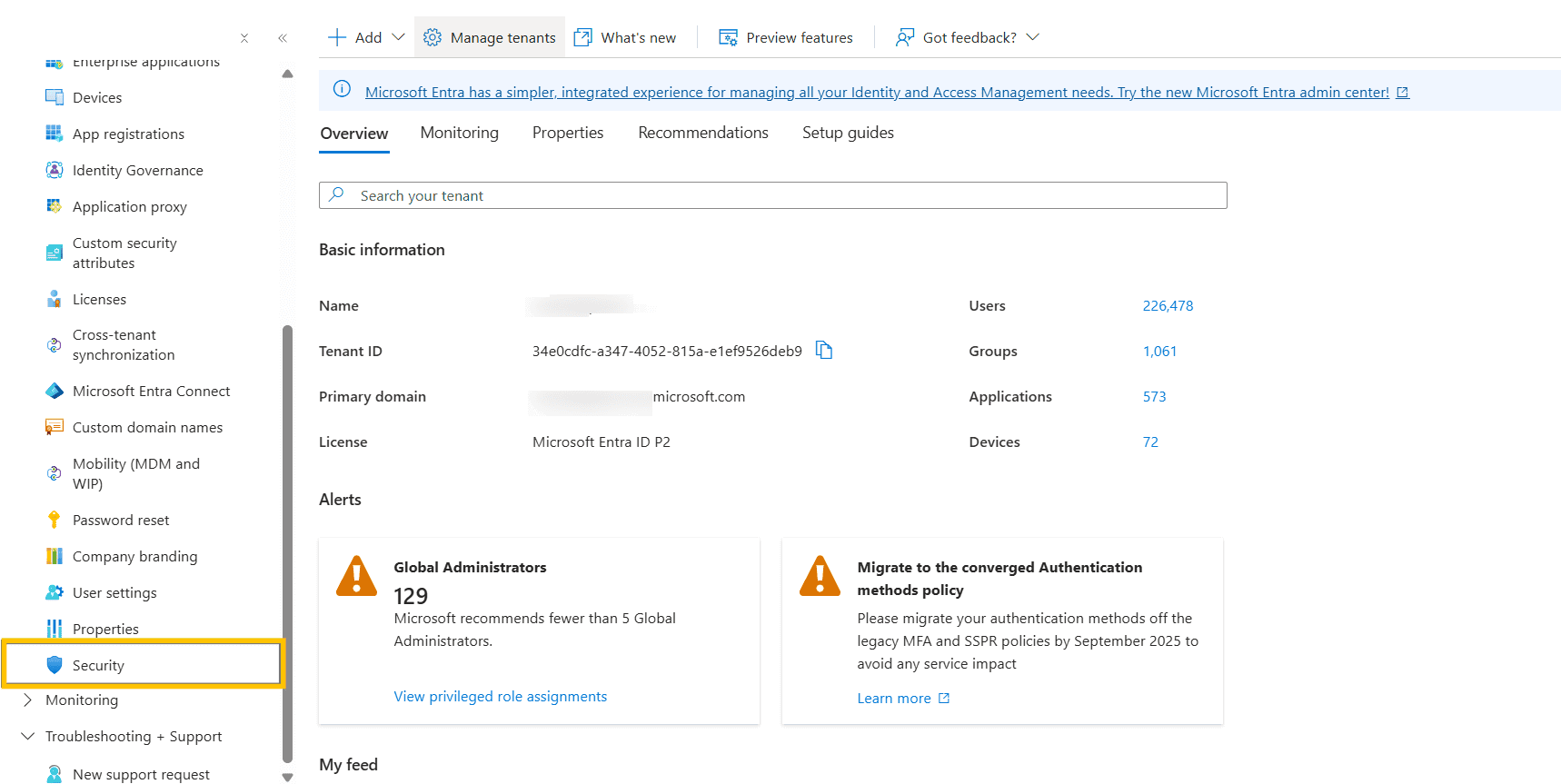
Under Security, click Protect , then select Conditional Access to view policy configurations.
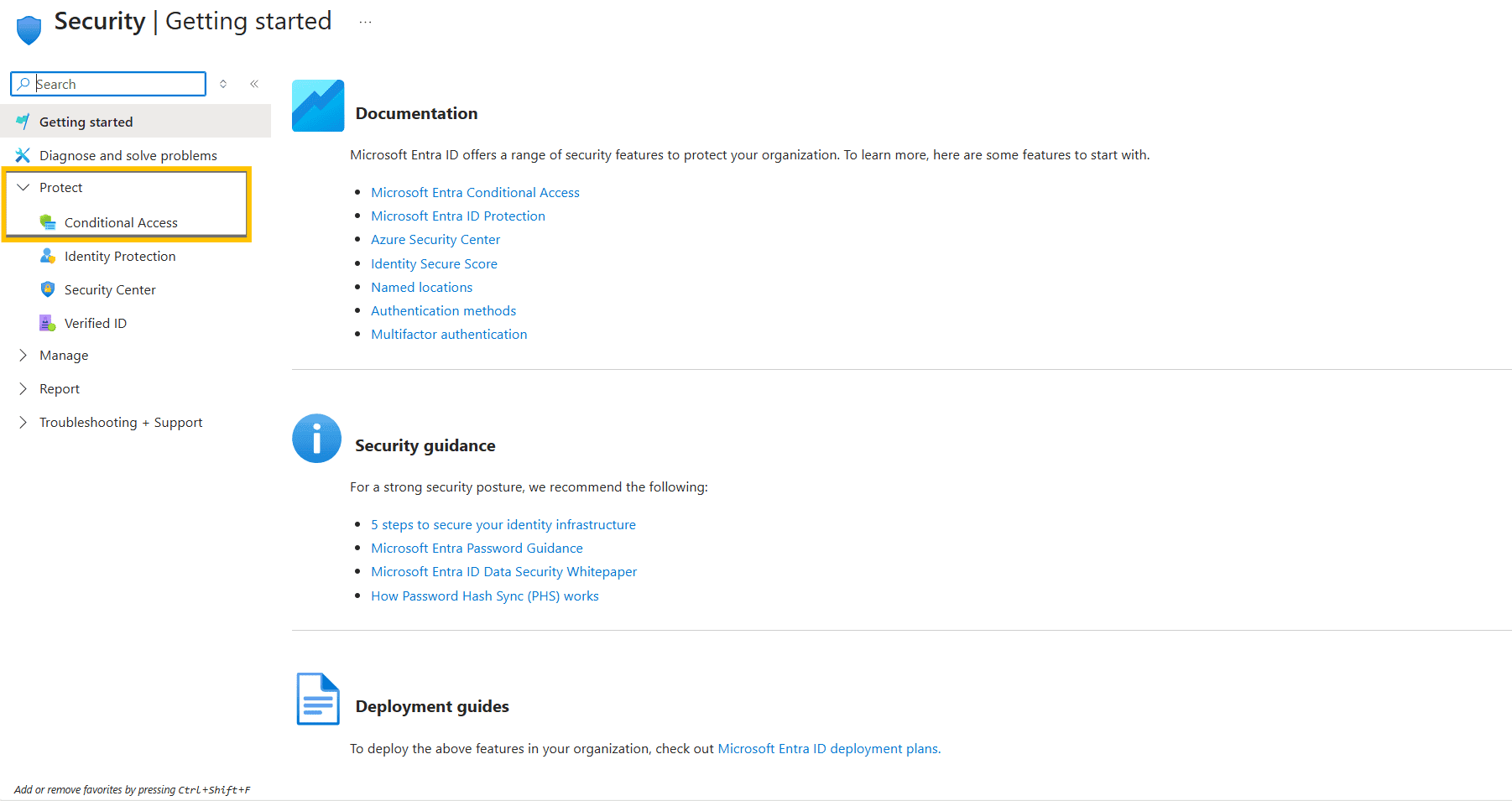
In the Conditional Access section, click Policies from the left-hand menu.
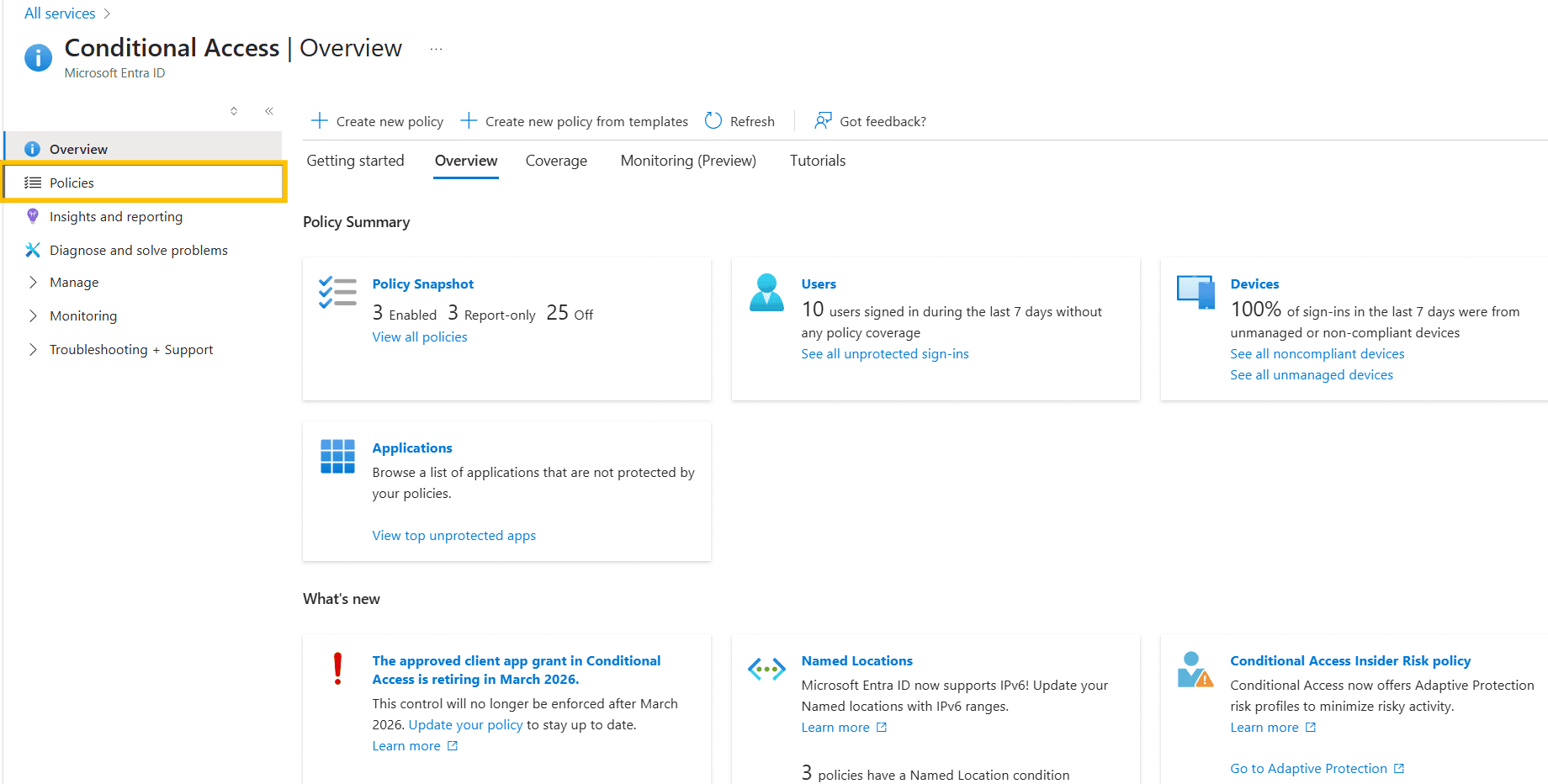
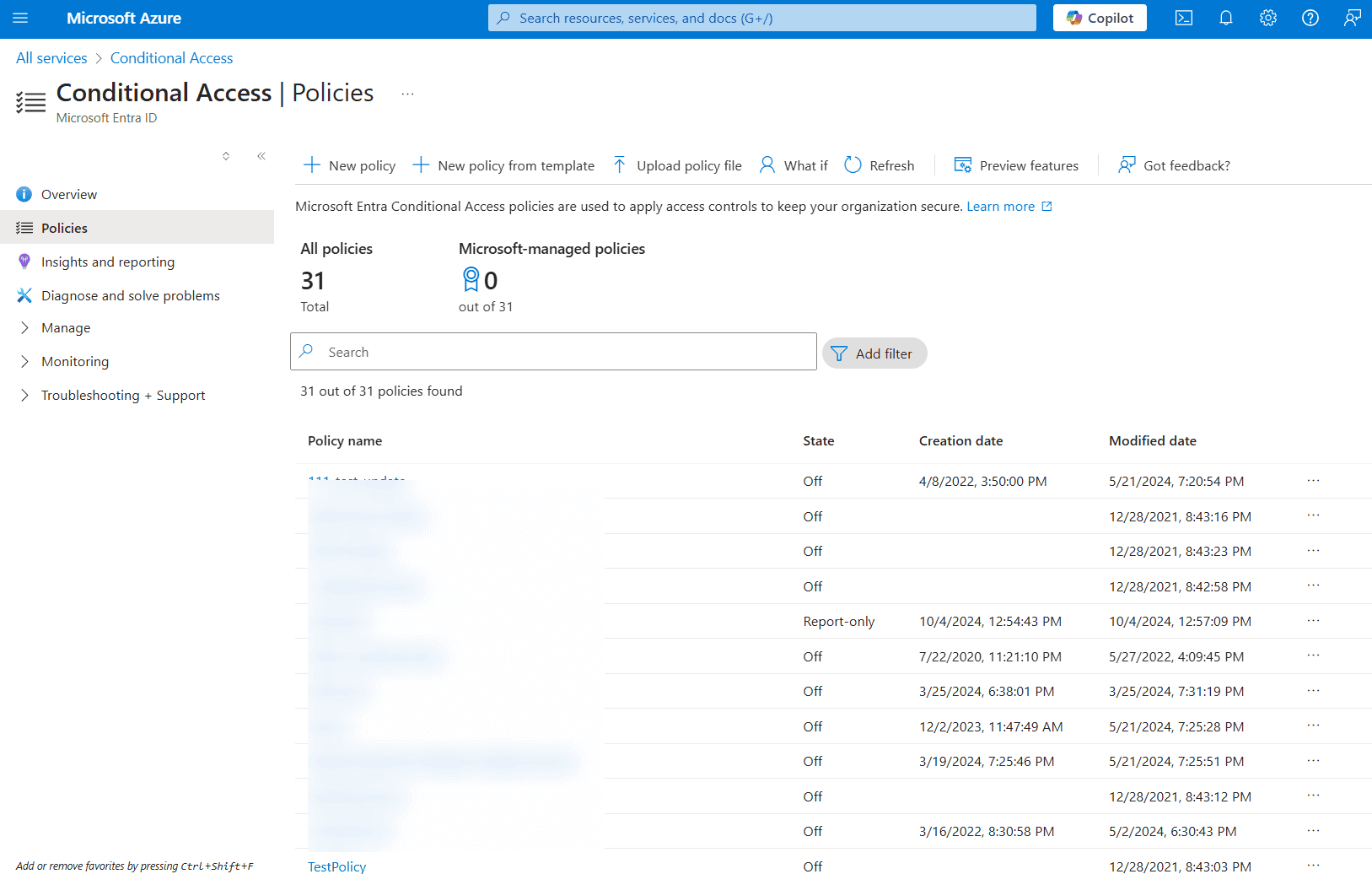
Here, you'll see a list of all existing policies, including their name, state (On, Off, Report-only), and timestamps (creation date and modified date).
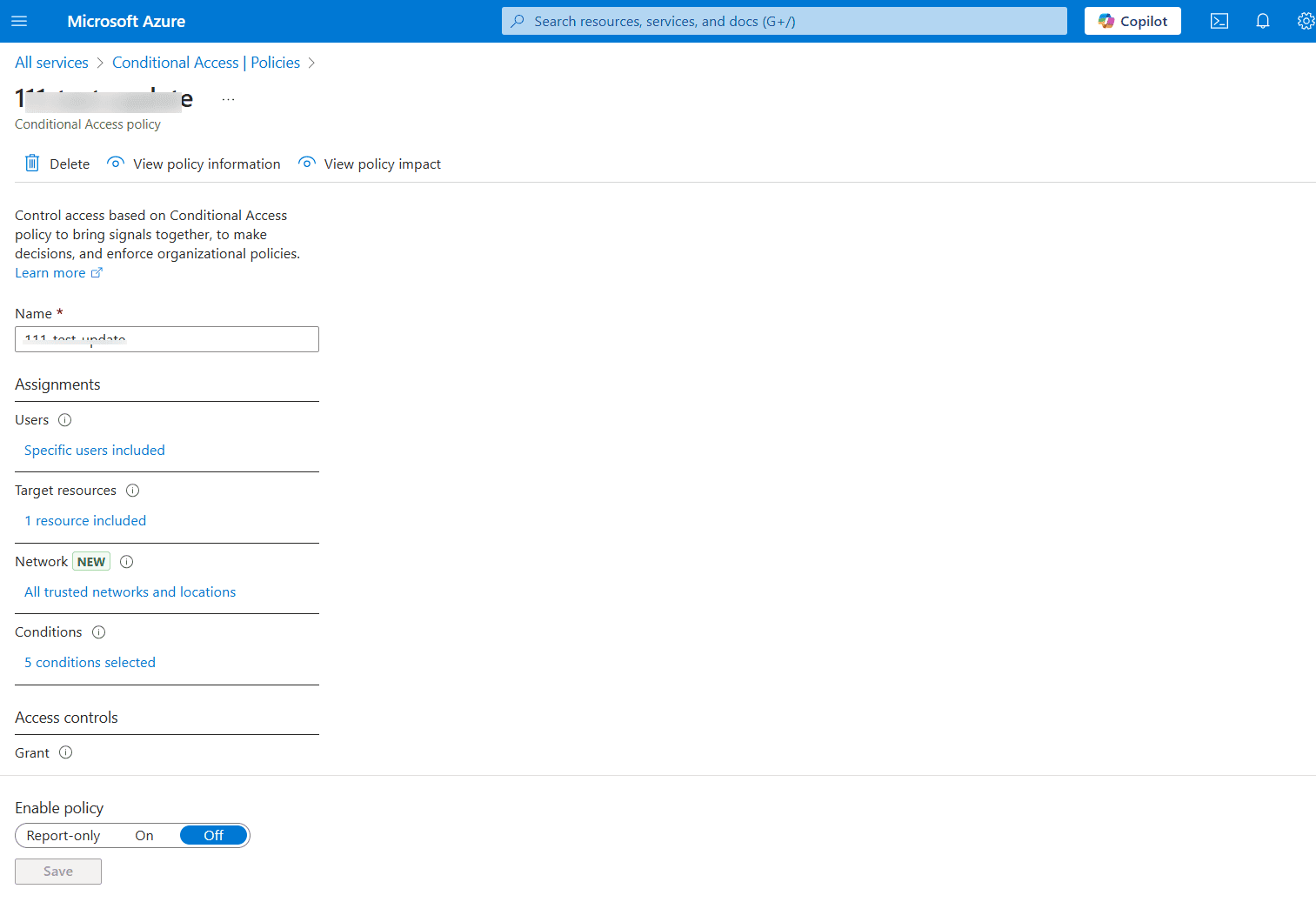
Select any policy to view its configuration, including the name, assignments, conditions, access controls, session settings, and whether the policy is enabled.
Go to All services > Microsoft Entra ID.
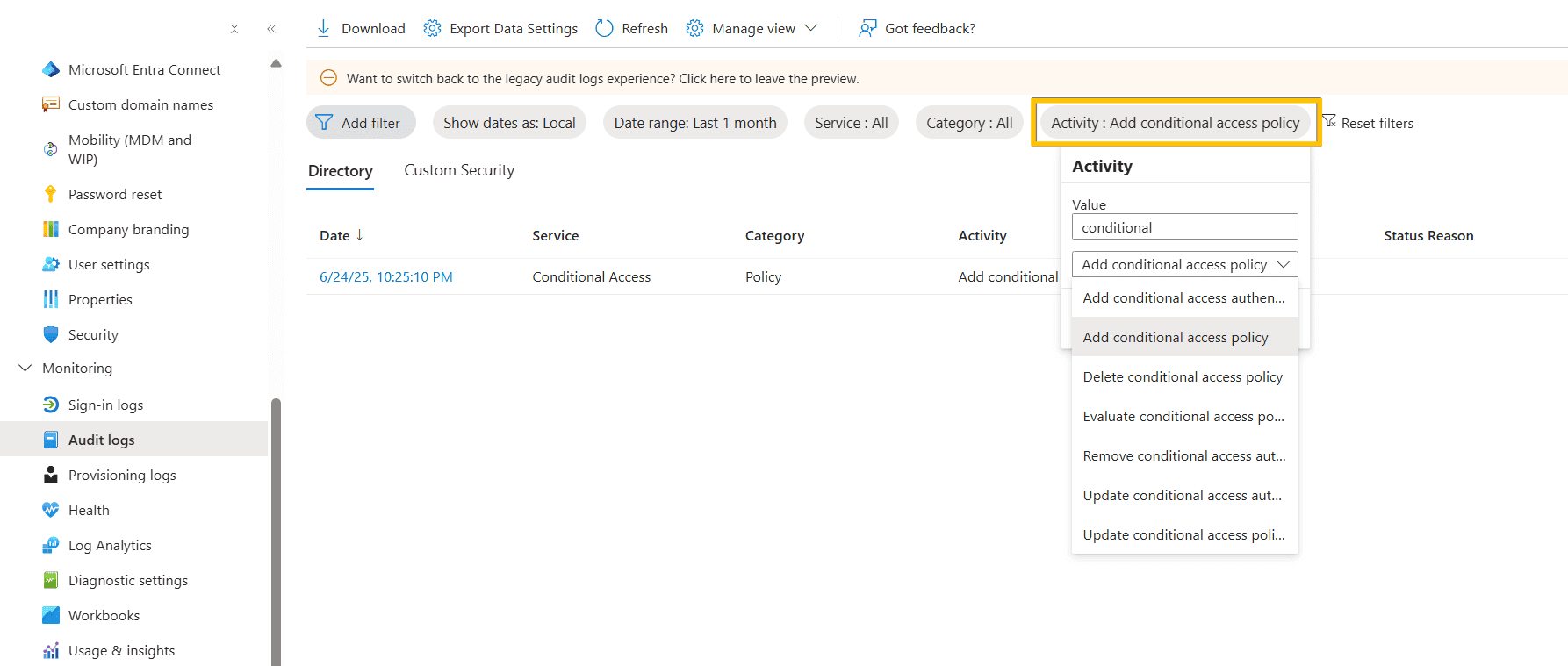
Click the Monitoring tab on the left, then Audit logs.
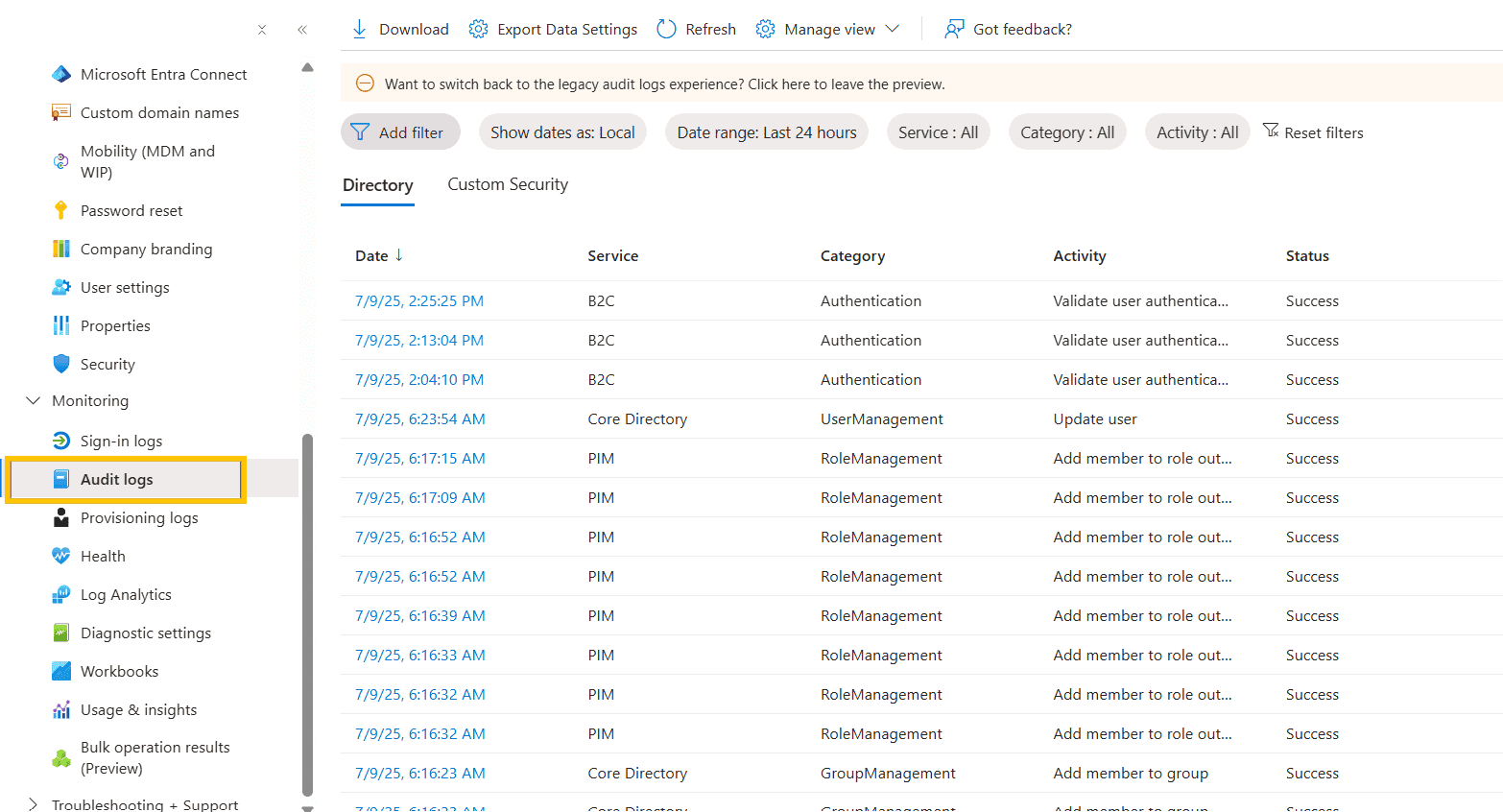
Use the Activity filter. Under Value, type "Conditional access" and choose the specific activity you want to audit from the drop-down list.
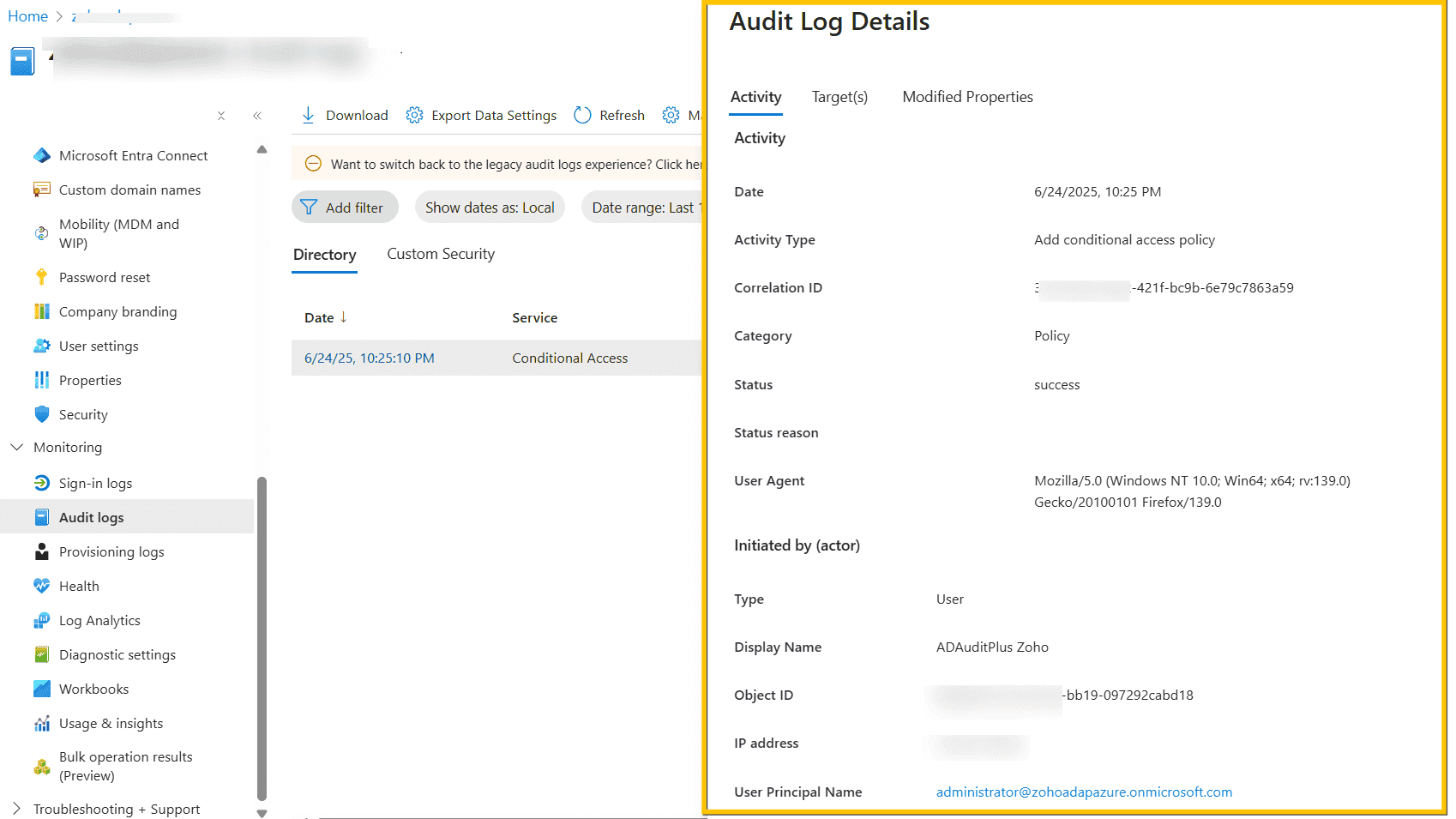
Click on any listed entry to open the full details panel. You’ll see information such as activity, date, IP address, etc.
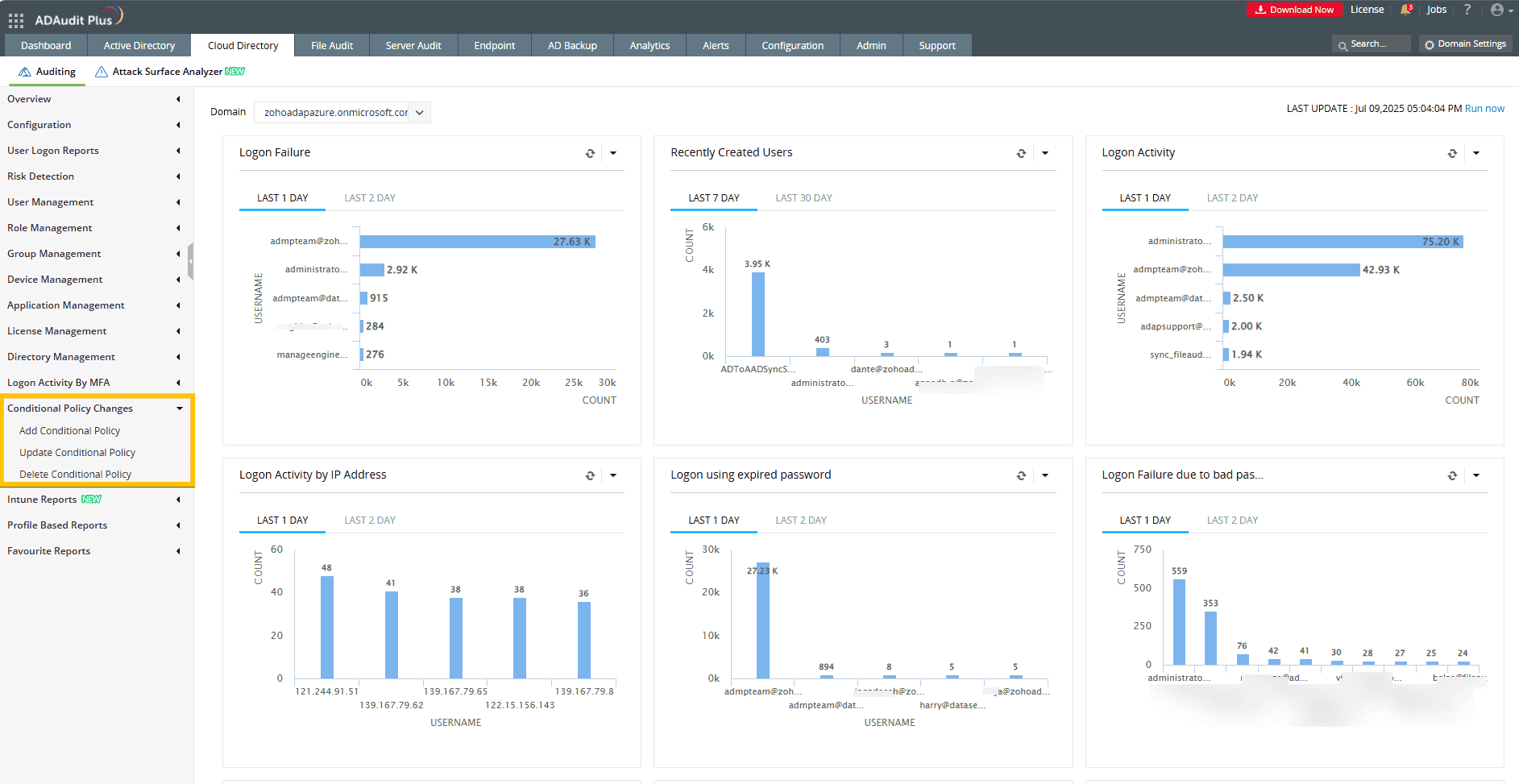
ADAudit Plus, a comprehensive AD auditing tool, helps you audit all changes to your Active Directory, including those performed by administrator accounts.
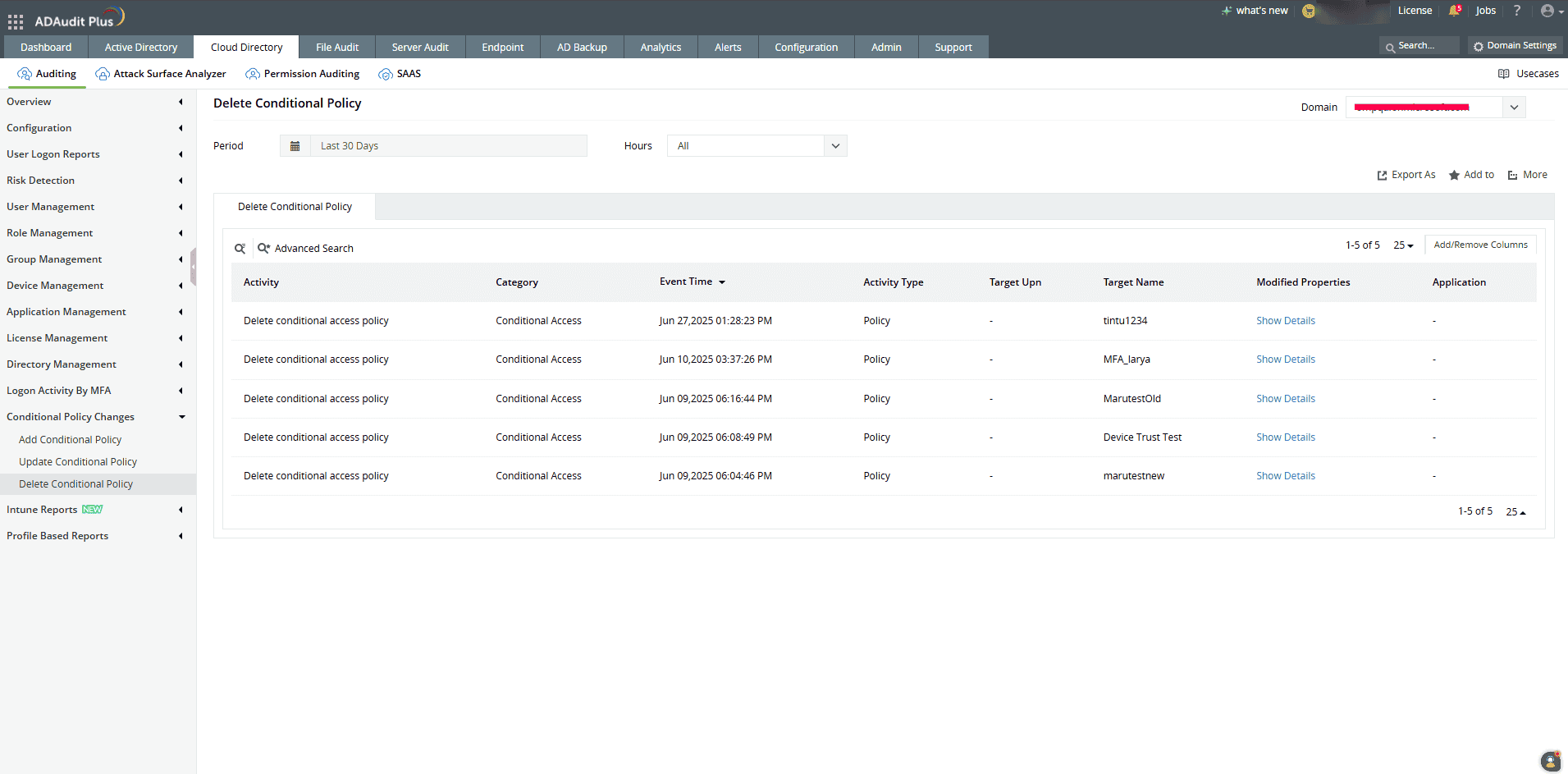
Track every addition, update, and deletion to maintain complete oversight of conditional policy changes across your Azure environment:
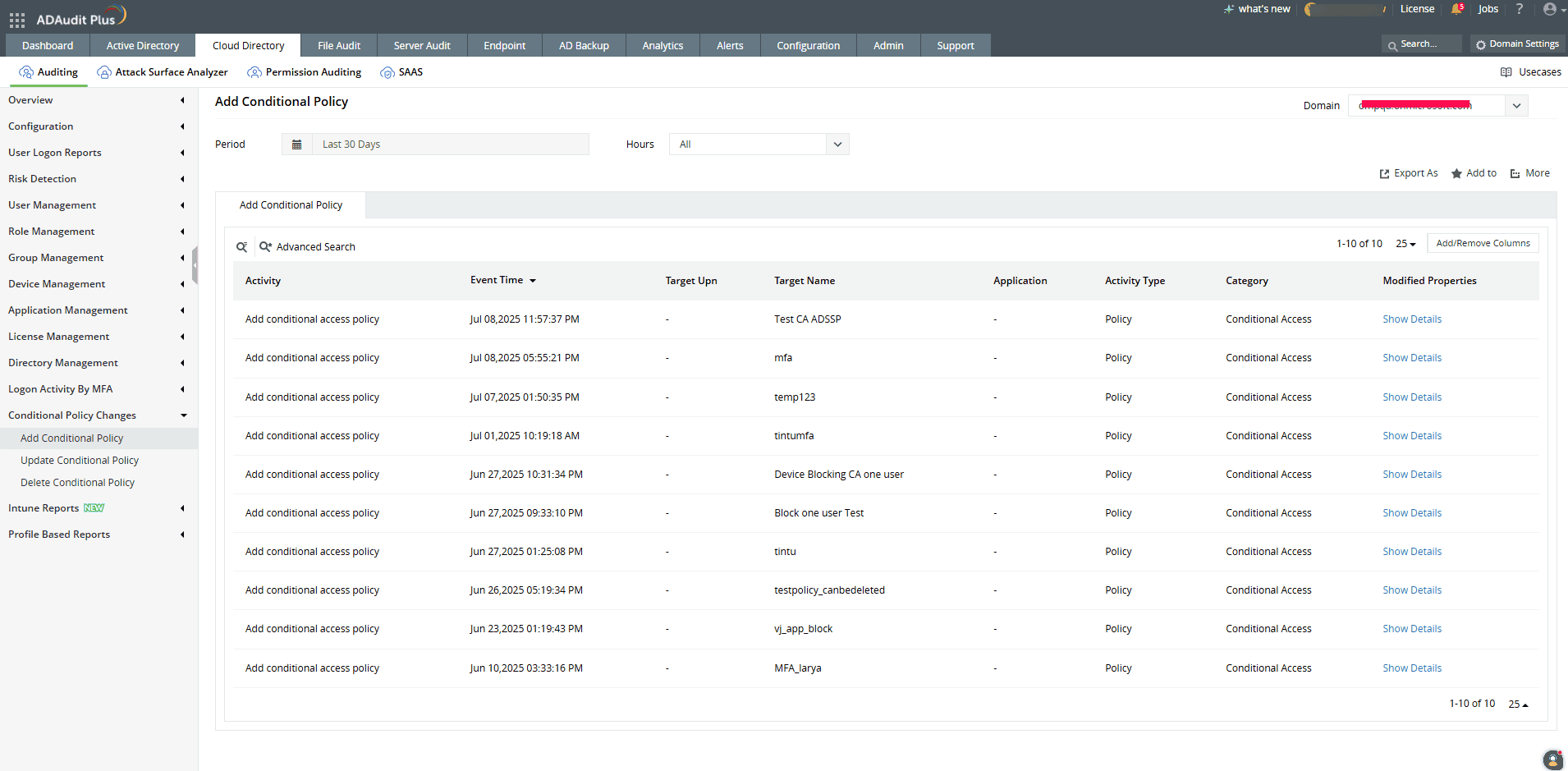
View who created a new Conditional Access policy, along with its time, IP, and user details:
Track specific changes made to an existing Conditional Access policy, including the editor and modified attributes:
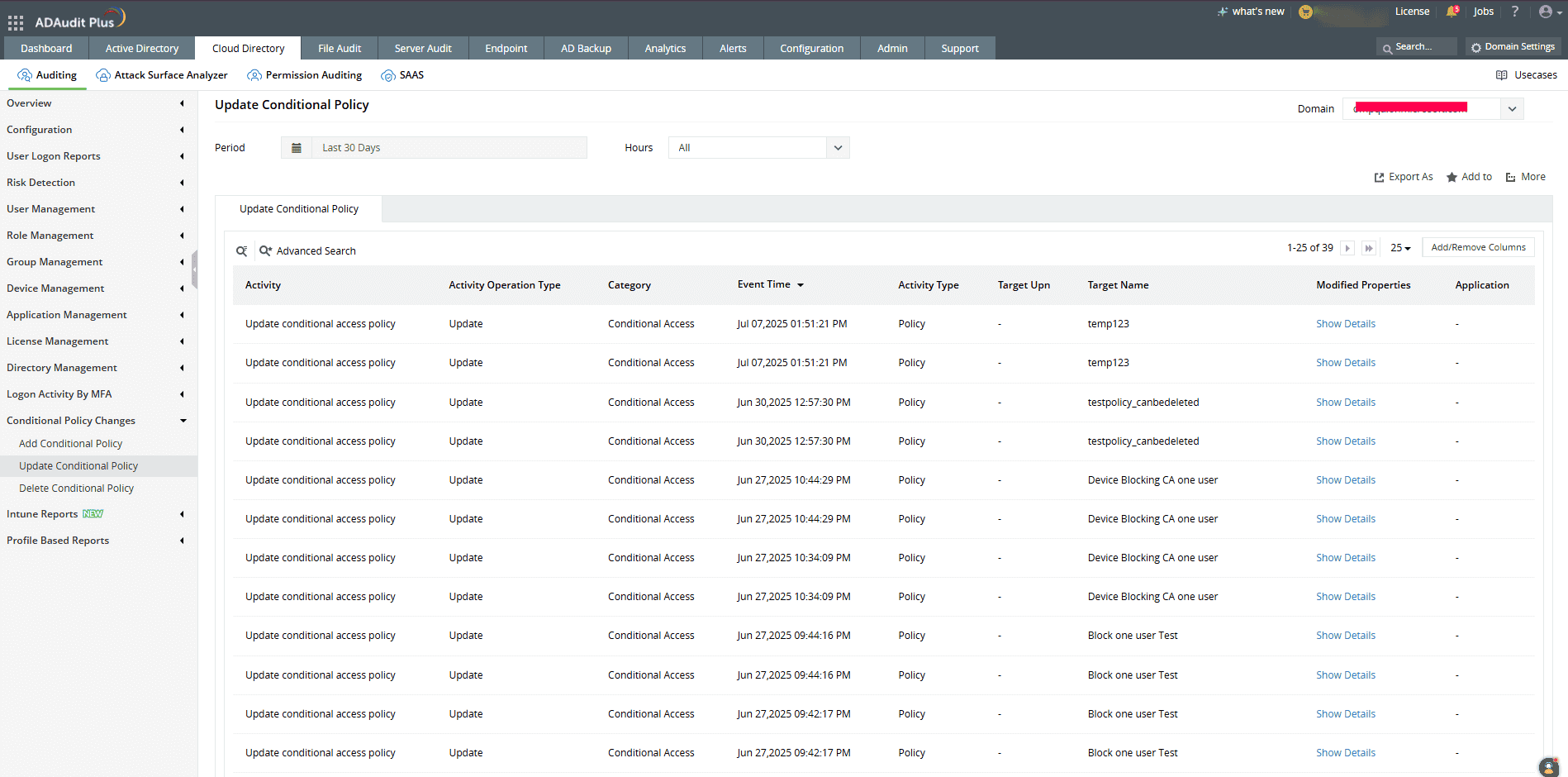
See who deleted a Conditional Access policy and when the deletion occurred for complete change accountability:
Advantages of using ADAudit Plus to monitor Conditional Access policies











