

We’ve all been there: forgetting a password and repeatedly guessing until we finally get it right. But what if someone did that on purpose to your account? That’s the reality of brute-force password attacks, where attackers brute-force their way through your digital door. So, how does it actually work? Let’s break it down.
What is a brute-force password attack?
A brute-force password attack occurs when an attacker systematically tries numerous password combinations, often from a list of common or leaked passwords, to gain unauthorized access to a user account. Unlike credential stuffing, which uses known username-password pairs, brute-force attacks target a single username with multiple password guesses until the correct one is found.
Here’s why you should care:
password attacks per second were recorded in April 2023—a tenfold surge from 2022 levels 1
of all Microsoft Azure attacks in 2024 used brute-force techniques, marking a 12% year-over-year increase 2
million unique IPs were observed daily in a 2025 brute-force campaign targeting VPNs, firewalls, and network gateways 3
How does a brute-force attack work?
Attackers typically follow these steps to conduct a brute-force password attack:
1. Target identification
Attackers compile valid usernames from corporate directories and leaks. Common targets include employee emails (e.g., j.bond@company.com), default admin accounts, and service logons. This phase often involves phishing and open-source intelligence to collect the necessary information.
2. Automated password testing
Attackers use tools like Hydra, John the Ripper, or Burp Suite to test large numbers of credential combinations quickly. These tools can try thousands of passwords per minute, using common word lists or variations. Advanced attacks may also leverage breached credentials, boosting success rates.
3. Exploitation of weak authentication controls
Systems without lockout policies or multi-factor authentication (MFA) are prime targets for brute-force attacks. Attackers persistently try passwords, often flying under the radar by rotating IP addresses or using low-volume attempts. They specifically look for environments where unlimited logon attempts are allowed or where monitoring systems fail to catch unusual authentication patterns.
4. Post-compromise actions
Once attackers get a working password, they can do serious damage. They might steal important files, move laterally through the network using the hacked user’s access, or install harmful software like ransomware. These actions often happen before security teams detect the breach, highlighting the need for strong preventive controls.
Why are brute-force attacks effective?
- Weak passwords: Many users rely on simple, predictable passwords.
- No rate limiting: Some systems allow unlimited logon attempts.
- Automation tools: Attackers can try thousands of passwords per second.
- Default credentials: Unchanged default logon credentials (e.g., admin and admin) are easy targets.
Real-world examples of brute-force password attacks
- Dunkin' (2015):
Attackers brute-forced access to 19,715 loyalty accounts using leaked credentials, stealing rewards dollars and exposing weak account authentication . - GitHub (2013):
Hackers used over 40,000 IPs to bypass rate limits, compromising accounts with weak passwords in a distributed attack. - Alibaba (2016):
Up to 21 million accounts were breached via the use of 99 million leaked usernames and passwords, revealing the dangers of password reuse.
How to detect brute-force attacks
Brute-force attacks can be detected by continuously monitoring logon activity and spotting suspicious patterns like repeated failures, unexpected logon sources, or sudden account lockouts.
Key Windows event logs to monitor
- Event ID 4625 (failed logon attempts)
- Event ID 4648 (logons with explicit credentials)
- Event ID 537 (logon attempts that failed for other reasons)
- Event ID 4771 (Kerberos pre-authentication failed)
How to prevent brute-force password attacks
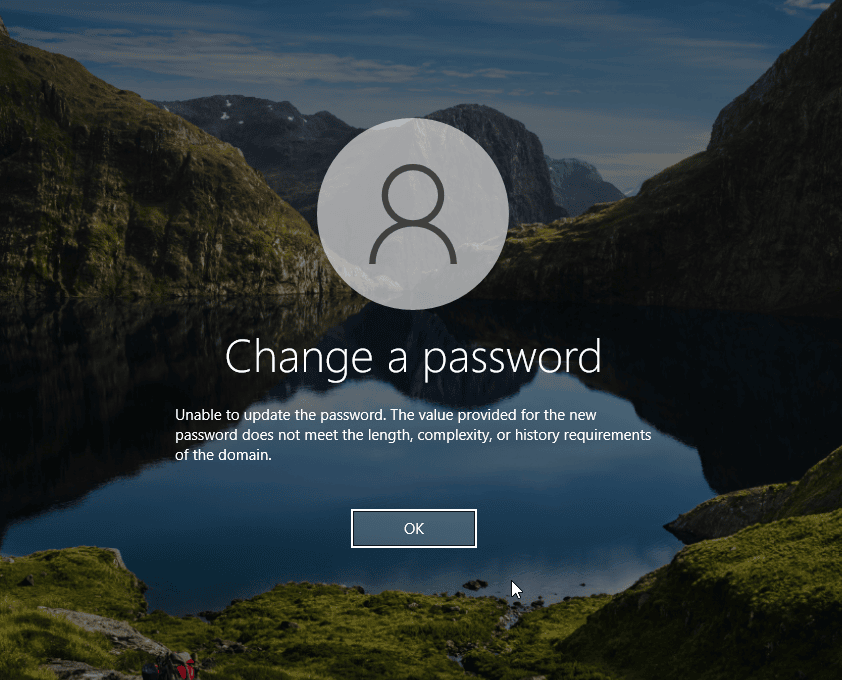
Enforce strong password policies
Mandate passwords with at least 12 characters combining letters, numbers, and special characters. Implement automated checks to block common passwords like Imbatman and enforce regular password rotations for high-privilege accounts. For more information, visit our page on best practices for creating a strong password policy.
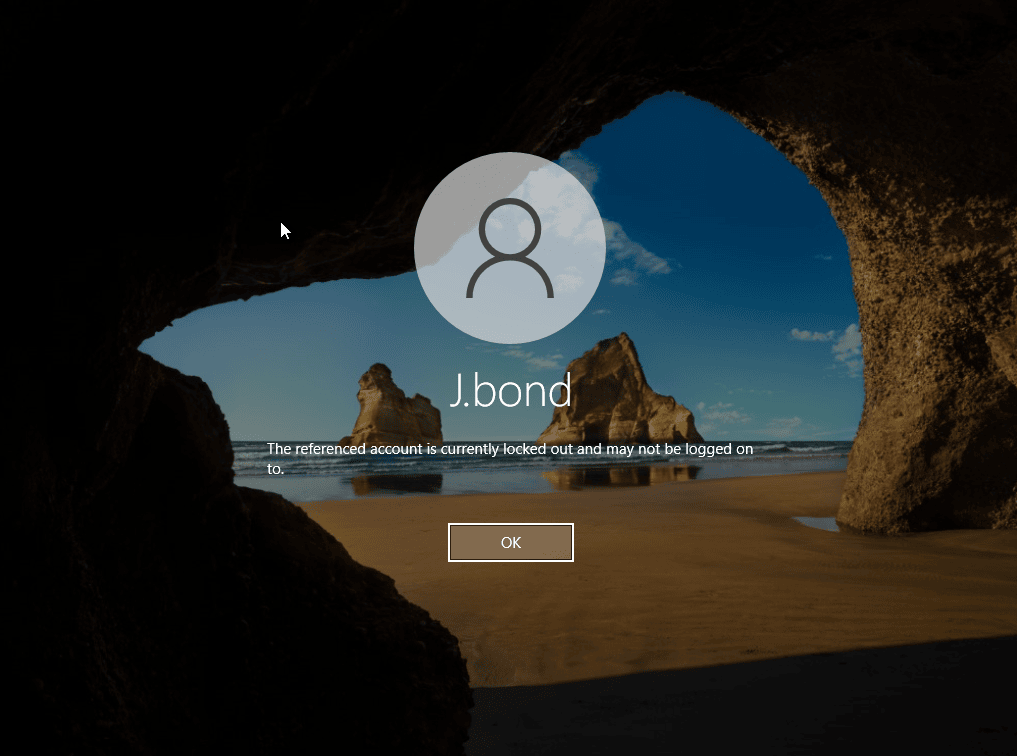
Implement account lockout mechanisms
Configure systems to temporarily lock accounts after 5–10 failed attempts, with a 30-minute cooldown period. This significantly slows down automated attacks. For further information, consult our best practices for account lockouts.
Require MFA
Deploy MFA across all critical systems, ensuring that even compromised credentials remain insufficient for unauthorized access. Prioritize phishing-resistant methods like authenticator apps or hardware tokens over SMS-based verification.
Apply rate limiting controls
Restrict logon attempts to 3–5 per minute from a single IP address. Implement progressive delays between attempts to further hinder automated tools without impacting legitimate users.
Regularly update defenses
Conduct periodic reviews of authentication systems to close emerging vulnerability gaps. Stay current with NIST password guidelines and adapt controls as threat landscapes evolve.
Deploy advanced monitoring tools
Utilize UBA-driven solutions to establish baselines and detect abnormal logon patterns. Configure real-time alerts for distributed attack patterns and multiple failed logon attempts from single sources.
How ADAudit Plus can help you detect brute-force password attacks
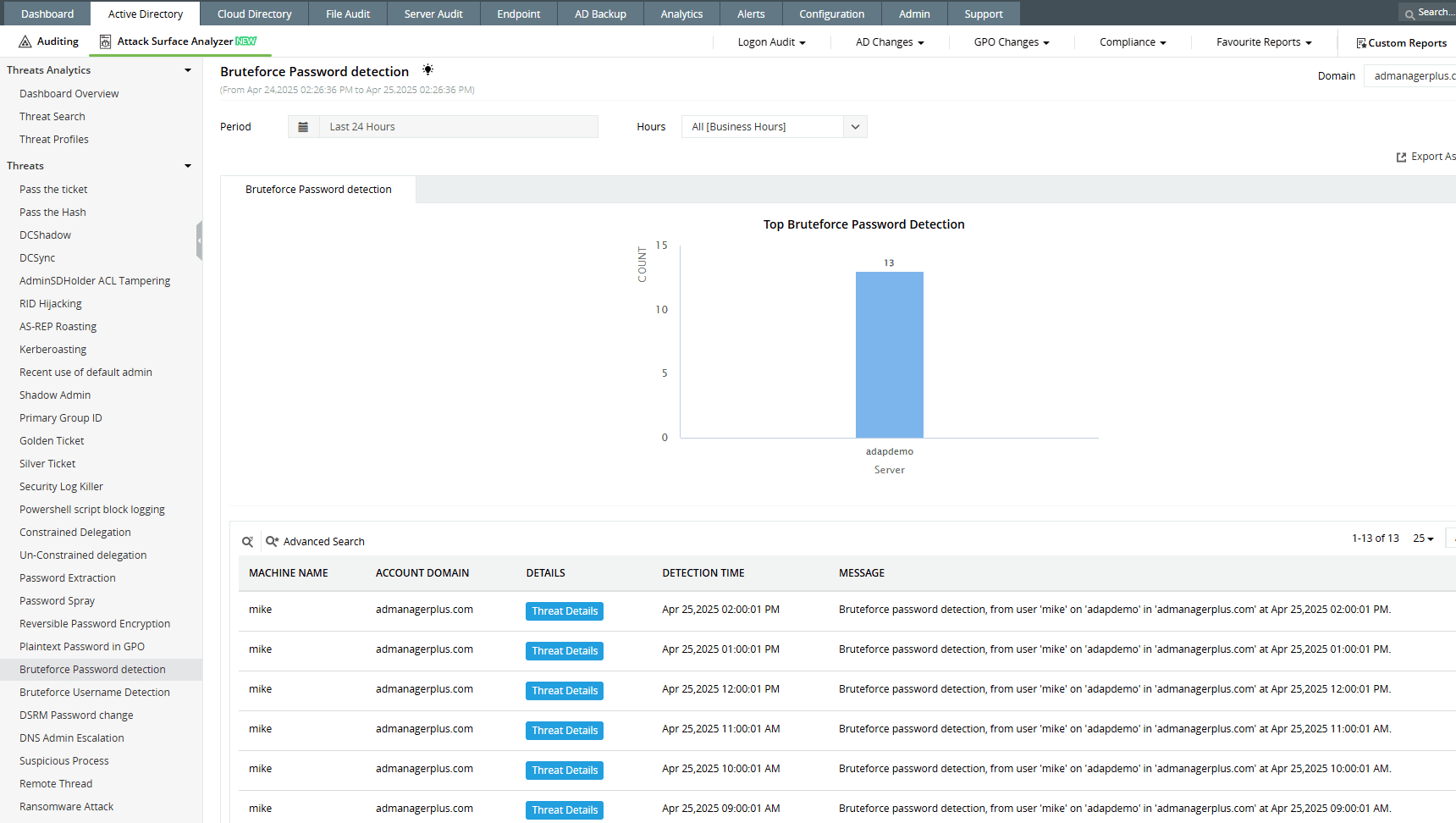
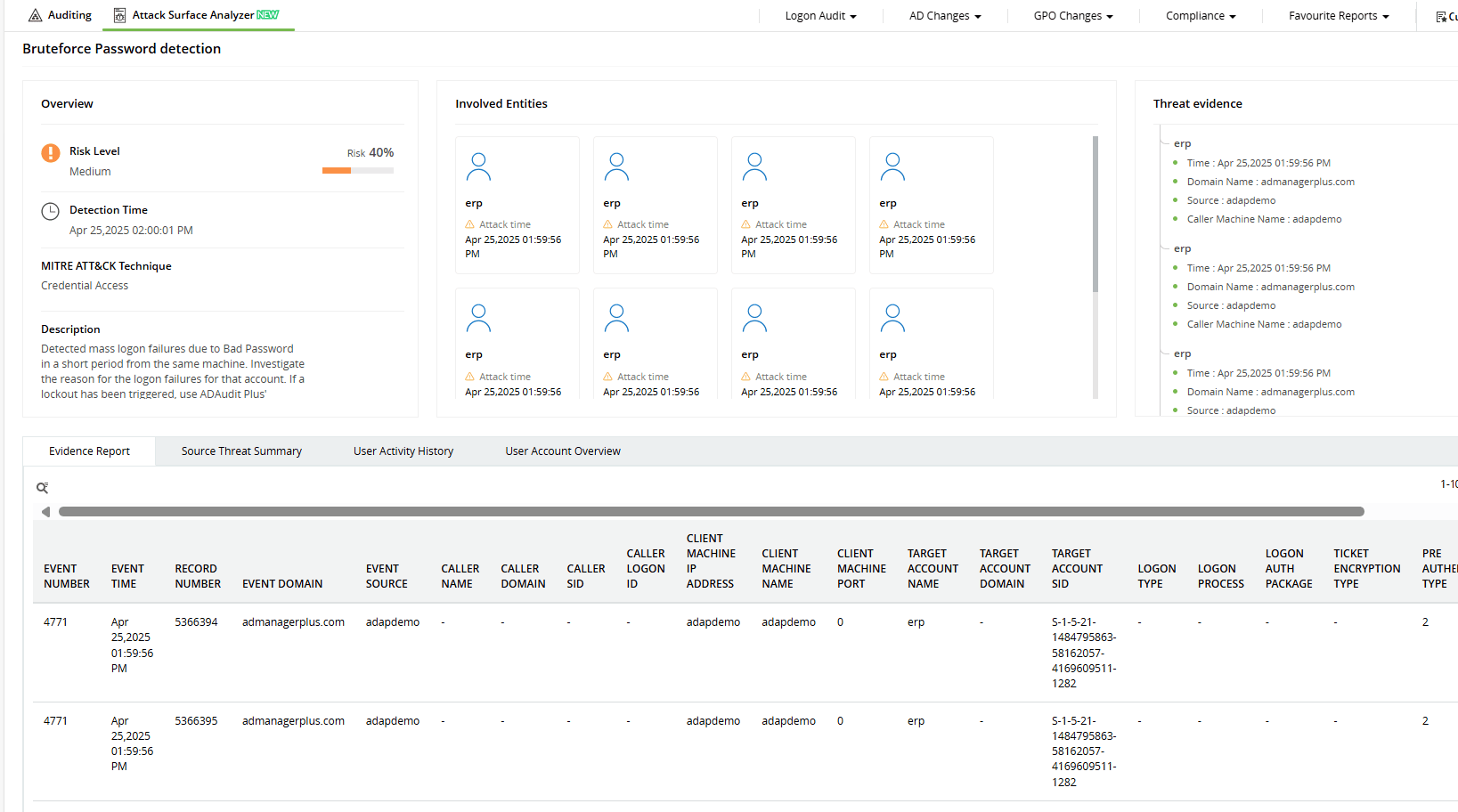
ADAudit Plus’ Attack Surface Analyzer features curated dashboards and specialized reports that help you detect brute-force attacks in real time. Powered by detection rules based on the MITRE ATT&CK® framework, it highlights patterns like repeated failed logons, sudden spikes in account lockouts, and unusual logon behavior. With these insights, you can quickly investigate and take action to contain threats before they escalate. Convert Download
-
Trace every failed logon and lockout event to spot attacks before they escalate.
-
Investigate brute-force attempts in real time with detailed logon data, user activity history, and machine-level evidence—all in one unified view.
Start protecting your on-premises and cloud AD resources with ADAudit Plus
Detect over 25 different AD attacks and identify potential misconfigurations within your Azure, GCP, and AWS cloud environments with the Attack Surface Analyzer.
See the Attack Surface Analyzer in actionWe're thrilled to be recognized as a Gartner Peer Insights Customers' Choice for Security Incident & Event Management (SIEM) for the fourth year in a row.









