Direct Inward Dialing: +1 408 916 9892
Authentication policy comprises of user logon rights, Domain policy, Kerberos policy, forest and domains trusts, and so on. Audit Authentication Policy Change is an advanced audit policy setting, which if enabled, will generateevents when the authentication policy on the network is modified.
If a malicious agent attempts to tamper with authentication policies, it could put the entire network in danger. For example, if the domain policy is changed by an unauthorized person, it could be an insider trying to lower the security coverage of the network. This can be done in various ways such as diluting the password complexity requirements, altering group permissions, and so on. Therefore it becomes essential for you to enable auditing for these policies.
 Once this policy is enabled, these are some of the events that will be recorded:
ADAudit Plus is an Active Directory auditing tool that can audit and generate reports in real-time on all the changes happening on the network. It provides an intuitive, user-friendly interface with over 200 neatly categorized reports that can be generated instantly. This tool provides several audit reports on authentication policy changes such as modifications to group policies, domain policies, user logon rights, and so on. Here is a sample report from ADAudit Plus on Domain Policy Changes:
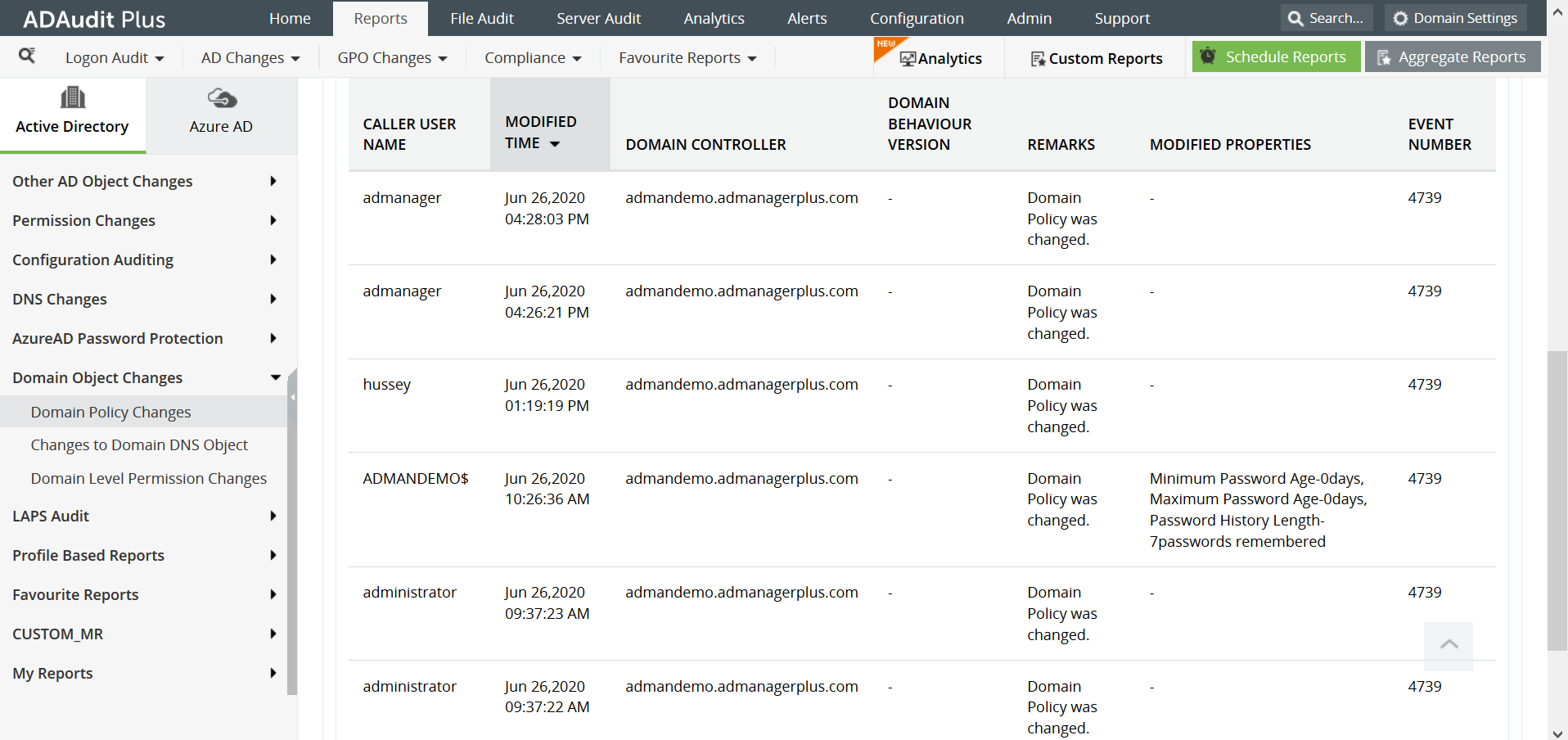
This report gives information on the user who made the policy change, the timestamp, the domain controller, and details about the exact change that was made.
This is enough information for an administrator to know whether or not it is an authorized change. If the change is not authorized, this information will be helpful to catch the intruder or insider red-handed.
This report can be generated in ADAudit Plus by navigating to Reports > Domain Object Changes > Domain Policy Changes.
ADAudit Plus is a real-time, web-based Windows Active Directory change reporting software that audits, tracks, reports and alerts on Windows (Active Directory, workstations logon/logoff, file servers and servers), NetApp filers and EMC servers to help meet the demands of the much-needed security, audit and compliance, including FISMA compliance. With ADAudit Plus, track authorized/unauthorized AD management changes, access of users, GPO setting changes, groups, computer, OU. Track every file, folder modifications, access and permissions changes with 200+ detailed event-specific reports and get instant emails alerts. You can also export the results to XLS, HTML, PDF and CSV formats to assist in interpretation and computer forensics. For more information on ADAudit Plus, visit https://www.manageengine.com/active-directory-audit/.
Try ADAudit Plus login monitoring tool to audit, track, and respond to malicious login and logoff actions instantaneously.
Try ADAudit Plus for free
 Free Edition










