Direct Inward Dialing: +1 408 916 9892
Audit Detailed Directory Service Replication is an Audit Policy setting, which when enabled, audits and registers detailed information about replication events. These events contain tracking information about the data that is being replicated.
It helps tracking, and troubleshooting replication events in your domain. Regularly checking these events can ensure that all the important changes to passwords , and user account settings are replicated between domain controllers at the configured intervals.
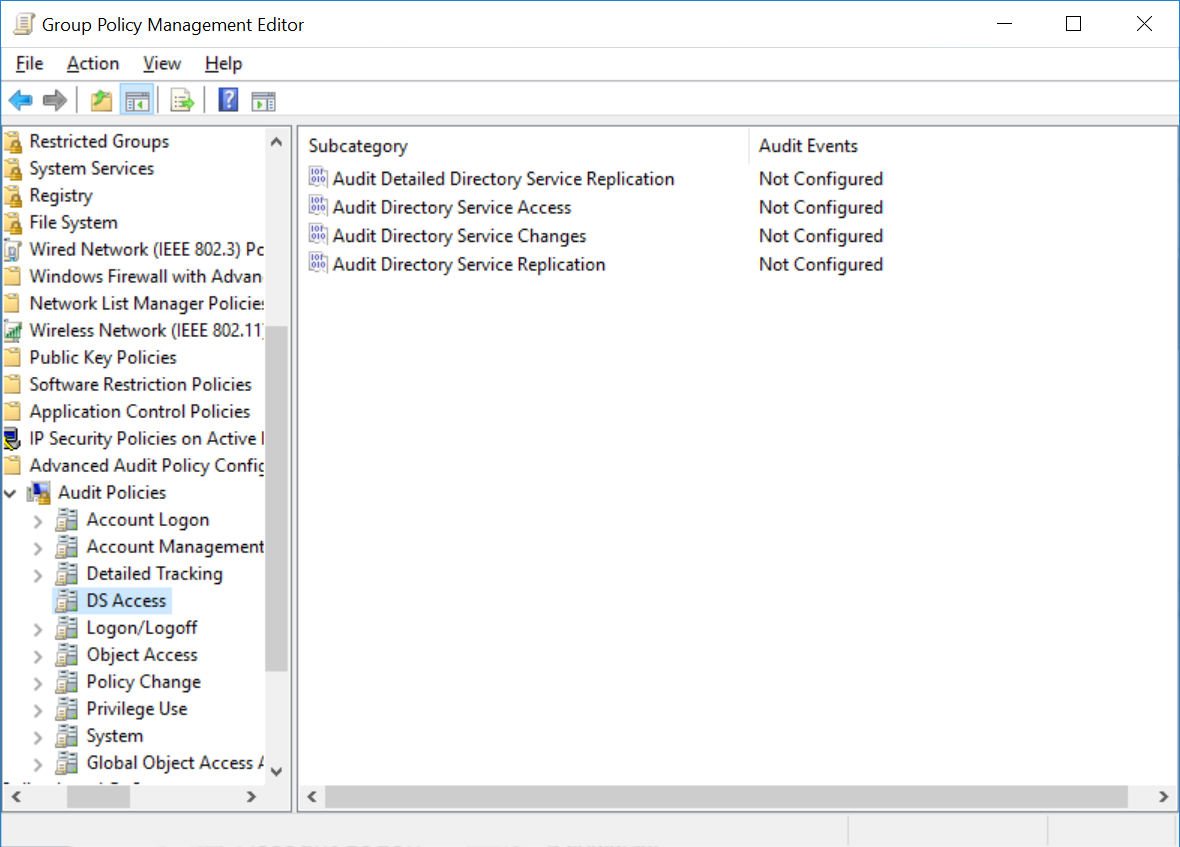
Once you've enabled the audit policies, the events get recorded and can be viewed in the Events Viewer. Manually analyzing ever event is a time consuming and tedious process. To conduct in-depth analysis and to connect these events with the rest of the events happening in your AD, you need an AD auditing solution such as ADAudit Plus.
ADAudit Plus is an Active Directory auditing tool that can audit all the changes made across the Active Directory network. It can help you track all the changes made on each Domain Controller and provide you with all the details. It is capable of efficiently auditing multi-domain networks in real-time. This tool creates comprehensive reports piecing together information from various sources in your AD and generates them instantly. Regularly checking these reports can help administrators detect any anomalous activities on your DCs.
ADAudit Plus is a real-time, web-based Windows Active Directory change reporting software that audits, tracks, reports and alerts on workstations logon/logoff, file servers, Domain Controllers, attribute modifications to help meet the demands of the much-needed security, audit and compliance. With ADAudit Plus, track authorized/unauthorized AD management changes, access of users, GPO, groups, computer, OU. Track every file, folder modifications, access and permissions changes with 200+ detailed event-specific reports and get instant emails alerts. You can also export the results to XLS, HTML, PDF and CSV formats to assist in interpretation and computer forensics. For more information on ADAudit Plus, visit https://www.manageengine.com/active-directory-audit/.
Try ADAudit Plus login monitoring tool to audit, track, and respond to malicious login and logoff actions instantaneously.
Try ADAudit Plus for free
 Free Edition










