Direct Inward Dialing: +1 408 916 9892
In Active Directory, distribution groups are created for the purpose of email distribution. These groups are used in Microsoft Exchange to send emails to the members of specific distribution lists. Distribution groups are also referred to as security-disabled groups. But don't let the name mislead you; security breaches and compliance issues can arise from the misuse of these groups as well. For instance, if a member had been added to the finance team's distribution group, then the added user will start receiving confidential information about company's financial data and other procedures which could lead to a data breach. Therefore it becomes essential for you to track the creation of new distribution groups, attribute changes of distribution groups, and new users added or removed from the group.
Note: Within Active Directory, a distribution group refers to any group that doesn't have a security context, whether it's associated with mailing lists or not. In Exchange Online, all mail-enabled groups are referred to as distribution groups, whether they have a security context or not.
This article is a quick refresher on all how to enable auditing of distribution groups, the events you should track and how you can use ADAudit Plus to track these events. If you are looking to set up this audit policy from scratch, we recommend you check out our post on How to check who was recently added to a distribution list which elaborates the steps to configure audit policies for distribution groups and check who was newly added to the group.
Here are a list of events you should monitor with respect to your distribution groups. Enabling auditing for these events is also recommended by Microsoft.
You may use Event Viewer, the native event analysis tool to investigate these events. Though Event Viewer is a good tool to use, manually analyzing these events one-by-one will be time consuming. Further, Event Viewer doesn't provide you the overview of implications of these events on the network. To conduct in-depth analysis and get a holistic view of what's happening in your network, you must use a comprehensive AD auditing solution like ADAudit Plus.
ADAudit Plus is a one-stop solution that brings together an intuitive user interface, pre-configured reports, and advanced filter options that make it easy for you to track changes to your network, and detect threats immediately. You get a fully equipped dashboard that gives you a holistic view of the various systems in your network. This way you can correlate events across the network and spot suspicious behavior.
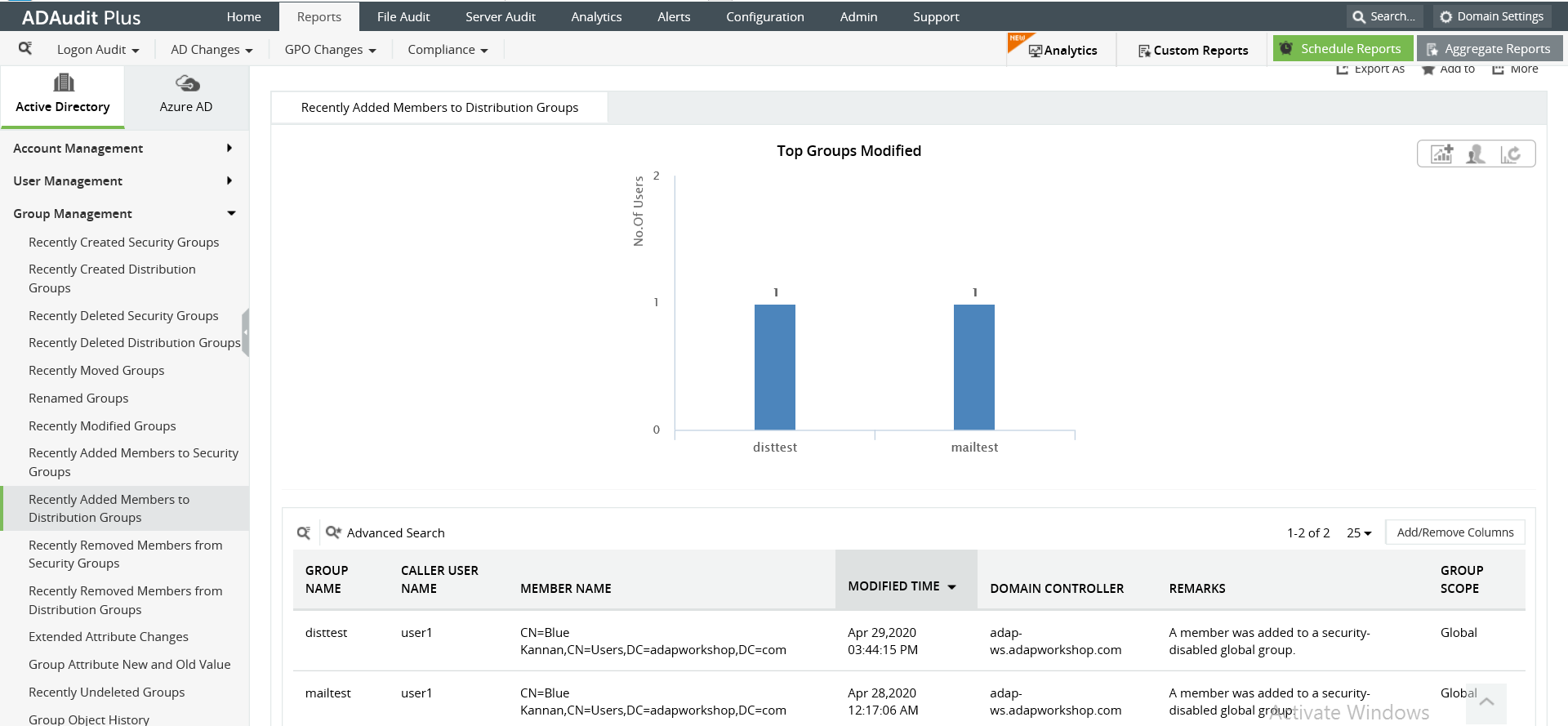
Image: Recently Added Members in Distribution Groups report in ADAudit Plus
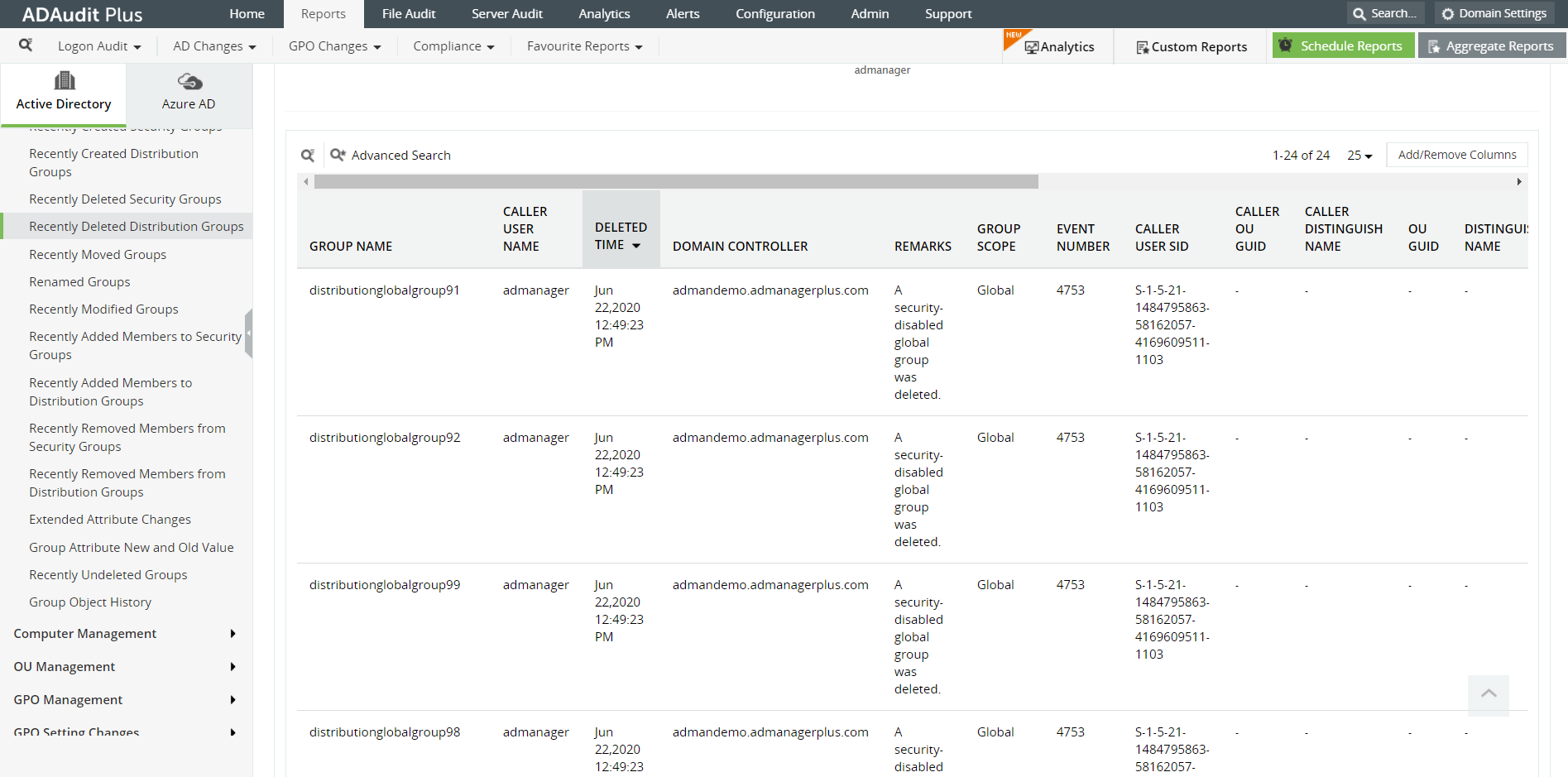
Image: Recently Deleted Distribution Groups report in ADAudit Plus
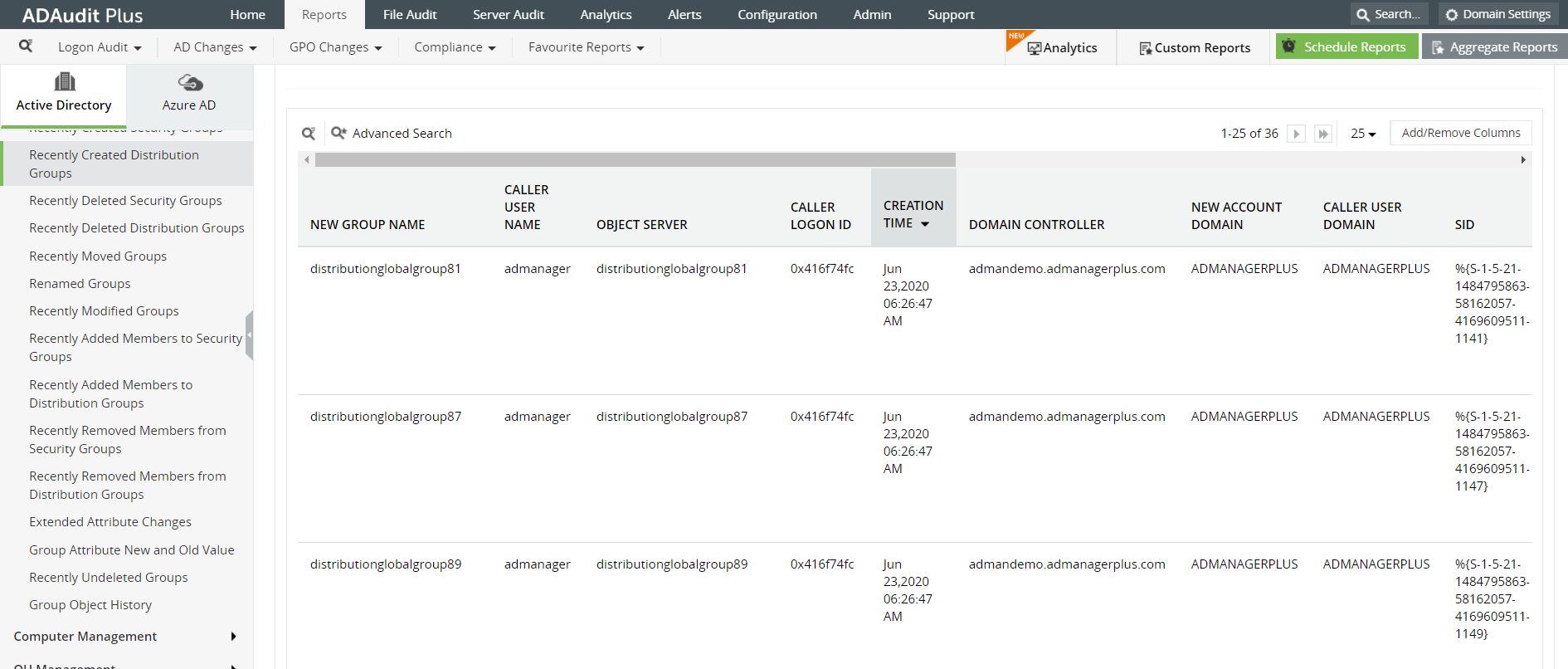
Image: Recently Created Distribution Groups In ADAudit Plus
ADAudit Plus is a real-time, web-based Windows Active Directory (AD) change reporting software that audits, reports and alerts on Active Directory, Windows servers and workstations, and NAS storage devices to meet the demands of security, and compliance requirements. You can track AD management changes, processes, folder modifications, permissions changes, and more with 200+ reports and real-time alerts. You can also get out-of-the-box reports for compliance mandates such as the HIPAA. To learn more, visit https://www.manageengine.com/active-directory-audit/.
Try ADAudit Plus login monitoring tool to audit, track, and respond to malicious login and logoff actions instantaneously.
Try ADAudit Plus for free
 Free Edition










