Direct Inward Dialing: +1 408 916 9892
Audit IPsec Extended Mode is an advanced audit policy setting. It's used for auditing the operations of certain protocols within the IPsec suite of protocols, such as Internet Key Exchange protocol (IKE), and Authenticated Internet protocol (AuthIP). Both IKE and AuthIP are security protocols that ensure the integrity of the content sent from one device to another over the internet. AuthIP additionally supports user-based authentication, authentication with multiple credentials, and so on. Extended Mode helps the devices perform multiple rounds of authentication, such as separate computer-based authentication and user-based authentication, for added security.
Enabling this policy setting can help troubleshoot and monitor the Extended Mode operations. For example, if a device constantly records event ID 4978, it signifies invalid negotiation packages. This could be caused by a network issue, or even a potential external attempt to modify packets. Therefore it is important to monitor such IPsec events.
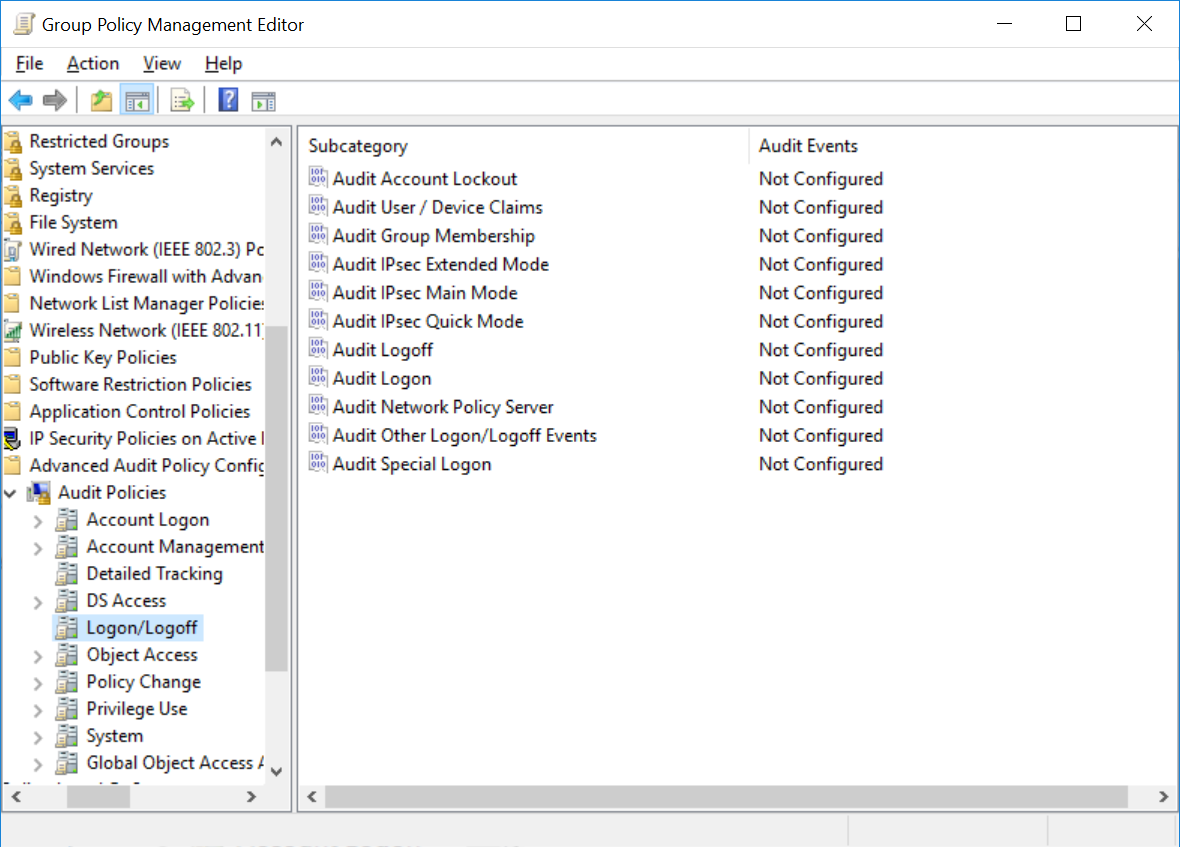
You can manually analyze these events by viewing it in the Event Viewer. However, it's a time consuming process. Alternatively, you can analyze these events in-depth and in relevance with other events occurring in your network with the help of an Active Directory auditing solution such as ADAudit Plus.
ADAudit Plus is a real-time Active Directory auditing tool that can track all the changes across the AD network. This tool can therefore monitor audit policy changes on the network as well.
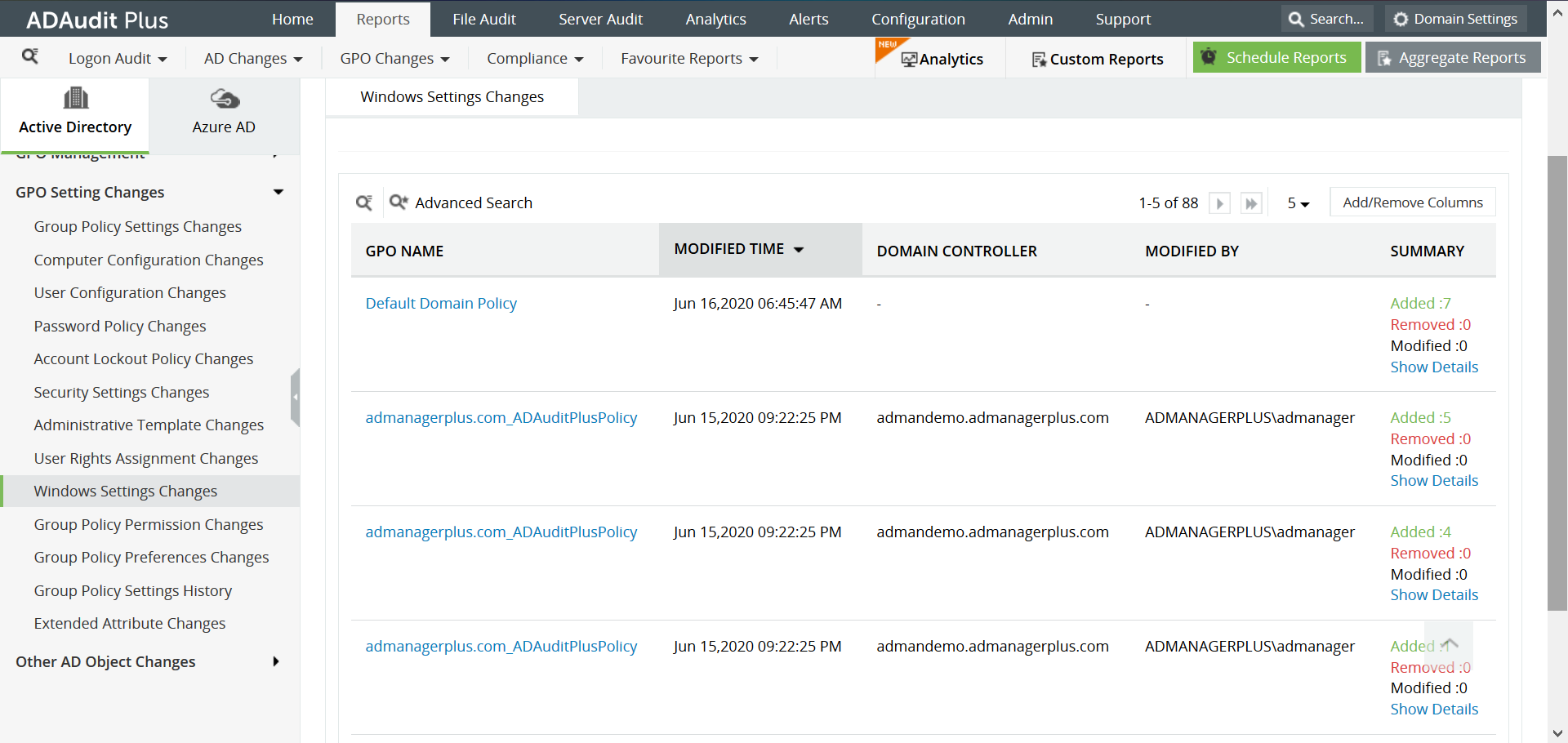
This report can be accessed on ADAudit Plus by navigating to Reports > GPO Settings Changes > Windows Settings Changes.
This comprehensive report provides information on the name of the GPO that was modified, the user who modified it and also gives more details about the exact modification that was made.
ADAudit Plus is a real-time, web-based Windows Active Directory change reporting software that audits, tracks, reports and alerts on workstations logon/logoff, file servers, Domain Controllers, attribute modifications to help meet the demands of the much-needed security, audit and compliance. With ADAudit Plus, track authorized/unauthorized AD management changes, access of users, GPO, groups, computer, OU. Track every file, folder modifications, access and permissions changes with 200+ detailed event-specific reports and get instant emails alerts. You can also export the results to XLS, HTML, PDF and CSV formats to assist in interpretation and computer forensics. For more information on ADAudit Plus, visit https://www.manageengine.com/active-directory-audit/.
Try ADAudit Plus login monitoring tool to audit, track, and respond to malicious login and logoff actions instantaneously.
Try ADAudit Plus for free
 Free Edition










