What is Audit MPSSVC Rule-Level Policy Change?
Audit MPSSVC Rule-Level Policy Change is a security policy that ascertains if the OS generates audit logs when modifications are made to policy rules for the Microsoft Protection Service (MPSSVC.exe). The following are a couple of examples of MPSSVC Rule-Level Policy Change and their importance:
- Windows Firewall settings were restored to the default values - Tracking this event provides information about the changes made to Firewall rules done locally on the computer. This event should be logged only when the organization intentionally makes changes to Windows Firewall rules. If this event is logged under any other circumstance, it is to be considered as suspicious activity. Critical machines should always be monitored for this event.
- A change has been made to Windows Firewall exception list. A rule was added/modified/deleted - Tracking this event is important to stay abreast of all the additions, modifications, and deletions made to Firewall rules.
How to enable Audit MPSSVC Rule-Level Policy Change?
- Open Server Manager on your Windows server.
- Under the Manage tab, select Group Policy Management to view the Group Policy Management Console.
- Navigate to Forest > Domain > Your Domain > Domain Controllers.
- Either create a new group policy object or you can edit an existing GPO.
- In the group policy editor, navigate to Computer Configuration > Windows Settings > Security Settings > Advanced Audit Policy Configuration.
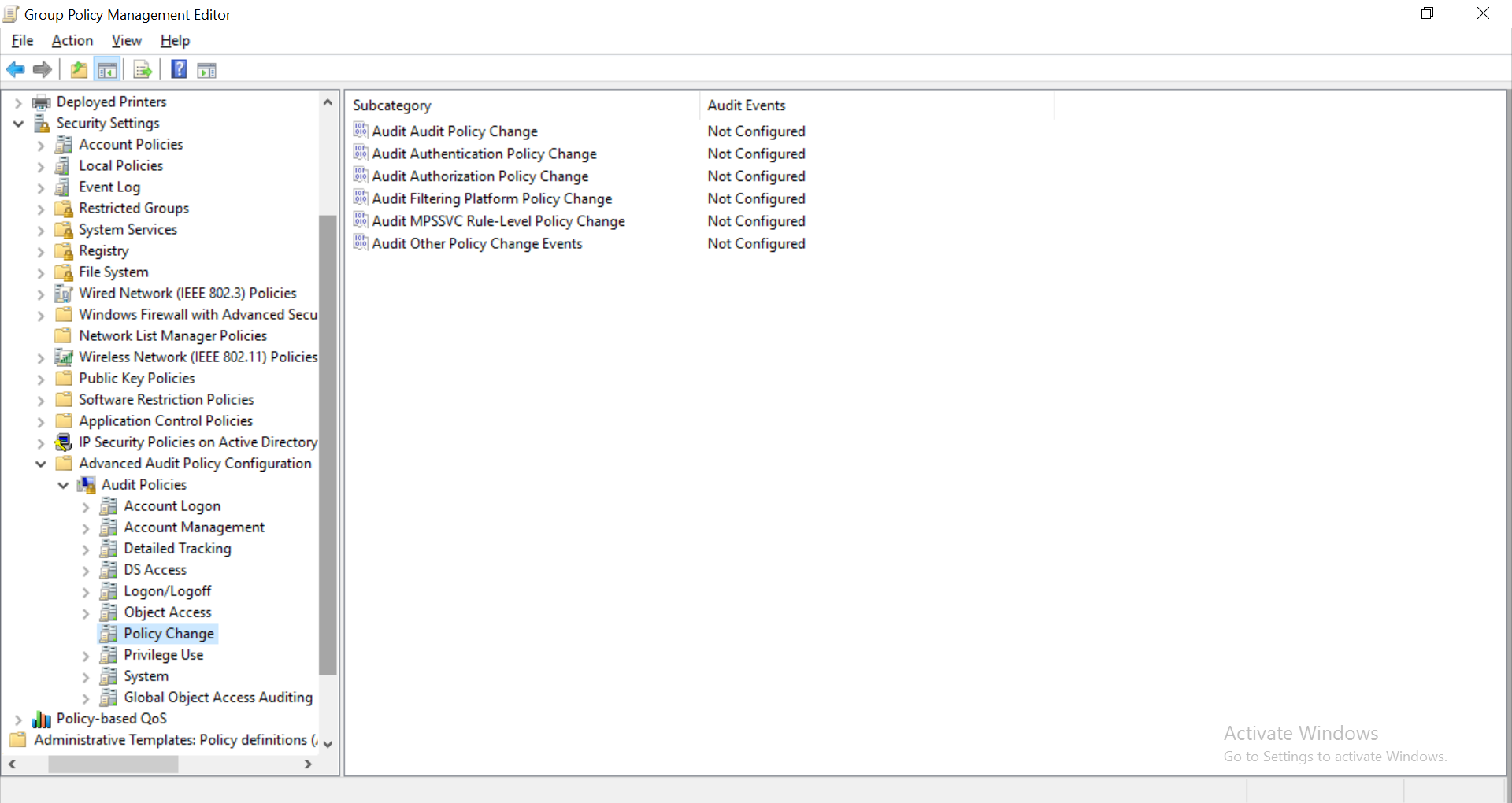
- In the group policy editor, navigate to Computer Configuration > Windows Settings > Security Settings > Advanced Audit Policy Configuration > Audit Policies. Expand the node and select Policy Change. Click on Audit MPSSVC Rule-Level Policy Change and enable it for Success and Failure.
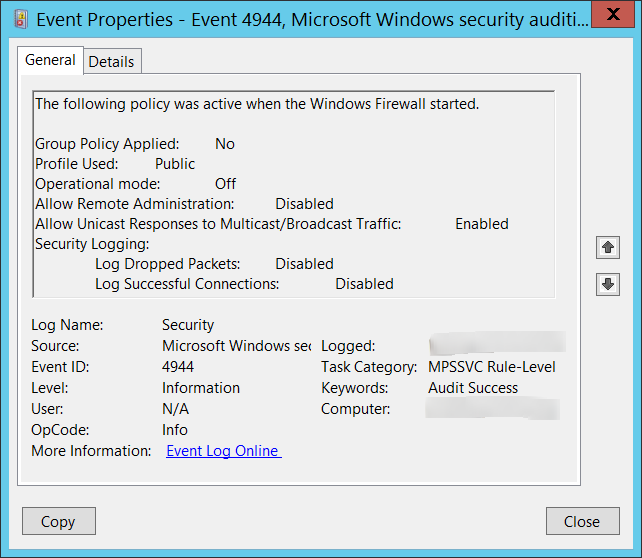
By default, this policy setting is not configured. The following events are generated if the Audit MPSSVC Rule-Level Policy Change setting is configured:
- 4944 - This event shows the Windows Firewall settings that were active when the Windows Firewall service started.
- 4945 - A rule was listed when the Windows Firewall started.
- 4946 - A change has been made to Windows Firewall exception list. A rule was added.
- 4947 - A change has been made to Windows Firewall exception list. A rule was modified.
- 4948 - A change has been made to Windows Firewall exception list. A rule was deleted.
- 4949 - Windows Firewall settings were restored to the default values.
- 4950 - A Windows Firewall setting has changed.
- 4951 - A rule has been ignored because its major version number was not recognized by Windows Firewall.
- 4952 - Parts of a rule have been ignored because its minor version number was not recognized by Windows Firewall. The other parts of the rule will be enforced.
- 4953 - A rule has been ignored by Windows Firewall because it could not parse the rule.
- 4954 - Windows Firewall Group Policy settings have changed. The new settings have been applied.
- 4956 - Windows Firewall has changed the active profile.
- 4957 - Windows Firewall was not able to apply a rule.
- 4958 - Windows Firewall is not able to apply the following rule because the rule referred to items not configured on this computer: Rule Information- ID: %1.
Audit MPSSVC Rule-Level Policy Change with ADAudit Plus
ADAudit Plus is an Active Directory auditing solution that can audit and generate reports on all the users and entities on the network, in real-time. This tool has the capability to audit AD objects that have audit policies applied on them, as well as the audit policies themselves. It has a section for GPO settings changes, which has multiple reports on the various group policy changes including modifications to audit policy. Unlike Windows Event Viewer, this tool provides all the necessary information in one place.
ADAudit Plus reports provide the type and value of a new setting, which is exactly what a system admin may be looking for.
About ADAudit Plus
ADAudit Plus is a real-time, web-based Windows Active Directory change reporting software that audits, tracks, reports and alerts on Windows (Active Directory, workstations logon/logoff, file servers and servers), NetApp filers and EMC servers to help meet the demands of the much-needed security, audit and compliance, including FISMA compliance. With ADAudit Plus, track authorized/unauthorized AD management changes, access of users, GPO setting changes, groups, computer, OU. Track every file, folder modifications, access and permissions changes with 200+ detailed event-specific reports and get instant email alerts. You can also export the results to XLS, HTML, PDF and CSV formats to assist in interpretation and computer forensics. For more information on ADAudit Plus, visit https://www.manageengine.com/active-directory-audit/.
✕
Native auditing becoming a little too much?
Try ADAudit Plus login monitoring tool to audit, track, and respond to malicious login and logoff actions instantaneously.
Try ADAudit Plus for free
 Free Edition










