Auditing Other Logon-Logoff events provides important data, just as logon-logoff events do, to understand user activity and detect potential attacks. Other Logon-Logoff events occur relatively less frequently and hence generate events in low volume.
Following are the Other Logon-Logoff events along with their respective event IDs:
- The connection of a Remote Desktop session. - 4778
- The disconnection of a Remote Desktop session. - 4779
- The locking of a workstation. - 4800
- The unlocking of a workstation. - 4801
- The invoking of a screen saver. - 4802
- The dismissing of a screen saver. - 4803
- The detection of a replay attack. This event translates to a Kerberos request being received twice with identical information, or a network misconfiguration. - 4649
- Access granted for a user to a wireless network. It can either be a user account or the computer account. - 5632
- Access granted for a user to a wired 802.1x network. It can either be a user account or the computer account. - 5633
Viewing Other Logon-Logoff events in Event Viewer
To filter the required event IDs using Event Viewer,
- Click Start -> Administrative Tools -> Event Viewer.
- On the left side, double-click Event Viewer -> Windows Logs -> Security.
- On the right side, under Security, click Filter Current Log. Type the required event ID to get the respective logs. For example, to know who unlocked the workstation, look for Event ID 4801 as shown in the image below.
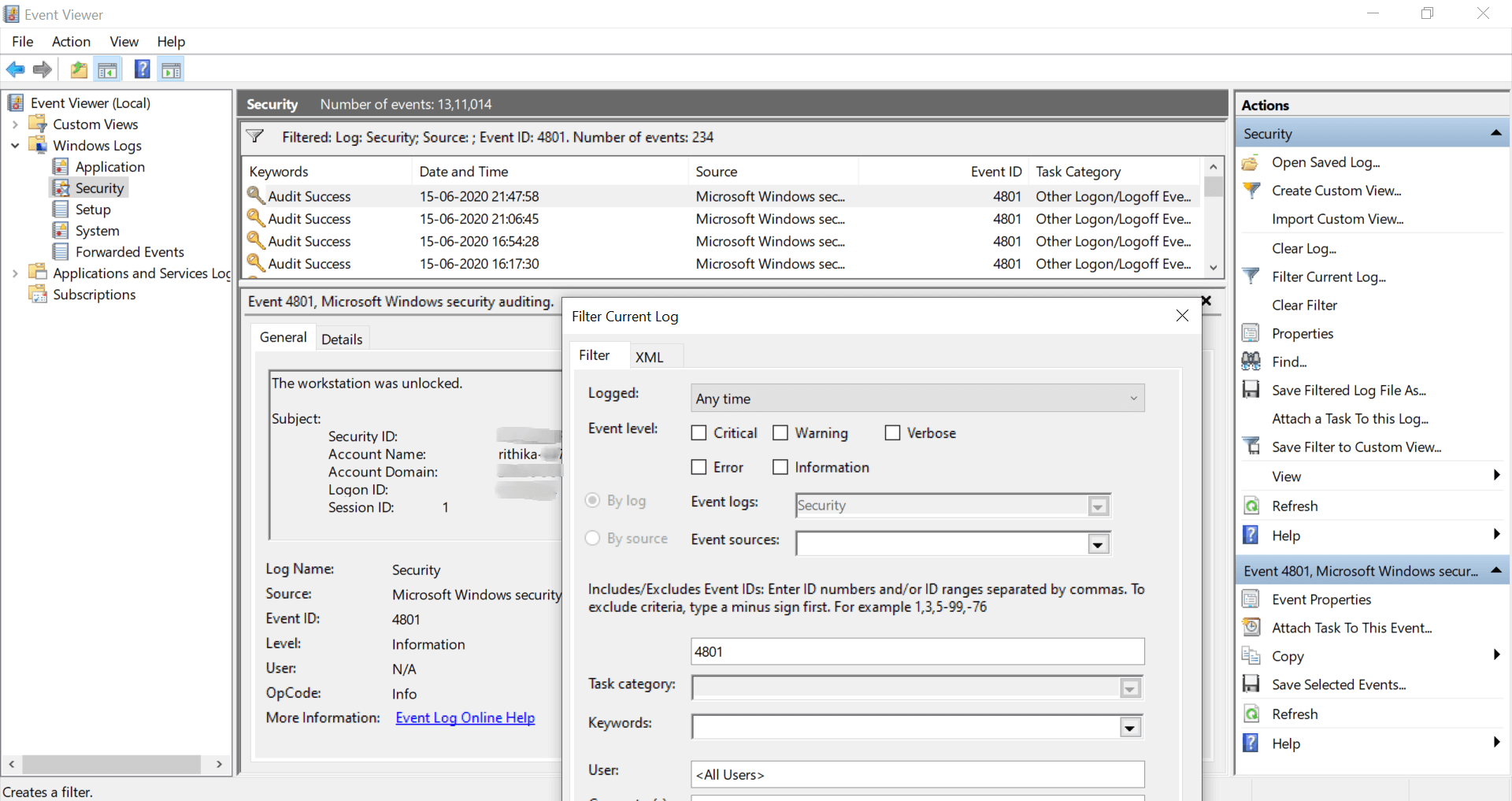
On double-clicking a log, you get the following information:
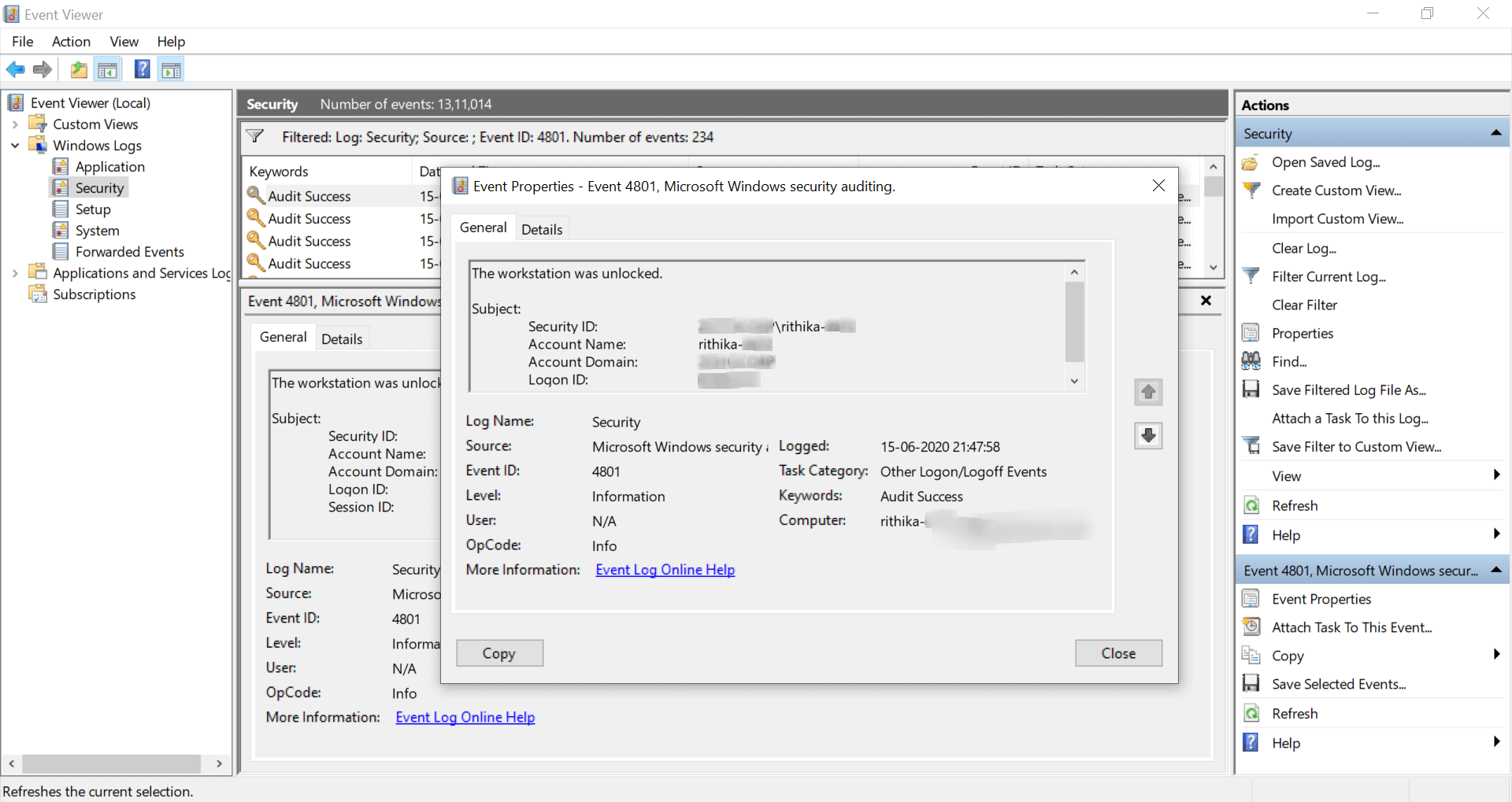
- Security ID
- Account Name
- Domain Name
- Logon ID
- Logon time
You would require to double-click every log to obtain the details of a logon.
How to audit Other Logon-Logoff activities using ADAudit Plus
ADAudit Plus, a real-time Active Directory auditing tool, provides pre-configured reports about account logons which help identify malicious users attempting to logon to workstations that require elevated privileges. The reports provide complete evidence of any action administered by any user. They are also useful in overcoming account logon audit challenges such as relay attacks.
Viewing specific events in ADAudit Plus
- Log on to the web console of ADAudit Plus.
- Navigate to Reports -> Local Logon-Logoff.
- Select the report of your choice, and see information about changes made to the Group Policy settings, computer configuration, password policy, and more.
For example, the screenshot below from ADAudit Plus shows a sample report of remote desktop services activity:
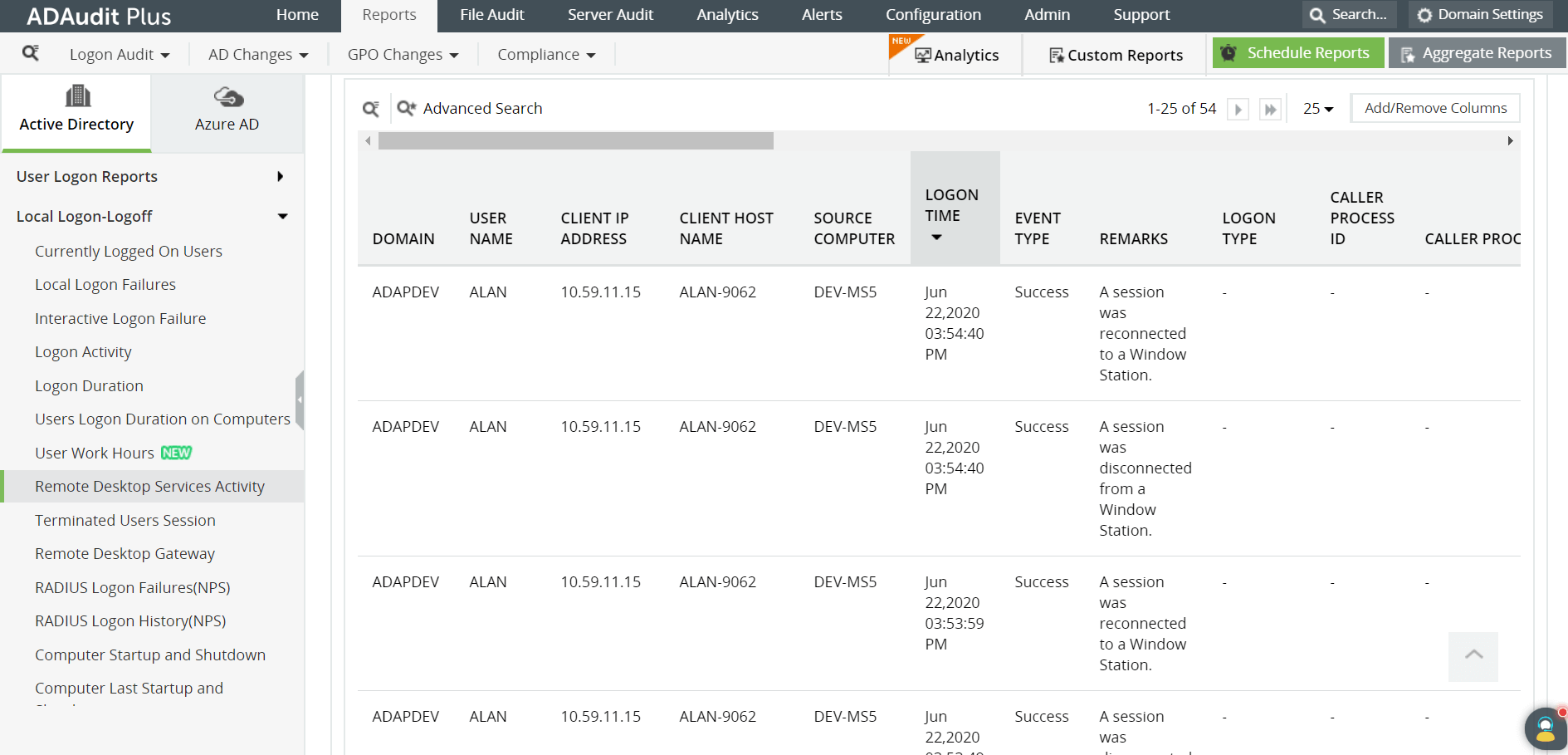
In this report, you can obtain the following information for all the logs at one glance:
- Time of the logon
- Domain name
- Username
- Client IP address
The ADAudit Plus difference
Download ManageEngine's ADAudit Plus, a real-time Active Directory auditing tool, that offers comprehensive reports and instant email alerts. It is a useful tool to understand employee behavior with regards to IT, and thwart insider and outsider attacks. It can also be used to keep track of other logon-logoff events.
✕
Native auditing becoming a little too much?
Try ADAudit Plus login monitoring tool to audit, track, and respond to malicious login and logoff actions instantaneously.
Try ADAudit Plus for free
 Free Edition










