Direct Inward Dialing: +1 408 916 9892
Security Incident and Event Management (SIEM) solutions have been around for a little more than a decade now. This holistic cybersecurity solution was formed by amalgamating the existing security event management (SEM) and security information management (SIM) disciplines. The combination of these two disciplines gives organizations a seamless way to collect, analyze and correlate events, respond to threats, and generate reports on log data.
Adhering to compliance mandates: SIEM solutions provide an easy way for you to comply with regulations that are applicable to the industry your organization belongs to. These regulations generally pertain to data safety, and they mandate that precautions be taken to ensure data breaches do not occur. SIEM solutions can generate alerts so that action can be taken before compliance violations occur.
Before we go further, if you want to learn more about different compliance laws, be sure to check out our posts that explain these laws in detail. (LINK TO BE ADDED)
Privilege Access Monitoring: When hackers target your systems, they generally scout for accounts that have high privileges. So it is very important that you use an SIEM solution to monitor access to systems and sensitive information, and check for anomalous behavior on the network.
Ensuring overall security of an organization: SIEMs can work well with other security tools like firewalls and malware detectors to ensure the overall protection of the network.
Conduct an analysis of your security needs: A proper implementation of an SIEM solution requires you to have a clear picture of your security needs. Analyze what data is crucial to your operations, and important for compliance. These require the highest safety measures. You'll also have to assess what network devices could serve as entry points for malicious entities into your network. The above steps should be a part of a basic risk assessment strategy to gauge what security measures you need to devote your time and budget to.
If you're interested in reading more about how to conduct a quick risk assessment you can check out our post on "How to conduct an effective risk assessment." This post is particularly tailored to a healthcare organization, but the steps detailed, can easily be applied to any organization in any sector.
Look for alternate log data collection methods: This might sound odd, but hear us out. You may think why do we need alternate data collection and analysis solutions when you already have SIEM? The hard reality is that processing all your log with only an SIEM solution, is not feasible. Logs are in huge volume, excessively feed on bandwidth and storage, and require complex rules to correlate events.
Processing all of this data via an SIEM, is overwhelming because it leads to unnecessary alerts that distract security teams from focusing on the real threats that need their attention. This does not mean that you should not collect all your log data. You still need to do that. But instead of overwhelming your SIEM tools, you need to look for a way to streamline your log data.
To do this, you can prioritize what data requires real-time alerts and should be processed with an SIEM. For events that don't require real-time analytics you can use UBA to process them. For example you can use UBA to build a baseline of normal work hours, applications that are frequently used, or normal network traffic. This way you allow SIEM to only deal with critical events while maintaining all your log data for future forensic purposes.
The previous step, assessing what data is critical for you, will help you in prioritizing what events should be processed by your SIEM solution. Apart from compliance data, other important events include security events of domain controllers, authentication events in AD and security events of important servers.
Have predetermined correlation rules in place: Build a set of customized rules on what actions should take place when a security incident occurs. For example you can have rules in place to generate alerts when data that is important to compliance regulations is accessed or modified.
Effective response strategy: Have a response plan that must be triggered if and when your security is breached. A response plan includes deploying suitable technical measures to ensure that the entire network is not compromised, having specific people in charge of handling the attacks and troubleshooting mechanisms to deal with the threat.
Supplement SIEM with other security measures: In addition to SIEM, you should have firewalls, malware detectors, and other security systems in place. This makes your security infrastructure more airtight, and allows you to deal with security issues in time.
Test and Review your SIEM solution: It's important to check if you've configured your SIEM to be effective in the event of a security issue. You can perform some anomalous activity to see if SIEM processes the logs related to the activity effectively. Doing this helps you gauge the quality of the correlation rules you have in place.
Besides testing, you also need to see if the SIEM tools have been deployed properly, and all security systems are configured and updated.
Log360 is a holistic SIEM solution. ADAudit Plus, the Active Directory auditing and reporting module is a part of the Log360 package. ADAudit Plus is a comprehensive solution to help you conduct effective audits of your Active Directory and generate detailed reports of network activity. You can leverage the intuitive dashboard to easily access pre-configured reports on network activity. ADAudit Plus also provides an easy way to ensure compliance with out-of-box-reports on various compliance regulations.
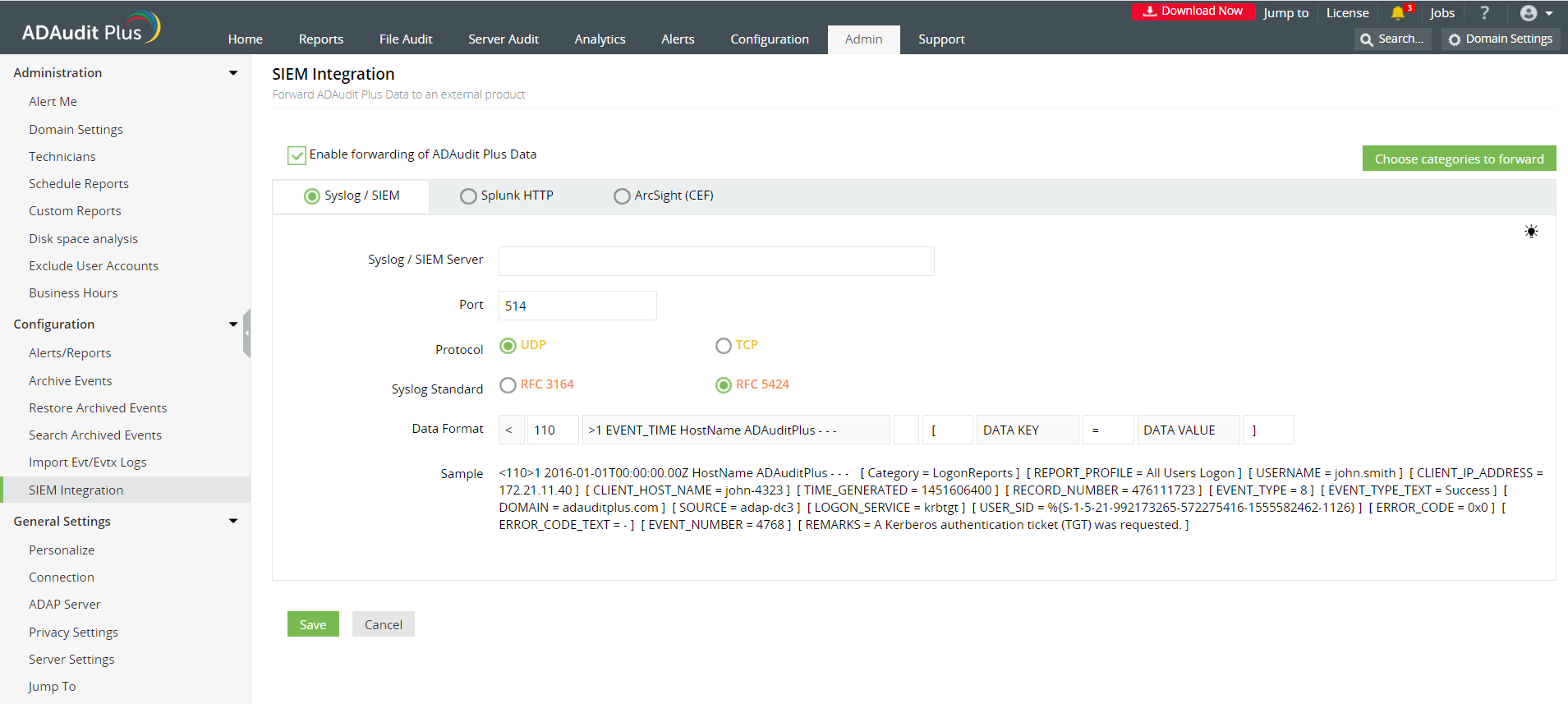
ADAudit Plus is a real-time, web-based Windows Active Directory (AD) change reporting software that audits, reports and alerts on Active Directory, Windows servers and workstations, NAS storage devices, and Azure AD to meet the demands of security, and compliance requirements. You can track AD management changes, processes, folder modifications, permissions changes, and more with 200+ reports and real-time alerts. To learn more, visit https://www.manageengine.com/active-directory-audit/.
Try ADAudit Plus login monitoring tool to audit, track, and respond to malicious login and logoff actions instantaneously.
Try ADAudit Plus for free
 Free Edition










