Direct Inward Dialing: +1 408 916 9892
LastActivityView is a freeware tool for Windows operating system from NirSoft. It gathers information from several sources such as Event Viewer, Prefetch folder, MiniDump folder, Windows Registry, and so on to present a consolidated list of all the events that occurred in a computer. LastActivityView is an effective tool to audit all activities that take place in a workstation and can help IT administrators in forensic analysis in case of any mishap.
Running an executable (.exe) file, installation of software, user logon/logoff, system startup/shutdown, and network connectivity status are some of the events that can be tracked using this tool.
This is how information is displayed on this tool:
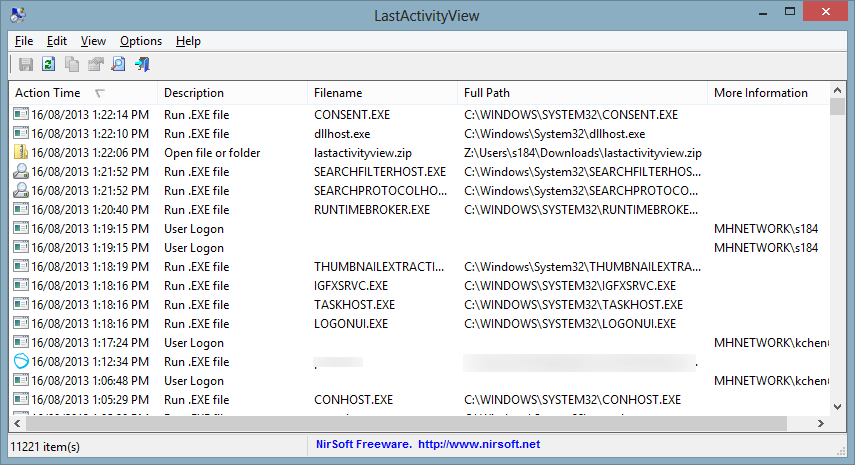
As you can see in the screenshot above, the tool displays information about the time at which a particular event took place, the description of the event that occured, filename of the application that was run (if applicable), the full path location where the file can be found, and more.
ADAudit Plus is a comprehensive Active Directory auditing solution that monitors, and tracks changes in Active Directory, workstations, file servers, member servers and more. For example, you can monitor activities such as file creations, modifications, and deletions. You can also monitor logons and logoff on local machines and specific servers. Furthermore, you can also monitor authentications that happen on a domain controller.
All of this information can be obtained on ADAudit Plus by running specific reports. For example, a report on user logon activity is shown below.
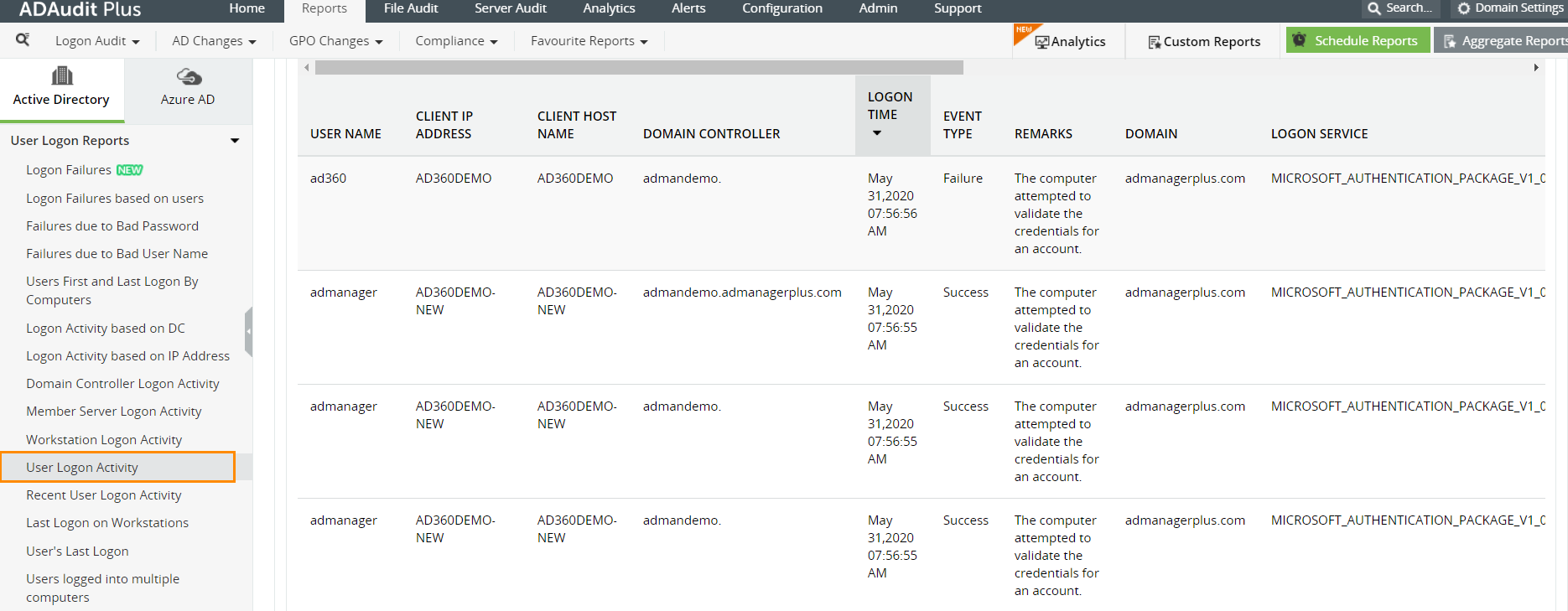
This report shows when a user attempted a logon, whether it was a successful logon or not, the time and date of the logon attempt, the client IP address, the client host name, and more.
ADAudit Plus comes bundled with more than 300 predefined reports that make AD auditing easier. The solution also sends real-time alerts for critical events and helps you to secure your network from threats and boosts your IT security posture. Check out the capabilities of ADAudit Plus here.
Simplify user activity, and file server auditing with ADAudit Plus.
Try ADAudit Plus login monitoring tool to audit, track, and respond to malicious login and logoff actions instantaneously.
Try ADAudit Plus for free Free Edition










