Direct Inward Dialing: +1 408 916 9892
A compliance mandate's end goal is to ensure that an organization's data is secure and only authorized users have access to it. For an organization to establish that its data is secure, there needs to be a way to ascertain who has access to sensitive data.
File auditing involves monitoring of events regarding users accessing, modifying, and deleting sensitive files and folders on the network. The following are the features of file auditing:
File auditing tells us who has access to what files, who accessed the files, the changes made to files, and so on. It generates reports, and also alerts the IT team of an organization in case of a security breach. It shows identifiable factors like IP address, domain controller name, username etc. to pinpoint the source of an event.
File auditing is a way to test whether the IT security set up in the organization is in place. As you can see, file auditing goes hand-in-hand with compliance.
With a comprehensive and effective solution like ADAudit Plus, organizations can monitor, audit, and track changes to all the sensitive files and folders. In this way, ADAudit Plus has several out-of-the-box and audit-ready reports that help organizations adhere to compliance mandates such as PCI DSS, HIPAA, GLBA, SOX, ISO 27001, GDPR, and FISMA to name just a few.
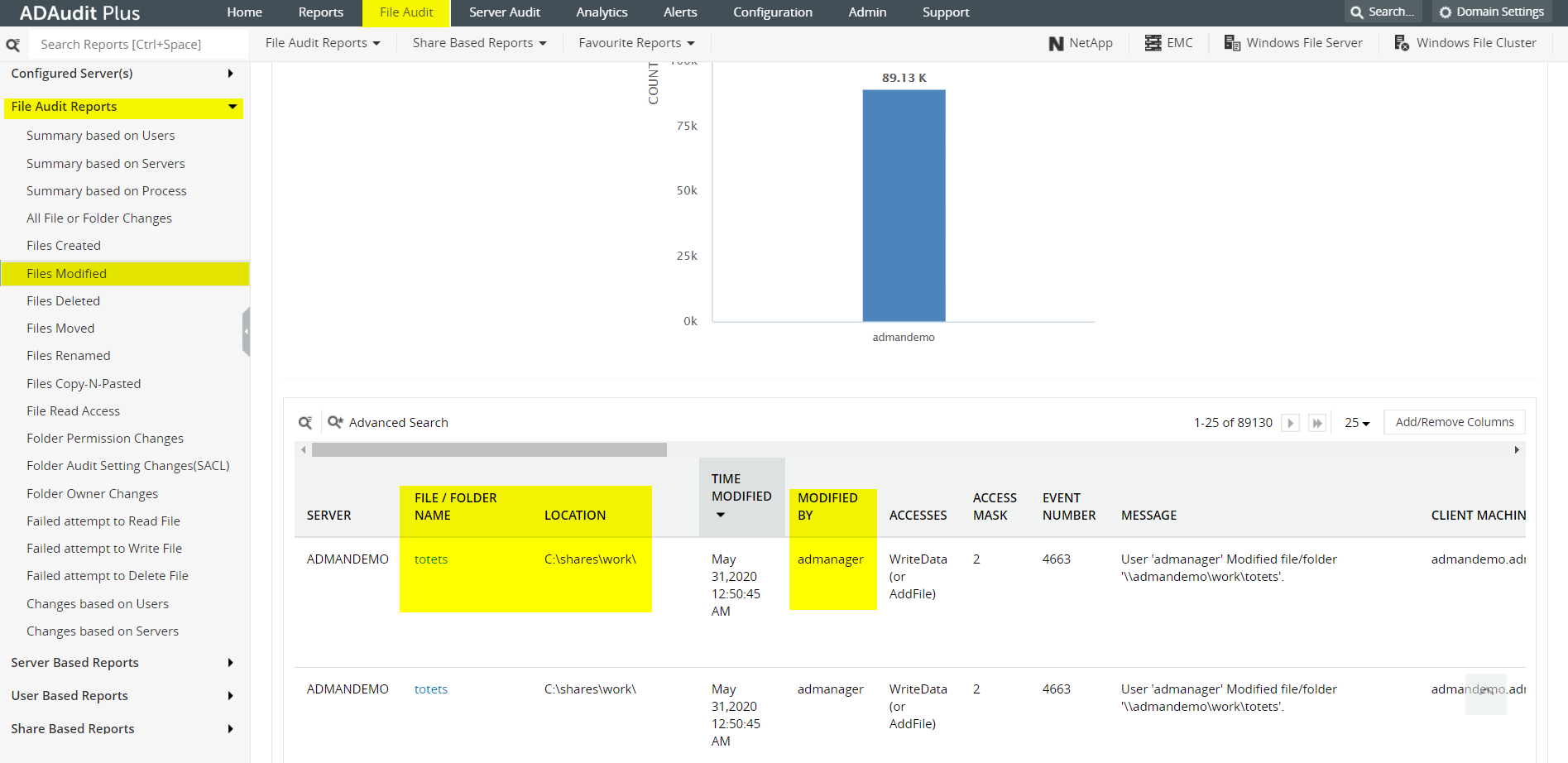
For example, the screenshot below from ADAudit Plus shows a sample report on file modifications:
For example, if you choose HIPAA, you get several reports that help you meet HIPAA requirements (See screenshot below).
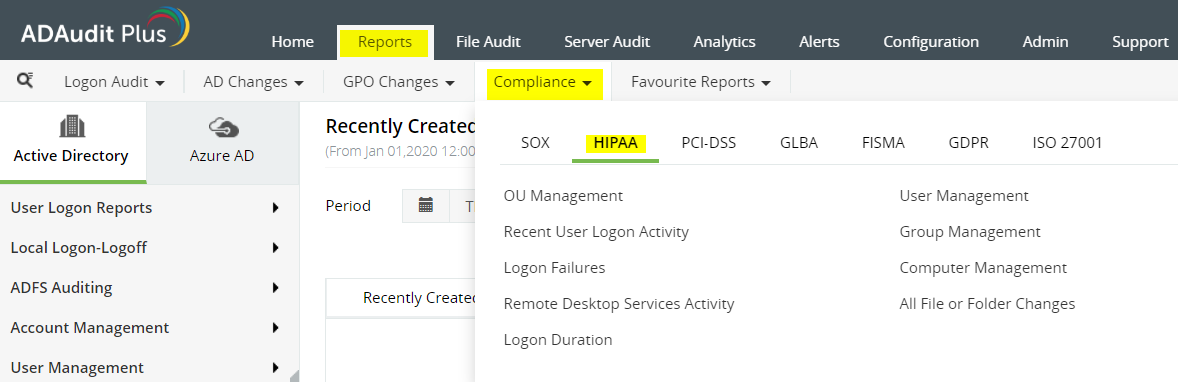
You can then choose a particular report to get more information and ensure that you adhere to the mandates of the HIPAA.
ADAudit Plus is a real-time Active Directory auditing tool, that offers 200+ reports and email alerts. It is a useful tool to understand employee behavior with regards to IT, and thwart insider and outsider attacks. It is also a valuable solution for companies that need to adhere to compliance mandates.
Meeting compliance requirements does not need to be complicated at all.
To learn more about how ADAudit Plus can help you with all your Active Directory auditing needs, please visit: here
Try ADAudit Plus login monitoring tool to audit, track, and respond to malicious login and logoff actions instantaneously.
Try ADAudit Plus for free Free Edition










