

Windows logon type 10
What is logon type 10?
Logon type 10 indicates a remote interactive logon, typically using Remote Desktop Protocol (RDP), Terminal Services, or Remote Assistance. It occurs when a user remotely connects to a Windows system in a way that provides full desktop access. Unlike Logon Type 3 (which represents non-interactive network access), Logon Type 10 reflects an interactive session initiated over the network.
These logons are recorded in the Windows Security event logs and typically signal remote administrative activity.
Common scenarios for logon type 10 (Remote interactive logon):
- Remote system administration: IT administrators connecting to servers or workstations to perform maintenance or monitoring.
- Help desk access: Support staff using RDP to assist users remotely.
- Cloud or terminal server sessions: Users connecting to Windows virtual desktops or session hosts in a remote desktop services (RDS) environment.
How to spot logon type 10:
In Event Viewer, under Windows Logs → Security, look for:
- Event ID: 4624
- Logon Type: 10
- Source Network Address shows the IP address of the remote client.
- Account Name under "New Logon" shows the user performing the remote login.
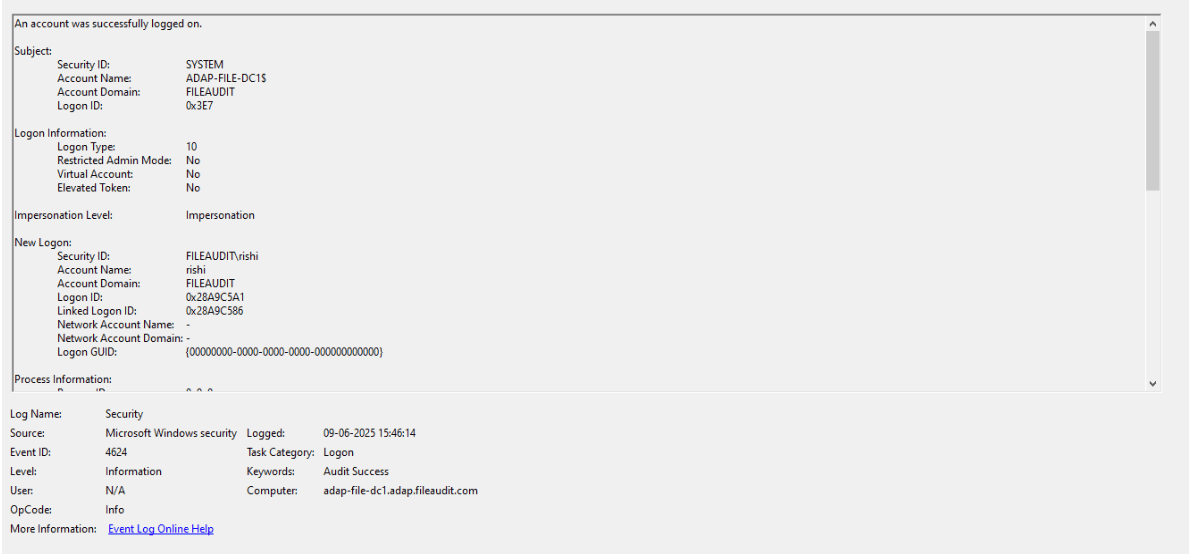
While 4624 is the main one, you may also encounter:
Related event IDs:
| Event ID | Description | Relevance |
|---|---|---|
| 4625 | Failed logon attempt | Indicates failed RDP authentication attempts, possibly pointing to brute-force attacks. |
| 4778 | Session reconnected | Tracks when an RDP session is reconnected. |
| 4779 | Session disconnected | Indicates when an RDP session is closed. |
| 4648 | Logon with explicit credentials | May appear when credentials are explicitly passed during RDP authentication. |
Why should logon type 10 events be monitored?
Logon Type 10 events occur when a user initiates a Remote Desktop Protocol (RDP) session or connects via Terminal Services to a Windows machine. These sessions provide full desktop access and are commonly used by IT admins, support teams, or threat actors during lateral movement. Monitoring these events helps you:
- Identify unauthorized RDP access attempts: Spot logons from unfamiliar IP addresses, especially those outside your corporate network or geolocation range.
- Detect brute-force attacks: Multiple Event ID 4625 entries with Logon Type 10 may indicate password-guessing or credential stuffing attacks on RDP ports.
- Audit privileged remote access: Monitor when domain admins or other privileged accounts access systems via RDP, including session times and logon sources.
- Maintain compliance with access control mandates: Standards like PCI DSS Requirement, HIPAA, and NIST require logging and monitoring of remote administrative access.
How ADAudit Plus helps in monitoring logon type 10
ManageEngine ADAudit Plus offers targeted monitoring and alerting for RDP-based logons across your domain. Here’s how it adds value:
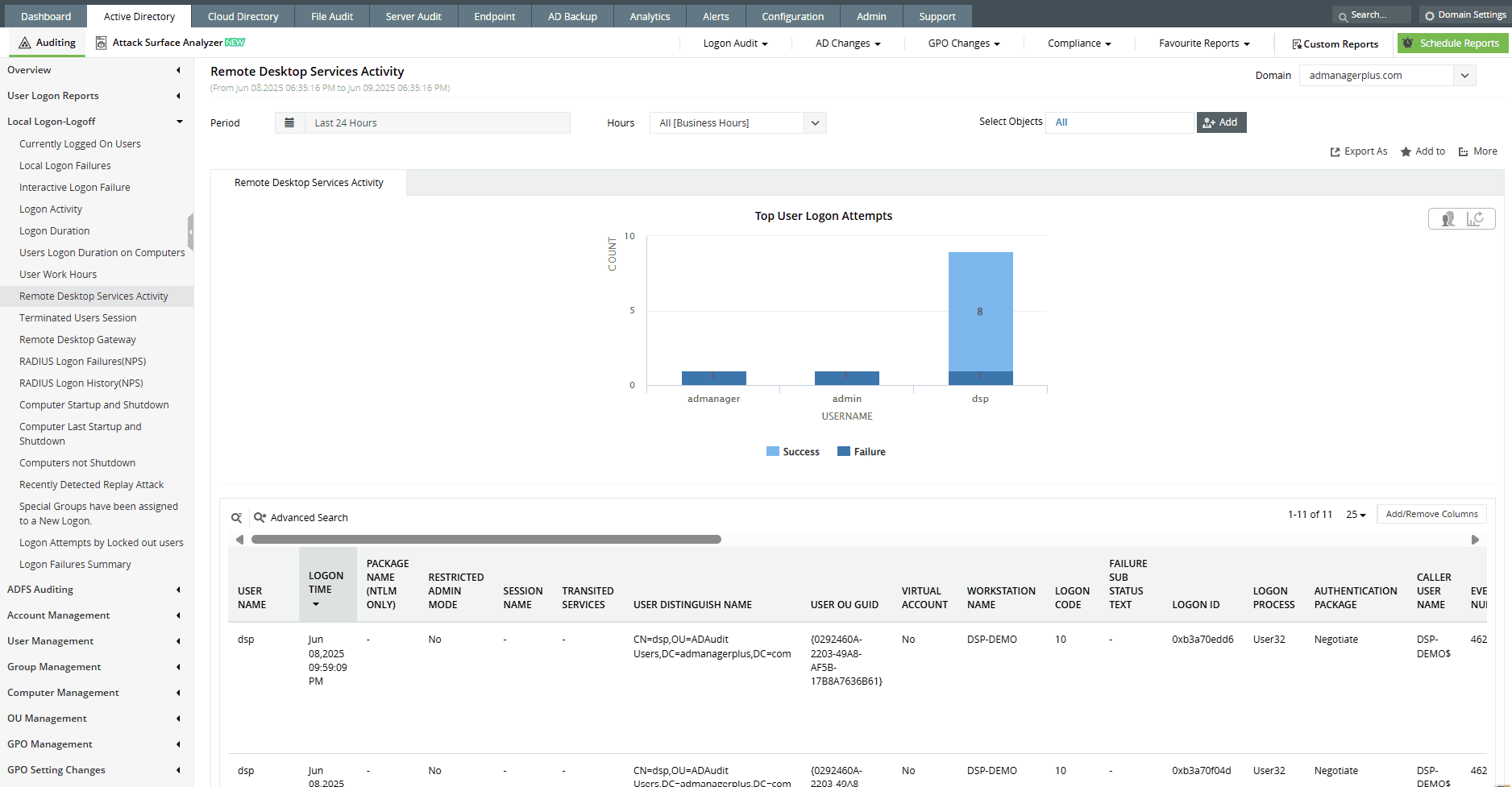
- Real-time tracking of RDP sessions (Logon Type 10): Instantly view who connected remotely, the source IP address or hostname, time of logon, session duration, and logon result.
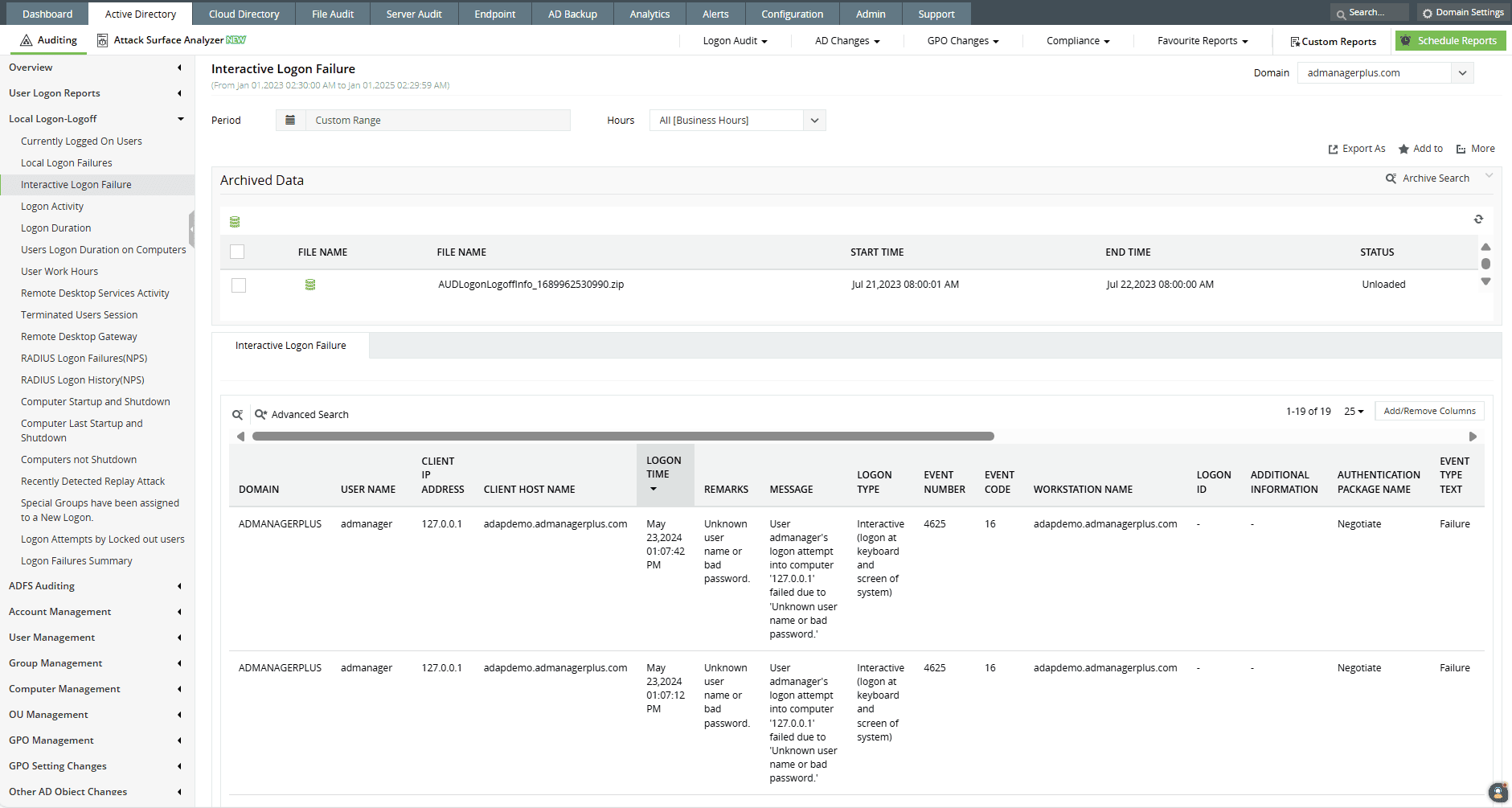
- Detection of failed RDP attempts: ADAudit Plus captures every Event ID 4625 with Logon Type 10, helping identify repeated login failures from the same external IP, often a sign of brute-force activity.
- Correlate remote logons with session activity: Link RDP logons to subsequent user actions like file modifications, privilege escalations (Event ID 4672), or process creation (Event ID 4688).
- Generate access reports for auditors and internal reviews: Pull audit-ready reports listing all remote interactive logons by user, system, time, and location, mapped to compliance controls in PCI, HIPAA, SOX, and GDPR.
Audit every remote desktop session: User, system, and timestamp
Want to explore other Windows logon types? Browse related logon types here.
Try all these features and more for free in a 30-day trial. Alternatively, get on a call with our technical experts to see how ADAudit Plus can help you.
Don't wait for your annual compliance audit.
- Audit your AD and Azure
- Monitor user logon
- Troubleshoot AD lockouts
Thanks!
Please check your inbox for demo details.









