

Windows logon type 5
What is logon type 5?
Logon type 5 represents a service logon triggered by the Service Control Manager (SCM). It occurs when a Windows service runs under a user or managed service account instead of built-in accounts like LocalSystem. These logons are automatically recorded in the Windows security event logs.
Common scenarios for logon type 5 (service logon):
- Automatic service startup: Core services launching at boot; for example, Windows Update and Print Spooler.
- Service installation: New services registered during software setup; for example, antivirus and monitoring tools.
- Manual service start: Services launched by administrators using tools like Services.msc, sc start, or PowerShell.
How to spot logon type 5:
In Event Viewer, under Windows Logs > Security, look for:
- Event ID: 4624
- Logon Type: 5
- Account Name under New Logon; this is the service account being used
- Account Domain to see where the account belongs
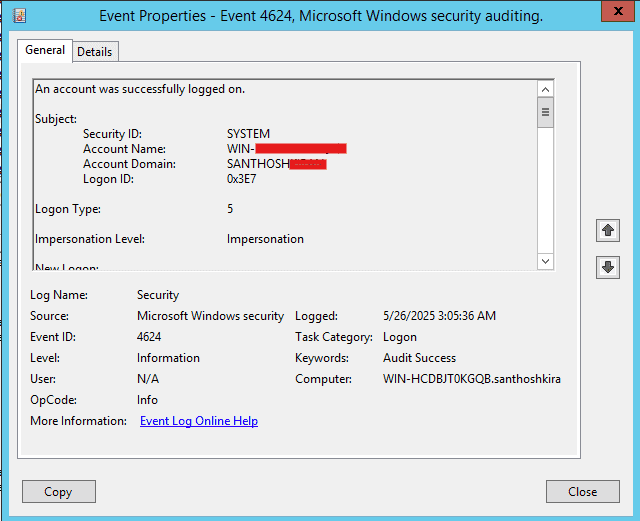
While 4624 is the main event ID, you may also encounter:
| Event ID | Description | Relevance |
|---|---|---|
| 4625 | Failed logon attempt. | If a service fails to authenticate due to incorrect credentials |
| 4672 | Special privileges assigned to new logon. | Logged if the service account has elevated privileges |
| 7045 | A service was installed on the system. | Logged when a new service is installed, which could later trigger logon type 5 events |
| 4688 | A new process has been created. | Useful to trace what process the service started after logon |
Understanding the Advapi logon process
When reviewing service logon events, you may notice the Logon Process field set to Advapi or Advapi32. This refers to the Advanced Windows 32 Base API, a core component that handles secure authentication and service startup on behalf of the SCM.
For logon type 5, this entry indicates that the service was started locally by the operating system using trusted Windows APIs rather than through remote calls or third-party processes.
Why it matters:
- It confirms that the logon was triggered internally by Windows, not remotely or interactively.
- It helps validate that the logon process followed the expected secure path.
- It supports investigations by showing that service startup was system-driven, not user-initiated.
This logon process is normal and expected for legitimate Windows services using user or managed service accounts.
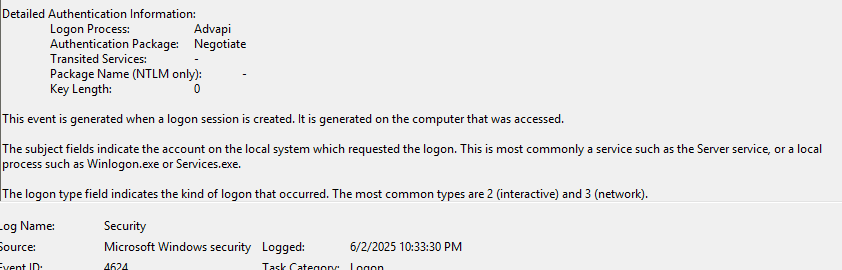
Note: For logon type 5, this typically means a local service startup. However, Advapi can also appear in other logon types, so always consider it alongside fields like Logon Type, Account Name, and Process ID to understand the context.
Why should logon type 5 events be monitored?
- Windows logon type 5 events indicate when a service authenticates using a designated user account, often without direct user interaction.
- Monitoring these events helps ensure that only authorized services are running under the correct accounts.
- Unexpected or unusually frequent logon type 5 events may point to unauthorized service startups or misuse of service accounts.
- Maintaining logs of service-level authentications is required for compliance with standards like the PCI DSS and HIPAA.
- It also helps maintain system integrity and provides a reliable audit trail for forensic investigations after a security incident.
How ADAudit Plus helps in monitoring logon type 5
ManageEngine ADAudit Plus offers comprehensive auditing and monitoring features that help in tracking various logon activities, including service logons. Here's how it assists:
- Windows service activity auditing: ADAudit Plus captures who initiated the service, from which system, and at what time. This helps identify unauthorized service activity, detect failures early, and investigate suspicious use of service accounts.
- Event ID tracking: ADAudit Plus tracks critical event IDs like 4624 (successful logon) and 4625 (failed logon), which are essential for identifying service logons and potential threats to the network.
- Compliance reporting: The solution aids in meeting compliance requirements by providing audit-ready reports that help satisfy standards like the PCI DSS, HIPAA, and SOX.
Stay on top of service activity: Who installed, started, or stopped a service, and when
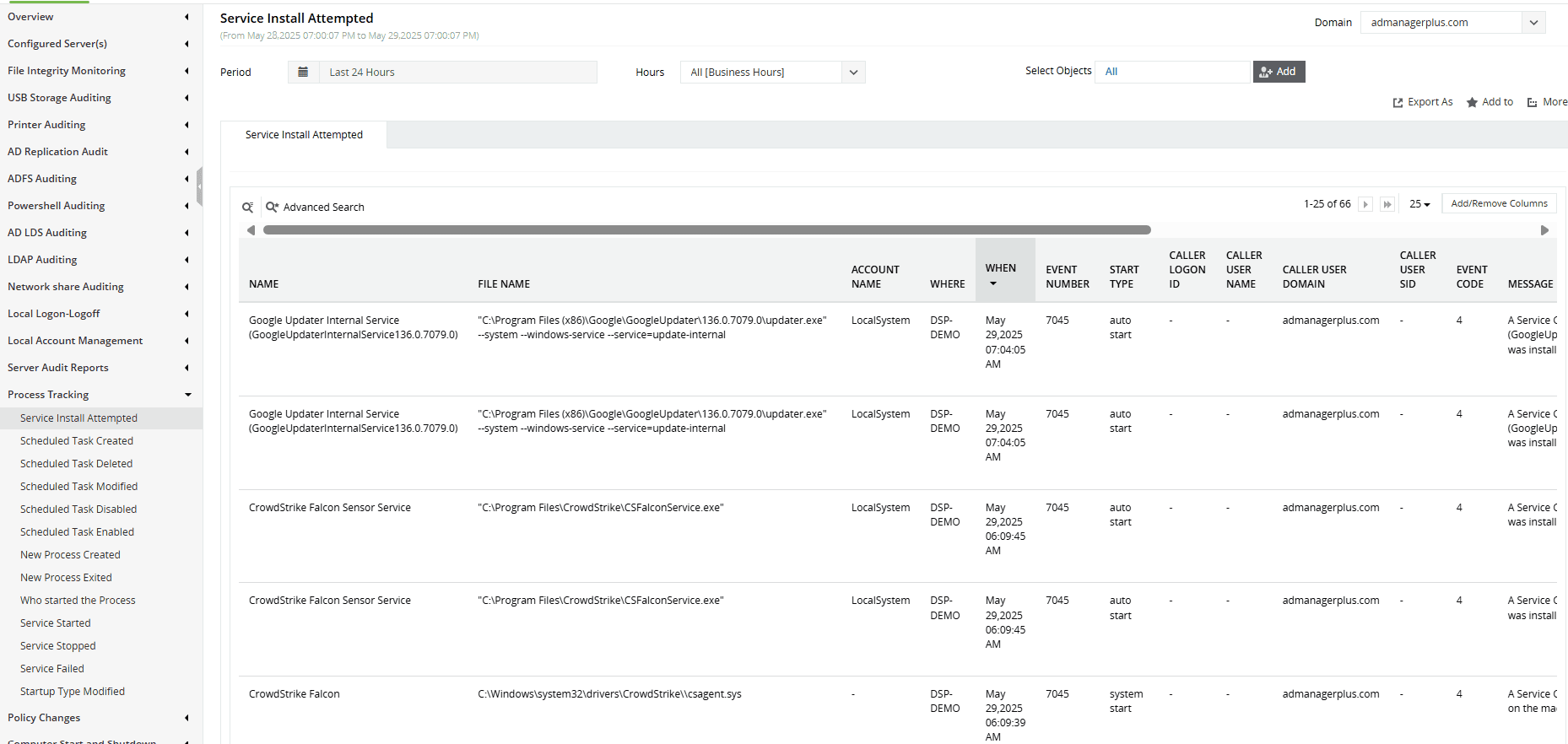
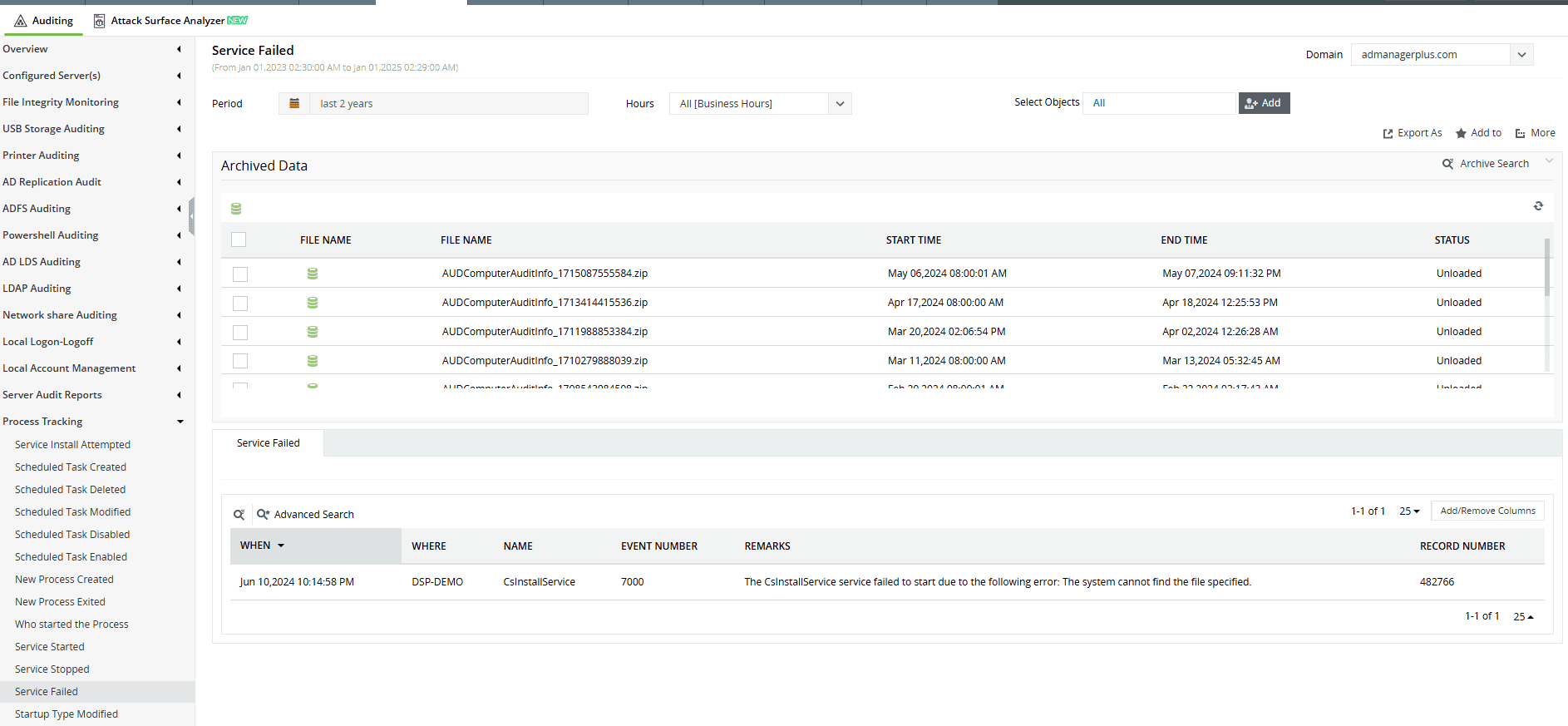
Want to explore other Windows logon types? Browse related logon types here.
Try all these features and more for free in a 30-day trial. Alternatively, get on a call with our technical experts to see how ADAudit Plus can help you.
Don't wait for your annual compliance audit.
- Audit your AD and Azure
- Monitor user logon
- Troubleshoot AD lockouts
Thanks!
Please check your inbox for demo details.









