Support
 
Phone Get Quote
 
Support
 
US: +1 888 720 9500
US: +1 888 791 1189
Intl: +1 925 924 9500
Aus: +1 800 631 268
UK: 0800 028 6590
CN: +86 400 660 8680

Direct Inward Dialing: +1 408 916 9892

Get Quote


Federal Information Security Management Act (FISMA) is a law passed in the United States in 2002, to protect federal information and assets from security threats. The Act makes it mandatory for Federal agencies to develop and implement plans and policies for an information security program that will protect federal data.

Who does it apply to?

  • All the federal agencies have to meet the data security standards set by FISMA.
  • All private companies which are in a contractual relationship with any government department.

What are the top FISMA requirements?

  • Information system inventory: Federal agencies must maintain an inventory of all the information systems that are used such as model number, date of purchase, and service records. This means that service records will have to be regularly maintained.
  • Risk categorization: Categorize the company data and the information systems according to the amount of sensitive information they contain or handle. Companies should use tools that can help them categorize data according to the risk they pose and monitor each group separately.
  • Outline and implement the system security plan: Companies must create a system security plan that will contain a list of the security controls that they plan to implement, including an outline of their plan of action, the timelines for their implementation, and so on. This system security plan should also be updated when there is new information on threat detection or if your company adds new entities to the network, such as cloud storage. Auditors can refer to this plan to ensure that the planned security controls and processes are taking place according to the timeline.
    Implement the security controls according to the timeline formulated in the system security plan. Some general security controls that all companies should implement are contingency planning, risk assessment and awareness, and training.
  • Conduct risk assessment: Identify the risk factors and the degree of their severity. Make sure that your security controls cover all your risks. For example, certain user activities could be risk factors. Using a password that never expires, or using very simple passwords increase the risk of outsiders hacking into the network. So administrators should ensure that strict password policies are enforced throughout the network to deal with this risk.
  • Continuous monitoring: Your systems have to be continuously monitored for any unexpected modifications or changes. This includes file integrity monitoring, vulnerability scanning, log analysis, and so on.

While those guidelines are absolutely important, they might put your IT administrator in a tizzy. The IT administrator might like to have some backup in the form of third-party auditing tools.

Meeting FISMA compliance with ADAudit Plus

ADAudit Plus is a real-time Active Directory auditing tool that can help you with all the important FISMA requirements. This tool can perform risk assessment, risk categorization, and can lead your security controls system. ADAudit Plus has a separate section for FISMA compliance which contains reports on file modifications, logon activity, remote desktop services activity and so on. Finally, ADAudit Plus can help with continuous real-time monitoring. Here are the audit reports for FISMA compliance available on ADAudit Plus:
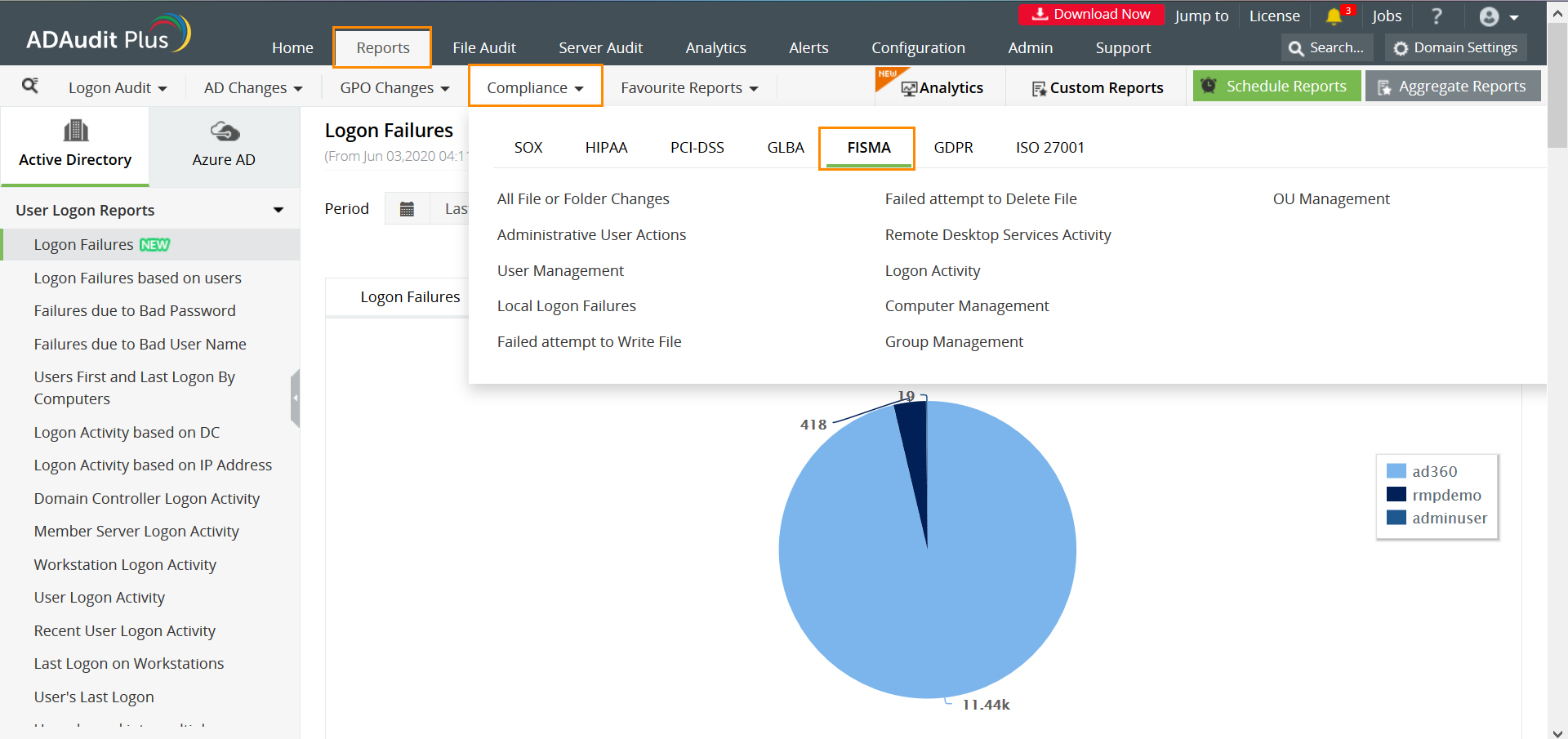
The FISMA section contains various reports such as file and folder changes, logon activity, group management and so on. These reports can help you detect an unauthorized attempt at modifying files, or shows the user account modifications that have been initiated on the network. This can help administrators detect any intruders on the network. These reports can be accessed on the ADAudit Plus tool by navigating to Reports > Compliance > FISMA.

About ADAudit Plus

ADAudit Plus is a real-time, web-based Windows Active Directory change reporting software that audits, tracks, reports and alerts on Windows (Active Directory, workstations logon/logoff, file servers and servers), NetApp filers and EMC servers to help meet the demands of the much-needed security, audit and compliance. With ADAudit Plus, track authorized/unauthorized AD management changes, access of users, GPO, groups, computer, OU. Track every file, folder modifications, access and permissions changes with 200+ detailed event-specific reports and get instant emails alerts. You can also export the results to XLS, HTML, PDF and CSV formats to assist in interpretation and computer forensics. For more information on ADAudit Plus, visit https://www.manageengine.com/active-directory-audit/.

More related links


Native auditing becoming a little too much?

Try ADAudit Plus login monitoring tool to audit, track, and respond to malicious login and logoff actions instantaneously.

Try ADAudit Plus for free
 

ADAudit Plus Trusted By









