Direct Inward Dialing: +1 408 916 9892
The Gramm-Leach-Bliley Act (GLBA) is a federal law in the U.S. GLBA that regulates how financial institutions protect customer information. The term 'financial institutions' mentioned in the GLBA is an umbrella term for any company that has a significant involvement in providing financial services. It also regulates how these institutions share information with authorized third party organizations. GLBA ensures that customers have the right to choose not to share their information with the third-parties.
The Safeguards Rule and the Financial Privacy rule within the GLBA particularly lay down privacy and security procedures to secure customer data.
The Safeguards rule stipulates that companies should have security measures in place to secure customer information.
The Financial Privacy rule regulates how financial institutions should treat a customer's private information. Additionally, the Pretext Provisions mandate that these institutions must be well equipped against phishing and social engineering attacks.
GLBA aims to protect a customer's Non-Public Personal Information (NPI). Personal information like credit card numbers, account numbers, addresses, phone numbers, social security numbers, and other details that are generally not available publicly are considered NPI.
Failure to comply with the GLBA results in fines that might run into hundreds of thousands of dollars and could even lead to imprisonment for the people involved with the violation.
For example, financial institutions face a fine of up to $100000 as a penalty for violation. High-ranking individuals like directors also face fines up to $10000.
ADAudit Plus is a comprehensive solution that simplifies AD auditing and reporting. It is a one-stop platform that brings together intuitive user interface, pre-configured reports, and advanced filter options make it easy for you to track changes to your network, and detect threats immediately. You get a fully equipped dashboard that gives you a holistic view of the various systems in your network. This way you can correlate events across the network and spot suspicious behavior.
The intuitive dashboard also has a special section displaying reports related to various compliance laws.
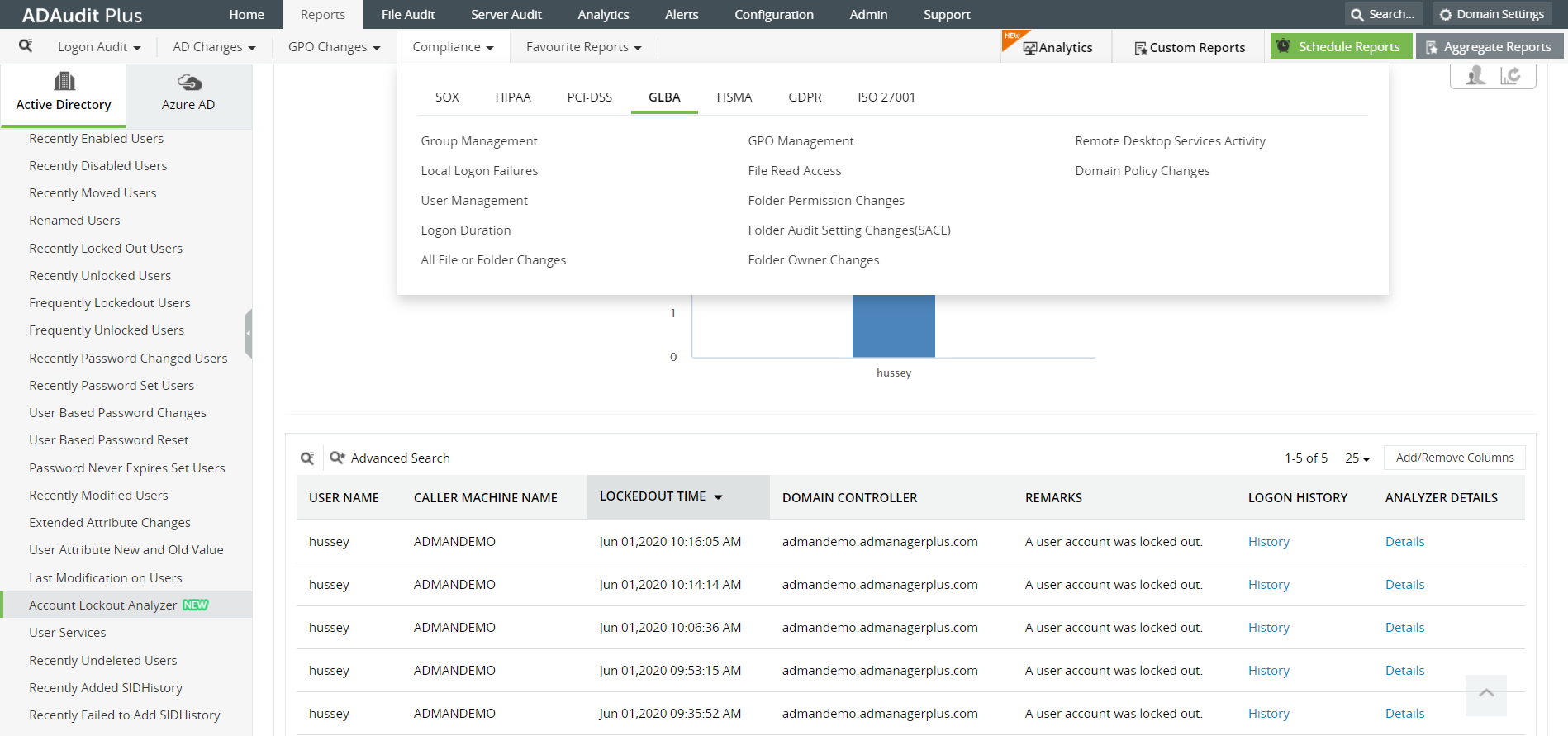 Image: The 'Compliance' tab shows reports that help you stay GLBA compliant.
This report shows changes made to security and distribution groups; for example a user being added to or deleted from a group.
The report displays a list of logon failures with comments on what type of error caused the logon failure; for example a bad password entry.
This section shows a list of users who may have been created or deleted or whose accounts may have been disabled recently.
This report describes a user's logon details like logon and logoff time, logon type, which workstation the user logged in from, and for how long the user was logged in.
The reports list all changes made to a file or folder ,such as a folder whose owner has been changed, or if a file was created or deleted or modified. You can also see if the contents of a file were copied and pasted elsewhere.
The report lists the files that were accessed recently and who accessed these files.
This report lists permission changes that were made to a folder. You can view if any user was recently granted permissions and who made the modification.
This reports displays any changes that were made to the audit settings that were initially in place and who made these changes.
This report shows all folders whose owners were changed, along with information about who made those changes.
This report describes any attempts to logon to your network remotely.
This report shows any changes that were made to the domain policy settings such as a change to a password settings of a user.
ADAudit Plus is a real-time, web-based Windows Active Directory (AD) change reporting software that audits, reports and alerts on Active Directory, Windows servers and workstations, and NAS storage devices to meet the demands of security, and compliance requirements. You can track AD management changes, processes, folder modifications, permissions changes, and more with 200+ reports and real-time alerts. You can also get out-of-the-box reports for compliance mandates such as the GLBA. To learn more, visit https://www.manageengine.com/active-directory-audit/.
Try ADAudit Plus login monitoring tool to audit, track, and respond to malicious login and logoff actions instantaneously.
Try ADAudit Plus for free
 Free Edition










